

Where Can I Check the Last Sync Time for My Team?
Admins can verify synchronization timestamps for their entire team through the Eazybe Workspace Dashboard.
How to Check Last Sync Time
1
Log In to Eazybe Workspace
Log in to your Eazybe Workspace account using your admin credentials.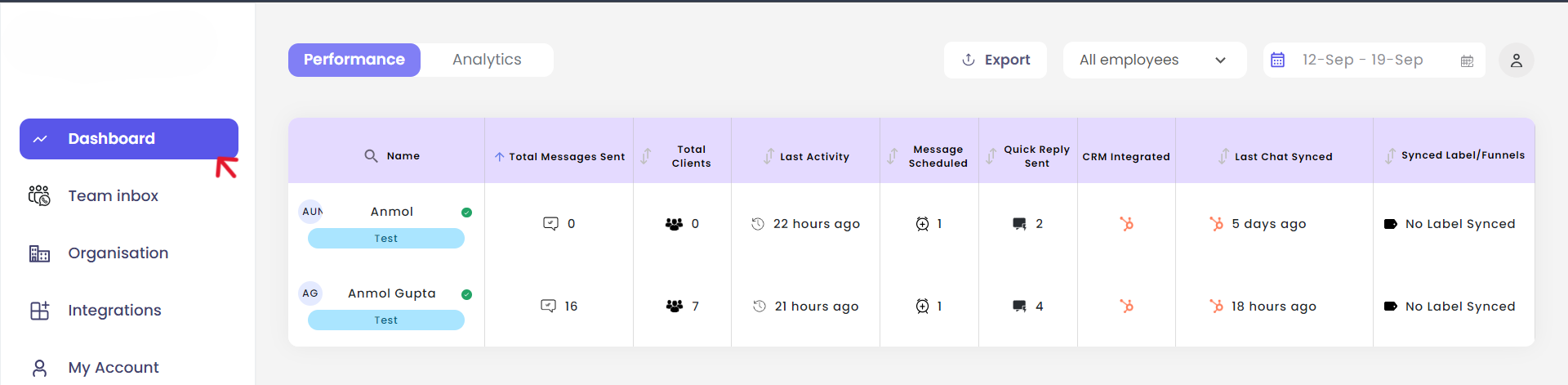
2
Access the Dashboard
Click on the Dashboard button to view comprehensive team data and synchronization information.
3
Find the Last Chat Synced Column
Locate the “Last Chat Synced” column in the team overview table. This column displays the HubSpot chat sync timestamps for all team members.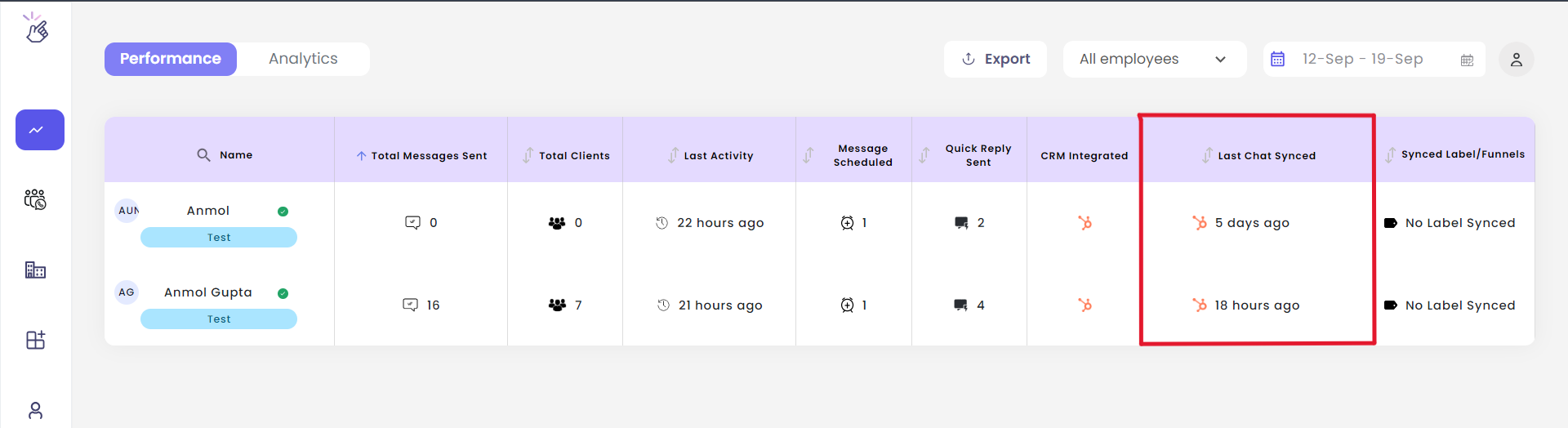
What You Can See
Team Sync Status
View the last synchronization time for each team member at a glance.
Quick Overview
Get a comprehensive view of your entire team’s HubSpot sync activity.
Only organization administrators have access to view the team’s sync status in the Eazybe Workspace dashboard.
Need Help?
Contact Support
If you encounter any issues or need further assistance, reach out to our support team at hey@eazybe.com. We’re happy to help!