

Overview
Integrating Pipedrive with your Eazybe WhatsApp extension is simple and quick. Before you begin, ensure you meet the following prerequisites for a smooth setup process.Meeting all prerequisites ensures a seamless integration experience and
prevents common setup issues.
Requirements Checklist
1
Active Pipedrive Account
Ensure your Pipedrive account is set up and functioning properly. You’ll need access to your Pipedrive portal to complete the integration.
Both free and paid Pipedrive plans support the Eazybe integration.
2
Install Eazybe WhatsApp Extension
Make sure your Eazybe WhatsApp extension is properly installed and connected to WhatsApp Web.If you haven’t installed the extension yet, visit the Chrome Web Store to download it.
3
Company Domain
You’ll need your Pipedrive Company Domain for the integration.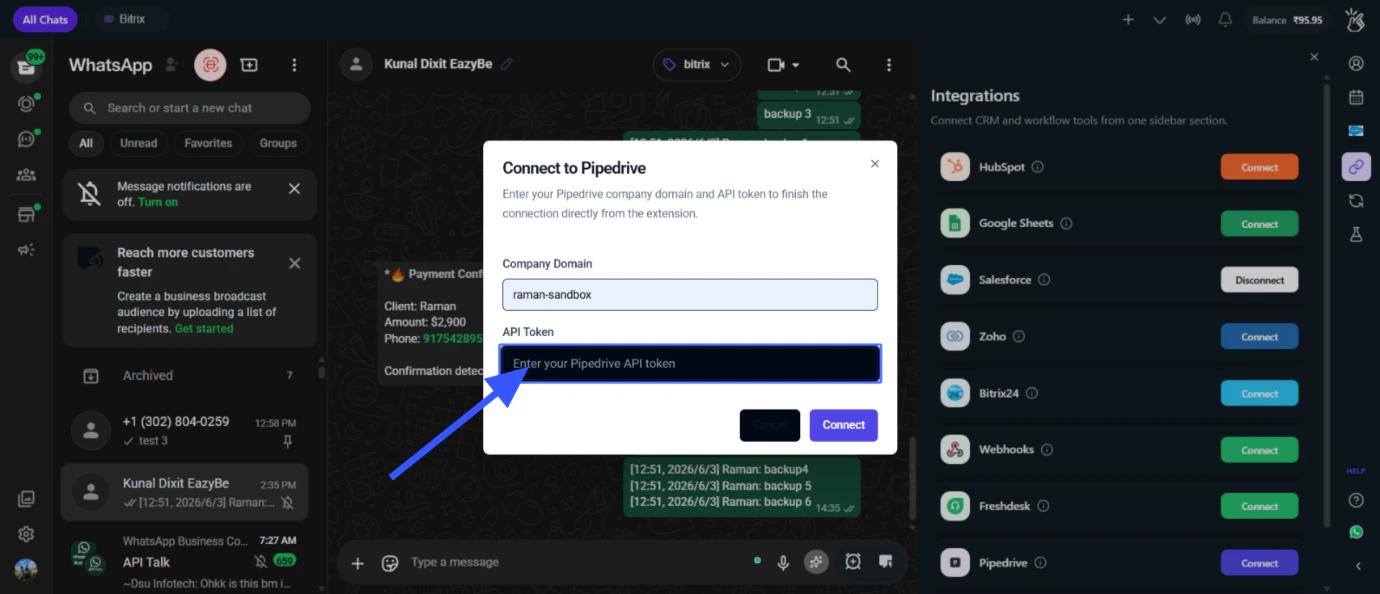
https://yourcompany.pipedrive.comThe part before .pipedrive.com is your Company Domain.4
Pipedrive API Token
You’ll need your Pipedrive API Token to authorize the connection.To get your API Token: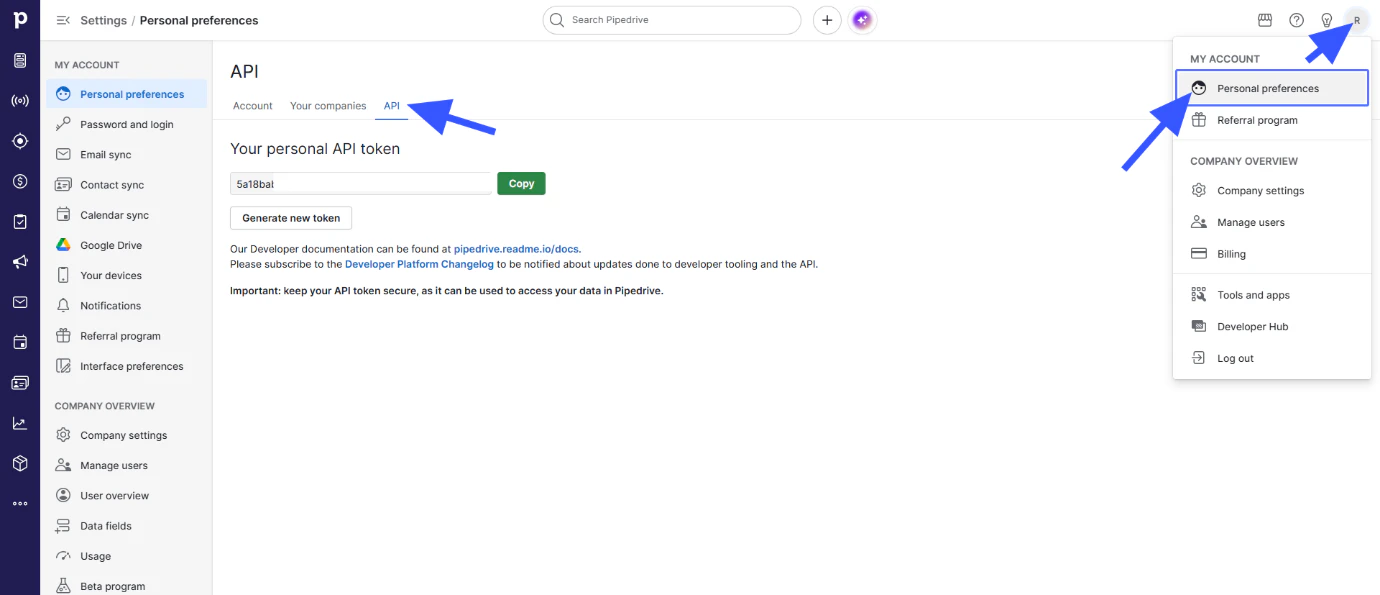
- Go to your Pipedrive account
- Click on Personal Preferences
- Click on the API tab
- Copy your existing API Token or generate a new one
Quick Reference
Next Steps
Setup Guide
Follow the step-by-step guide to connect Pipedrive with Eazybe.
Mini CRM Features
Learn how to use the Pipedrive Mini CRM in WhatsApp.
Need Help?
Contact Support
If you have any questions or need further assistance, reach out to us at
hey@eazybe.com. We’re happy to help!