

Before you start
- Sign in to the Eazybe workspace as an organization admin with HubSpot connected.
- Keep Sync Conversations enabled.
- In Integrations → HubSpot → User Mapping, check that each team member is mapped to the correct HubSpot owner. If you plan to apply the rule to API numbers, check their mappings too.
- Check the owner assigned to each relevant record in HubSpot.
This setting applies to one-to-one chats. WhatsApp group backup is managed separately. It does not change record ownership or HubSpot access permissions.
Enable Owner-based backup
- Open Integrations in your Eazybe workspace.
- Open Settings for HubSpot.
- Select Sync & Data.
- Turn on Owner-based backup.
- Choose whether to include unassigned records and API numbers using the options below.
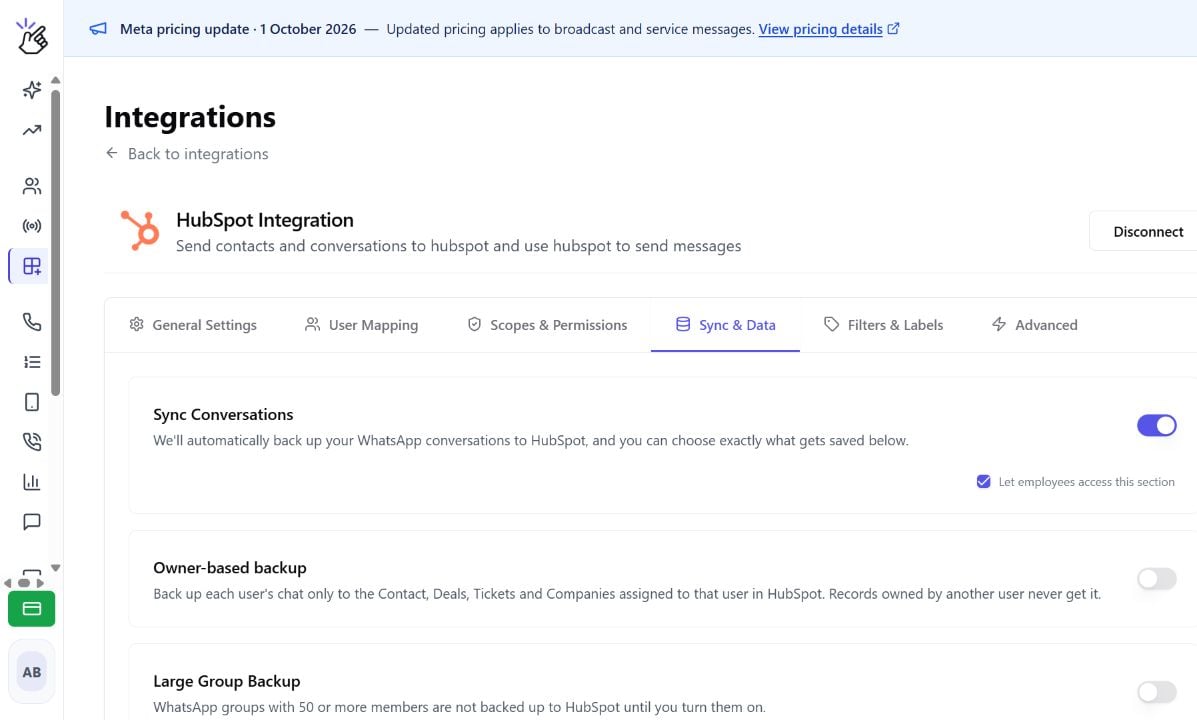
Choose your backup rules
All three switches are off by default. The two additional options appear when Owner-based backup is on.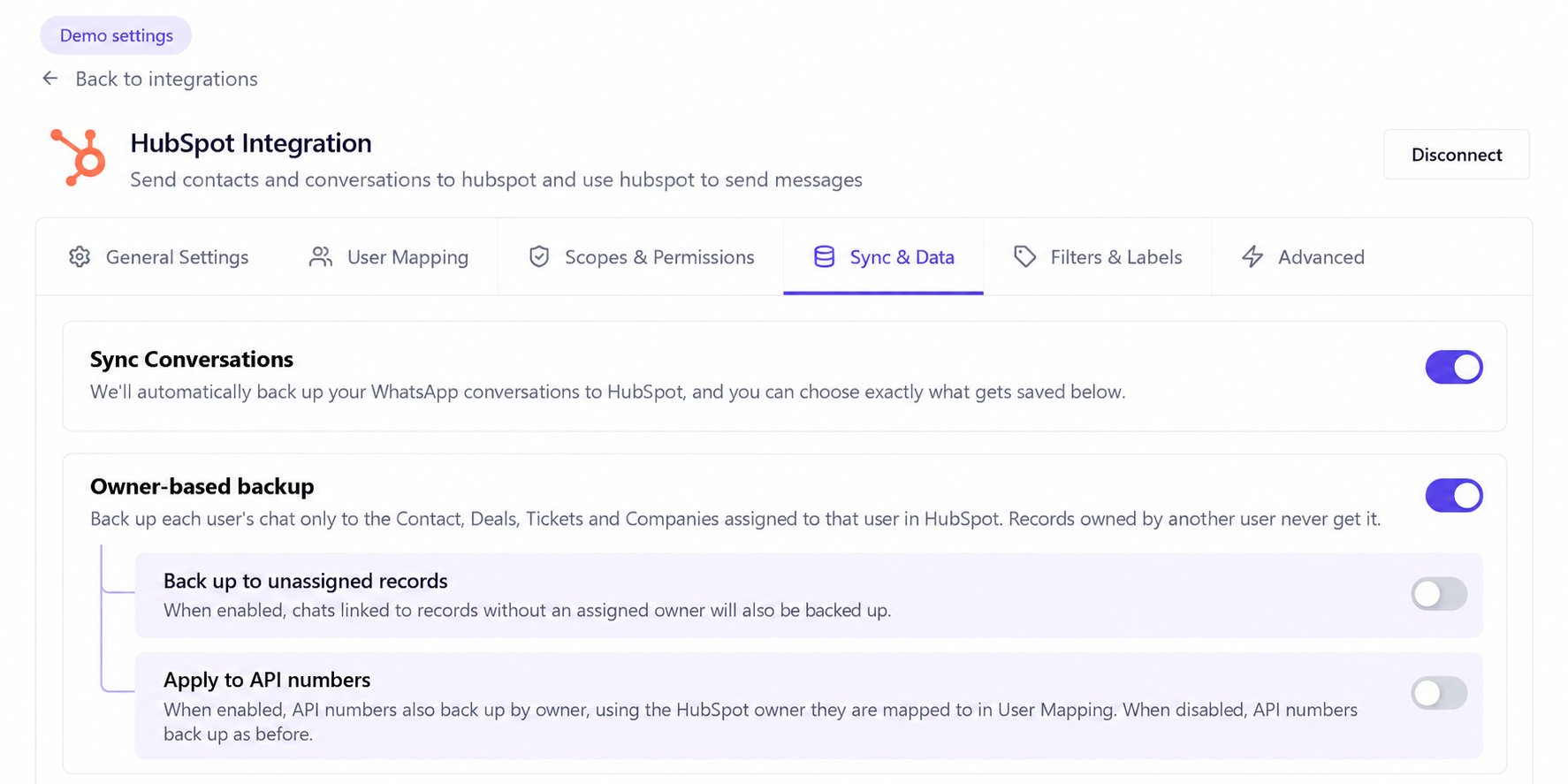
For a shared API number, the rule uses the owner mapped to that number, not the employee who happens to send a message from the shared inbox.
Example: different owners across related records
Maya’s Eazybe account is mapped to Maya in HubSpot. She chats with a customer whose contact has these linked records. With Owner-based backup on:
These are fictional names. If the contact were owned by Leo, the contact would be skipped, but the company owned by Maya could still receive the backup. Turning on the unassigned option never includes records assigned to another owner.
What happens after you enable it?
- The rule controls subsequent backups; it does not automatically redistribute past chat history.
- Activities created before enabling Owner-based backup remain in HubSpot. Enabling the feature does not clean up older backups.
- Existing sync exclusions and associated-record limits still apply. Ownership alone does not make an unrelated record a backup destination.
- If no record qualifies, the chat is skipped for that backup. This is expected behavior, not necessarily a sync error.
- If a user or API number has no HubSpot owner mapping, Eazybe does not substitute the admin’s owner. Only genuinely unassigned records can qualify when the unassigned option is enabled.
Troubleshooting
See message syncing for general backup behavior or excluding contacts from sync for label-based exclusions. For help, contact hey@eazybe.com.