

How to Invite Team Members
1
Access Organization Settings
Navigate to the organization panel at workspace.eazybe.com/organization.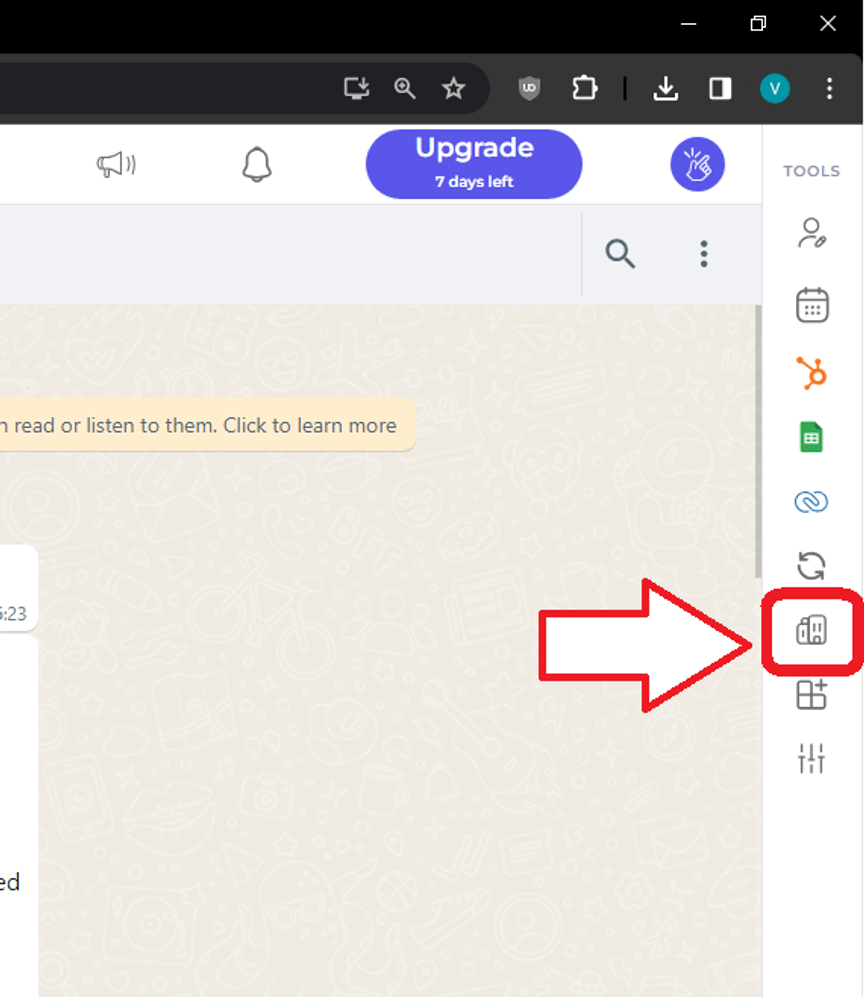
2
Select Employee Management
Locate and click on Employees → Add Employees in the interface.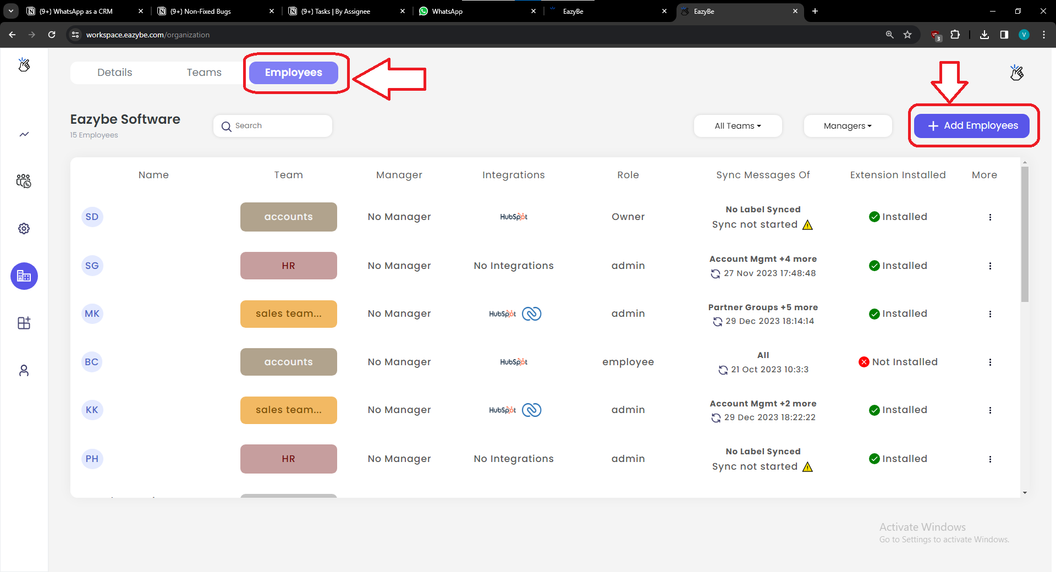
3
Enter Details and Send Invitation
Fill in the required information for each team member: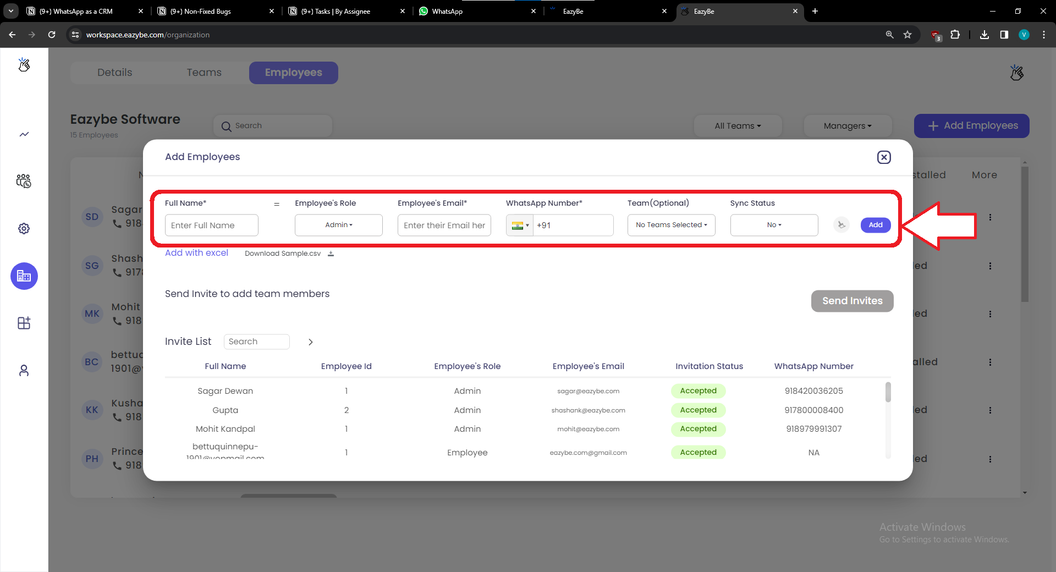
- Name (required)
- Email (required)
- WhatsApp Number (required)
What Happens After Inviting
Once team members accept the invitation and connect their WhatsApp:
- They can access shared Quick Replies and Labels
- Their chats are backed up from their WhatsApp number to the Admin’s Google Drive
- You can assign tasks to them through LeadSquared