

Overview
The Pipedrive Mini CRM allows you to manage your sales activities directly from WhatsApp without switching applications. Create contacts, add notes, manage tasks, and create deals based on your WhatsApp conversations.Make sure you have connected your Pipedrive
account before using these
features.
Opening the Mini CRM
1
Click the Pipedrive Logo
In the Eazybe panel, click on the Pipedrive logo to open the Mini CRM sidebar.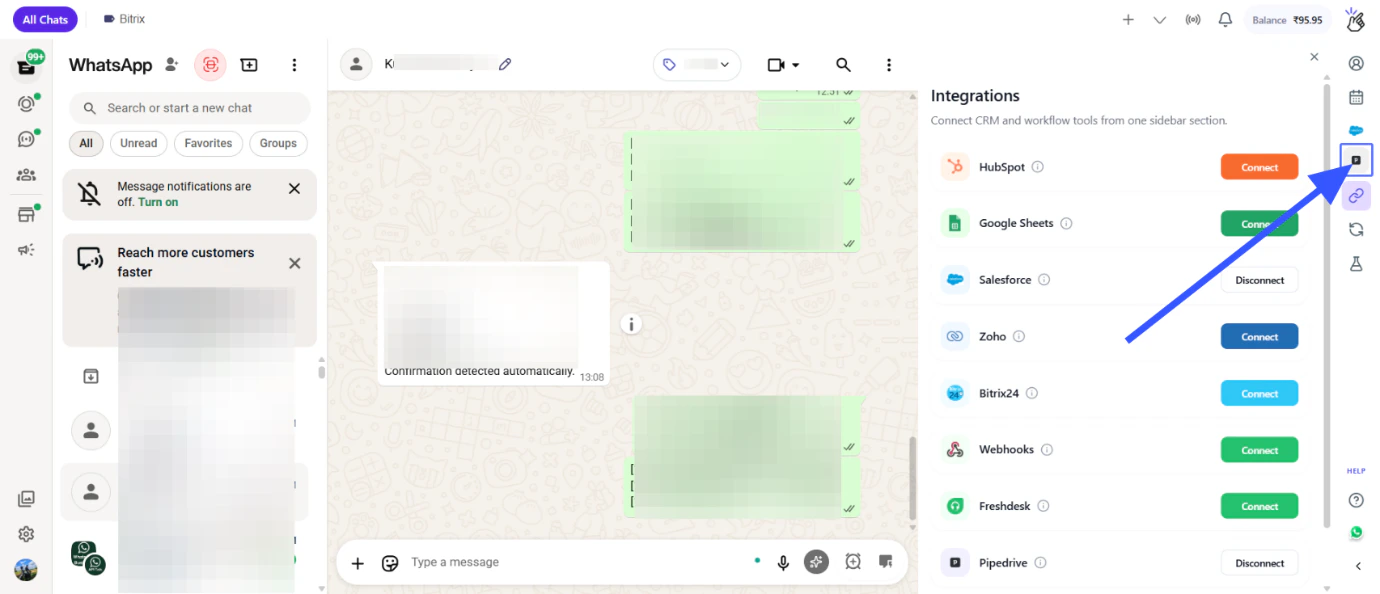
The Mini CRM appears as a sidebar panel within WhatsApp Web, giving you quick access to Pipedrive features.
Mini CRM Features
Under Mini CRM, you can manage your Pipedrive data directly from WhatsApp:Creating Contacts
1
Open a WhatsApp Chat
Select the chat for which you want to create a contact in Pipedrive.
2
Open Mini CRM
Click on the Pipedrive logo to open the Mini CRM.
3
Create Contact
Under Mini CRM, click on Create Contact.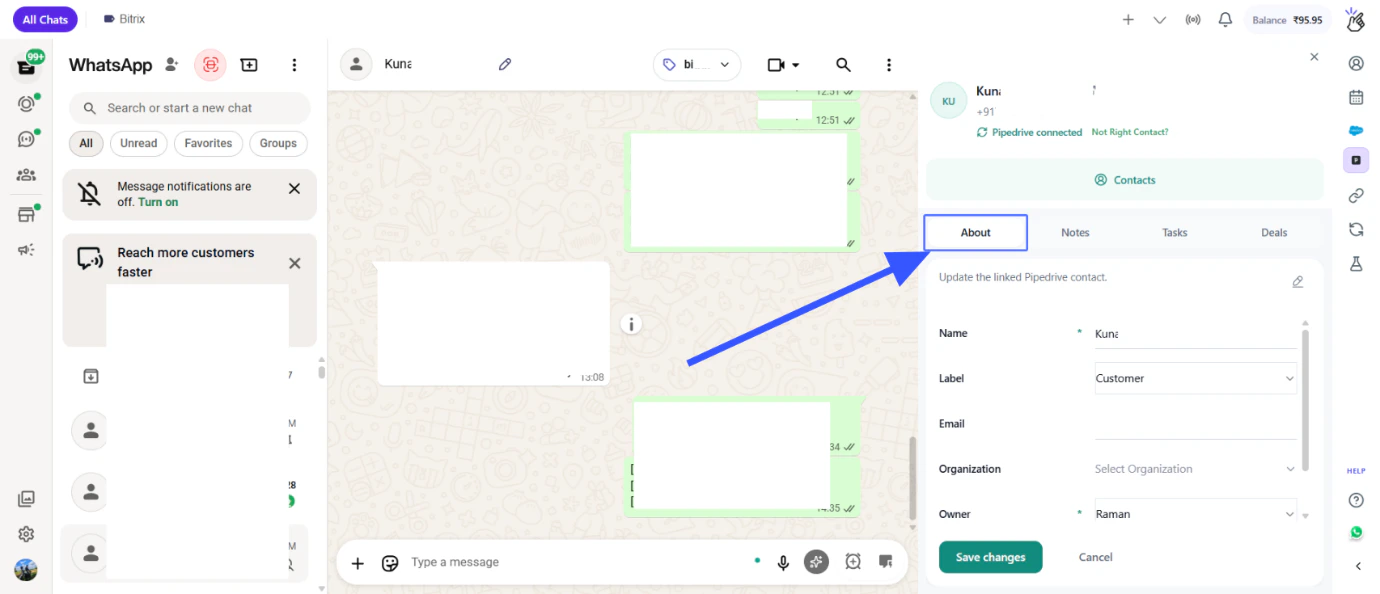
Adding Notes and Creating Tasks
1
Open a WhatsApp Chat
Select the chat for which you want to add a note or create a task.
2
Open Mini CRM
Click on the Pipedrive logo to open the Mini CRM.
3
Create Notes or Tasks
Under Mini CRM, you can add notes and create tasks based on your WhatsApp conversations.
Creating Deals
1
Open a WhatsApp Chat
Select the chat for which you want to create a deal.
2
Open Mini CRM
Click on the Pipedrive logo to open the Mini CRM.
3
Create Deal
Under Mini CRM, click on Deals and create a new deal.
The deal will be associated with the contact from your open WhatsApp chat.
Chat Backup View
1
View Chat Backup
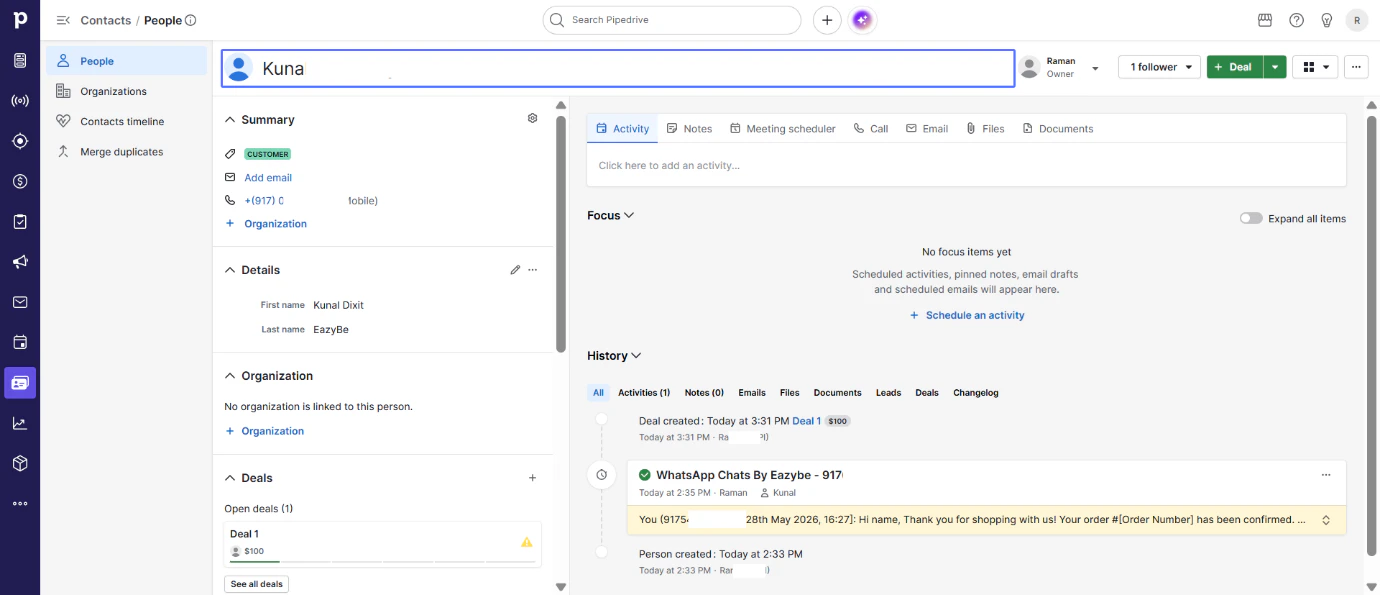
Under Pipedrive contact view, access the Chat Backup view to see all WhatsApp conversations associated with contacts.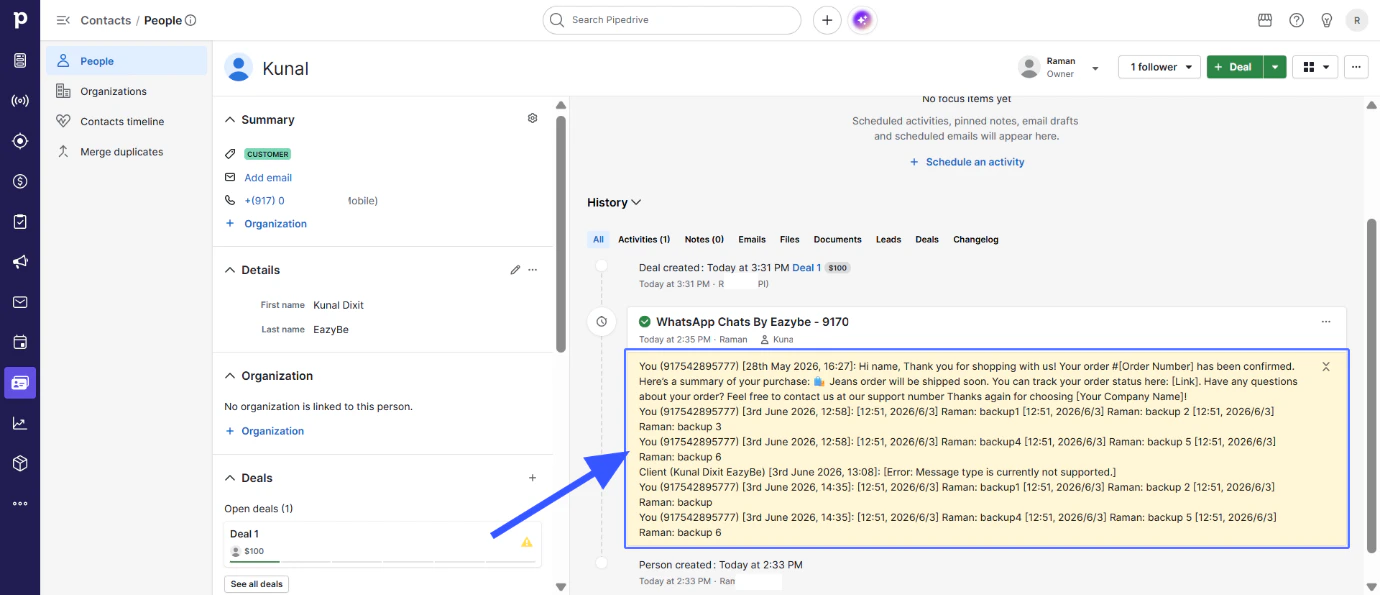
Chat backup allows you to review conversation history directly within the contact view.
One-Click Contact Redirect
Use the One Click Contact Redirect button to directly open the contact’s Pipedrive page. This is useful when you need to view complete contact details or history in Pipedrive.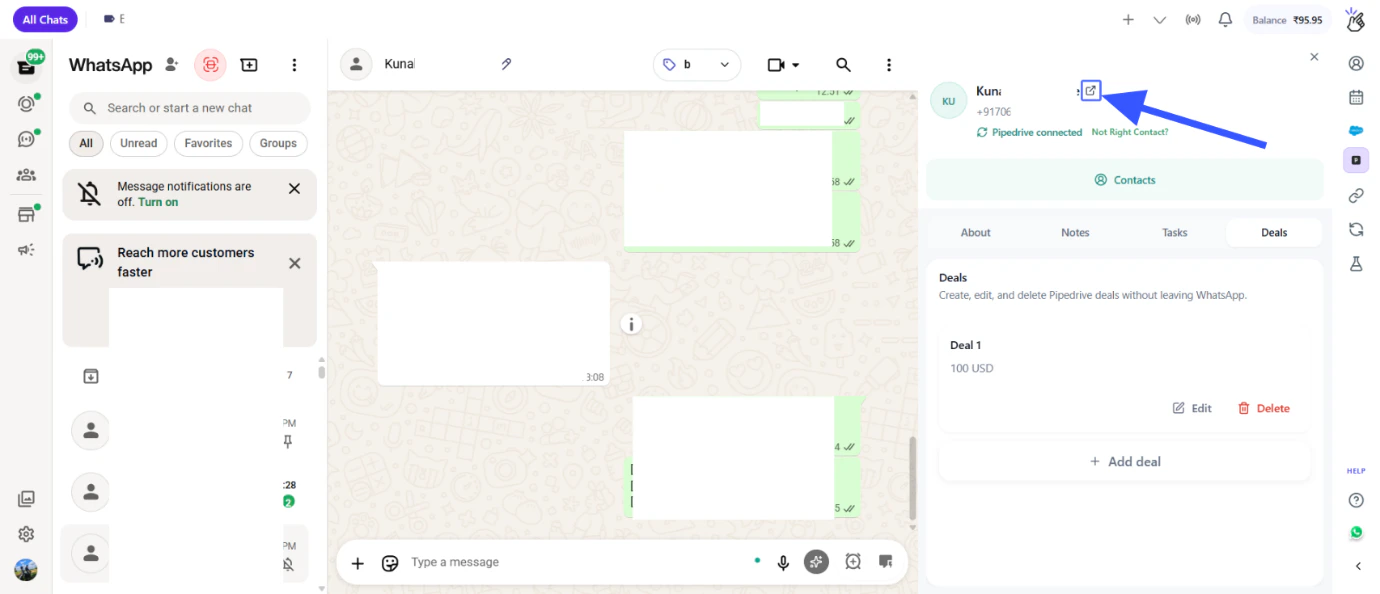
Quick Reference
Next Steps
Account Connection
Learn how to connect Pipedrive with Eazybe.
Disconnect
Learn how to disconnect the Pipedrive integration.
Need Help?
Contact Support
If you have any questions or need further assistance, reach out to us at
hey@eazybe.com. We’re happy to help!