

Overview
HubSpot workflows allow you to automate WhatsApp messaging based on triggers like lifecycle stage changes, deal updates, or custom events. This guide walks you through setting up automated WhatsApp messages using the Eazybe integration.Setting Up Your Workflow
1
Create a New Workflow
Navigate to the Automation tab in HubSpot and select Workflows from the dropdown menu. Click Create workflow and choose From scratch.Select the workflow type based on your needs: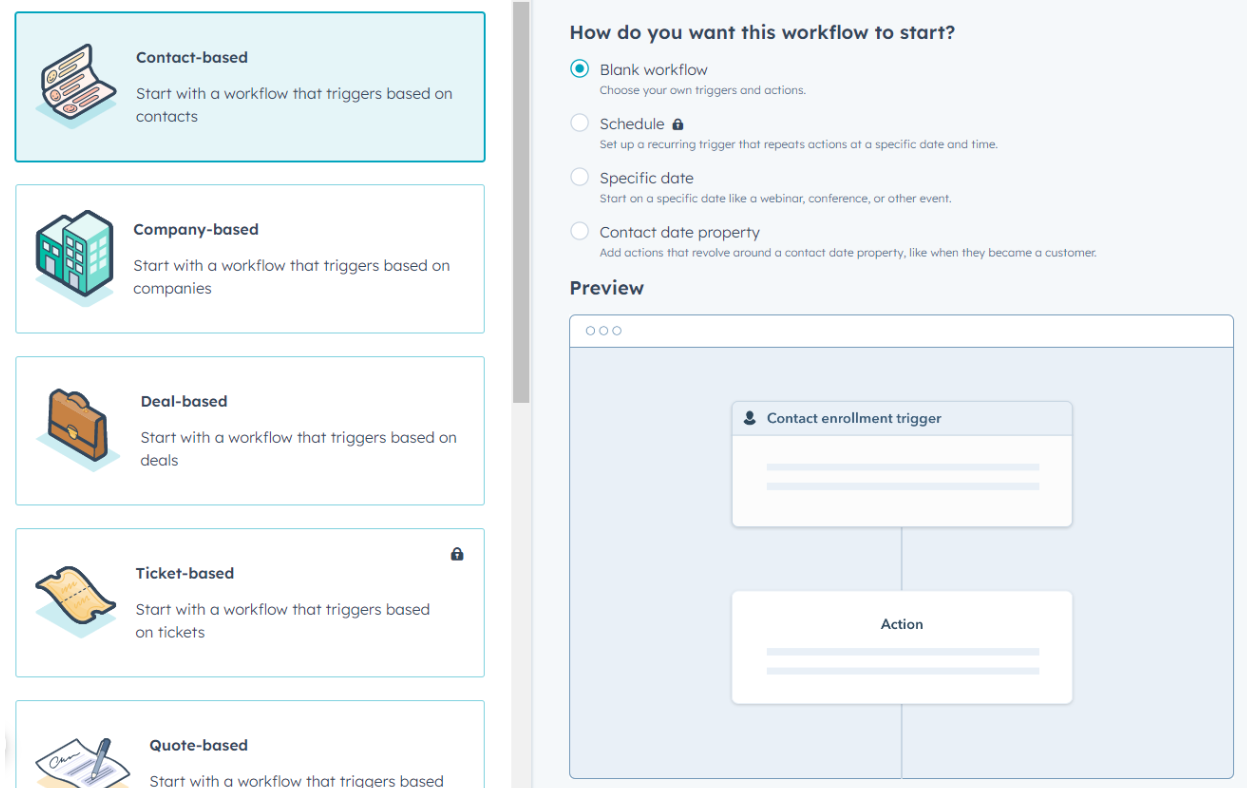
- Contact-based — Trigger based on contact properties
- Deal-based — Trigger based on deal stage changes
- Company-based — Trigger based on company properties
2
Add a Trigger
Give your workflow a descriptive name, then click Set up triggers to define the conditions that will initiate the workflow.Choose from available trigger options: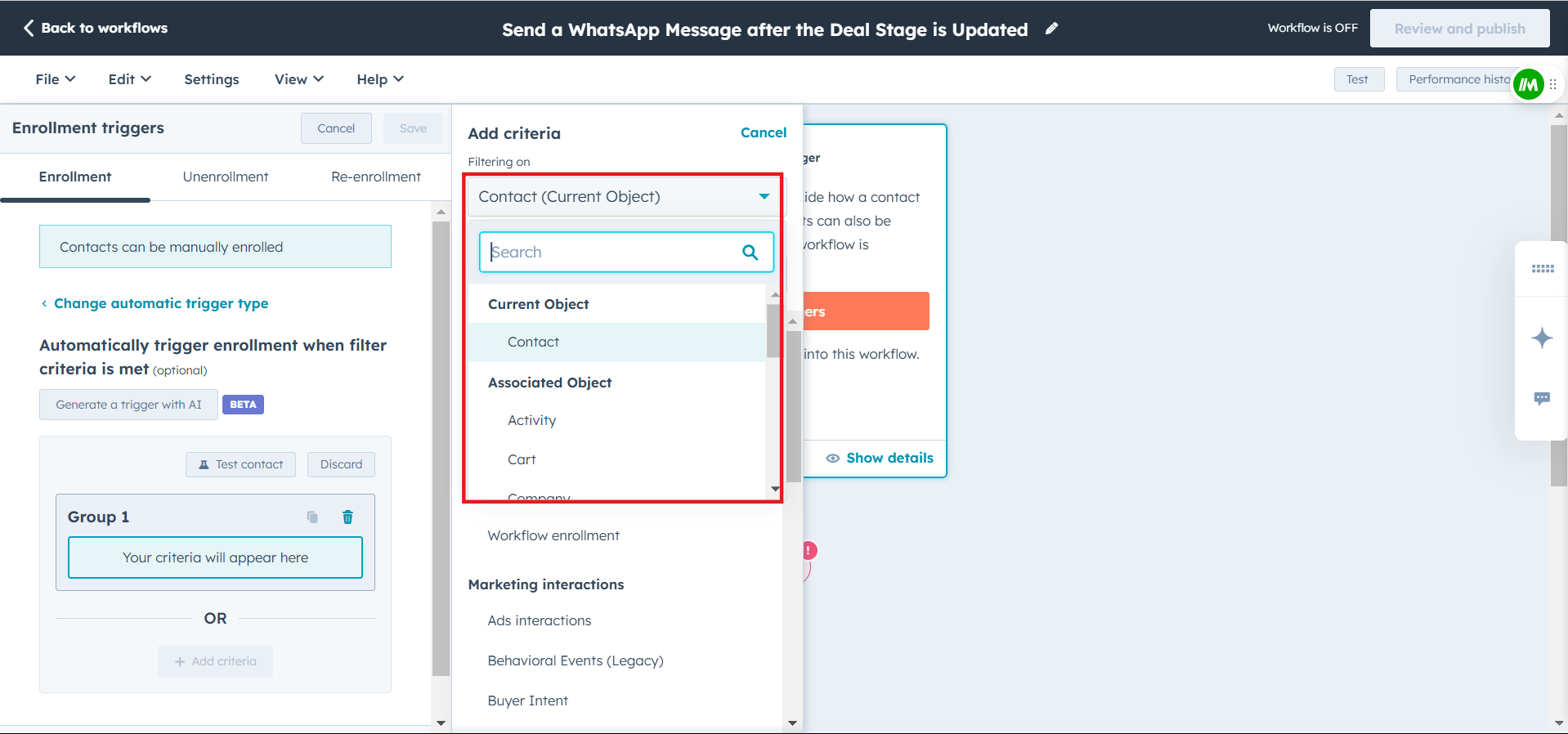
- Contact properties — Trigger when a contact reaches a specific lifecycle stage
- Deal properties — Trigger on deal stage changes
- Custom triggers — Define your own conditions
3
Add Eazybe WhatsApp Action
Click the + icon below your trigger to add an action. Scroll down through the available actions and select Send WhatsApp message under the Eazybe integration section.
4
Configure the WhatsApp Message
Set up your WhatsApp message with the following options: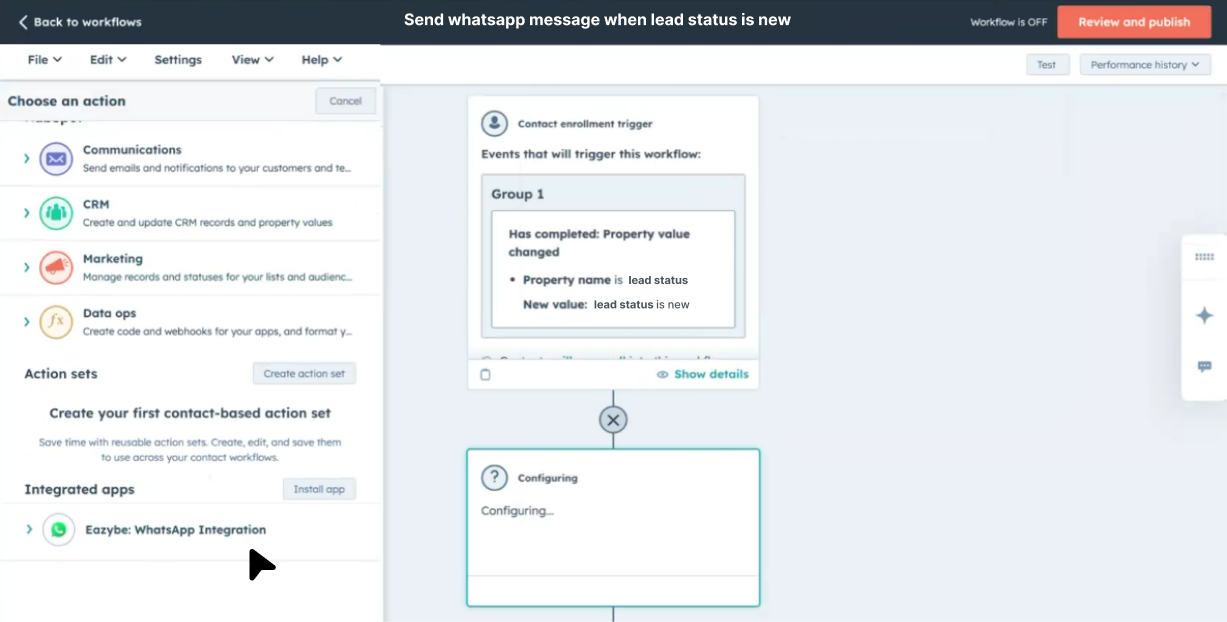
5
Review and Activate
Preview your workflow to ensure all steps are configured correctly. When ready, click Review and publish to make your workflow live.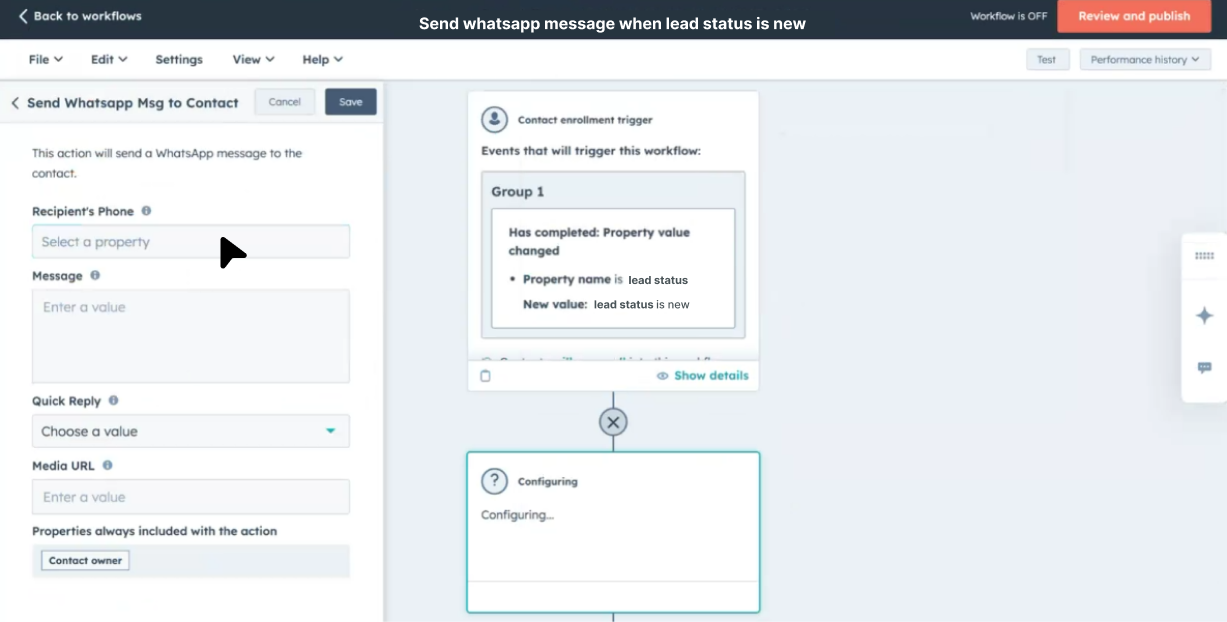
Best Practices
Test Before Publishing
Always test your workflow with a sample contact before activating it for your entire database.
Use Clear Triggers
Define specific trigger conditions to avoid sending messages to unintended recipients.
Personalize Messages
Leverage HubSpot tokens to create personalized WhatsApp messages that resonate with your contacts.
Monitor Performance
Regularly review workflow analytics to optimize your messaging strategy.
Key Benefits
This setup allows you to schedule automated WhatsApp messages at the perfect time, ensuring consistent engagement with your leads and customers. Benefits include:
- Timely Follow-ups — Automatically reach out when contacts hit key milestones
- Consistent Communication — Never miss an opportunity to engage
- Personalized Outreach — Tailor messages based on contact data
- Scalable Automation — Handle high volumes without manual effort
Need Help?
Contact Support
If you have questions or need assistance setting up your workflows, reach out to us at hey@eazybe.com.