

Overview
The HubSpot Mini-CRM View brings essential CRM functionality directly into your WhatsApp interface. With Eazybe’s Chrome extension, you can access and manage your HubSpot data without switching between applications.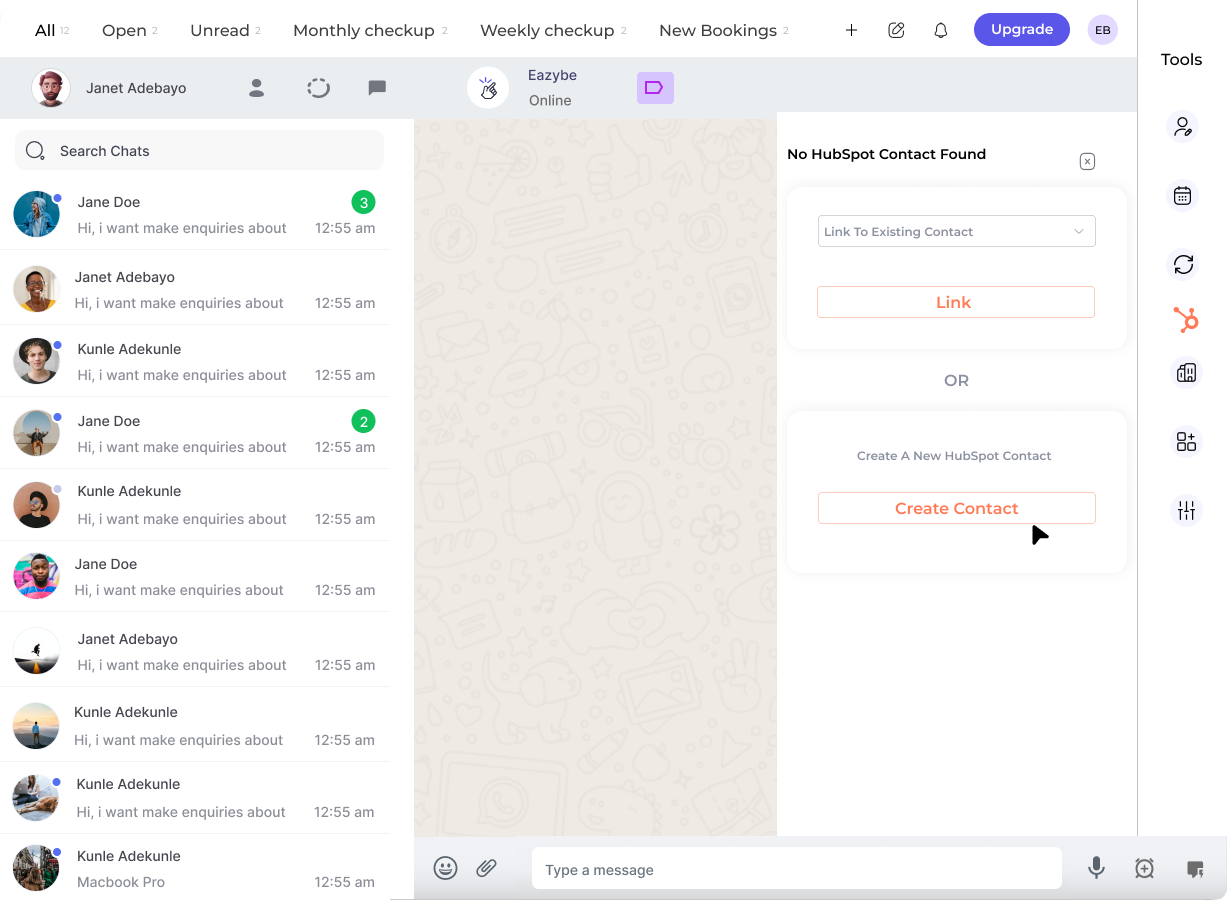
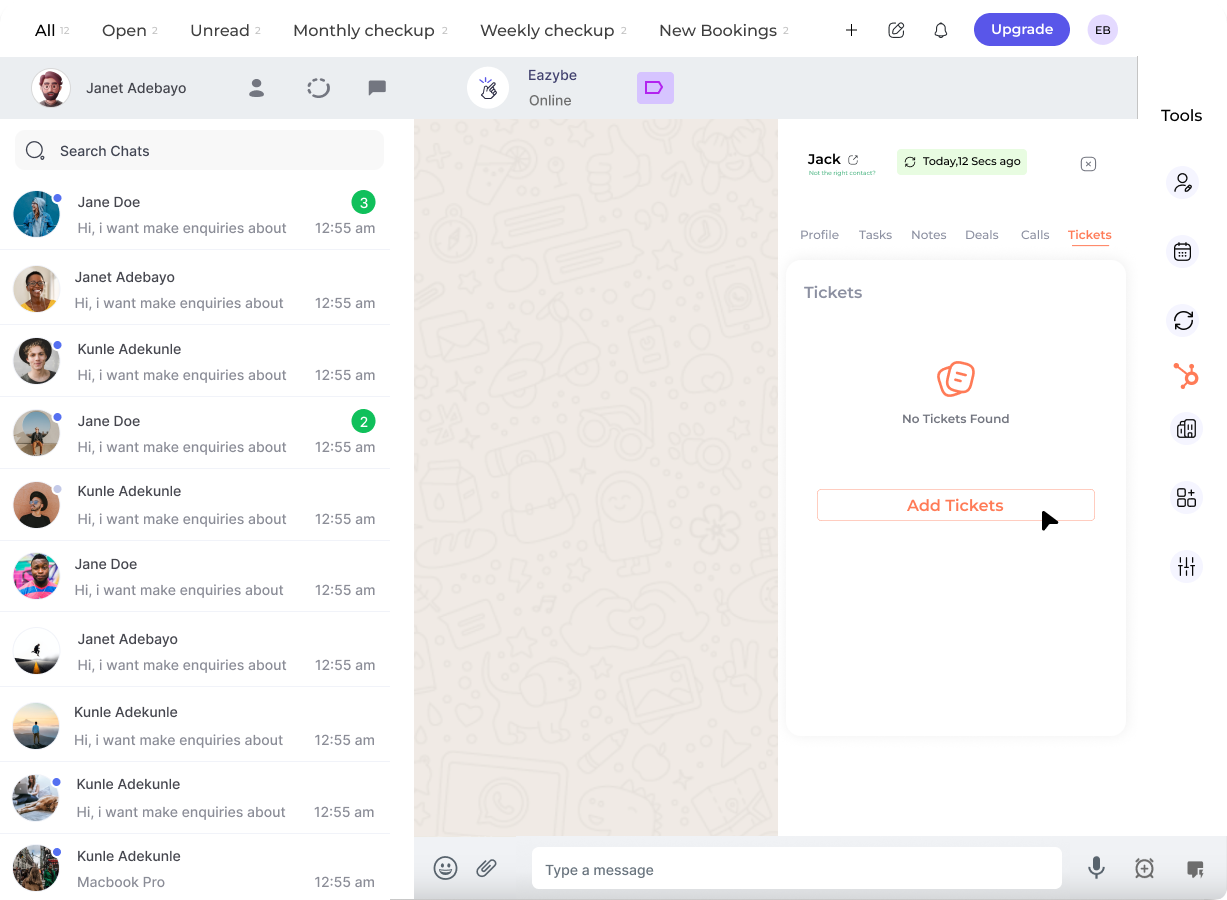
The Mini-CRM View appears in the right sidebar of WhatsApp Web when you have the Eazybe extension installed and connected to HubSpot.
Key Features
The Mini-CRM View provides quick access to five core HubSpot functions:Contact Management
Create and manage HubSpot contacts directly from WhatsApp conversations.
Task & Note Logging
Log tasks and notes to keep track of follow-ups and important information.
Deal Management
Create and track deals associated with your WhatsApp contacts.
Call Logging
Record call activities and maintain a complete communication history.
Support Tickets
Create and manage HubSpot support tickets for customer service tracking.
How It Works
1
Open WhatsApp Web
Navigate to WhatsApp Web in your Chrome browser with the Eazybe extension installed.
2
Select a Conversation
Click on any chat conversation to view the associated contact details in the Mini-CRM panel.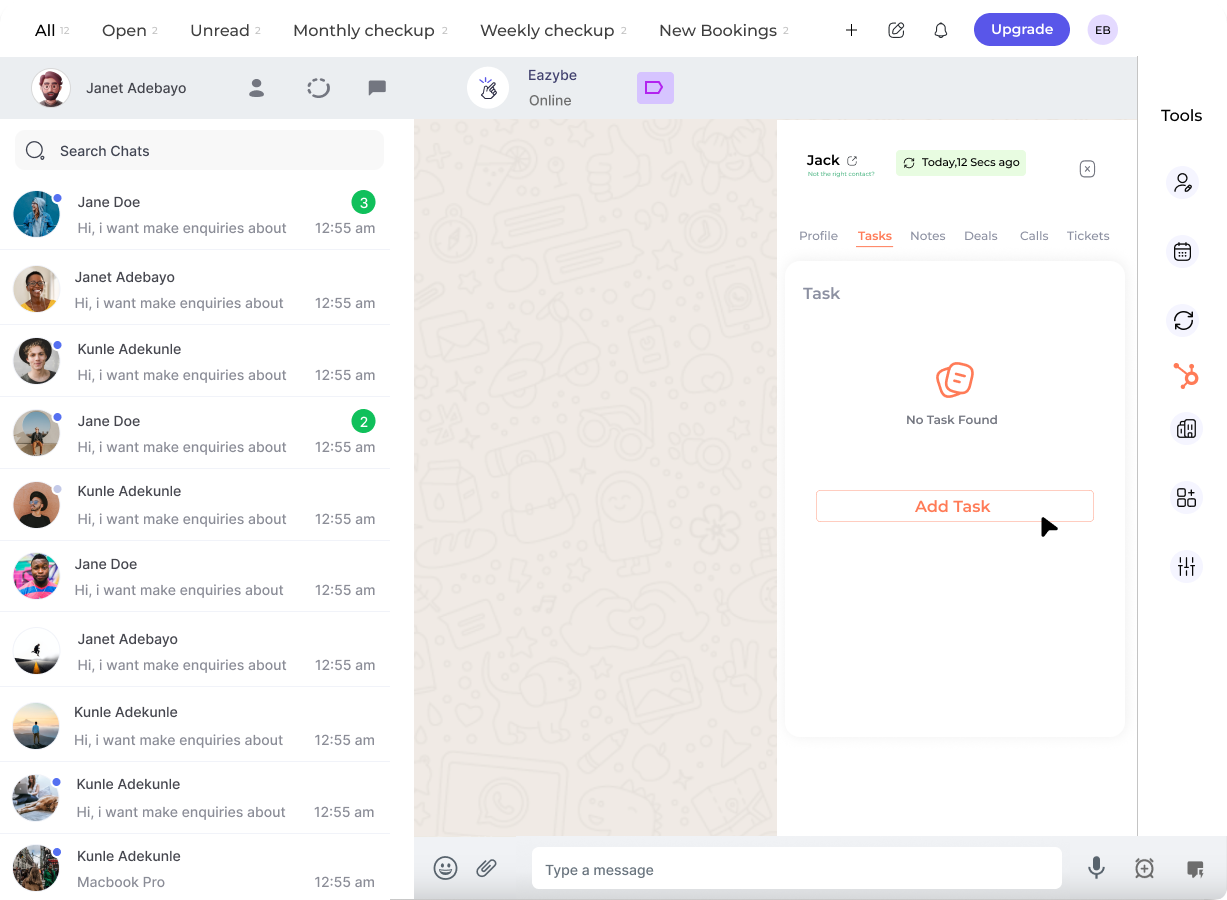
3
Access Mini-CRM Features
Use the sidebar icons to access different CRM functions: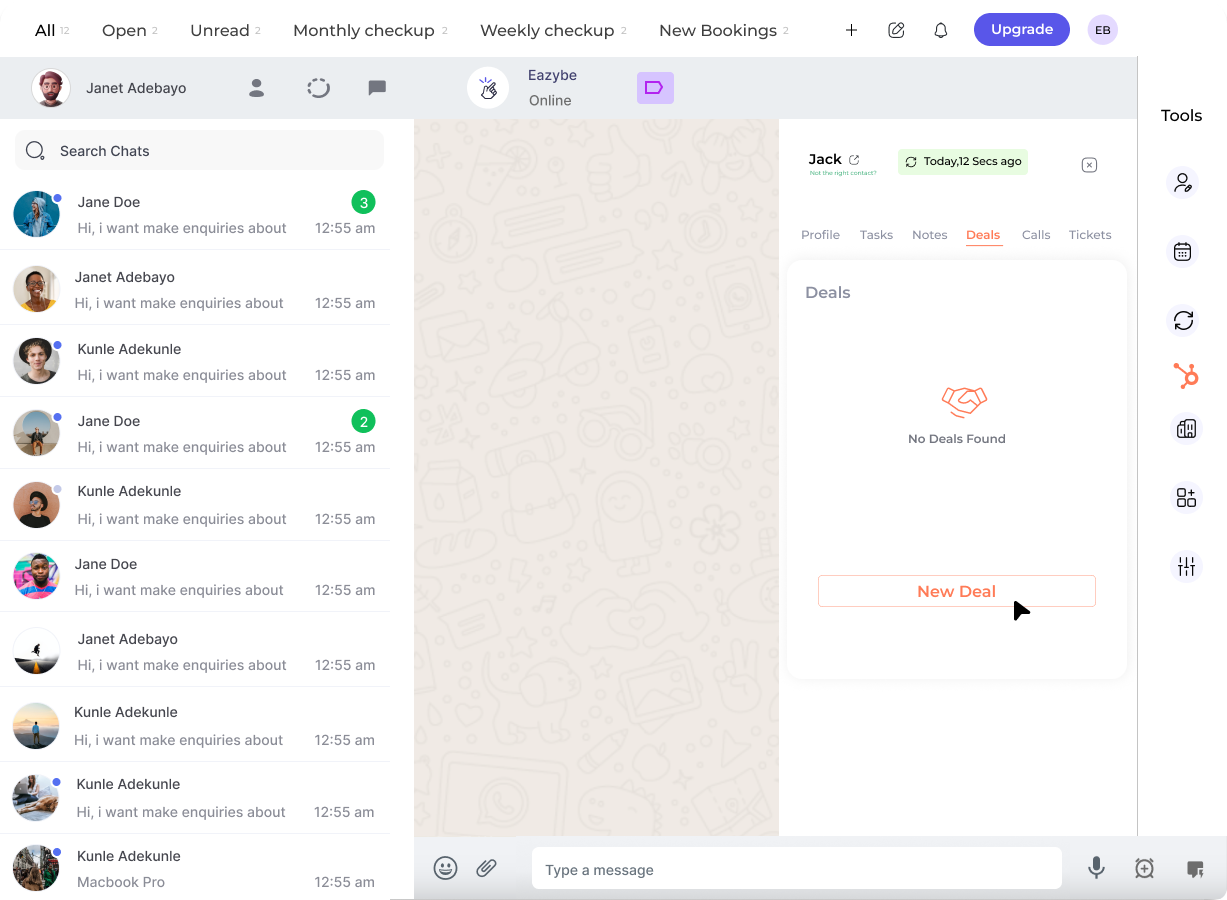
- Contacts — View and edit contact properties
- Tasks — Create follow-up tasks
- Notes — Add notes to the contact record
- Deals — Manage sales opportunities
- Calls — Log call activities
- Tickets — Create support tickets
4
Sync with HubSpot
All changes made in the Mini-CRM View are automatically synced to your HubSpot account in real-time.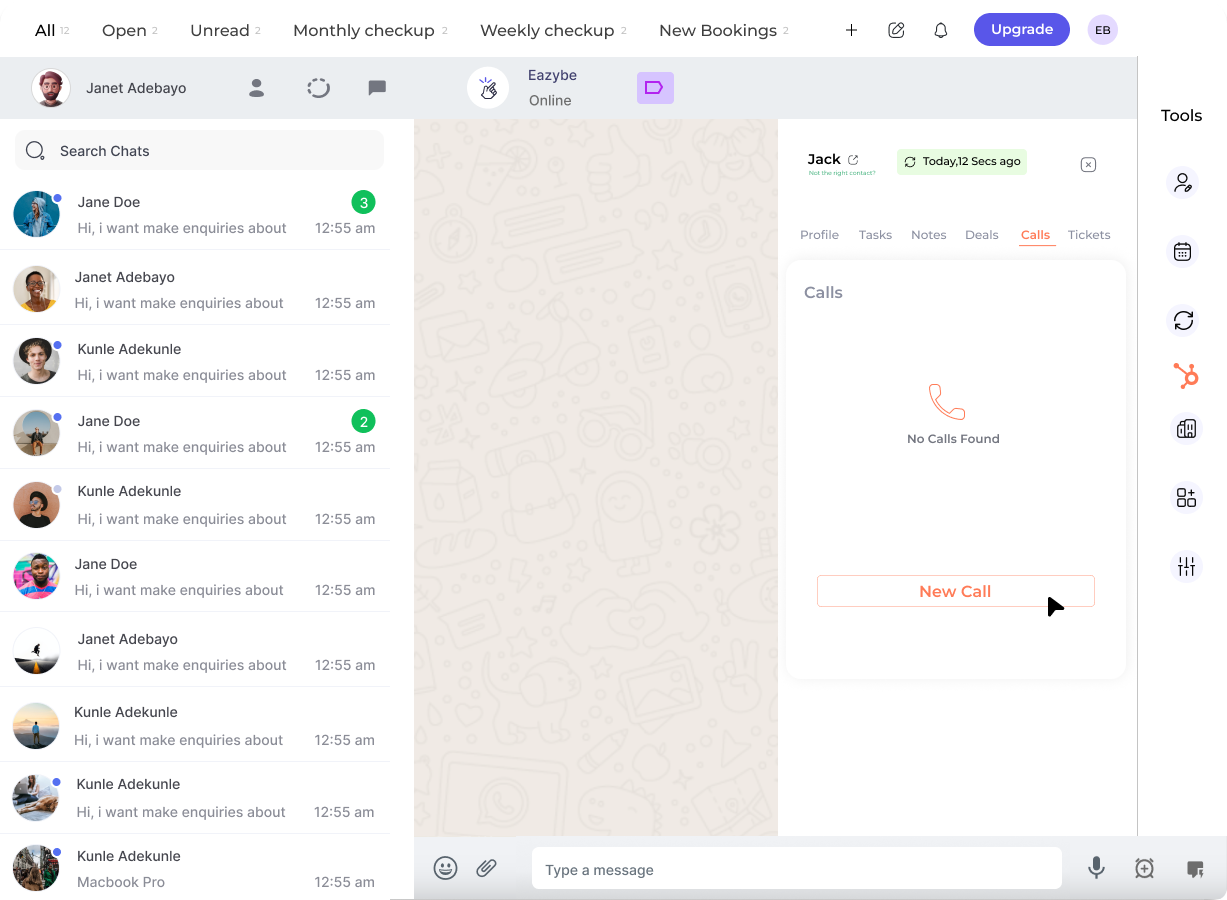
Benefits
Save Time
Save Time
No need to switch between WhatsApp and HubSpot — manage everything from one interface.
Complete Context
Complete Context
View contact history, deals, and activities while chatting with customers.
Real-Time Sync
Real-Time Sync
All updates are instantly reflected in your HubSpot CRM.
Team Collaboration
Team Collaboration
Share contact information and activities with your team through HubSpot.
Mini-CRM Components
Getting Started
To use the Mini-CRM View, you need to have the Eazybe Chrome extension installed and connected to your HubSpot account.
Once connected, the Mini-CRM panel automatically appears when you open WhatsApp Web.
Need Help?
Contact Support
If you have any questions or need further assistance, reach out to us at hey@eazybe.com. We’re happy to help!