

Overview
Once you have your Odoo API key, connecting your account to Eazybe is simple. This guide will walk you through the connection process.Connecting Odoo to Eazybe
1
Open WhatsApp Web
Open WhatsApp Web and ensure the Eazybe extension is active.
2
Access Integrations
Click on the CRM/Integrations button in the Eazybe panel.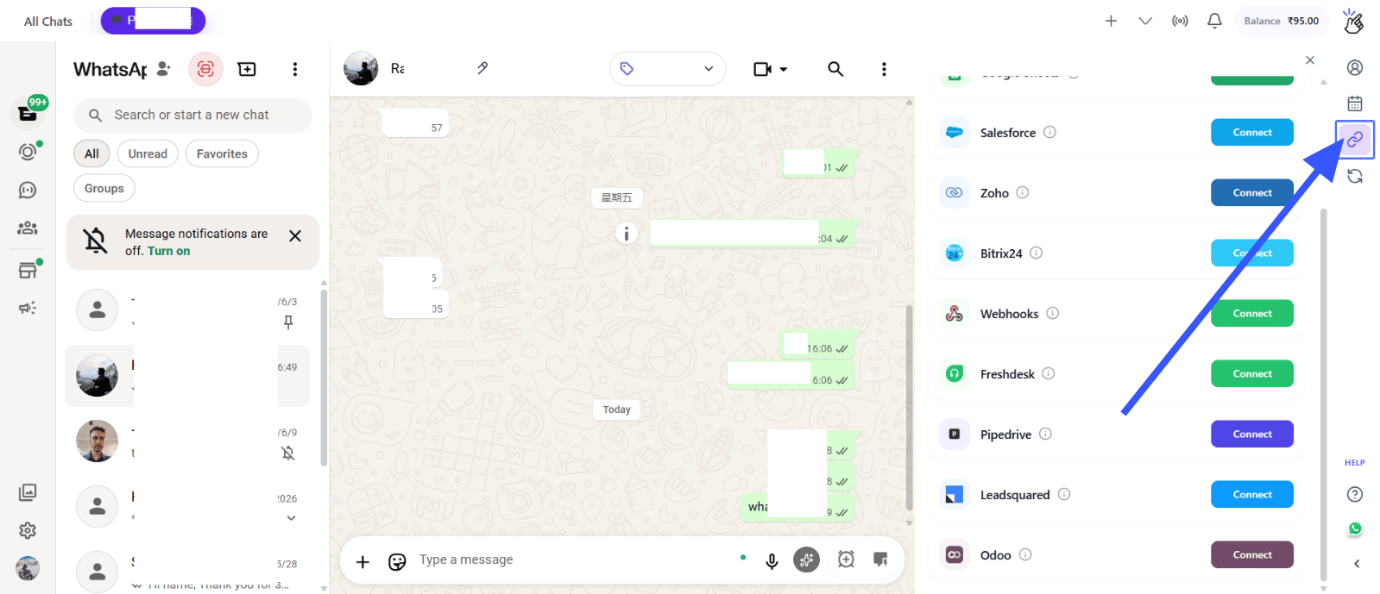
3
Click Connect
Click the Connect to Odoo button to start the connection process.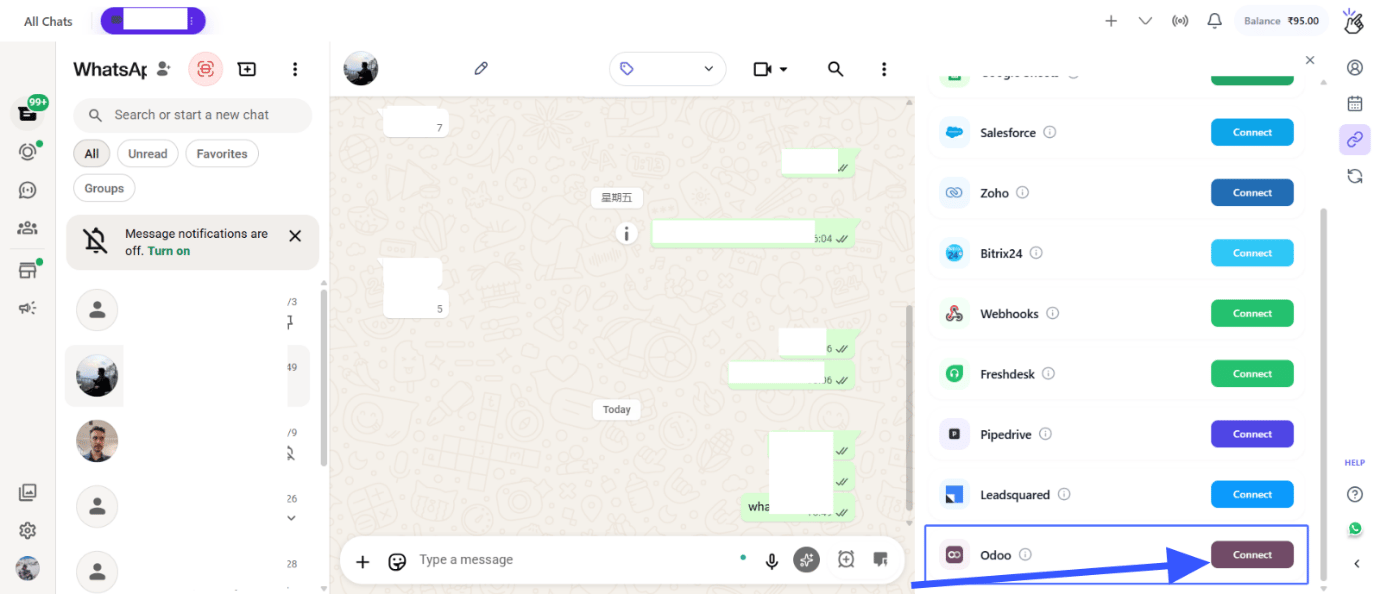
4
Enter Your Credentials
Enter the following information: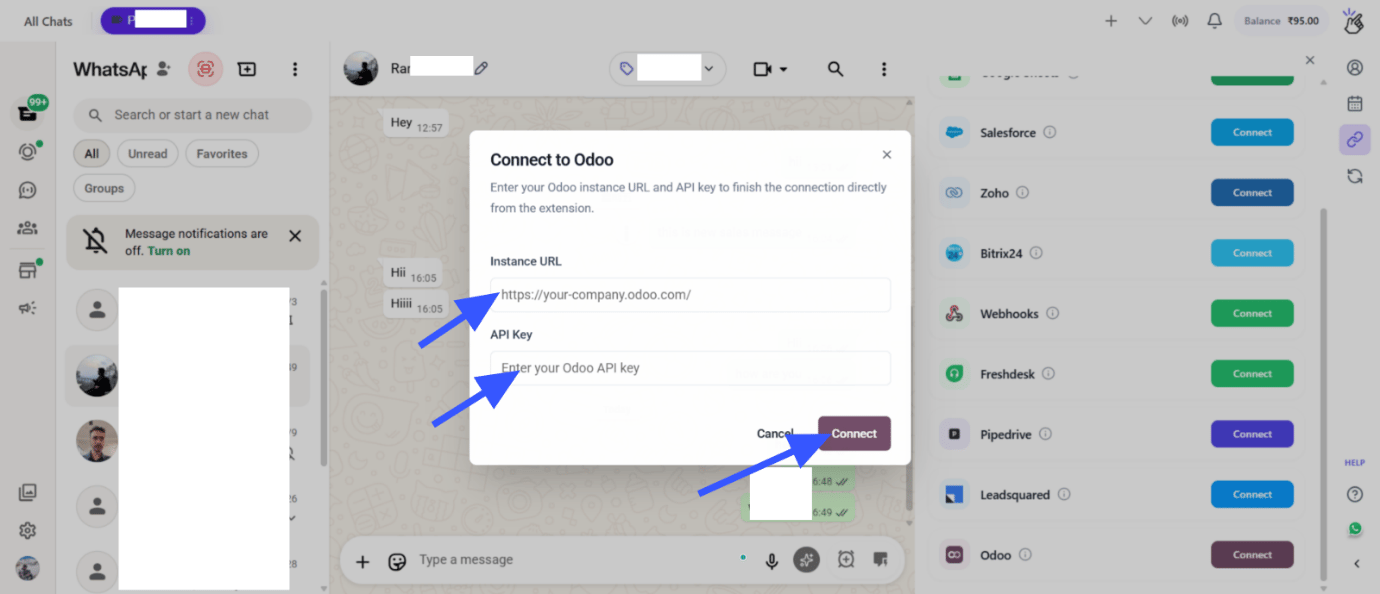
- Odoo Instance URL: Your company’s Odoo URL (e.g.,
https://yourcompany.odoo.com) - API Key: The API key you generated from Odoo
Make sure your Odoo URL includes the protocol (https://) and doesn’t have trailing slashes.
5
Complete Connection
Click the Connect button to establish the connection.
If your credentials are correct, Eazybe will successfully connect to your Odoo instance.
Troubleshooting Connection Issues
Invalid Credentials
If you receive an invalid credentials error:
- Verify your Odoo Instance URL is correct
- Check that your API key is valid and hasn’t expired
- Ensure your user account in Odoo has the necessary permissions
Connection Timeout
If the connection times out:
- Check your internet connection
- Verify that your Odoo instance is accessible
- Try again in a few moments
After Connection
Once connected, you can:Use Mini CRM
Access Odoo contact information from WhatsApp
Sync Chats
Enable label-based chat backup to Odoo
Next Steps
1
Explore Mini CRM
Learn how to use the Mini CRM features.
Need Help?
Contact Support
If you have any questions or need further assistance, reach out to us at
hey@eazybe.com. We’re happy to help!