Viewing Team Details
1
Access the Organisation Page
Click the Organisation button located in the right sidebar.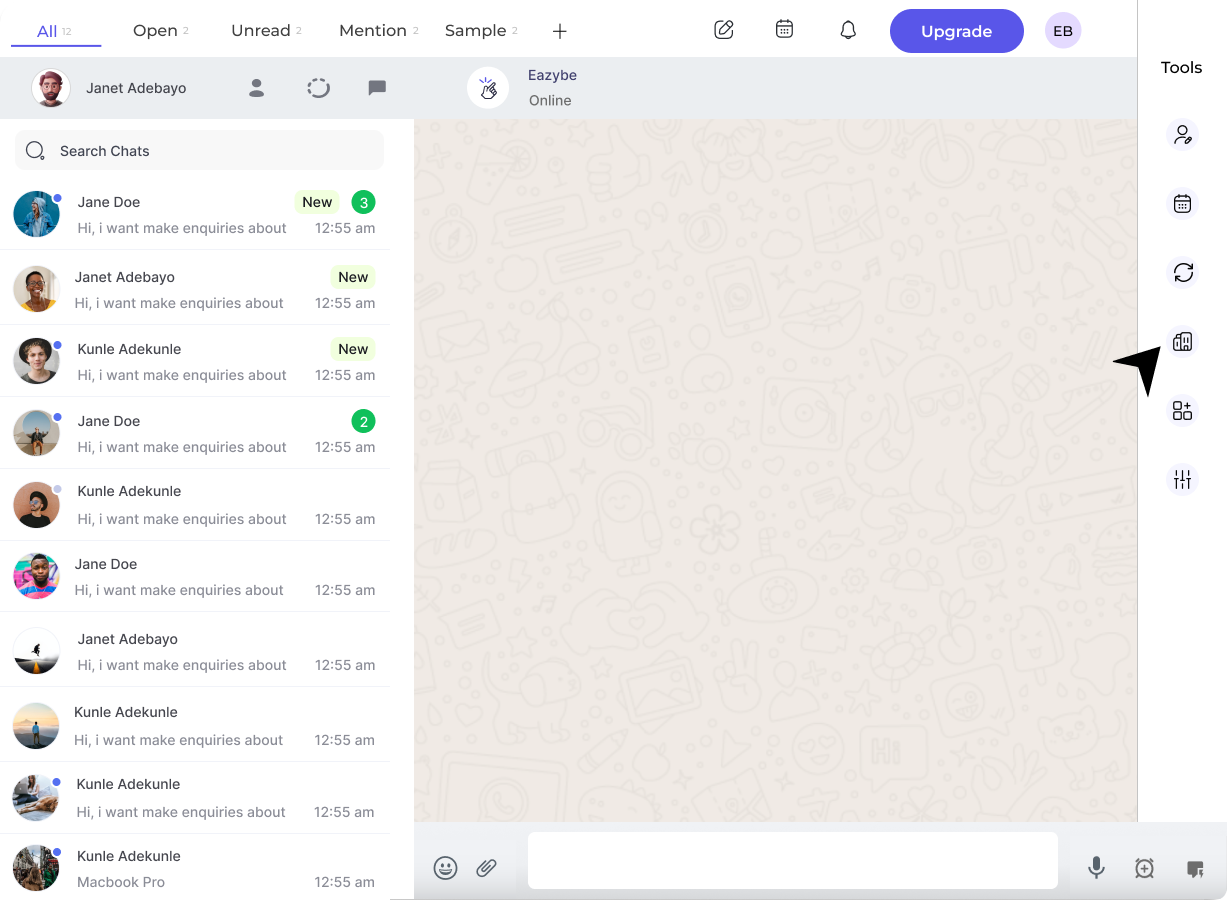
This action opens a new Chrome tab. Administrator credentials are required for login.
2
Access the Dashboard
In the workspace, locate and click the Dashboard button in the left sidebar.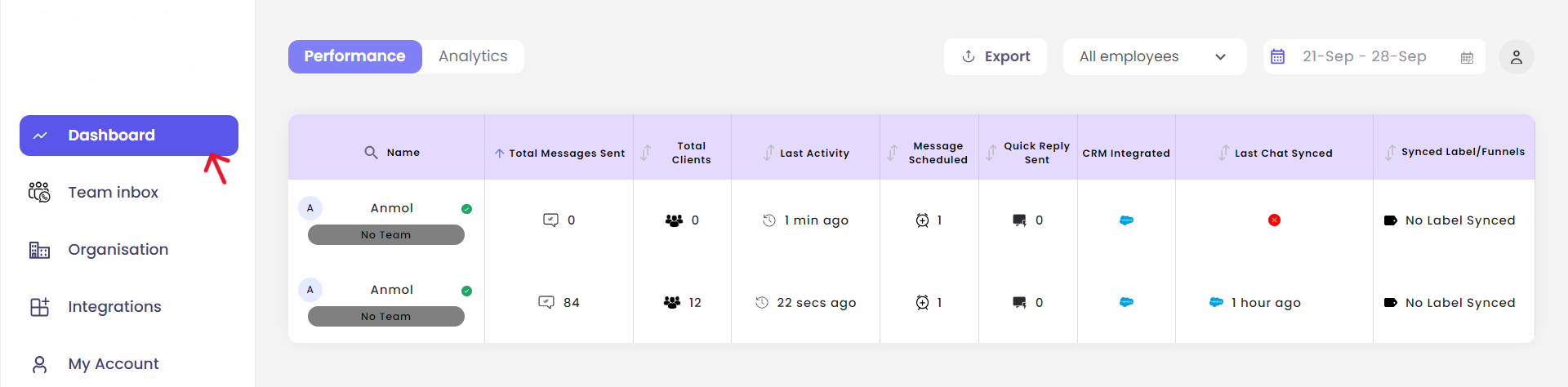
Check Team Details
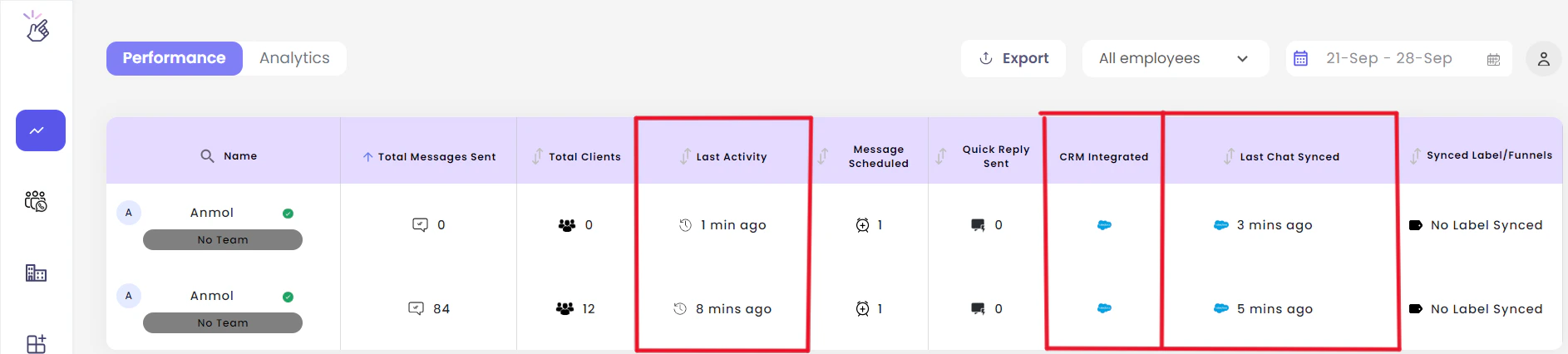
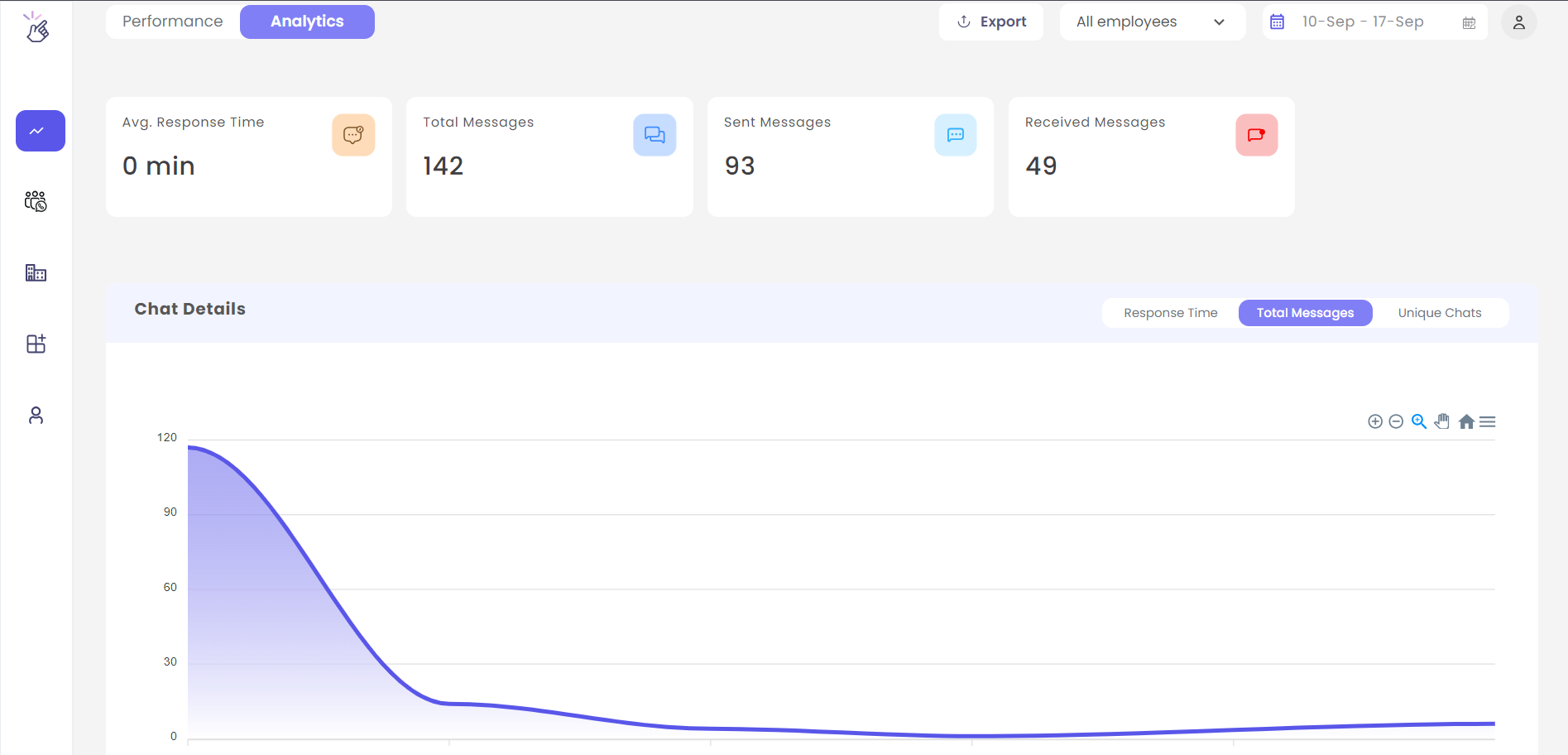
Admins can monitor the following information:- Last activity of team members
- Last chat synced time
- CRM integrations status across the organization