

Viewing Team Details
1
Access the Organisation Page
Click the Organisation button in the right sidebar to open a new tab.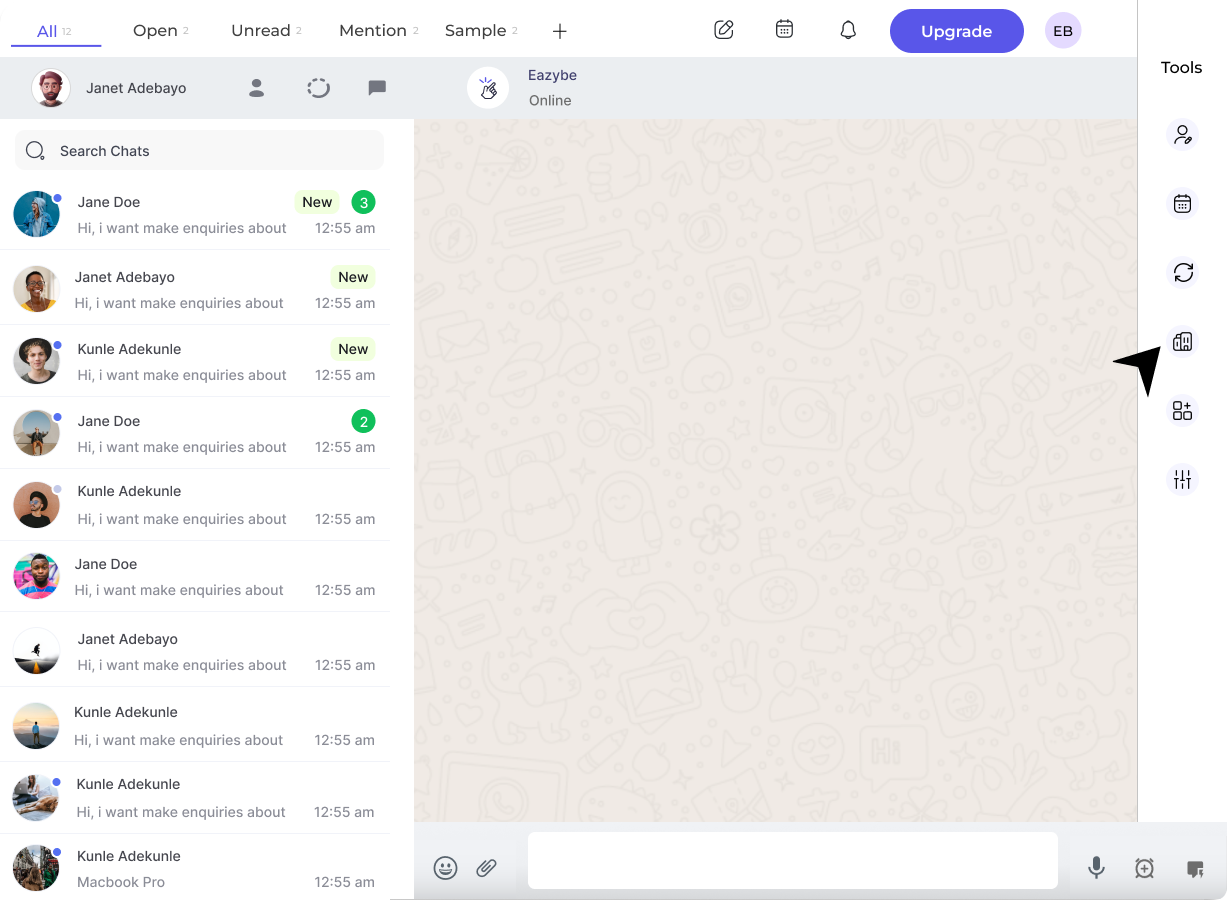
2
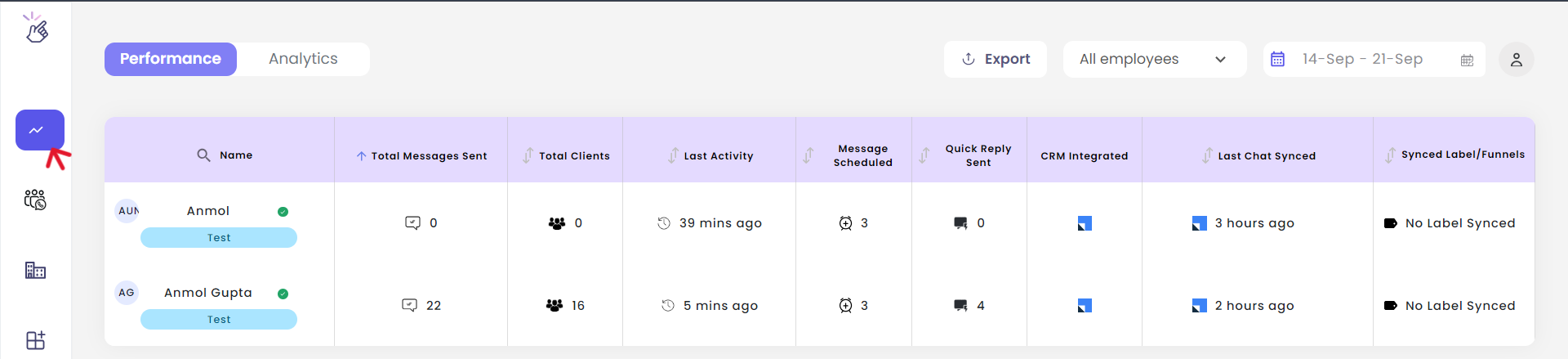
Access the Dashboard
In the workspace, click the Dashboard button in the left sidebar.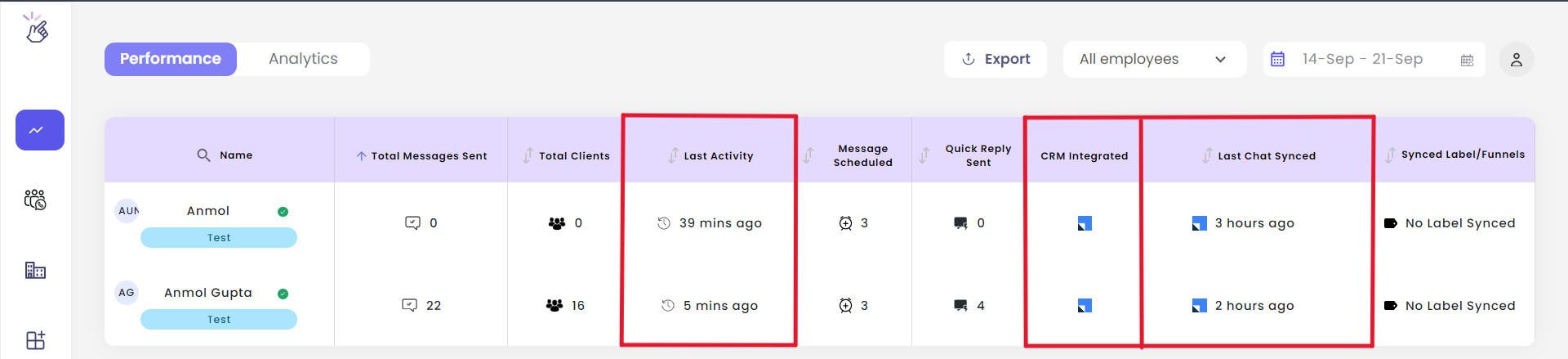
3
Check Team Details
View important team information including:
- Last activity - When team members were last active
- Last chat synced time - Most recent sync timestamp
-
CRM integrations - Connected integrations for all employees
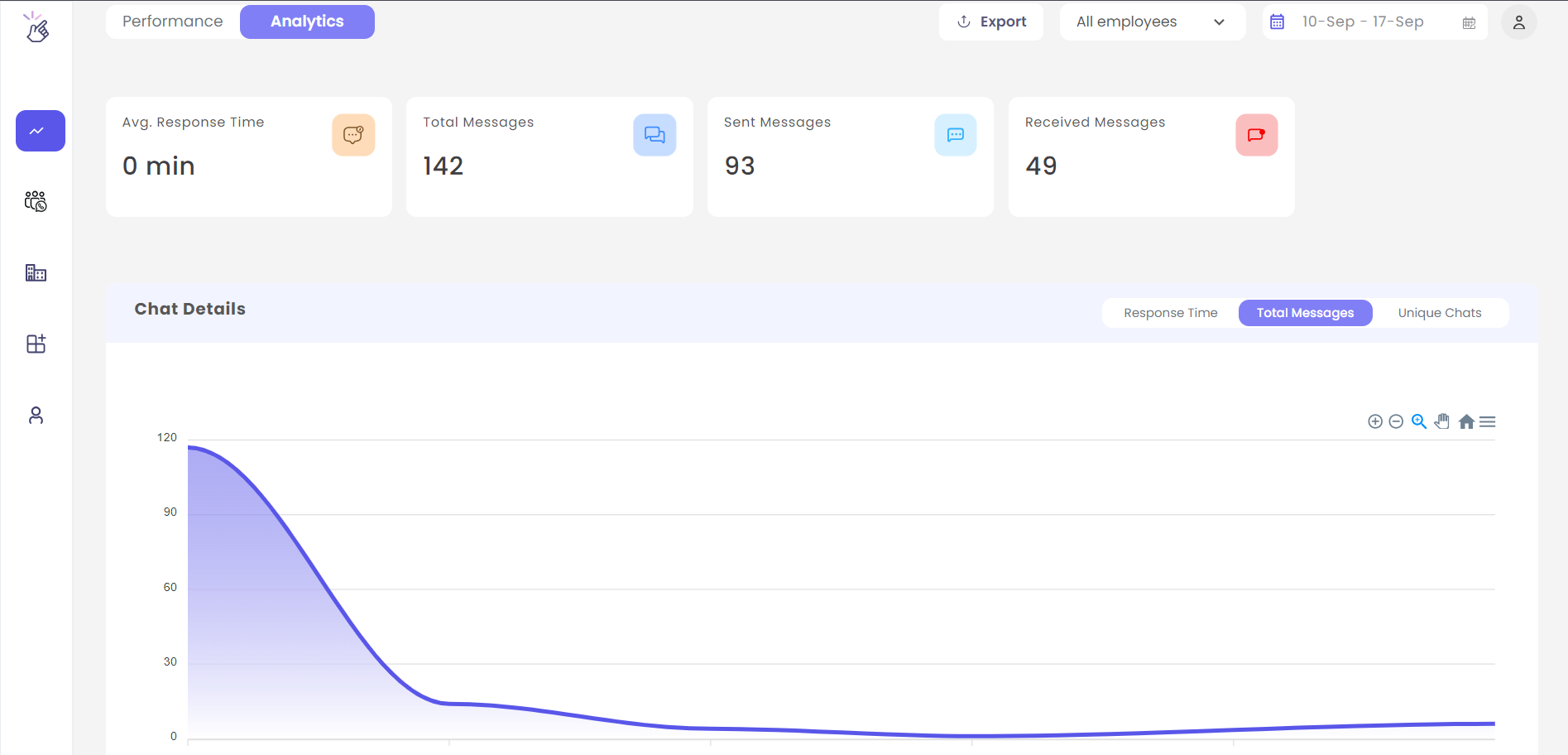
Only users with admin credentials can access the Organisation page and view team-wide analytics.