

Team Inbox on Contact Page
Step 1: Find the Team Inbox Tab
On any contact’s page in Bitrix24, look for the Team Inbox tab.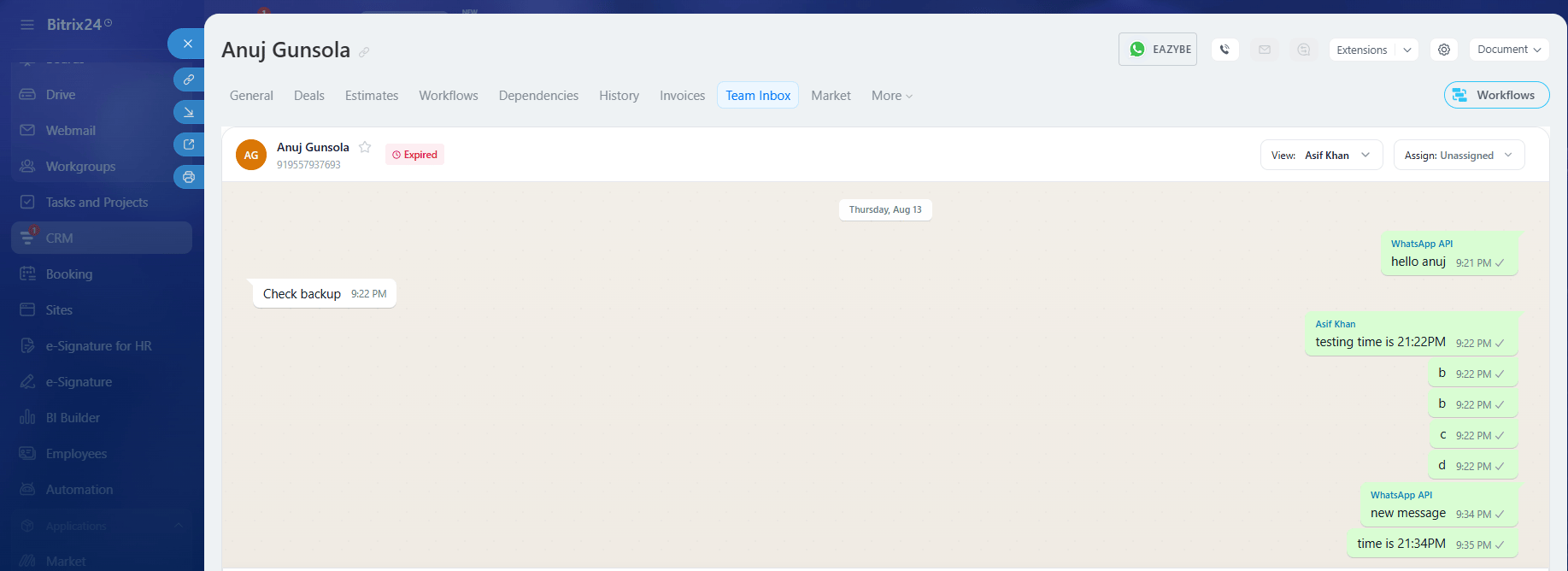
Team Inbox tab on Contact Page
Step 2: Open Team Inbox
Click the Team Inbox tab to view conversations with that specific contact.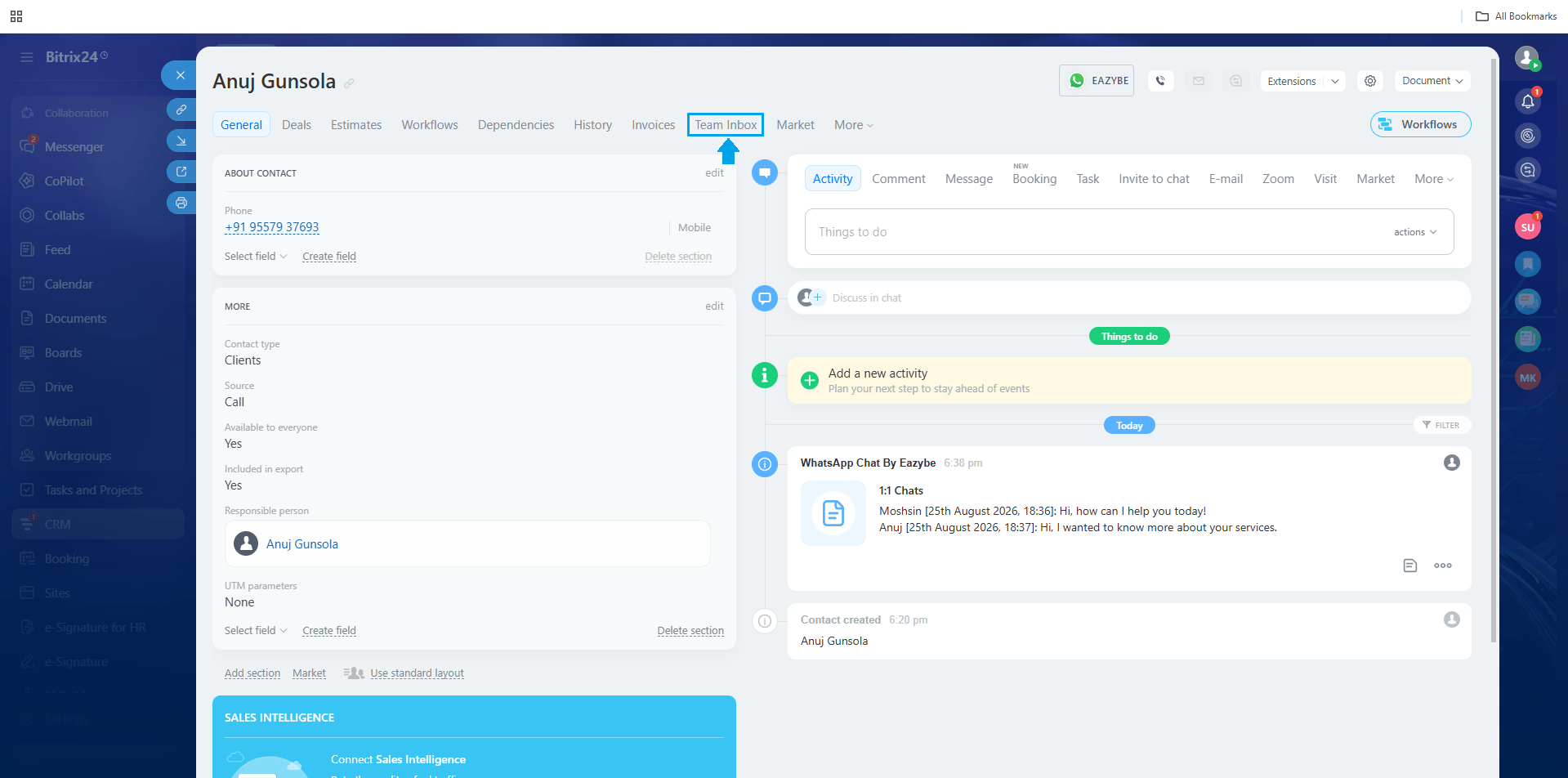
Team Inbox opened on Contact Page
Global Team Inbox
Step 1: Find the EazyBe Team Inbox
Look for the EazyBe Team Inbox option in the left sidebar of Bitrix24.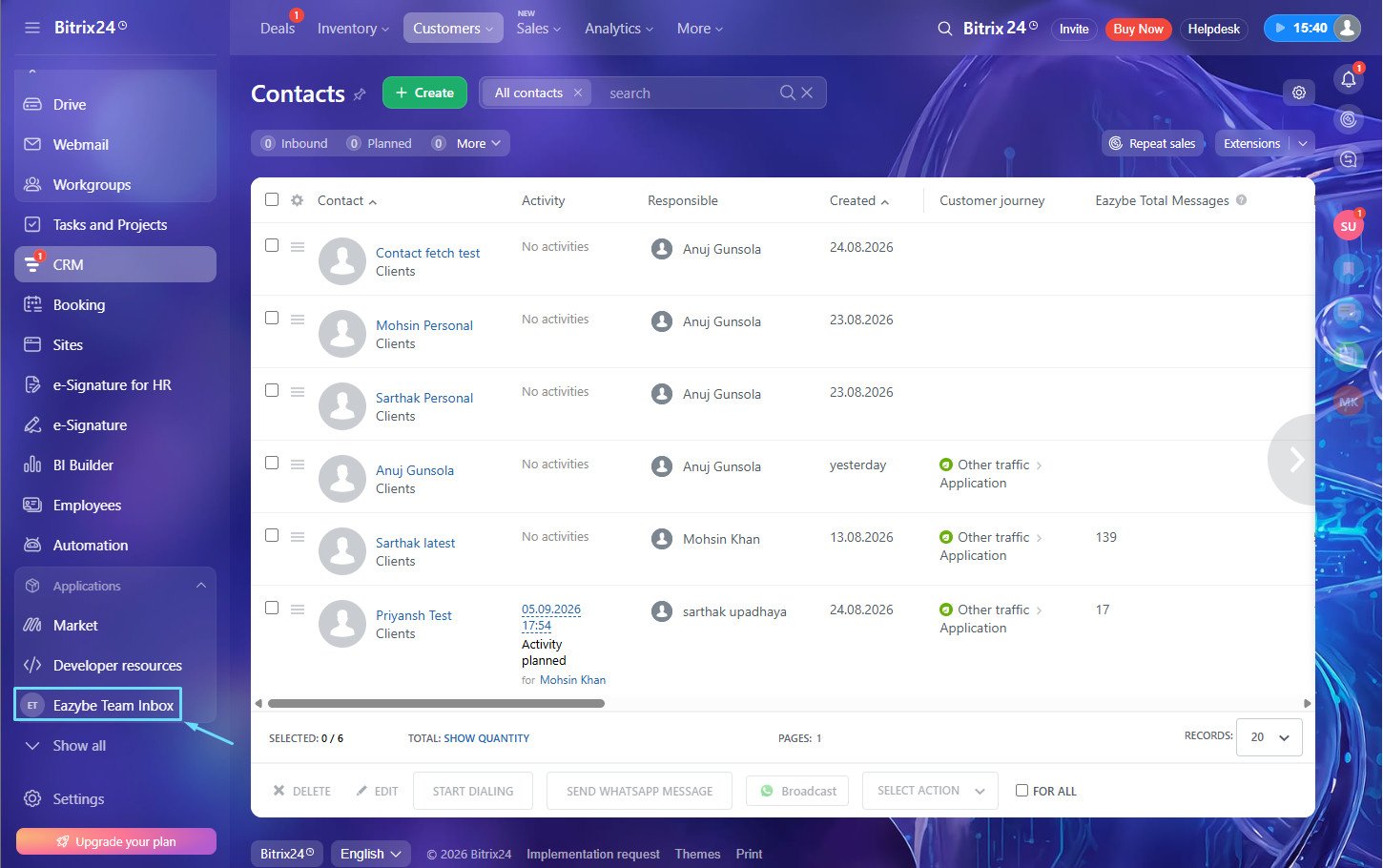
EazyBe Team Inbox in sidebar
Step 2: Open Global Team Inbox
Click to access the full Team Inbox showing all conversations across your team.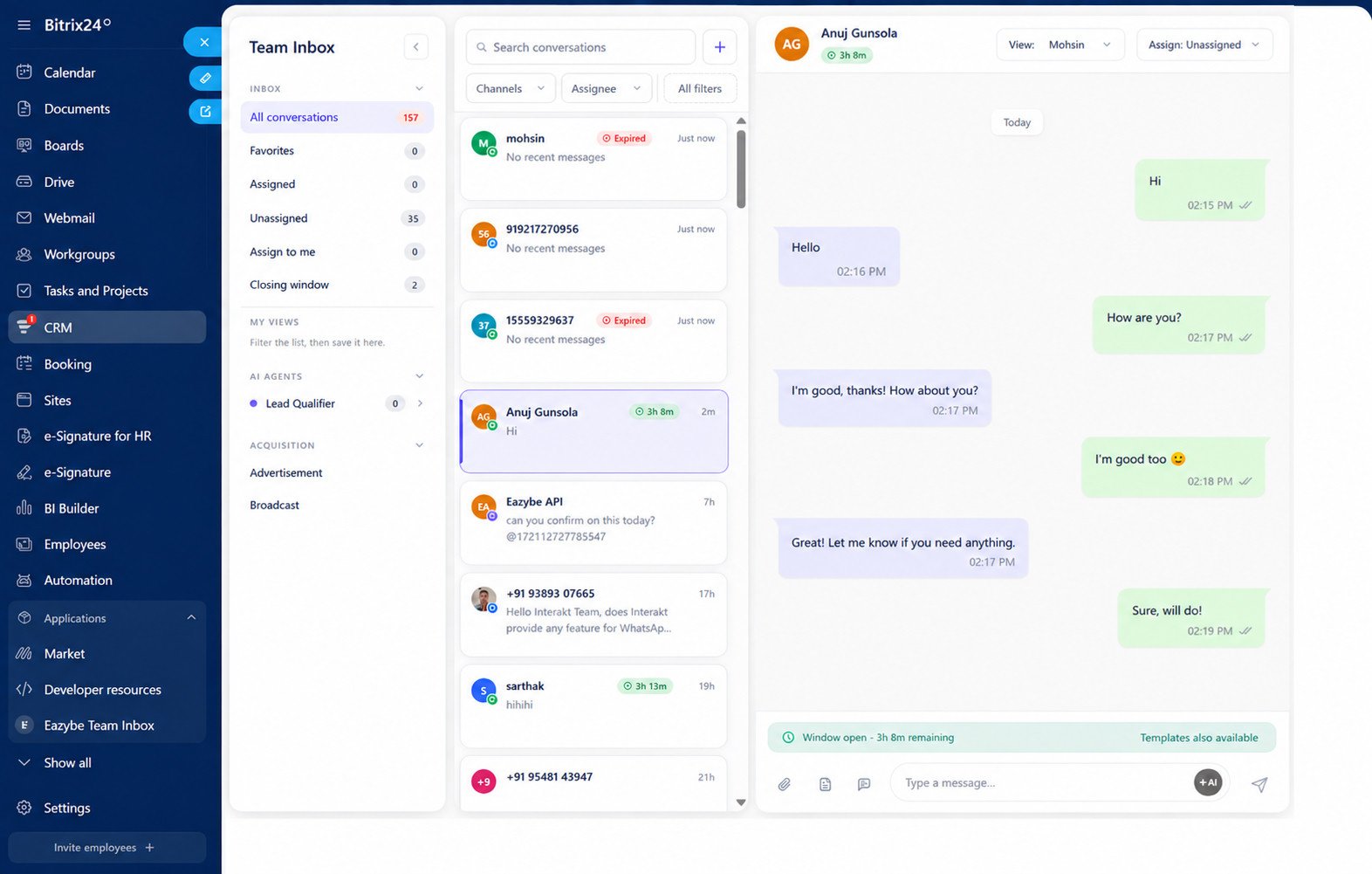
Global Team Inbox view
Requirements
To use the Team Inbox integration, you need:- Install EazyBe app from the Bitrix24 Market
- Active EazyBe integration with Bitrix24
Access Control
Team Inbox accessibility is role-based:- Admins: Can view all team conversations
- Employees: Can only view conversations assigned to them
Features
View Conversations
- Contact inbox: See all WhatsApp conversations with a specific contact
- Global inbox: View all team conversations in one place
- Real-time sync: Messages sync automatically every 12 minutes
Send Messages
If you have a connected API or CoEx number:- Send messages directly to contacts from Bitrix24
- No need to switch between applications
- All messages are logged in the contact’s timeline
Team Collaboration
- Unified inbox: All team conversations in one place
- Contact context: Access inbox while viewing contact details
- Seamless workflow: Stay within Bitrix24 while managing WhatsApp
If you have any questions, reach out to us at hey@eazybe.com.