

Overview
The Odoo Mini CRM allows you to manage your CRM data directly from WhatsApp without switching applications. Create contacts, add leads, attach notes, and sync conversations to your Odoo instance.Opening the Mini CRM
1
Open a Chat
Open any WhatsApp chat that you want to associate with an Odoo contact.
2
Click the Odoo Icon
In the Eazybe panel, click on the Odoo icon to open the Mini CRM view.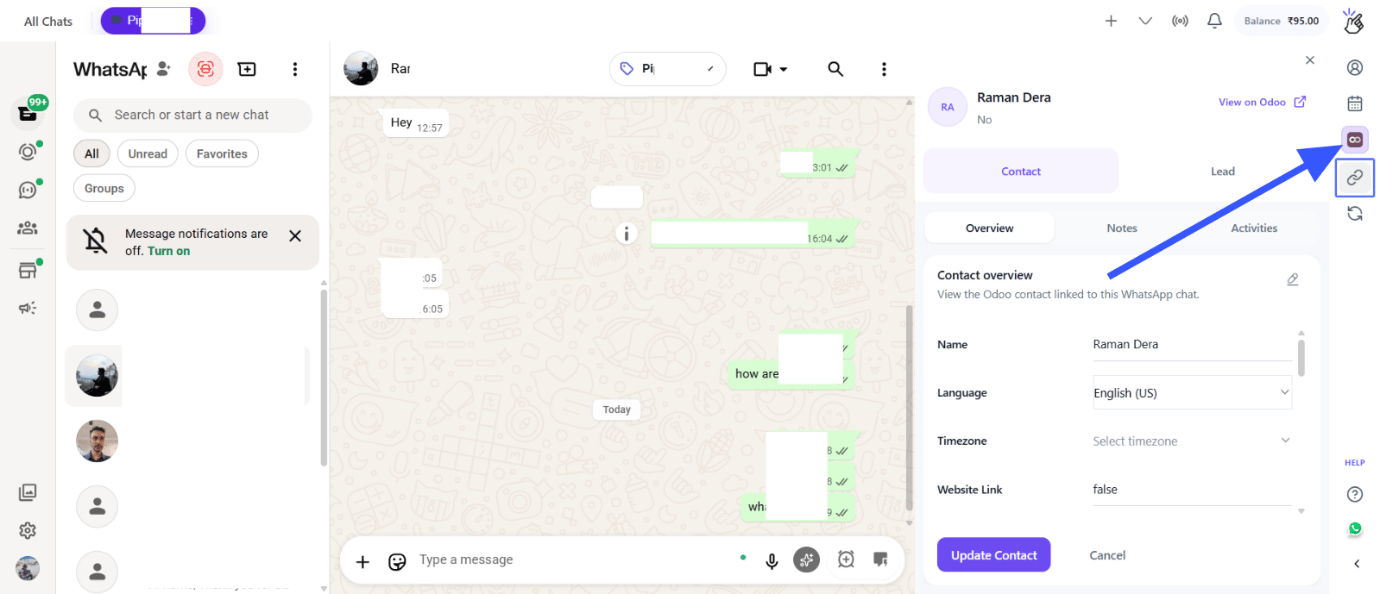
3
View Contact Details
The Mini CRM panel will open showing the associated Odoo contact information (if already linked).
Creating Contacts and Leads
Creating a New Contact
1
Click Create Contact
In the Mini CRM panel, click on the Create Contact button.
2
Fill Contact Details
Enter the contact information:
- Name
- Phone
- Company
- Any other relevant fields
3
Save Contact
Click Save to create the contact in Odoo.
The contact will be created in your Odoo CRM and linked to this WhatsApp conversation.
Creating a Lead
1
Click Create Lead
In the Mini CRM panel, click on the Create Lead button.
2
Fill Lead Details
Enter the lead information including:
- Lead title
- Contact person
- Expected revenue
- Probability
- Expected closing date
3
Save Lead
Click Save to create the lead in Odoo.
Adding Notes
1
Open Notes Section
In the Mini CRM panel, navigate to the Notes section.
2
Add a Note
Click Add Note and enter your note content.
3
Save Note
Click Save to attach the note to the contact in Odoo.
Customizing Properties
1
Click Edit Properties
Click the Edit Properties button to customize which fields are displayed in the Mini CRM view.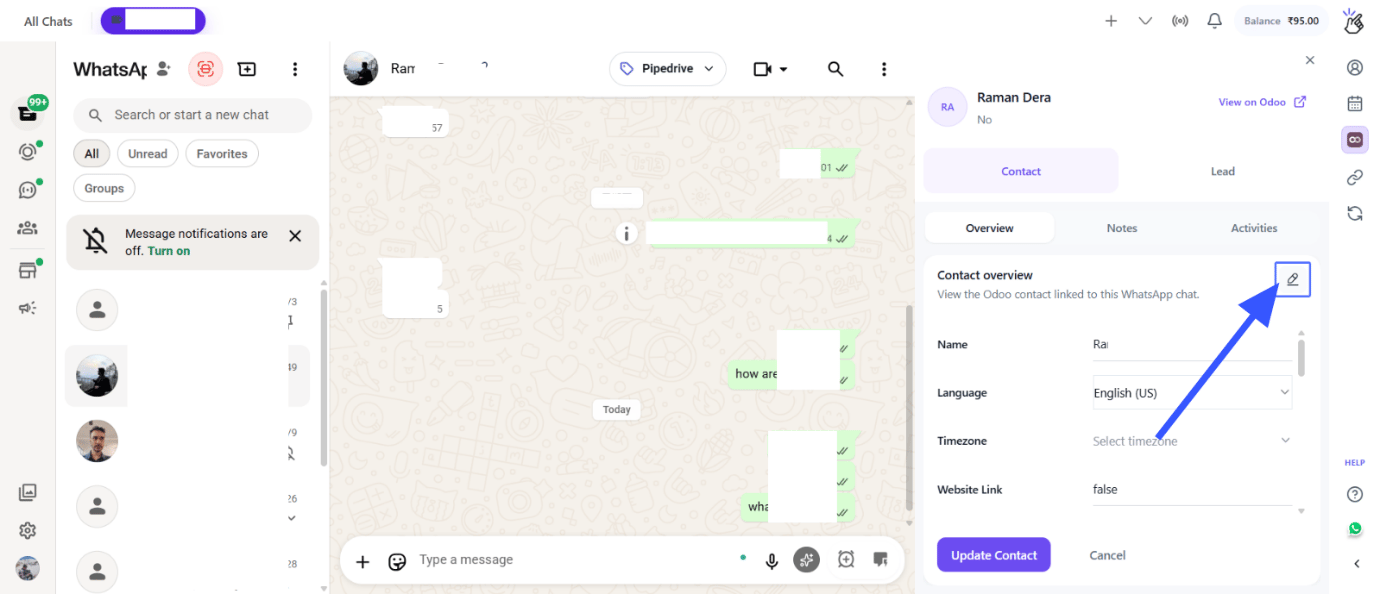
2
Select Properties
Choose which Odoo properties you want to see in the Mini CRM panel.
3
Save Changes
Click Save to apply your property customizations.
Chat Backup with Label-Based Sync
You can control which WhatsApp conversations are backed up to Odoo using labels.1
Click the Sync Button
In the Eazybe panel, click on the Sync button to open sync settings.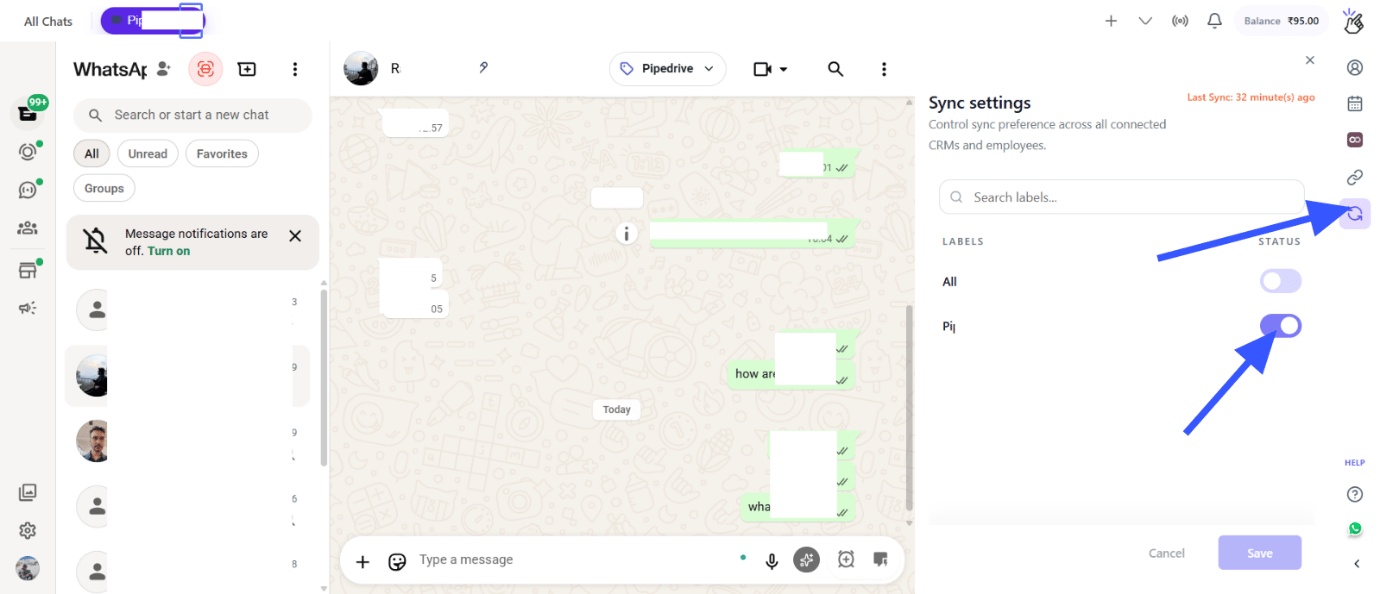
2
Enable Label-Based Sync
Turn on the label-based sync option to filter which contacts get backed up.
3
Select Labels
Choose the WhatsApp labels that you want to include in the sync. Only contacts with these labels will have their chats backed up to Odoo.
Viewing in Odoo
1
Click View on Odoo
In the Mini CRM panel, click the View on Odoo button.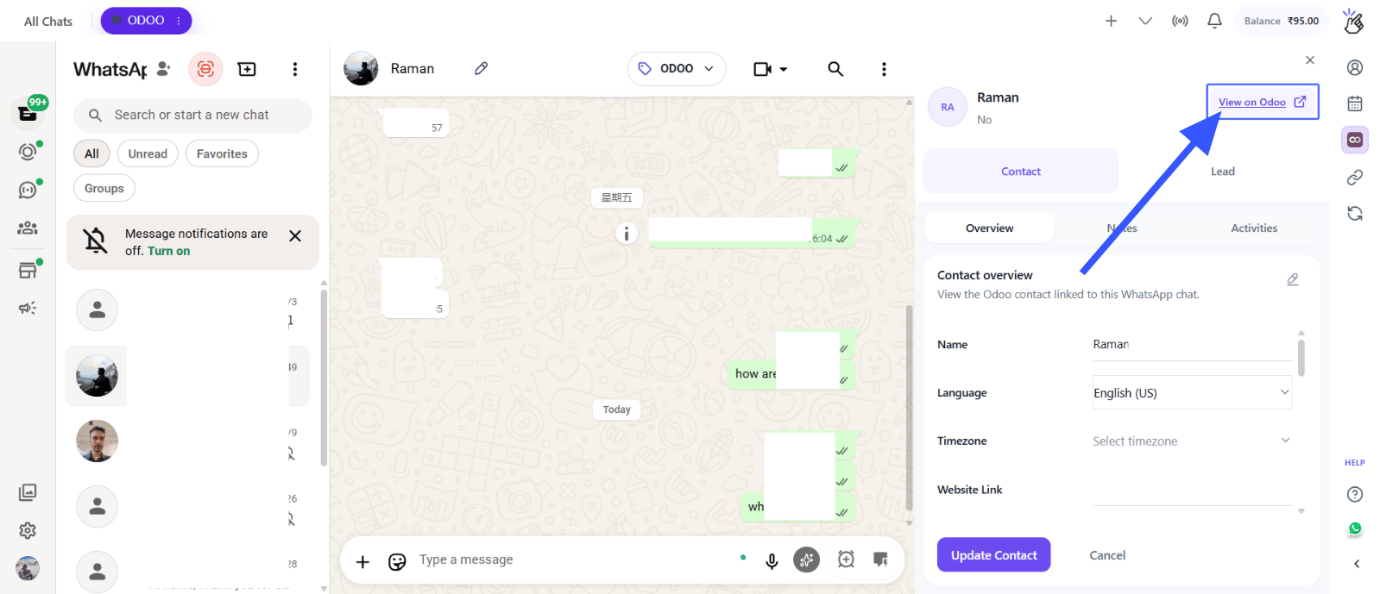
2
Open in Browser
The contact’s profile page will open directly in your Odoo instance in a new browser tab.
Viewing All Chat Backups in Odoo
To see all your WhatsApp conversations that have been backed up to Odoo:1
Navigate in Odoo
In your Odoo instance, look for the WhatsApp Chats by Eazybe menu item.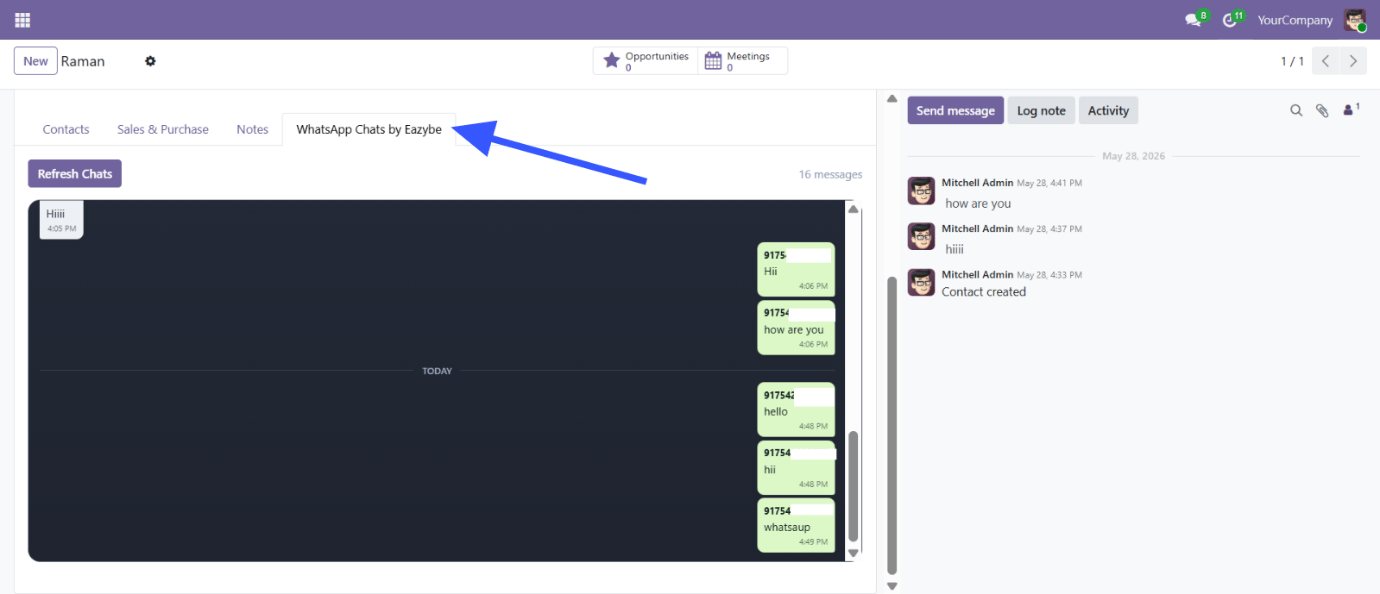
2
View All Backups
Click on it to see all synced WhatsApp conversations with their messages.
Quick Reference
Need Help?
Contact Support
If you have any questions or need further assistance, reach out to us at
hey@eazybe.com. We’re happy to help!