

How to Invite Team Members
1
Navigate to Organization
Go to the Organization section by clicking the Organization button in your EazyBe workspace.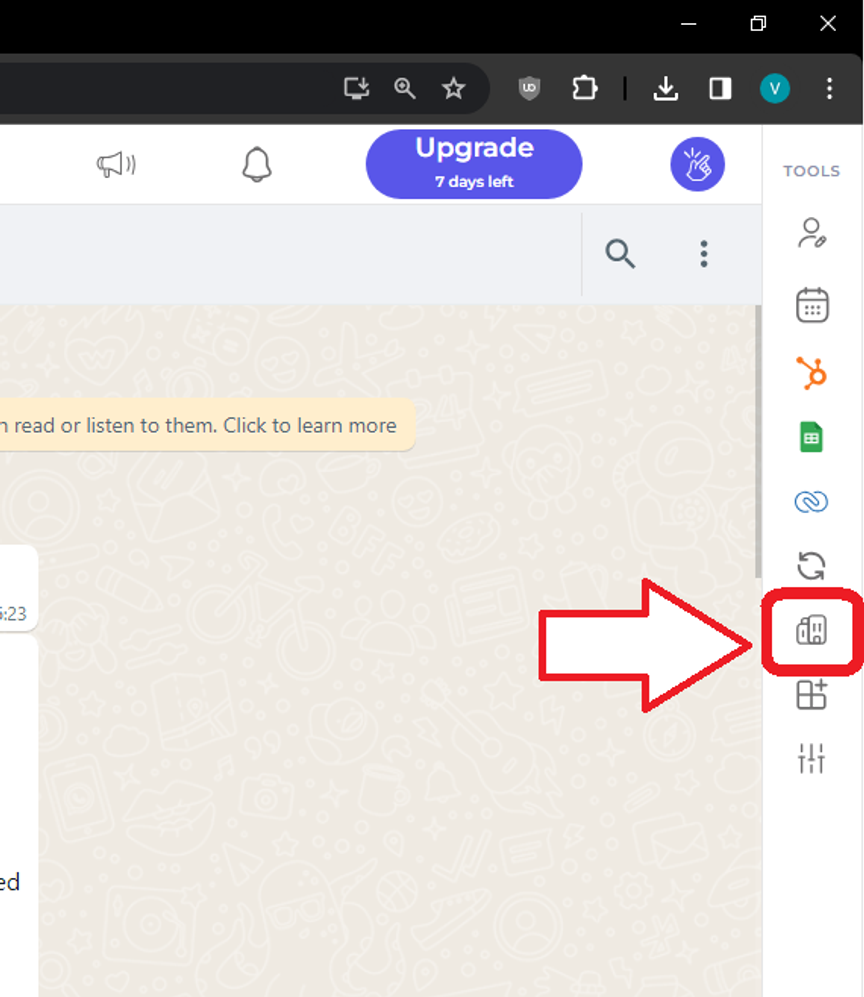
2
Add Employees
Select Employees → Add Employees from the menu.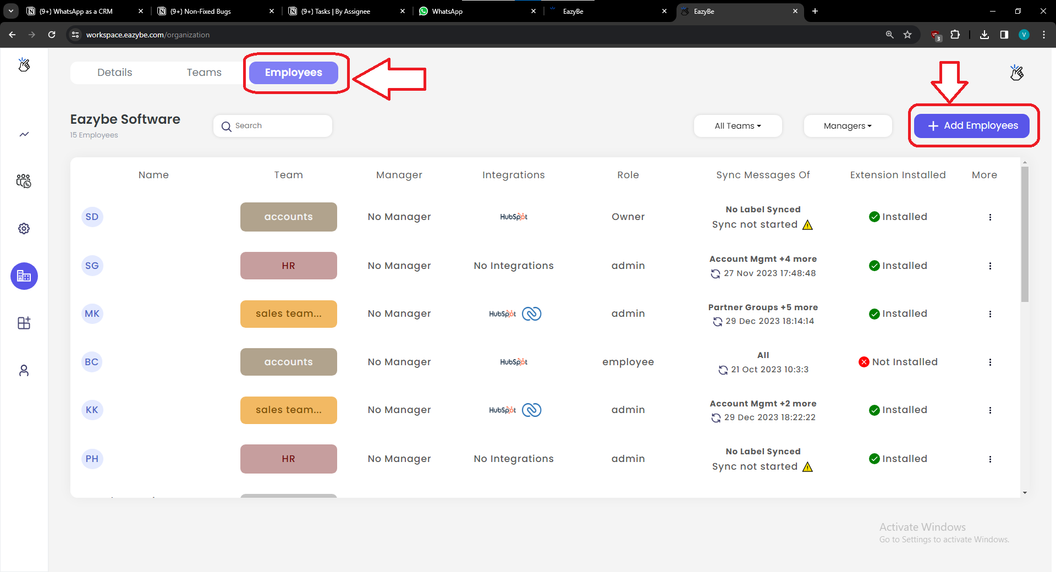
3
Complete Employee Information
Fill in the required employee details including Name, Email, and WhatsApp Number. Click Add to save the employee, then click Send Invites to distribute invitations.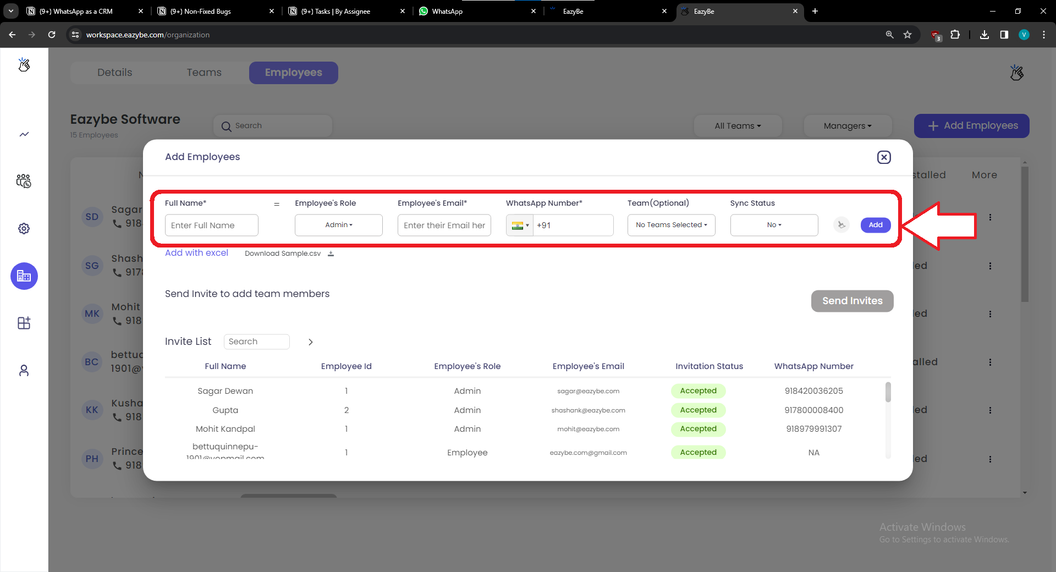
Frequently Asked Questions
What is the purpose of inviting team members?
What is the purpose of inviting team members?
Inviting team members enables task assignment, provides access to shared Quick Replies and Labels, and allows monitoring of team analytics.
Is my data secure?
Is my data secure?
EazyBe does not store any data on its servers. All data is backed up with the user’s WhatsApp number.
Where is the backup stored?
Where is the backup stored?
Backups are stored in the Admin’s Google Drive via Team Inbox.
How can I add more seats?
How can I add more seats?
You can expand seats through Accounts → Billing or through WhatsApp upgrade options.
What access do invited employees receive?
What access do invited employees receive?
Invitees gain access to shared Quick Replies and Labels configured by the organization.