

Who Should Use This Guide
CRM Administrators
Zoho CRM administrators managing user permissions
IT/Integration Teams
Teams setting up system integrations
Developers
Developers configuring API-based integrations
Only users with administrative access can modify profile-level security settings in Zoho CRM.
Prerequisites
Before proceeding, ensure you have:- Administrative access to Zoho CRM
- Knowledge of which profile is assigned to the API-calling user (Standard, Sales, or custom profiles)
Steps to Enable API Access
1
Log Into Zoho CRM
Sign in to your Zoho CRM account using administrator credentials.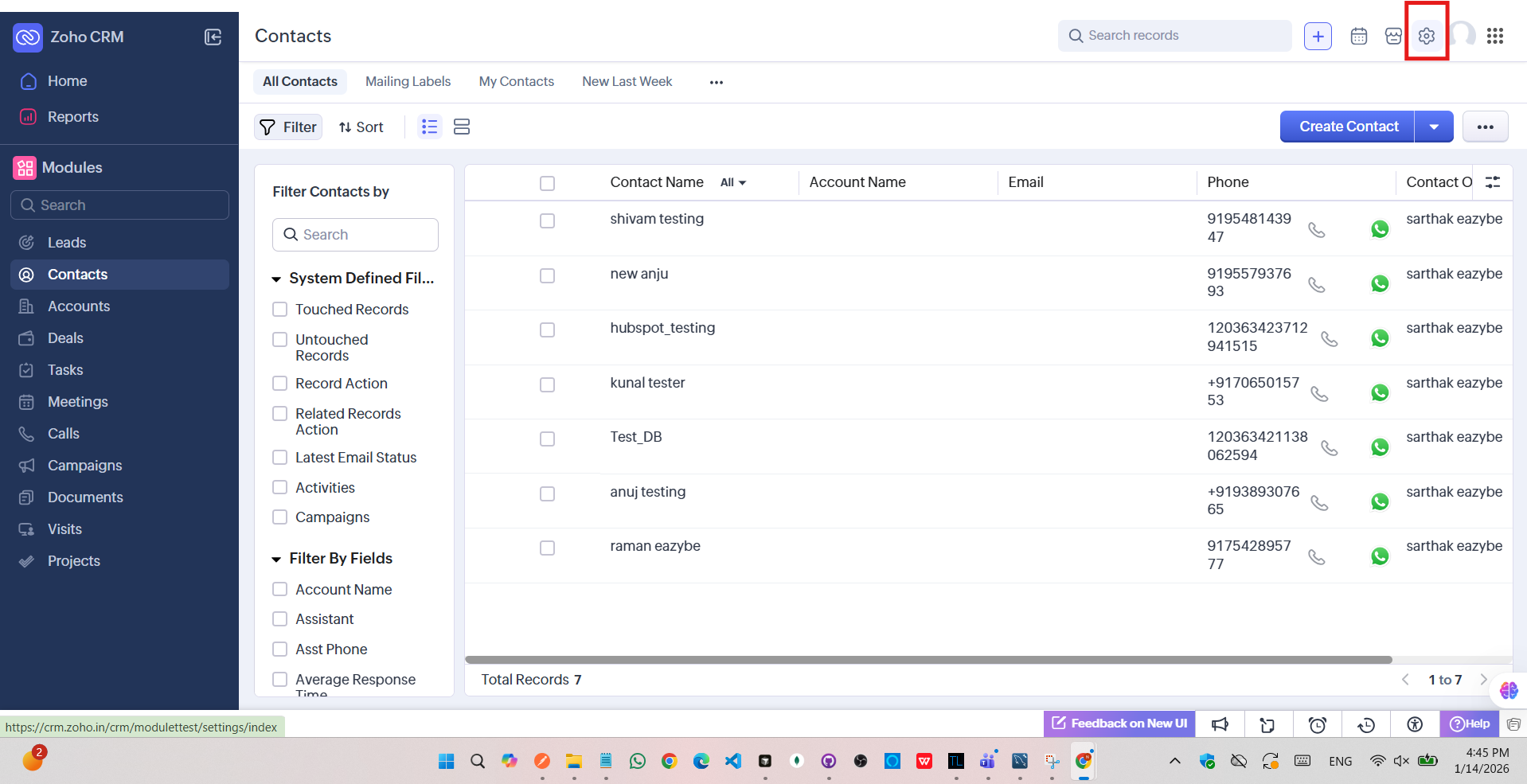
2
Access Setup
Click the gear icon (Setup) in the top-right corner of the screen.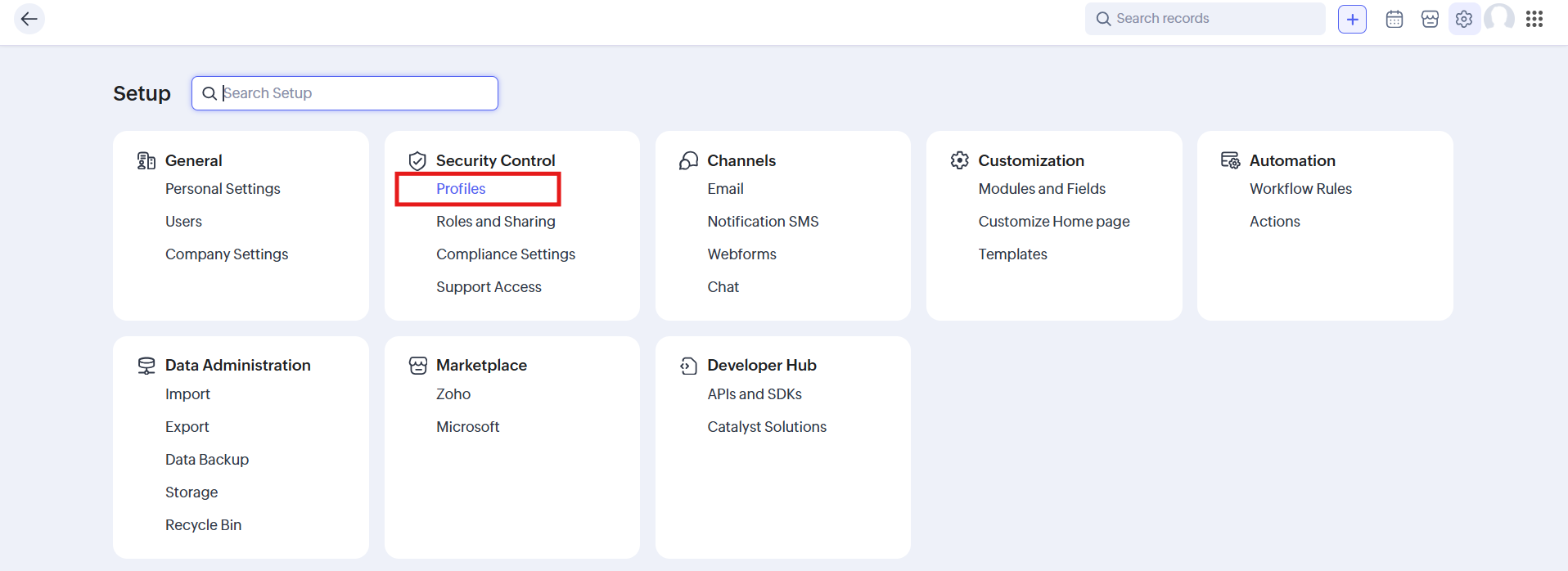
3
Navigate to Security Control
Go to Security Control and select Profiles from the available options.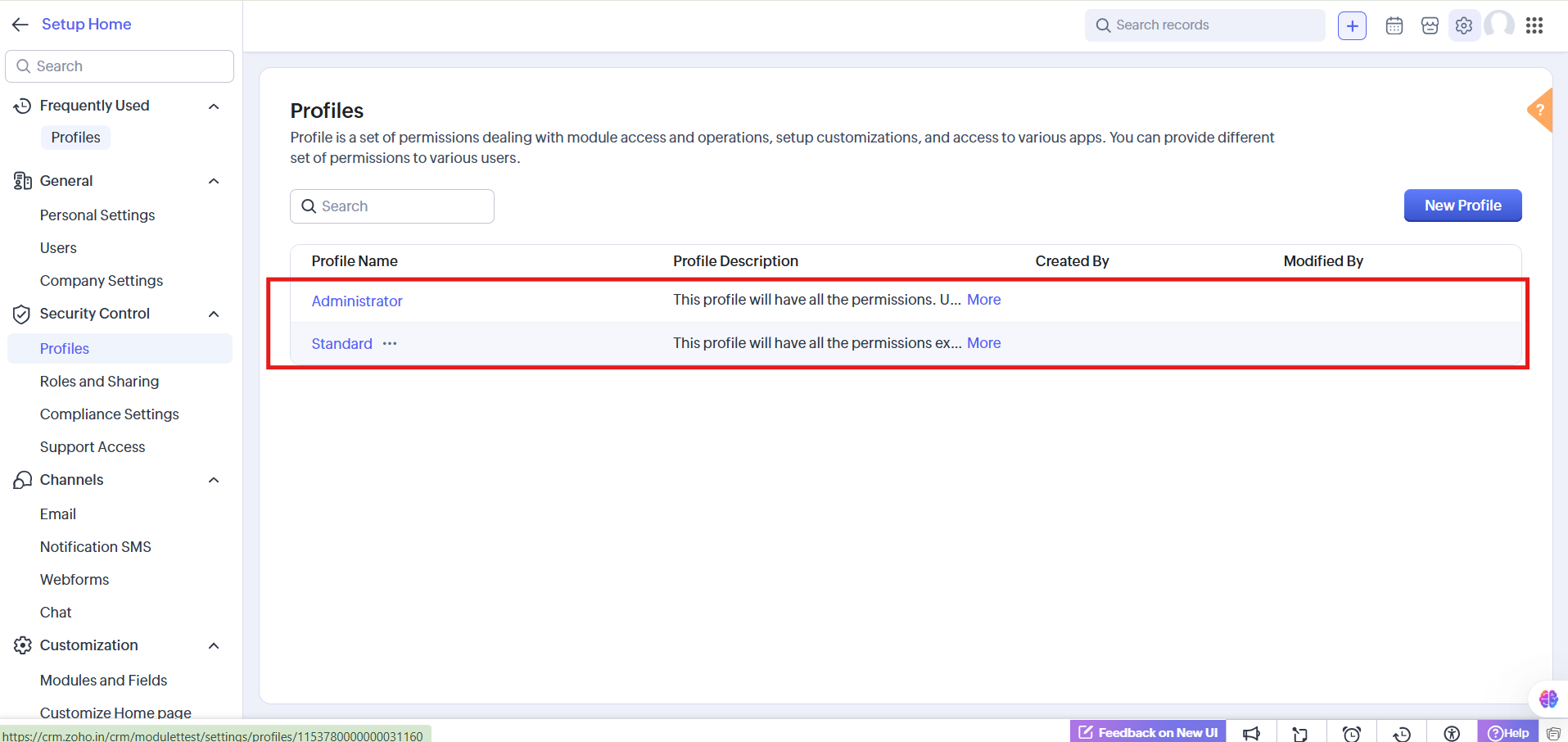
4
Select the User Profile
In the Profiles tab, locate and click the profile assigned to the API user.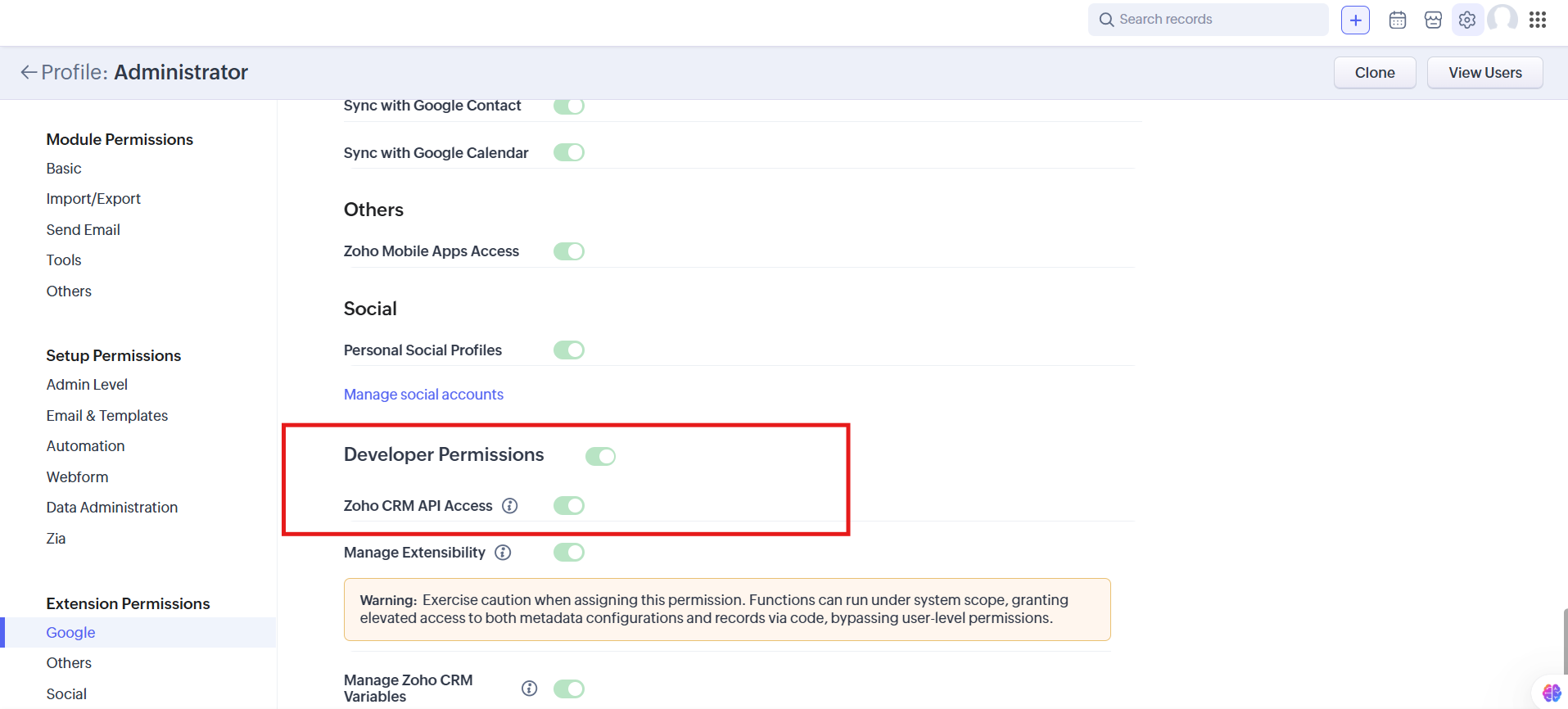
5
Find Developer Permissions
Scroll to the bottom of the profile settings page and find the Developer Permissions section.
6
Enable API Access
Toggle the Zoho CRM API Access switch to ON. The switch displays green when enabled.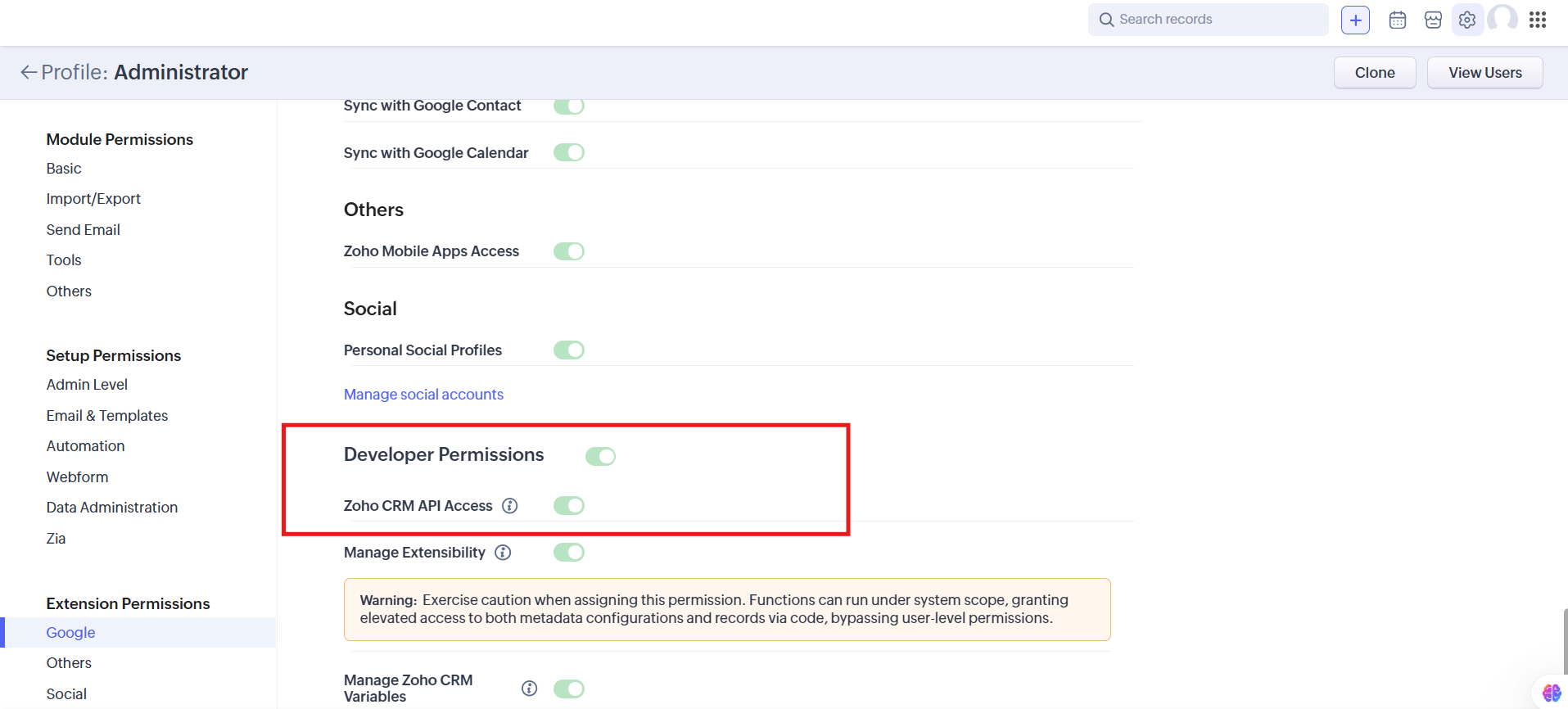
7
Save Changes
Click Save to apply the updated permissions.
Verification
After enabling API access, verify the configuration:Check Profile Status
Check Profile Status
The profile should display API Access status as ON.
Test Authentication
Test Authentication
User authentication should succeed with API credentials or OAuth tokens.
Verify API Calls
Verify API Calls
API calls should no longer return permission errors.
Troubleshooting
Security Best Practices
- Enable selectively - Only enable API access for profiles that require it
- Avoid broad access - Do not enable API access for all profiles unnecessarily
- Regular audits - Periodically review which profiles have API access enabled
- Revoke when unused - Disable API access when integrations are no longer in use