

Overview
When you have many HubSpot-connected contacts, you may not want all conversations to sync automatically. Eazybe provides a label-based system that allows you to selectively exclude specific contacts from chat backup synchronization.This feature is useful for excluding personal contacts, internal team chats, or any conversations you don’t want recorded in HubSpot.
How It Works
Eazybe uses a label-based exclusion system. You create a shared label, add contacts you want to exclude, and then disable sync for that entire label. This approach makes it easy to manage multiple contacts at once.Step-by-Step Guide
1
Create a Shared Label
First, create a shared label within the Eazybe WhatsApp extension. Add all the contacts you do not want chat backups to sync with HubSpot under this label.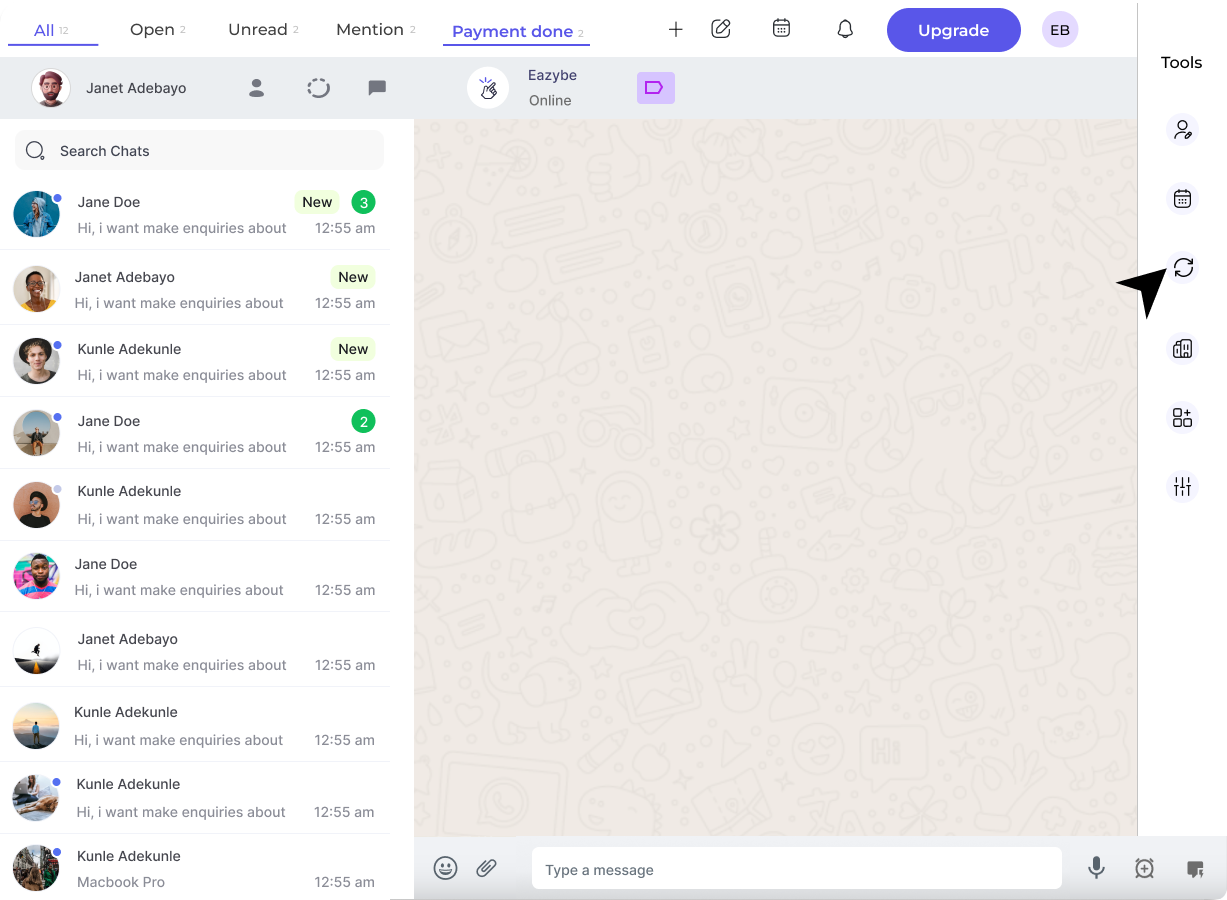
2
Access Backup and Sync Settings
Click the Backup and Sync icon in the WhatsApp extension’s right sidebar. In the resulting window, select the HubSpot button to access HubSpot-specific sync settings.
3
Disable Sync for the Label
Locate the label containing the contacts you want to exclude. Click the Don’t Sync button beside the label to disable synchronization for all contacts in that label.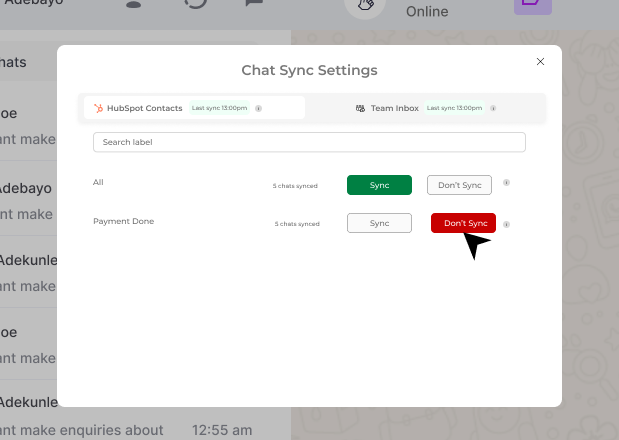
Chat synchronization is now disabled for all contacts in this label!
Re-enabling Sync
If you need to restore synchronization for previously excluded contacts:1
Enable Sync for the Label
Navigate back to the Backup and Sync settings, find your excluded label, and click the Sync button to restore synchronization.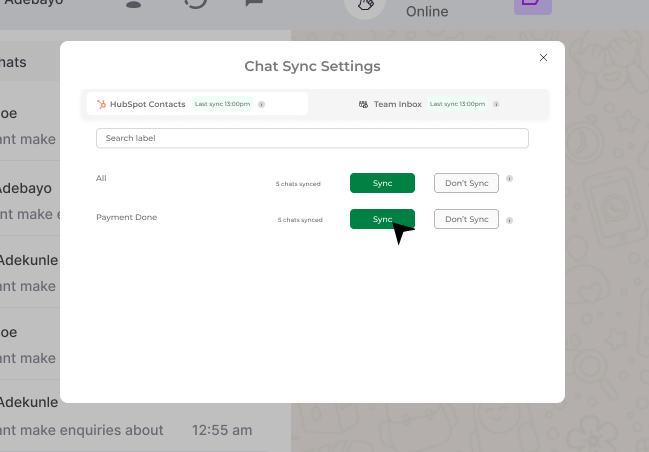
2
Selective Re-enabling
To selectively enable sync for specific contacts only:
- Remove those contacts from the excluded label
- Keep other contacts in the label to maintain their exclusion
- The removed contacts will automatically resume syncing
Best Practices
Use Descriptive Label Names
Use Descriptive Label Names
Name your exclusion labels clearly (e.g., “No HubSpot Sync”, “Personal Contacts”) so team members understand their purpose.
Review Exclusions Periodically
Review Exclusions Periodically
Regularly review your excluded contacts to ensure you’re not missing important business conversations.
Document Your Exclusion Policy
Document Your Exclusion Policy
If you’re part of a team, document which types of contacts should be excluded to maintain consistency.
Quick Reference
Need Help?
Contact Support
If you have any questions or need further assistance, reach out to us at hey@eazybe.com. We’re happy to help!