

Overview
Before connecting Eazybe to Odoo, you need to generate an API key from your Odoo instance. This key will allow Eazybe to securely access your Odoo data.Requirements
Odoo Account
Active Odoo account with administrator or user access
Odoo Instance
Access to your Odoo instance URL
API Access
Permission to generate API keys in Odoo
Eazybe Extension
Eazybe Chrome extension installed
Generating Your Odoo API Key
1
Open Odoo Settings
Log in to your Odoo instance and click on Settings in the top menu.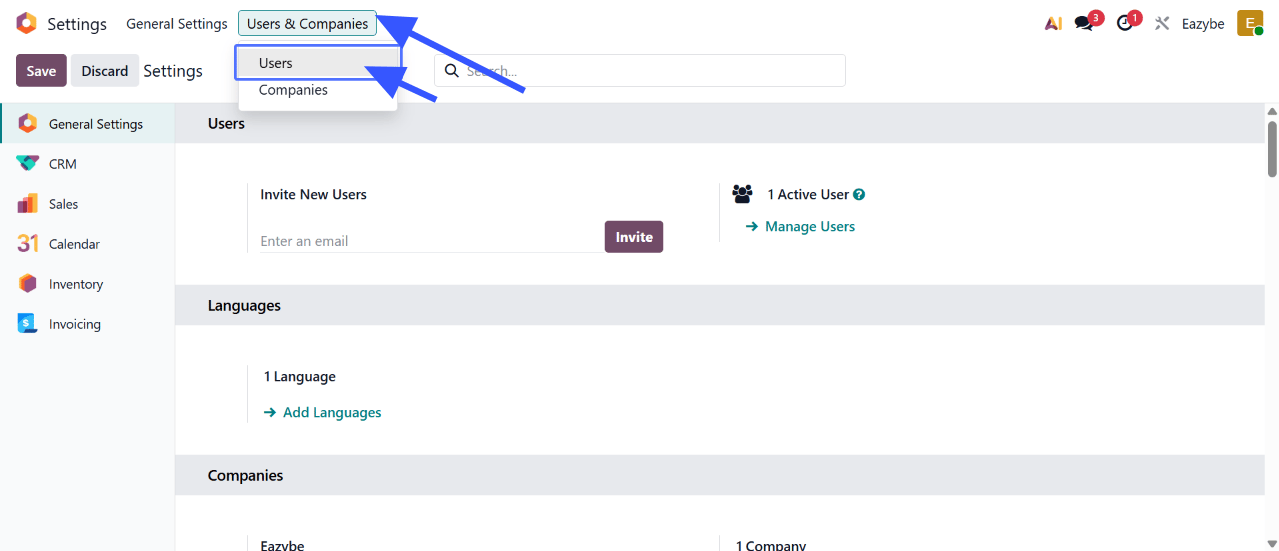
2
Go to Users & Companies
In the Settings menu, navigate to Users & Companies and then click on Users.
3
Select Your User
Find and click on your user account from the list.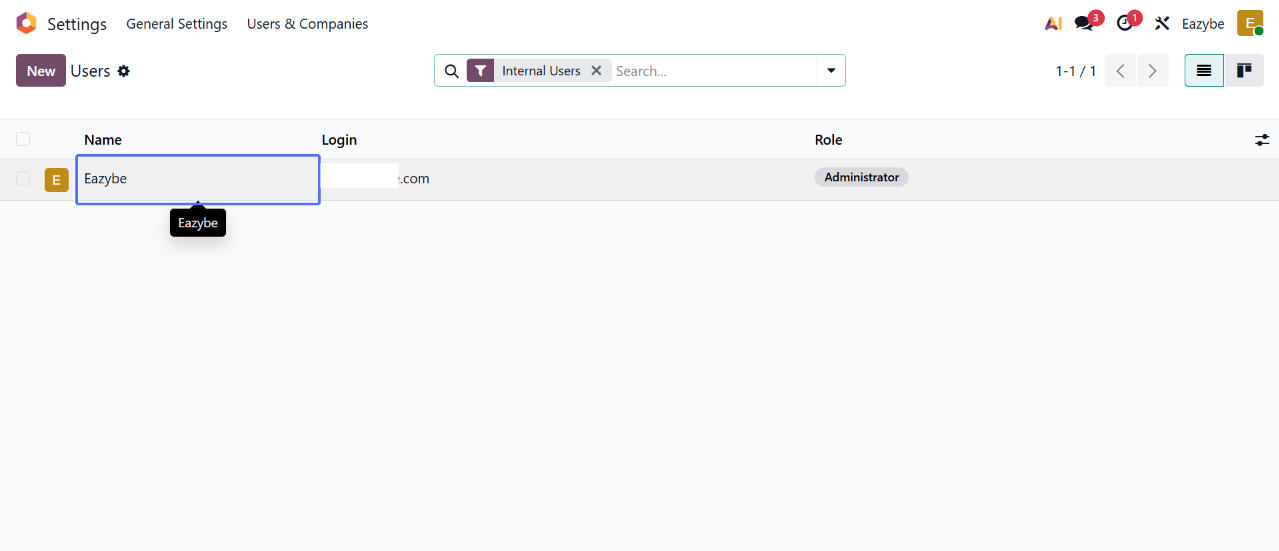
4
Access Security Settings
Click on the Security tab in the user details page.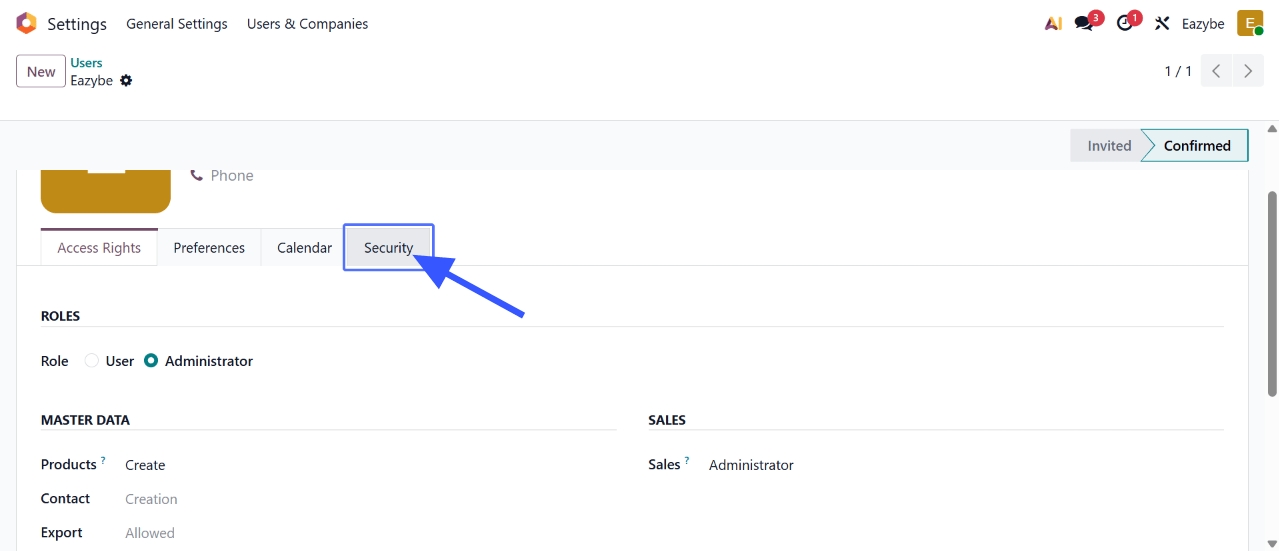
5
Generate API Key
Under the API Keys section, click on Add API Key.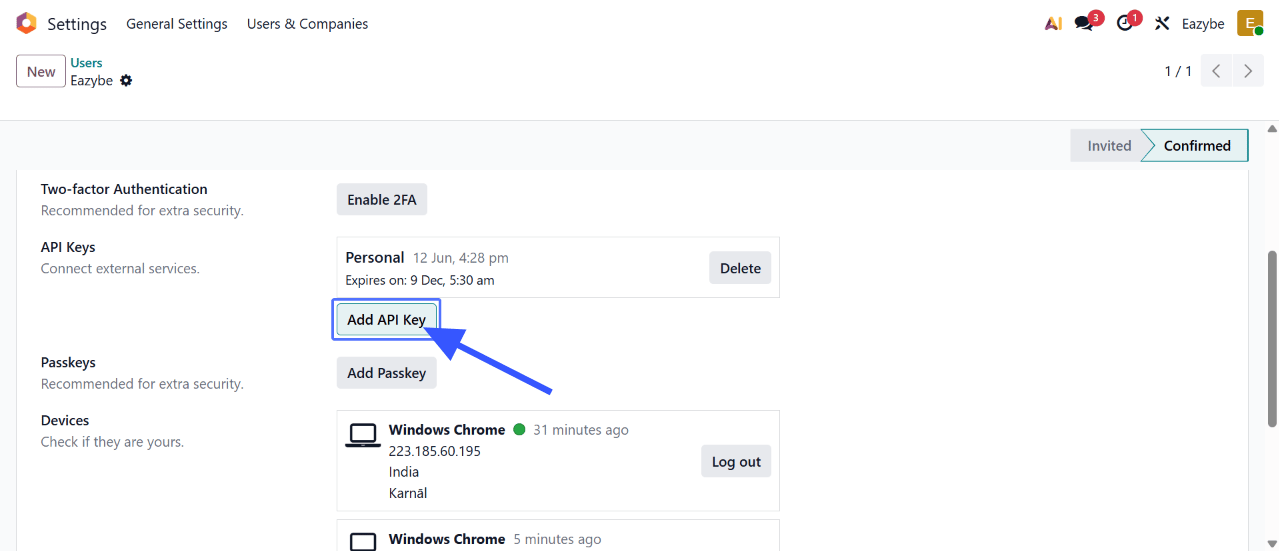
Give your API key a recognizable name like “Eazybe Integration” so you can identify it later.
6
Copy Your API Key
Your API key will be displayed. Copy it immediately as you won’t be able to see it again.
What You’ll Need for Connection
Once you have your API key, you’ll also need:Next Steps
1
Connect Your Account
Now that you have your API key, proceed to Account Connection to complete the setup.
Need Help?
Contact Support
If you have any questions or need further assistance, reach out to us at
hey@eazybe.com. We’re happy to help!