Dashboard Sections
1. Key Lead Metrics
Get insights into new leads, engagement levels, and active lead percentages.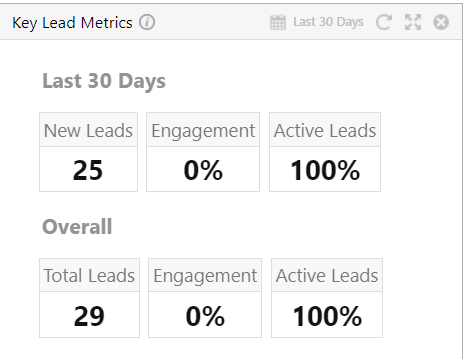
2. Lead by Sources
View different acquisition channels and understand where your leads are coming from within specified timeframes.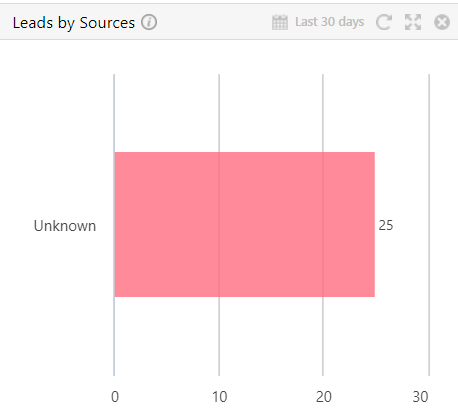
3. Overall Lead Funnel
Get an overview of active stages and track lead progression through your sales funnel.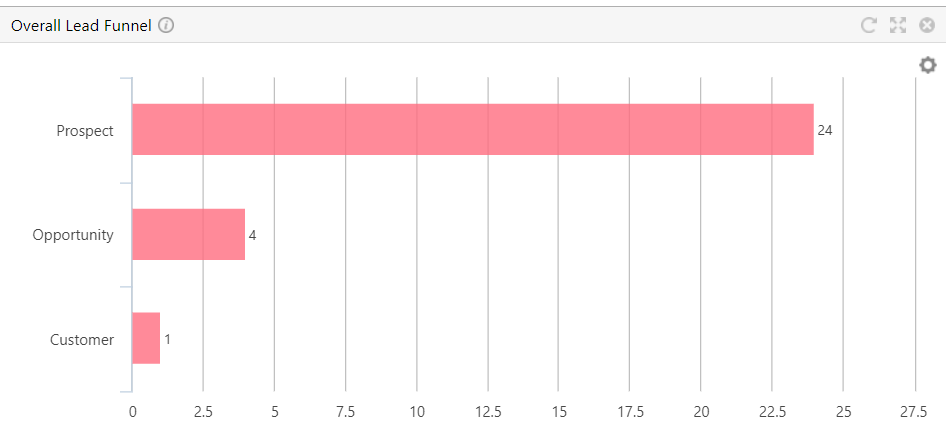
4. Top New Leads
Highlights the most promising prospects within given time periods.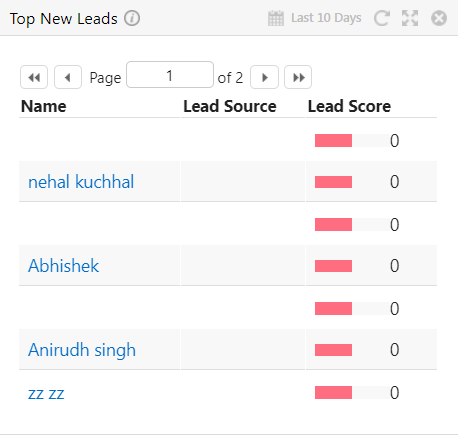
5. Recently Sent Email Campaigns
Coverage of recent email efforts with recipient counts, open rates, and click-through data.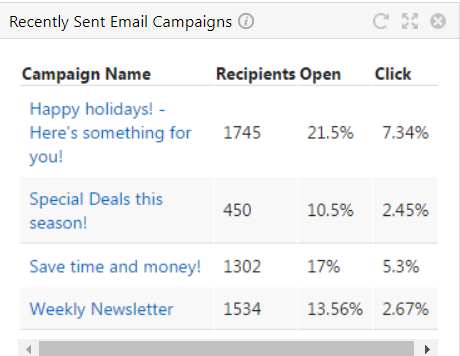
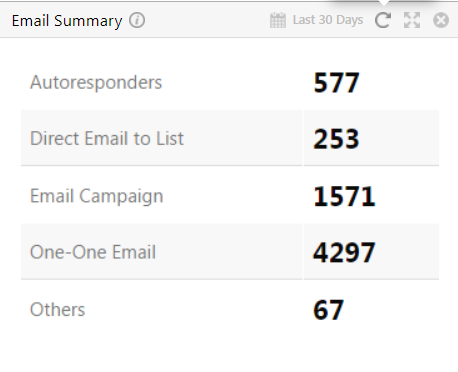
6. Email Summary
Overview of emails sent across various channels.