

Overview
Connecting Eazybe to your Pipedrive account enables powerful WhatsApp integration, allowing you to manage conversations, sync contacts, and streamline your sales workflow directly from Pipedrive.Before proceeding, ensure you have completed all the
prerequisites for the Pipedrive
integration.
Step-by-Step Guide
1
Open WhatsApp Web with Eazybe Extension
Open WhatsApp Web and ensure the Eazybe extension is installed and active.
2
Navigate to Integrations
Click on the CRM/Integrations button in the Eazybe panel.
3
Select Pipedrive
Navigate to Pipedrive from the available CRM options and click on
Connect.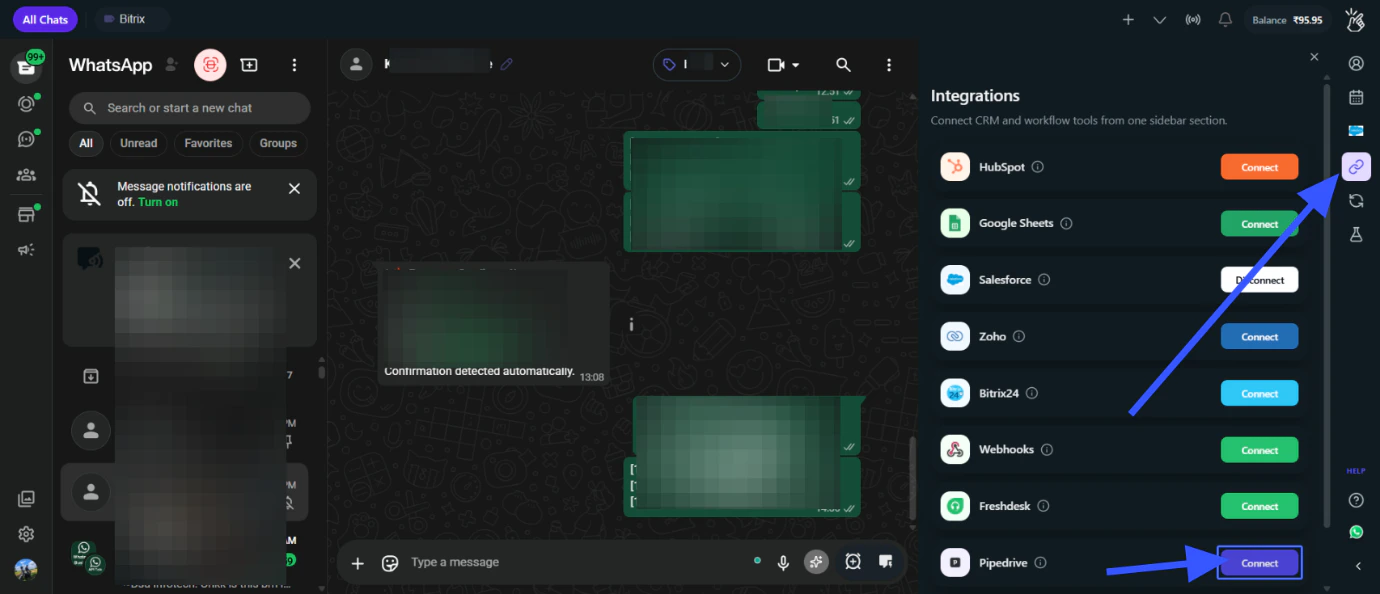
4
Enter Your Company Domain
Enter your Pipedrive Company Domain.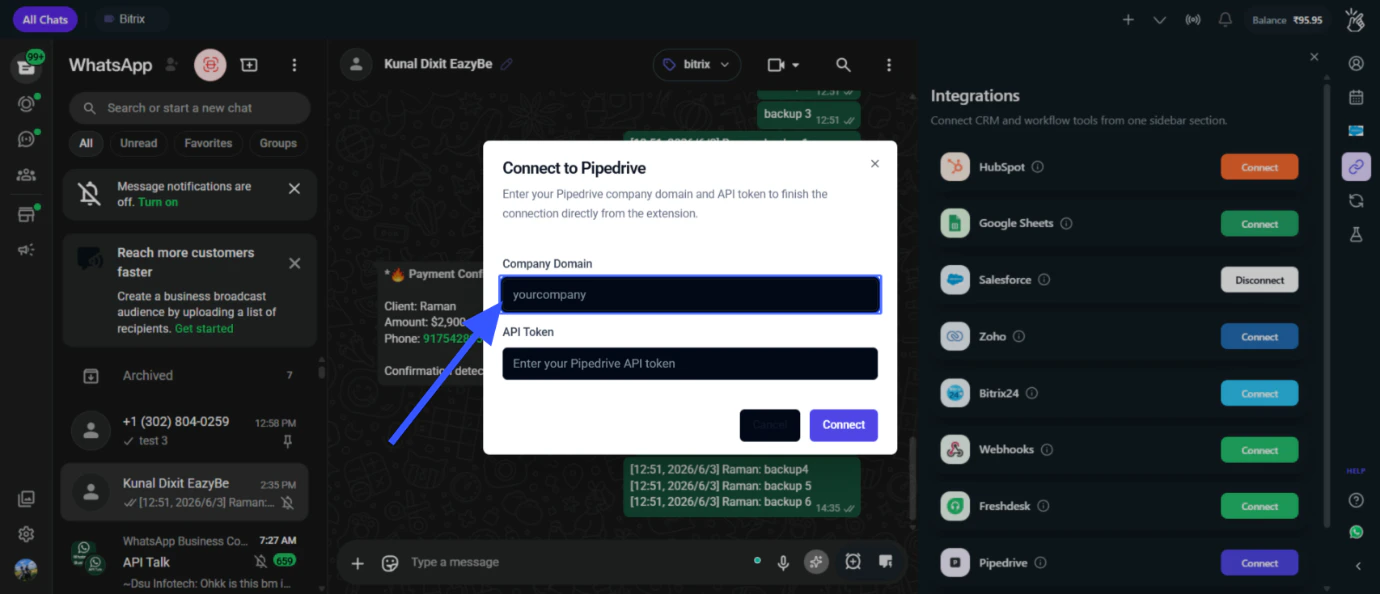
Your Company Domain is the subdomain in your Pipedrive URL (e.g.,
yourcompany from https://yourcompany.pipedrive.com)5
Enter Your API Token
Paste your Pipedrive API Token and click on Connect.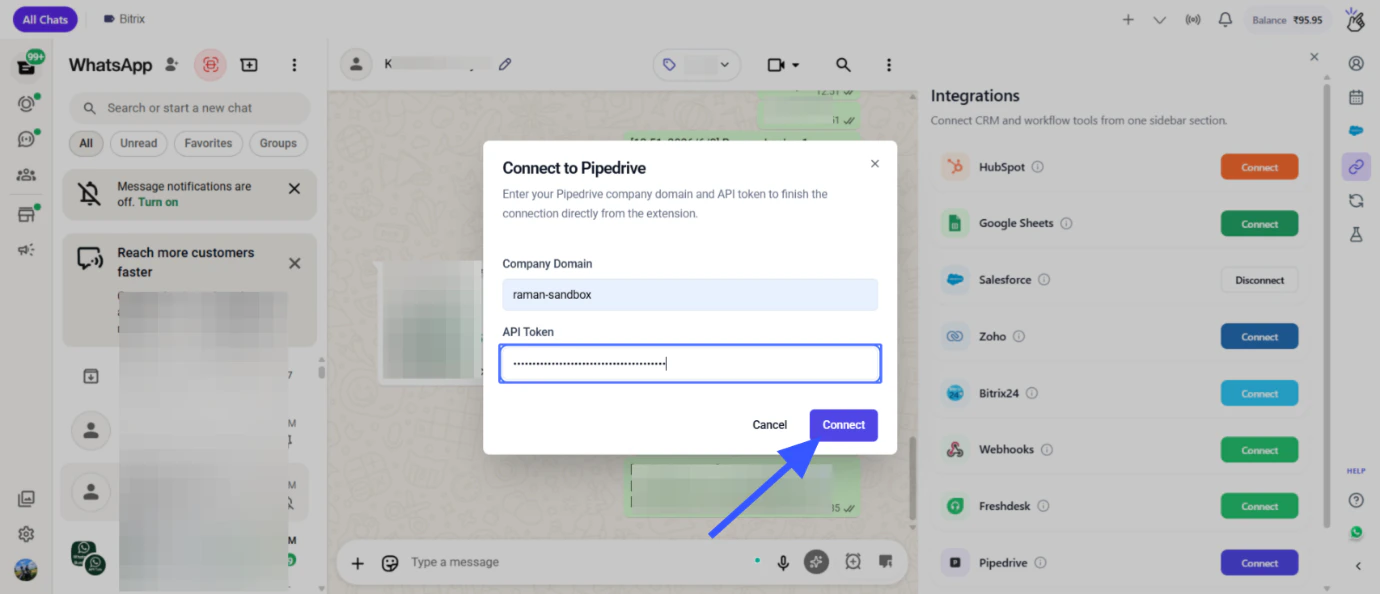
6
Verify Connection
Once connected, you’ll see the Pipedrive integration active in your Eazybe panel.
Your Pipedrive account is now successfully connected to Eazybe!
Quick Reference
Next Steps
Mini CRM Features
Learn how to use the Pipedrive sidebar panel in WhatsApp.
Disconnect
Learn how to disconnect the Pipedrive integration.
Need Help?
Contact Support
If you have any questions or need further assistance, reach out to us at
hey@eazybe.com. We’re happy to help!