

Overview
Eazybe automatically syncs your WhatsApp conversations with Zoho CRM, ensuring all your customer communications are backed up and accessible within your CRM records.Automatic Sync Process
WhatsApp conversations with Zoho contacts or leads synchronize automatically every 3 minutes.
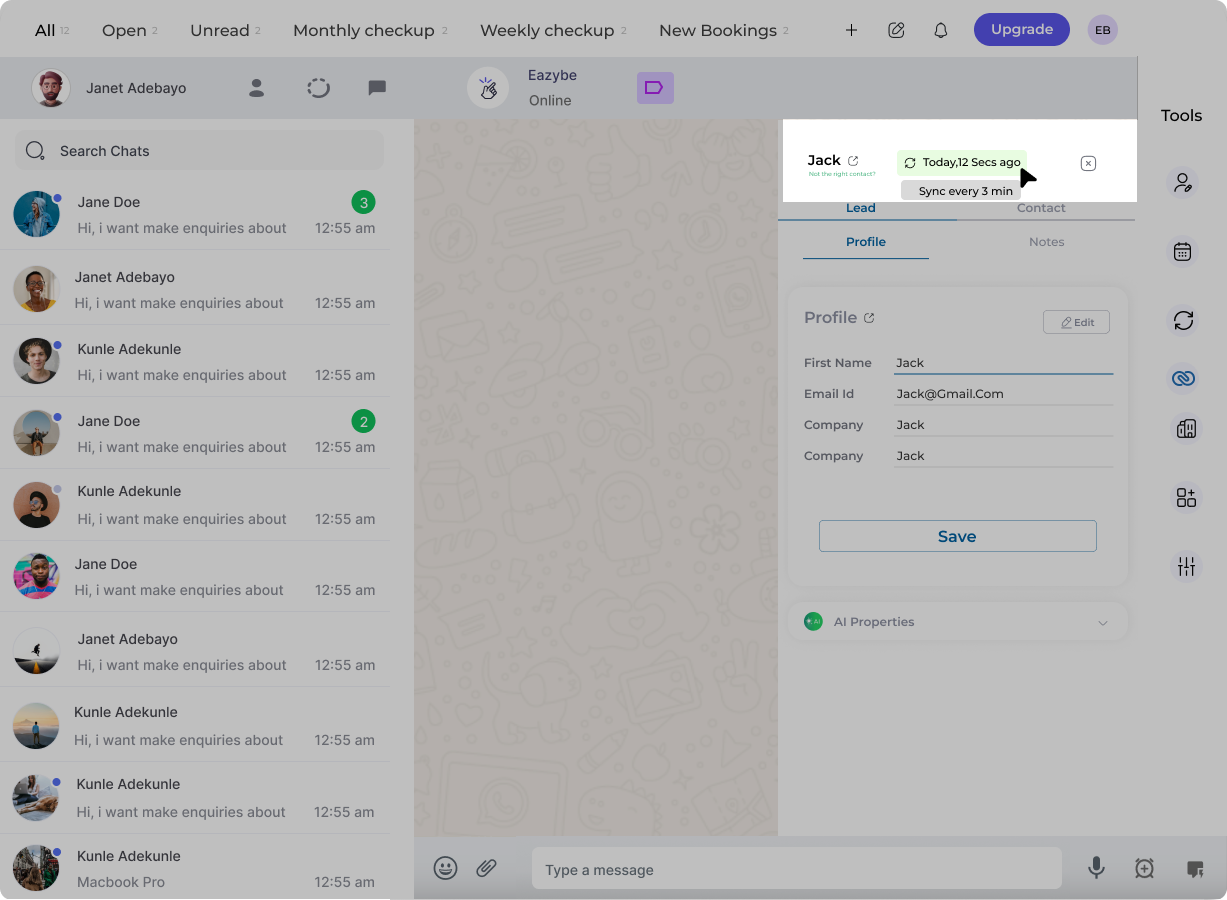
Initial Integration Backup
Upon first Zoho integration, the system automatically provides chat backup for the previous 3 days of conversations.
Where Messages Are Logged
Notes Section
WhatsApp chats are backed up in the Notes Section of Contacts and Leads pages in Zoho CRM.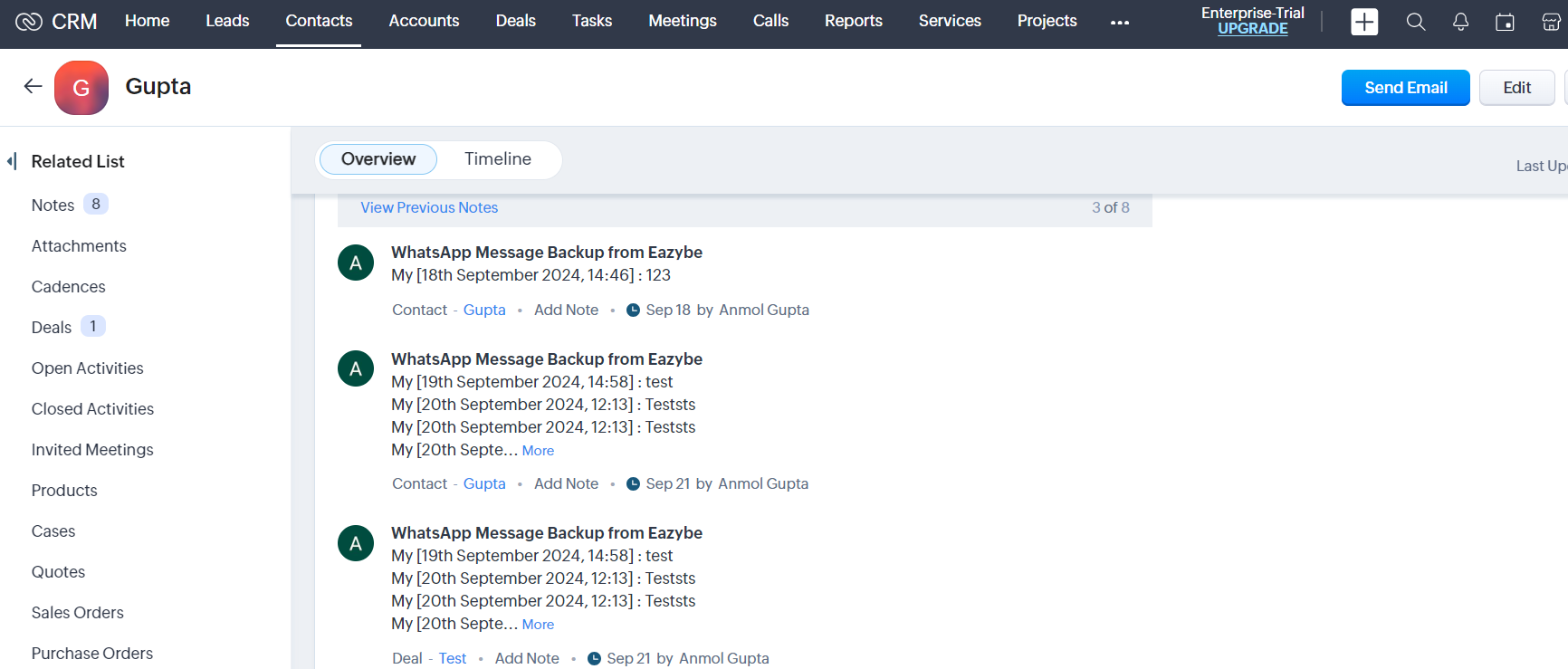
Deal Pages
Backup also appears across the 5 latest deals associated with a contact on the Deal’s page.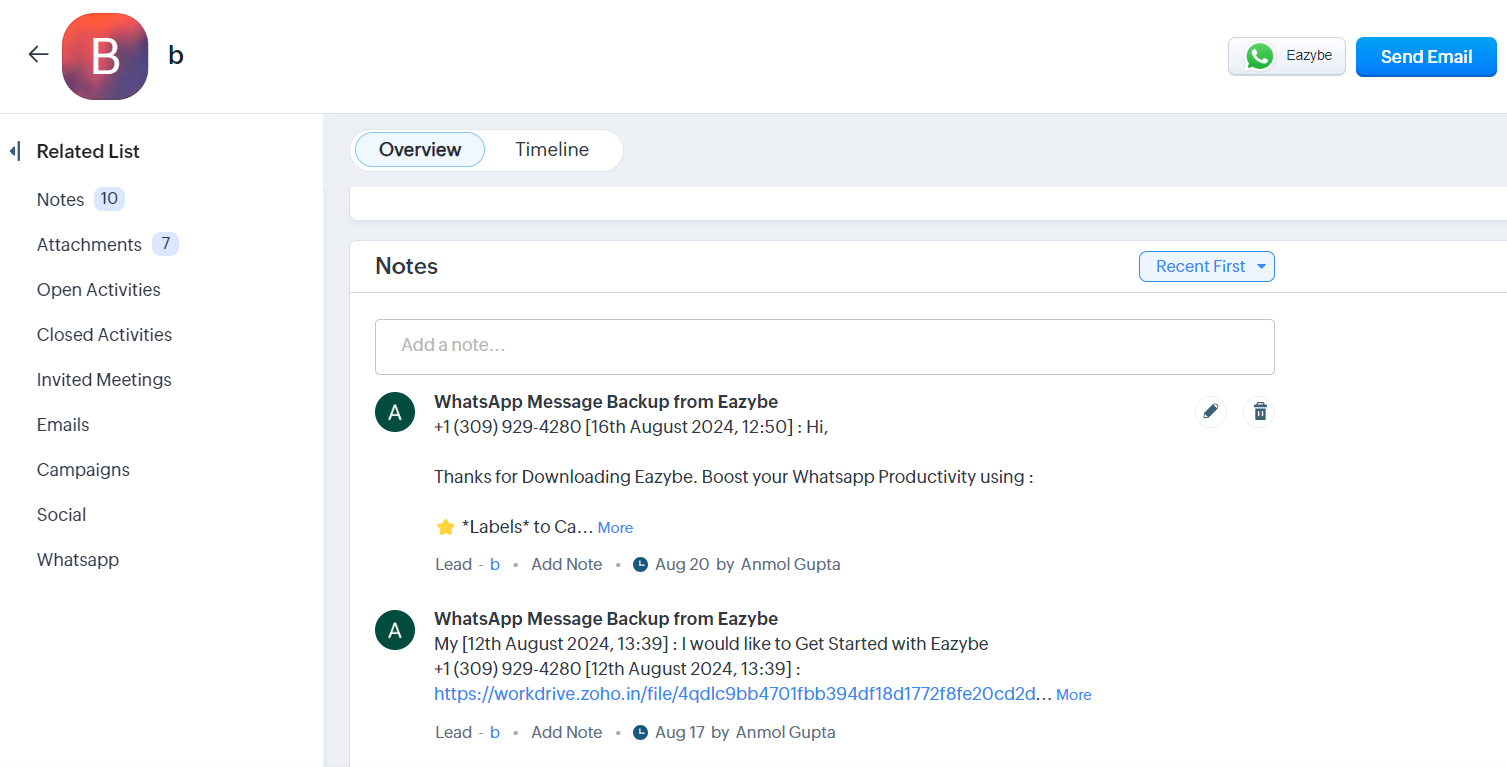
Attachments Backup
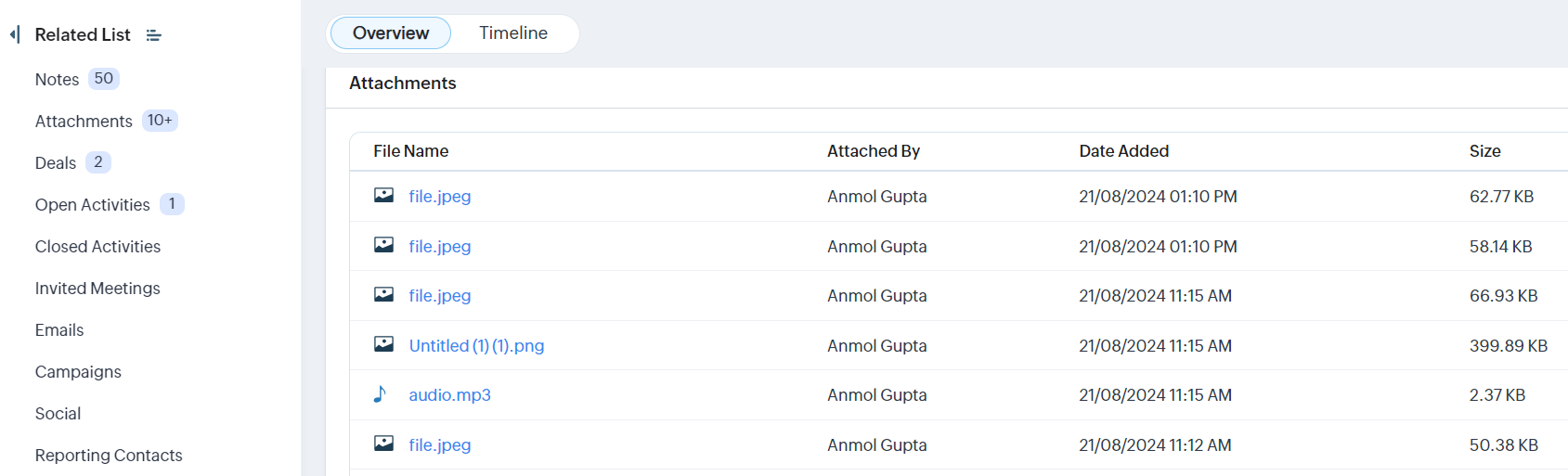
Attachments from WhatsApp are stored in both the Notes and Attachments sections of Zoho Leads and Contacts pages.In Notes Section
Links provide easy file access within the conversation context.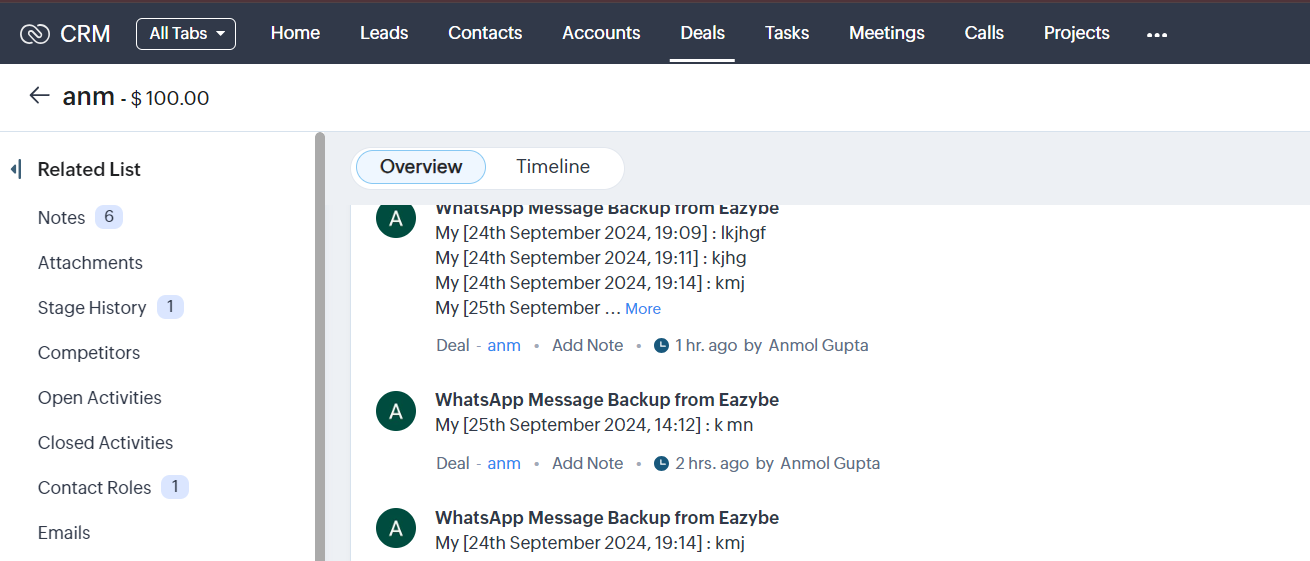
In Attachments Section
Files display in a tabular format with the following details: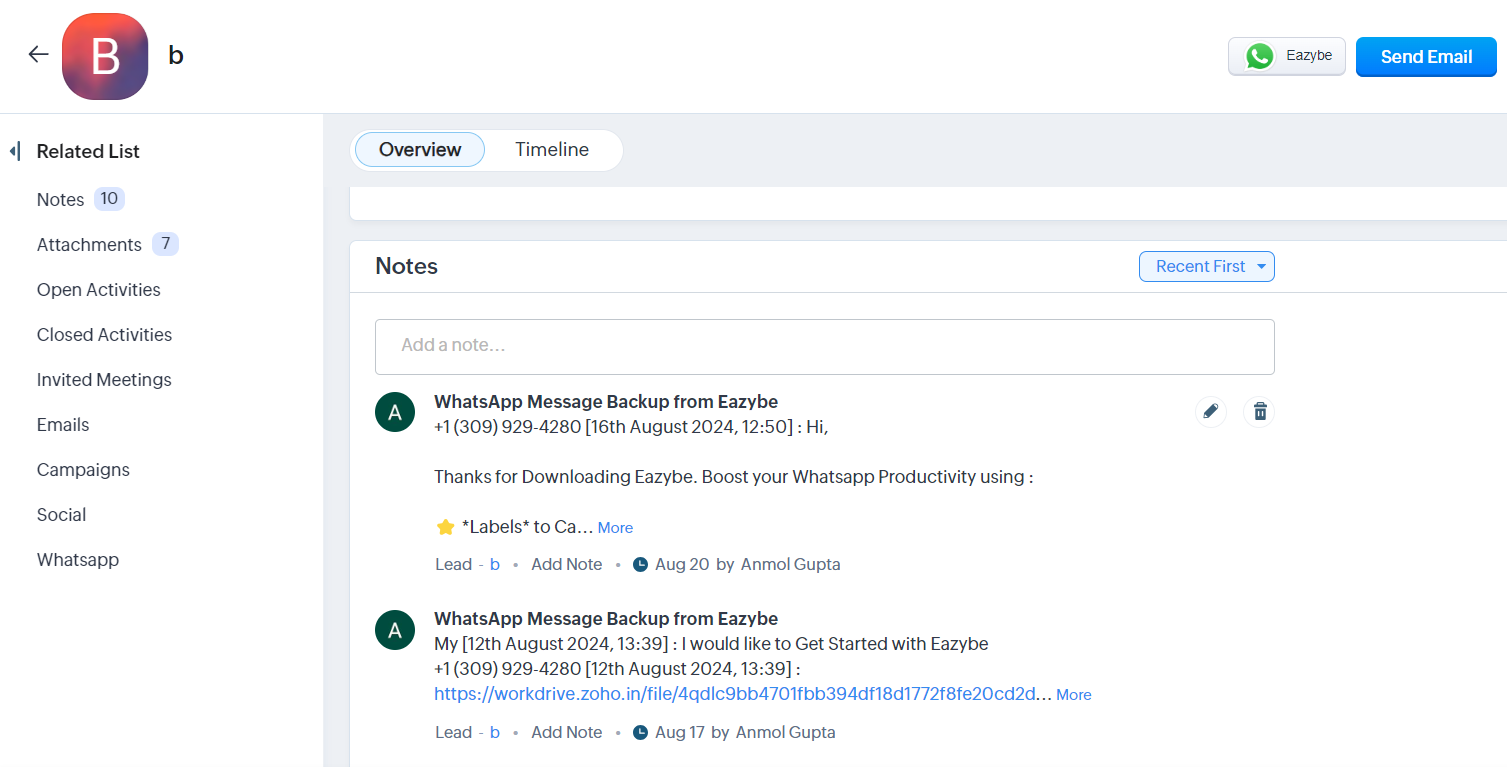
Sync Frequency Summary
Automatic Sync
Every 3 minutes for active conversations
Initial Backup
Previous 3 days on first integration
Frequently Asked Questions
How often does syncing occur?
How often does syncing occur?
WhatsApp messages sync automatically every 3 minutes to your Zoho CRM.
Where can I see the last sync time?
Where can I see the last sync time?
The last synced date and time are displayed in the Eazybe extension panel.
Are attachments also backed up?
Are attachments also backed up?
Yes, all attachments from WhatsApp conversations are backed up to both the Notes and Attachments sections in Zoho CRM.
How many deals show the chat backup?
How many deals show the chat backup?
Chat backups appear on the 5 most recent deals associated with a contact.