

How Contact Linking Works
1
Automatic Linking via Phone Number
When you create a new Bitrix contact through the Eazybe WhatsApp extension, the contact is automatically linked to Bitrix using the phone number as the unique identifier.
2
Chat Backup Activation
Once linked, your WhatsApp chats with that contact are backed up to Bitrix every 3 minutes, ensuring real-time sync and data accuracy.
3
Sync Status Tracking
The last sync time for each contact is updated in the Eazybe workspace, providing an up-to-date view of your conversation backup status.
What Gets Synced
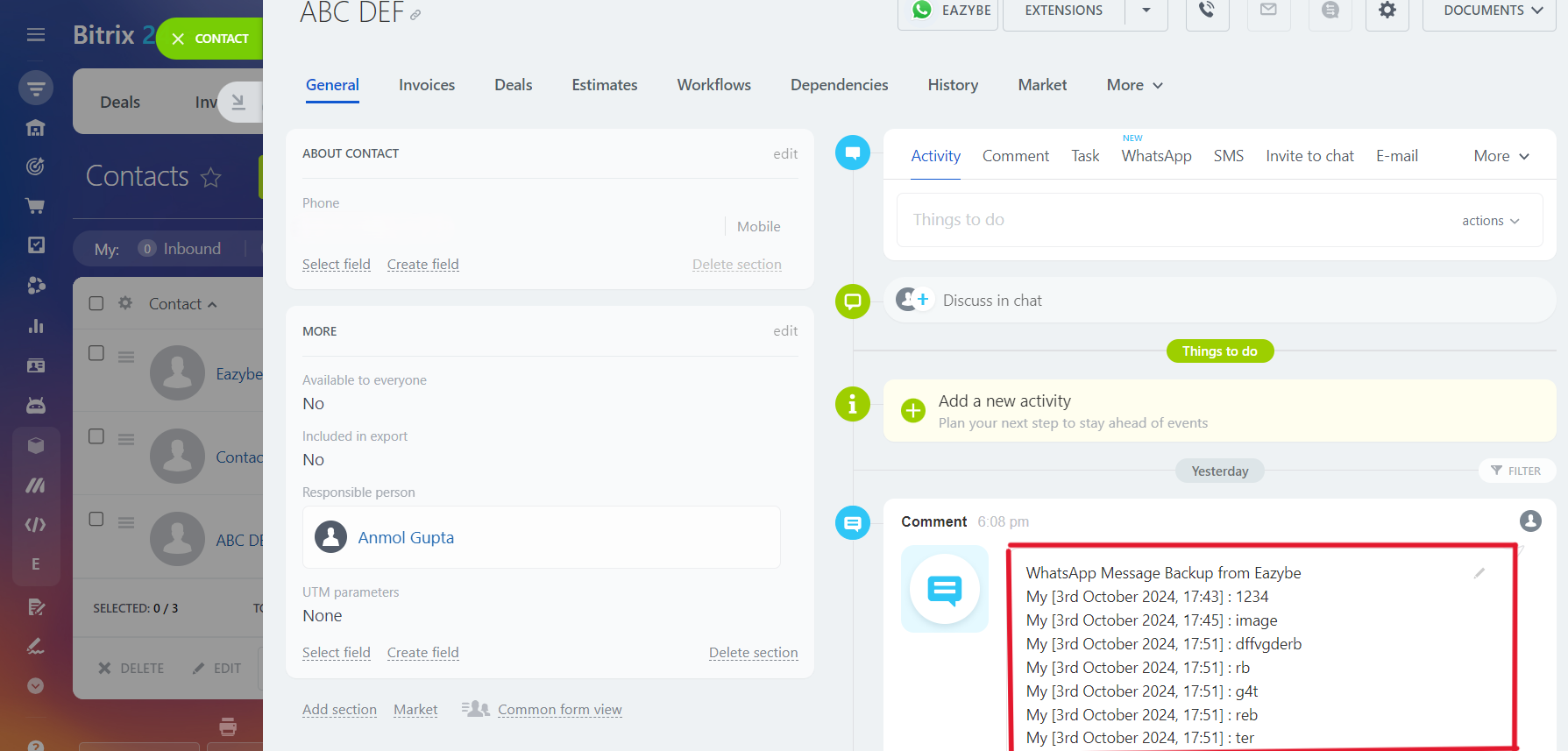
Once linked, the Contact Card of the respective contact appears in Eazybe’s mini-CRM view. The following data is backed up to Bitrix:1:1 Chats
All individual WhatsApp conversations with the linked contact
Group Chats
Group chats associated with the contact are also backed up
Both individual and group chats associated with the contact will be backed up and visible in the Bitrix Contact’s page.
If you have any questions or need further assistance, feel free to reach out to us at hey@eazybe.com.