

Understand the contact properties
In Choose which columns you see, the timestamp property is listed as Eazybe Broadcast Opt Out Updated At, without the timezone suffix. The contact table displays the timezone with the date and time.
Add and check the properties
In HubSpot, open CRM → Contacts and select the contact view you want to use, such as All contacts. Open the table’s column settings to display Choose which columns you see.1
Select the broadcast opt-out properties
In Choose which columns you see, enter Eazybe Broadcast in the search field. Under CONTACT INFORMATION, select both properties: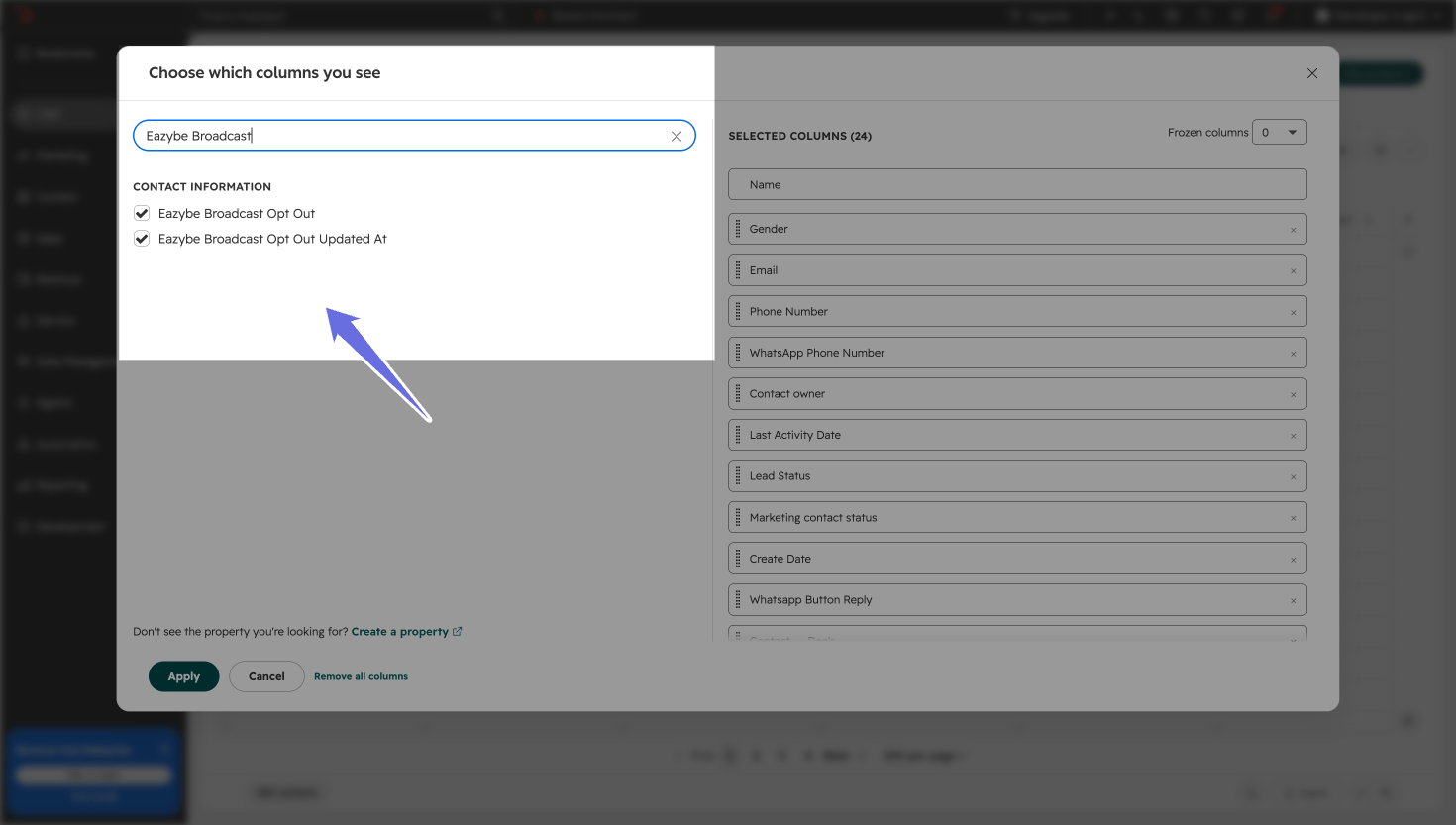
- Eazybe Broadcast Opt Out
- Eazybe Broadcast Opt Out Updated At
Selecting these columns changes what you see in the table. It does not subscribe or unsubscribe a contact.
2
Read the status and its update time
Back in Contacts, find the contact’s row and review Eazybe Broadcast Opt Out alongside Eazybe Broadcast Opt Out Updated At. If the columns are outside your visible table area, scroll horizontally to find them.Read the status to check the contact’s broadcast preference, then use the timestamp to see when that preference was last updated. This is the preference-update time, not the time a broadcast was sent or delivered.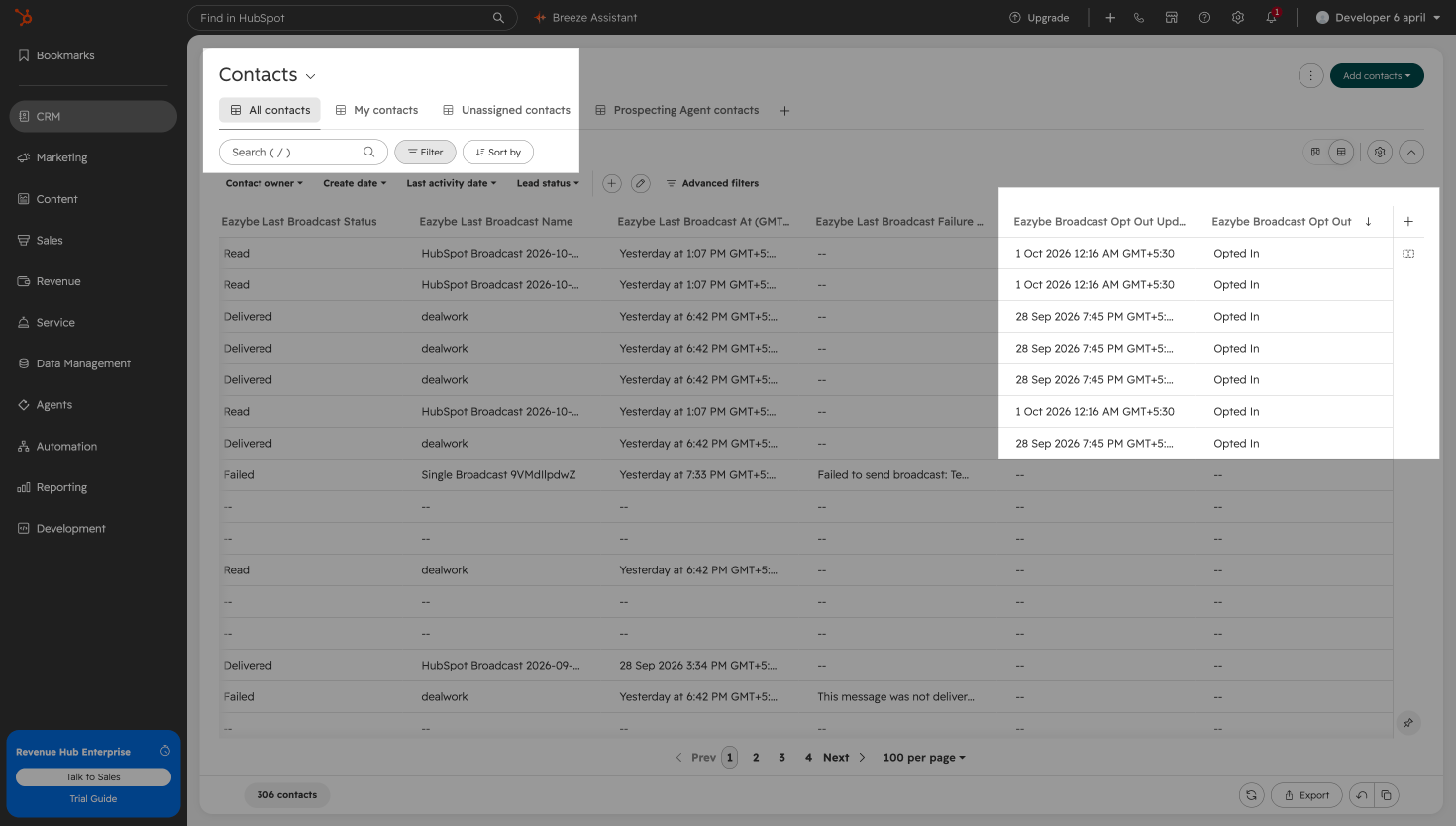
A blank value or — does not confirm that a contact is opted in. It means no value is displayed for that property. Check the contact’s recorded preference before using it to decide who should receive a broadcast.