

How to Manage Contact Deals
1
Open the WhatsApp Chat
Access the WhatsApp conversation with the Zoho Contact whose deals you want to manage.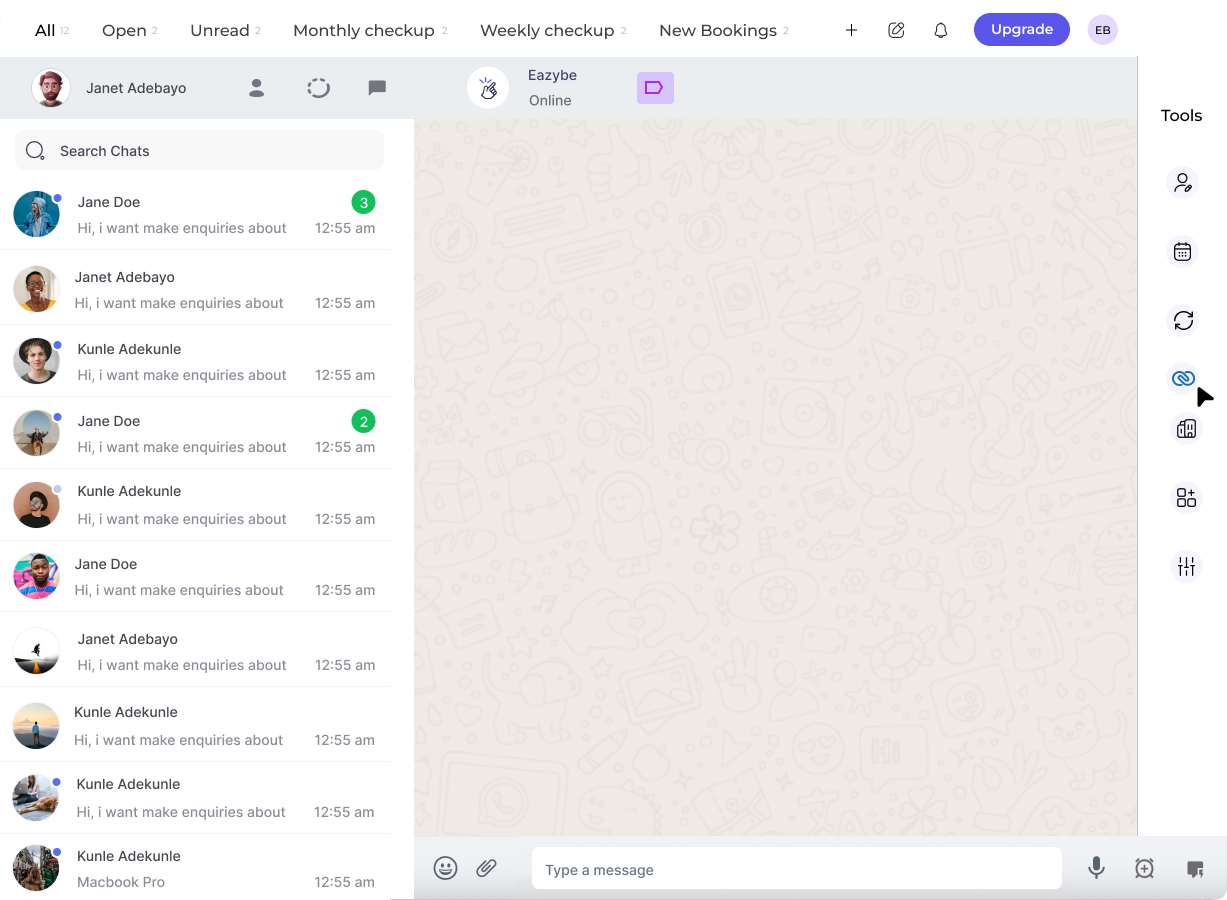
2
Click on the Zoho Icon
In the right sidebar of the EazyBe extension, locate and click on the Zoho icon to access your CRM features.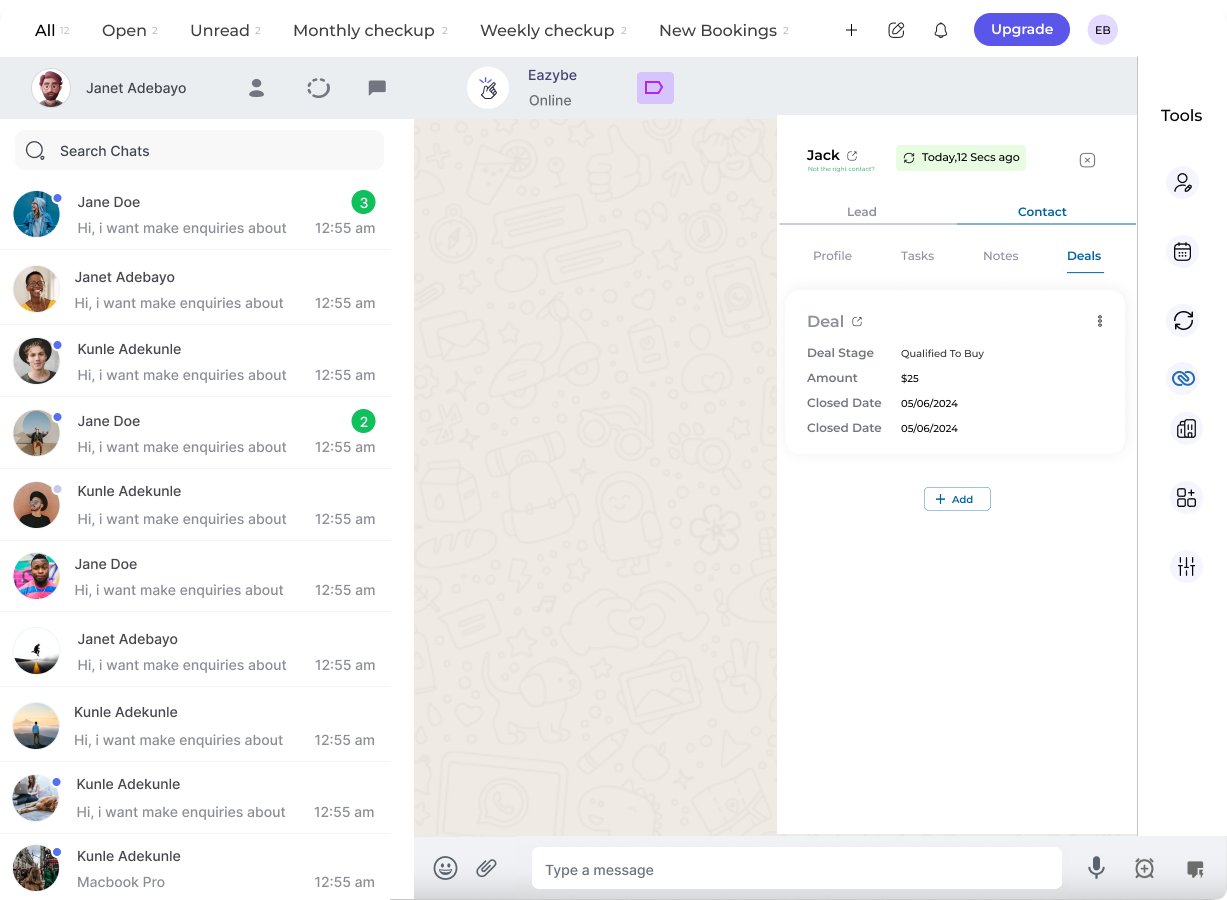
3
Access the Deals Section
Under the Contact header, select the Deals Section to view all existing deals associated with this contact.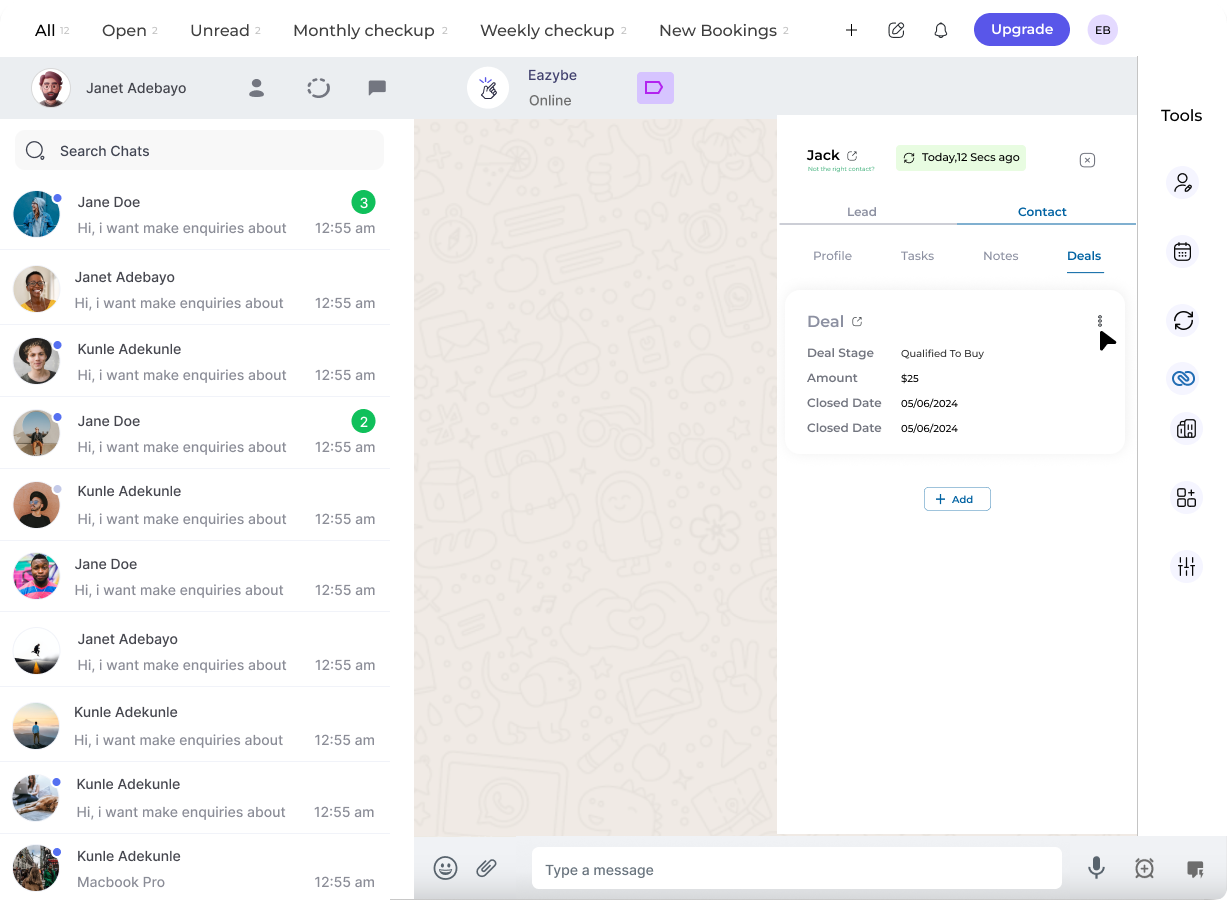
4
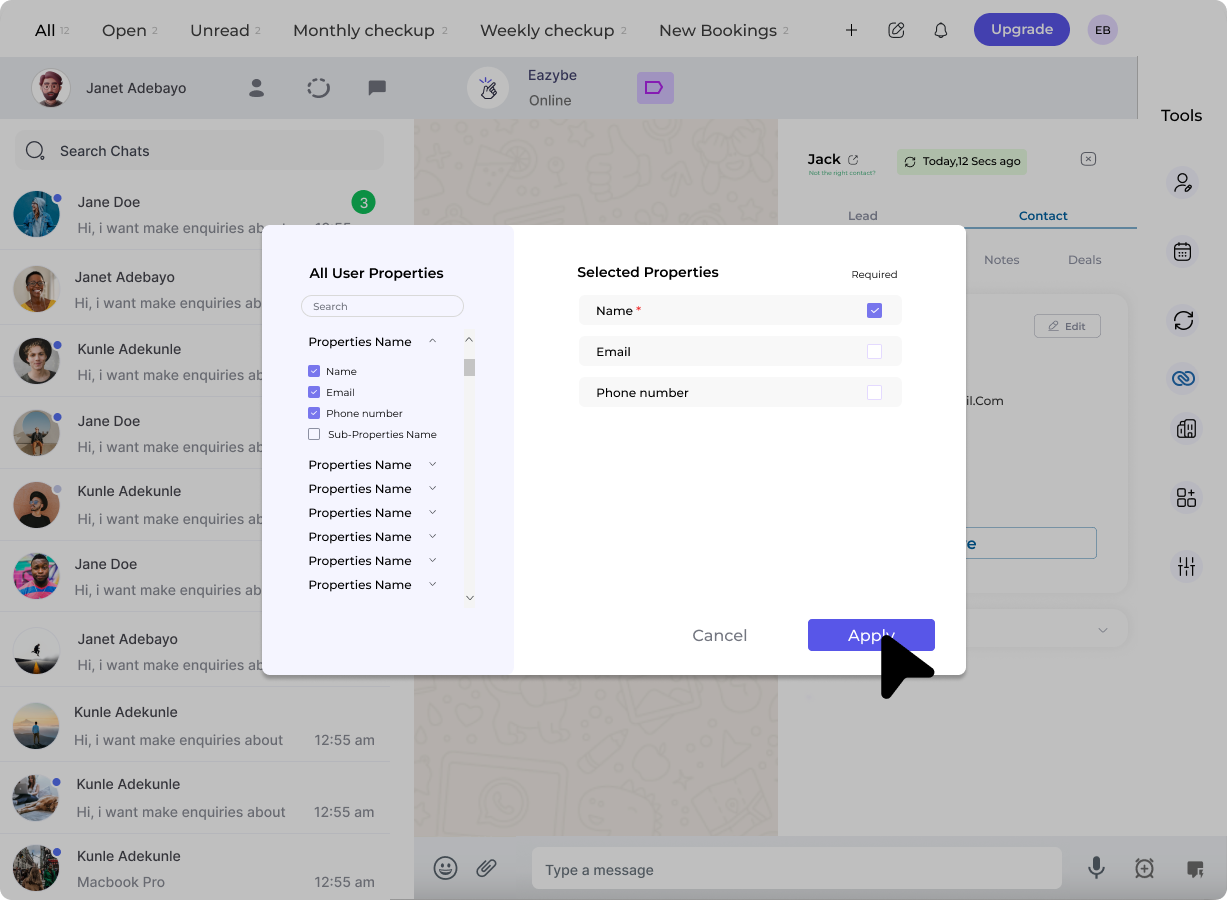
Edit a Deal
To modify an existing deal:
- Click the three dots (⋮) next to the specific deal you want to edit
- Click the pencil icon to open the deal details
-
Edit existing properties or add new ones as needed
5
Save Your Changes
After making your modifications, click the Save button to update the deal with your changes.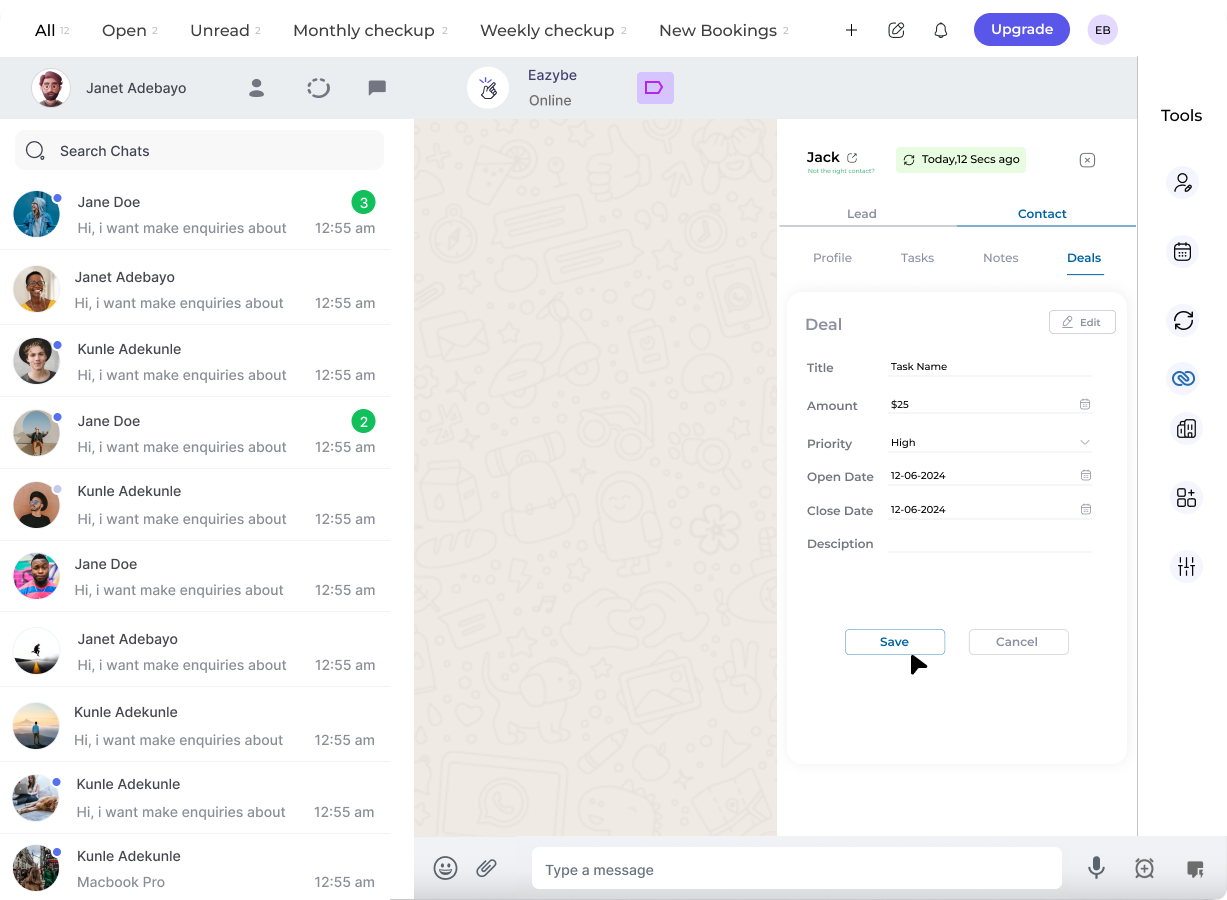
Deal Management Options
Edit Properties
Modify deal values, stages, amounts, and custom fields
View Chat Backup
Access chat history synced with the deal record
You can view the chat backup in the 5 most recent deals of your Zoho Contact, making it easy to reference past conversations related to each opportunity.