

How to Edit a Contact Profile
1
Open the WhatsApp Chat
Open the WhatsApp conversation with the Zoho Contact whose profile you want to edit.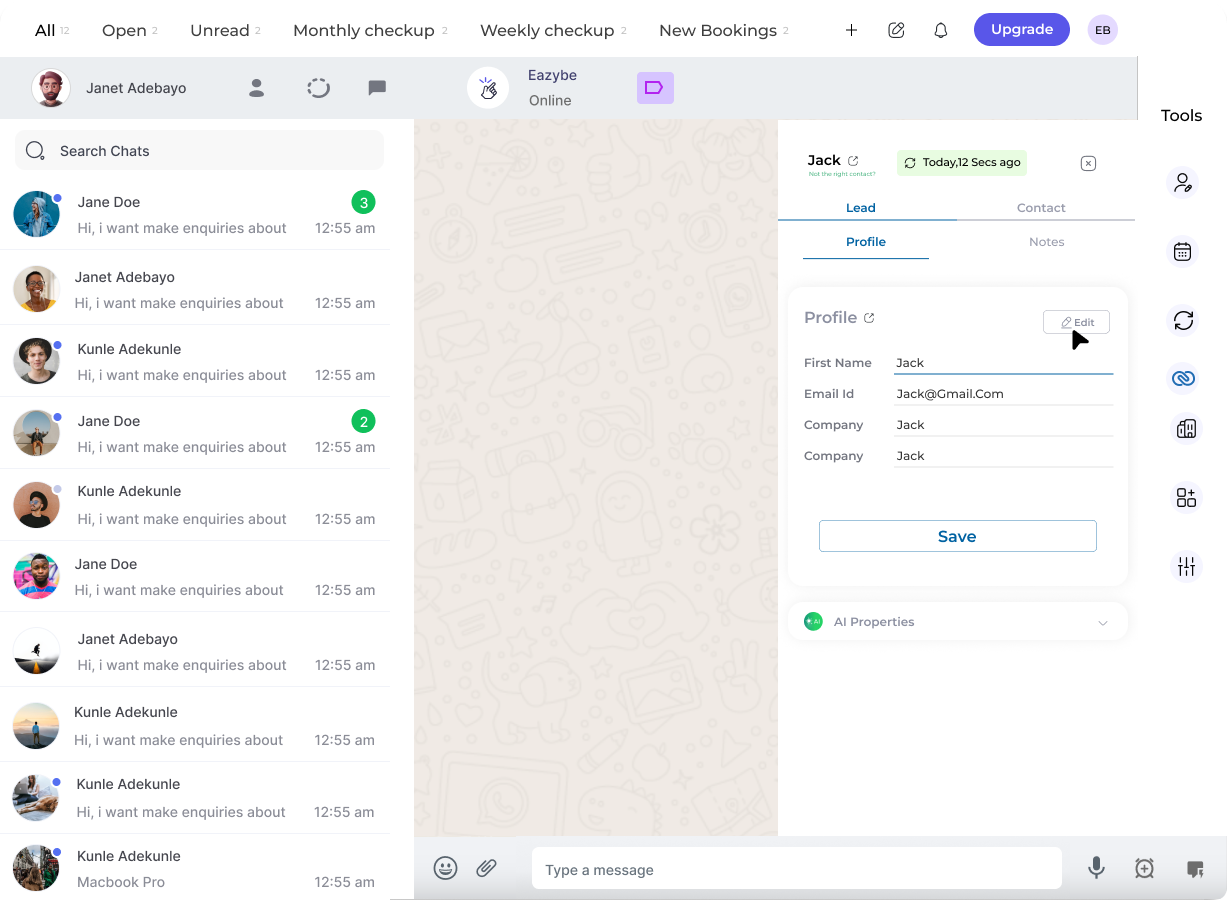
2
Click on the Edit Button
In the Contact Card within the profile section, locate and click the Edit button to modify the contact details.
3
Edit Contact Details
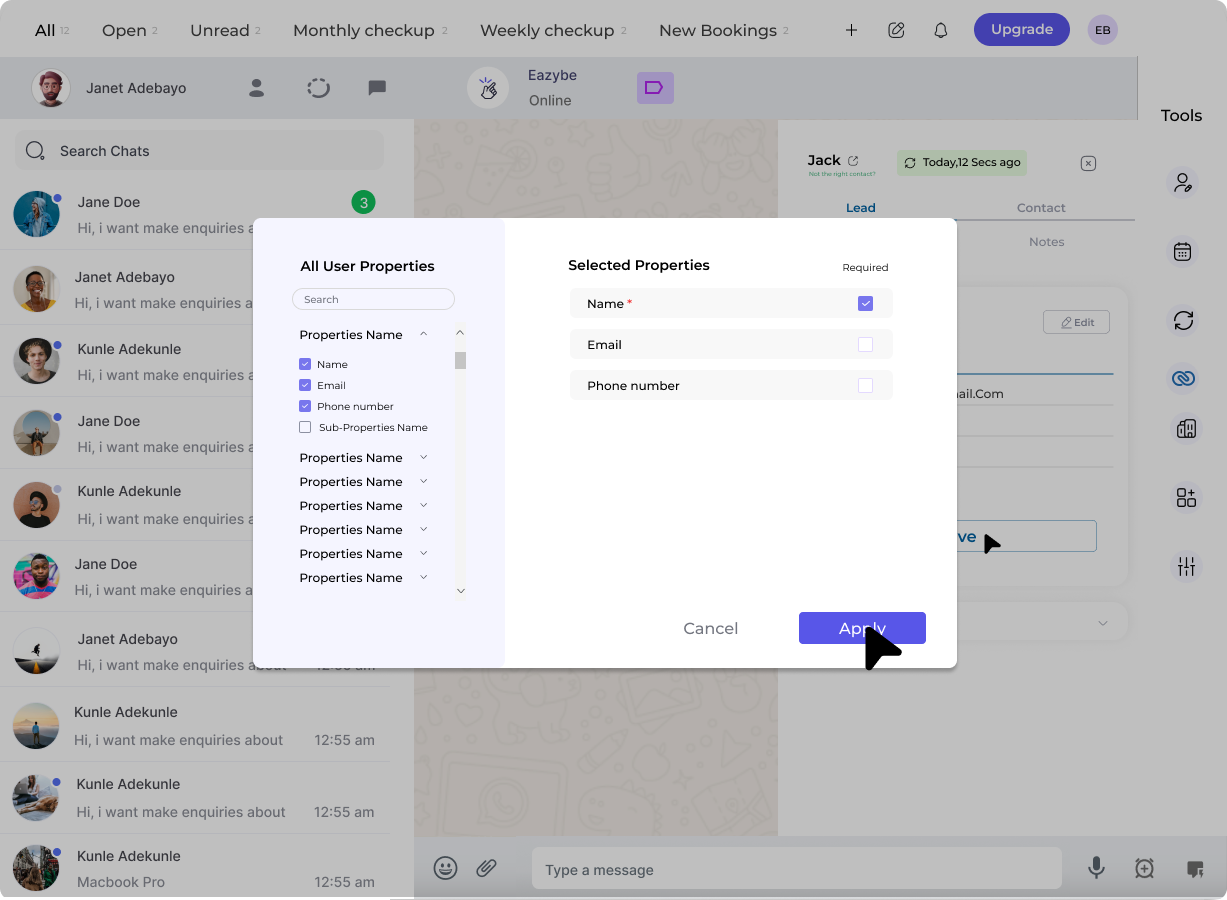
A dialog box will appear where you can:
- Modify or select user properties as needed
-
Mark each property as required or optional
4
Save the Changes
Click Apply to refresh the Contact card with your chosen properties. Make any necessary edits to the property fields, then click Save to confirm your modifications.
Property Customization
Required Properties
Mark essential fields that must be filled for the contact record
Optional Properties
Set fields that can be left empty if information is not available