

How to Create a Zoho Contact
1
Open the WhatsApp Chat
Access the WhatsApp conversation with the person you want to add as a new contact in Zoho.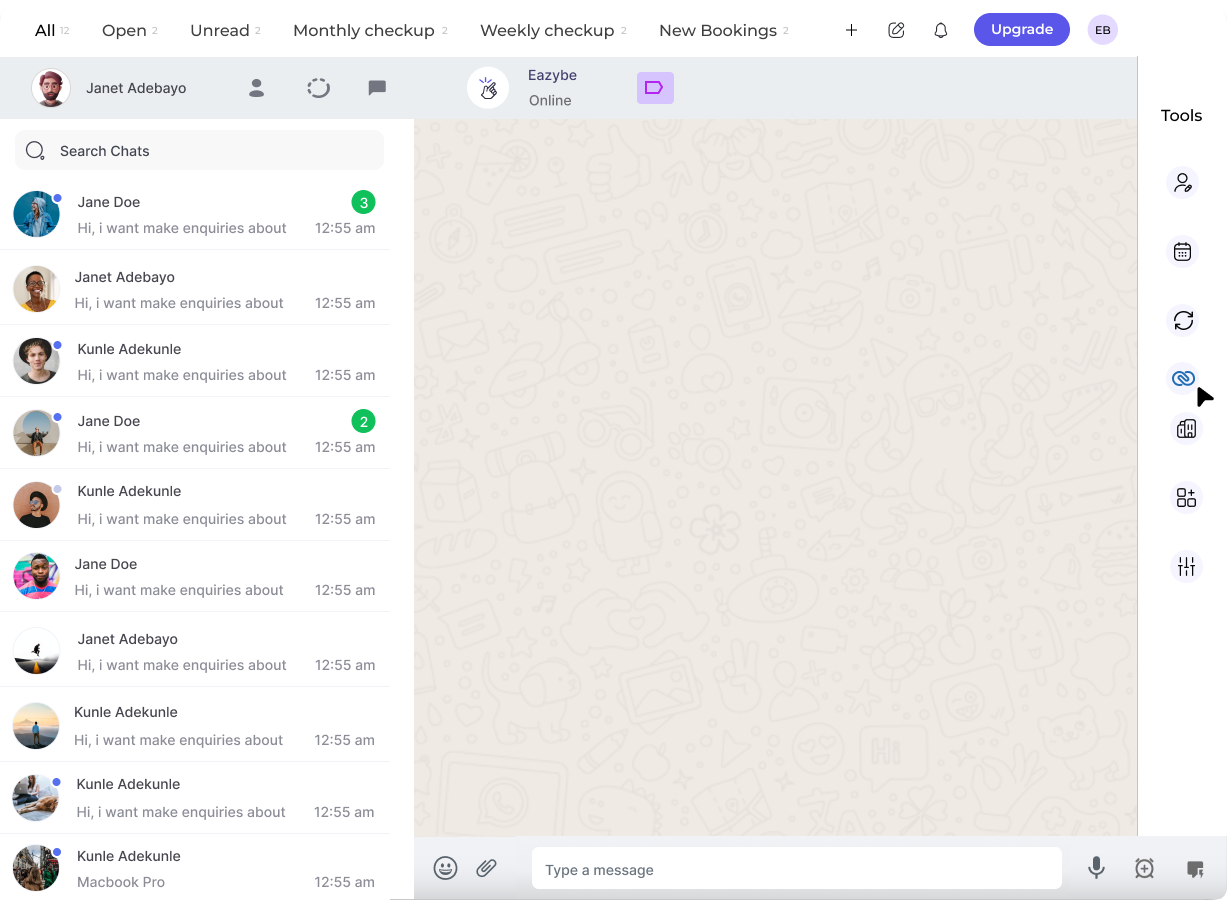
2
Click on the Zoho Icon
In the right-side panel of the EazyBe extension, locate and click on the Zoho icon to access your CRM features.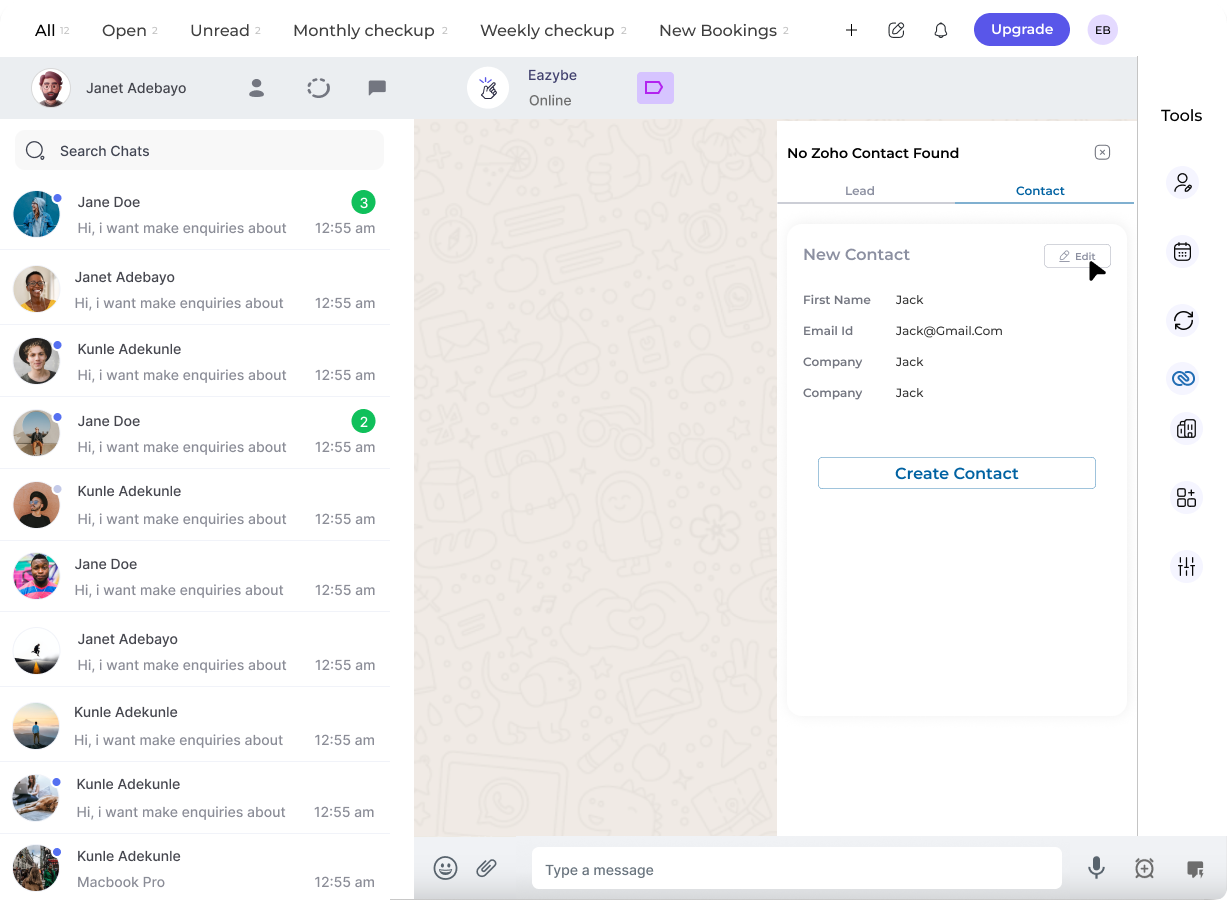
3
Access the Contact Section
Click on the Contact header within the Zoho popup window to open the contact creation form.
4
Fill in the Contact Details
Complete all necessary fields with the contact’s information.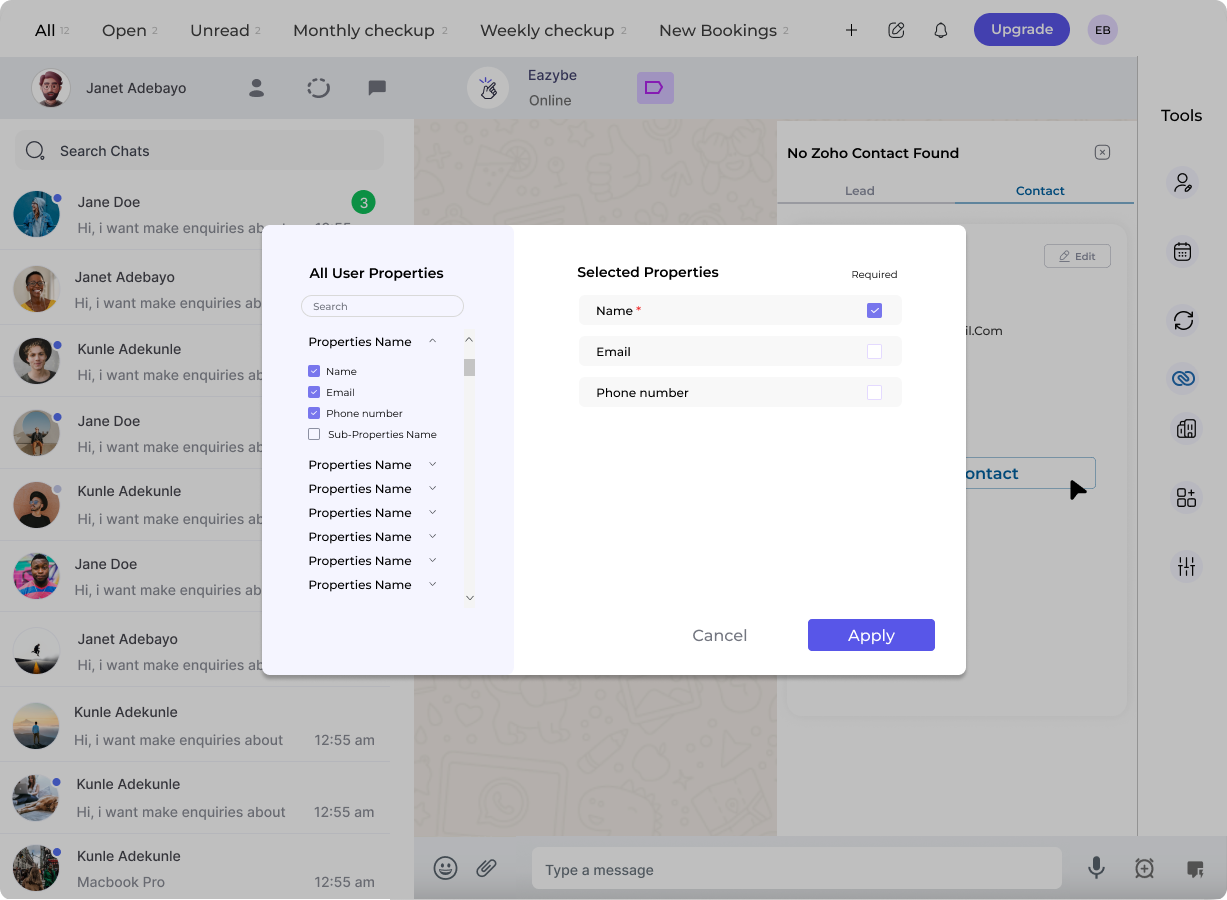
5
Create the Contact
Click the Create Contact button to finalize and save the new contact entry to Zoho.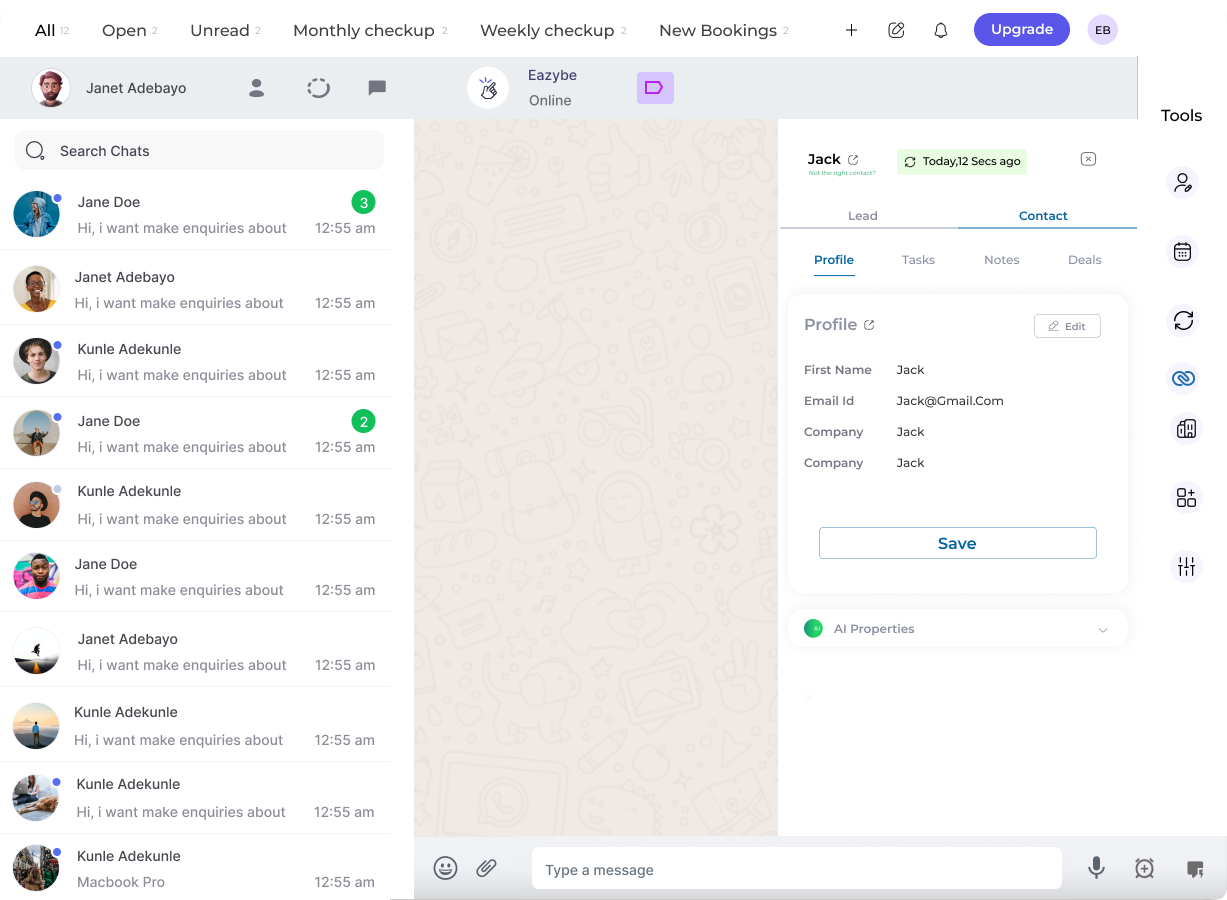
Viewing Your Contact in Zoho
After creating the contact, you can easily access it in Zoho:View Contact on Zoho
Click the View Contact on Zoho button in the contact’s profile section to open the full contact record directly in Zoho CRM.
The contact will be immediately available in your Zoho CRM with all the information you entered during creation.