

How to Access the Contact Profile
1
Open the WhatsApp Chat
Open the WhatsApp conversation with your Zoho Contact whose profile you want to view or edit.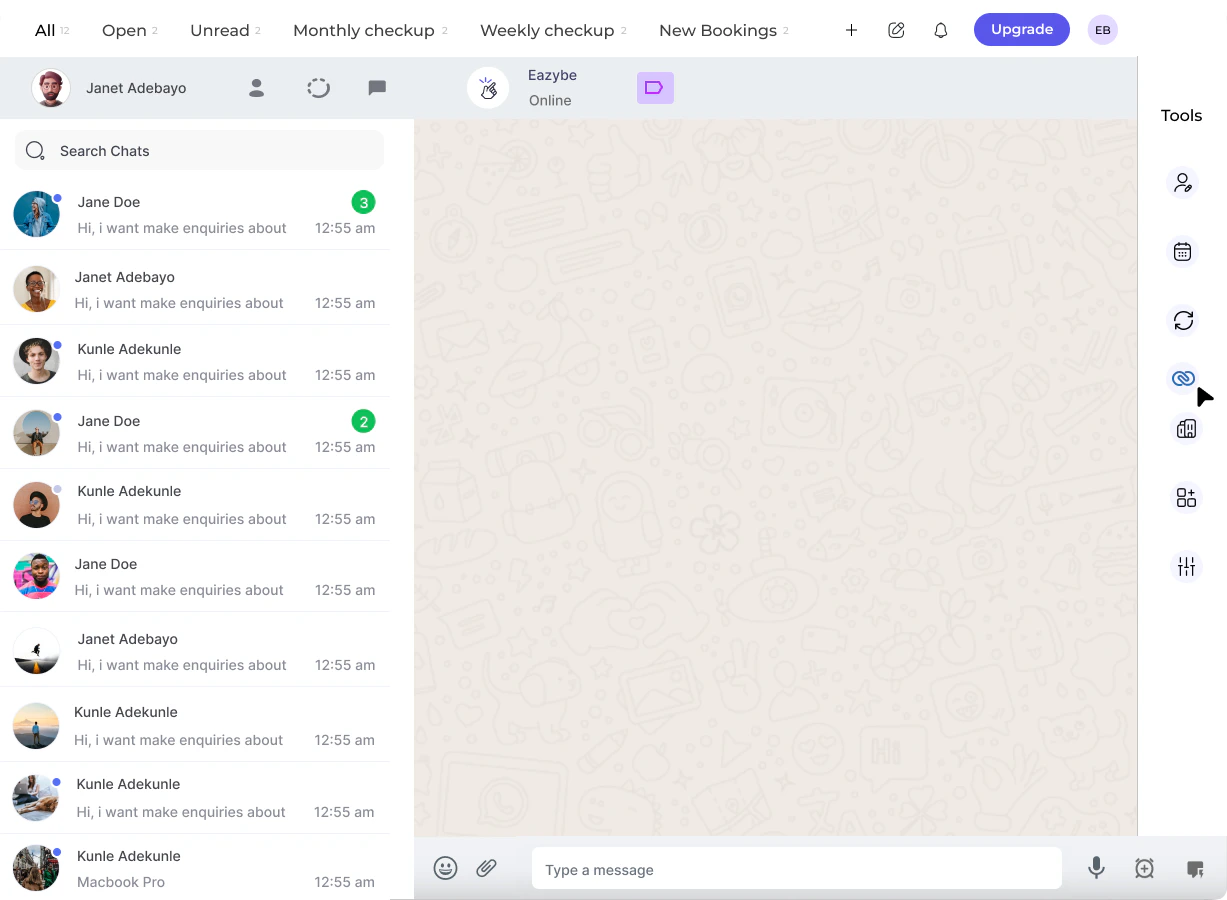
2
Click on the Zoho Icon
In the right-side panel of the EazyBe extension, locate and click on the Zoho icon to access your CRM features.
3
Access the Profile Section
Click on the Contact header. The first section that opens will be the Profile Section, displaying the contact’s basic details.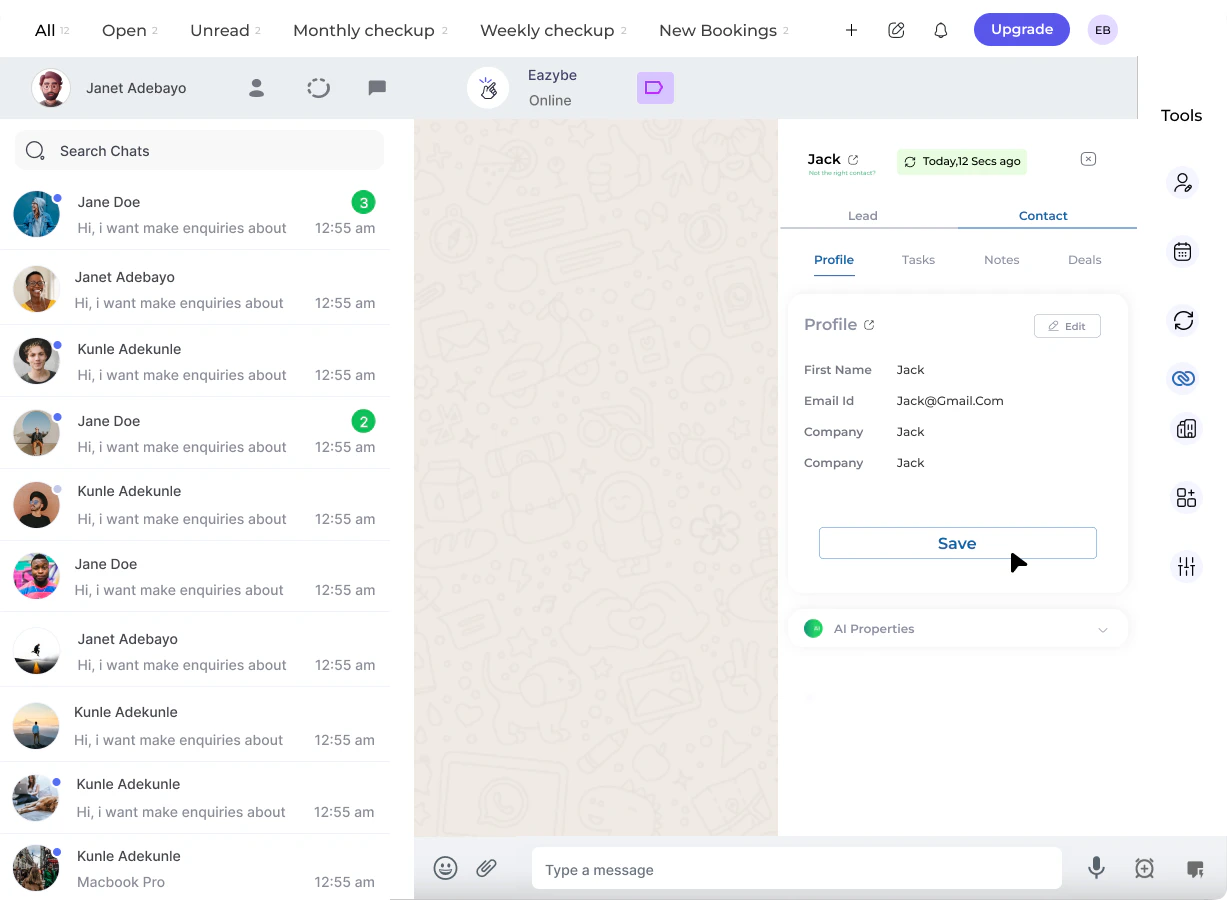
Viewing and Editing Contact Details
Once in the Profile Section, you can:View Properties
See all user properties and contact information at a glance
Edit Properties
Modify contact details directly from the extension
1
Edit User Properties
Make changes to any editable contact fields as needed.
2
Save Changes
After making your changes, click the Save button to update the contact profile in Zoho.