

Overview
When a contact doesn’t already exist in your Zoho CRM, you can quickly create a new lead directly from your WhatsApp conversation using the Eazybe extension. This saves time and ensures your leads are captured immediately.How to Create a Zoho Lead
1
Open WhatsApp Chat
Launch the WhatsApp conversation with the contact you want to add as a lead in Zoho CRM.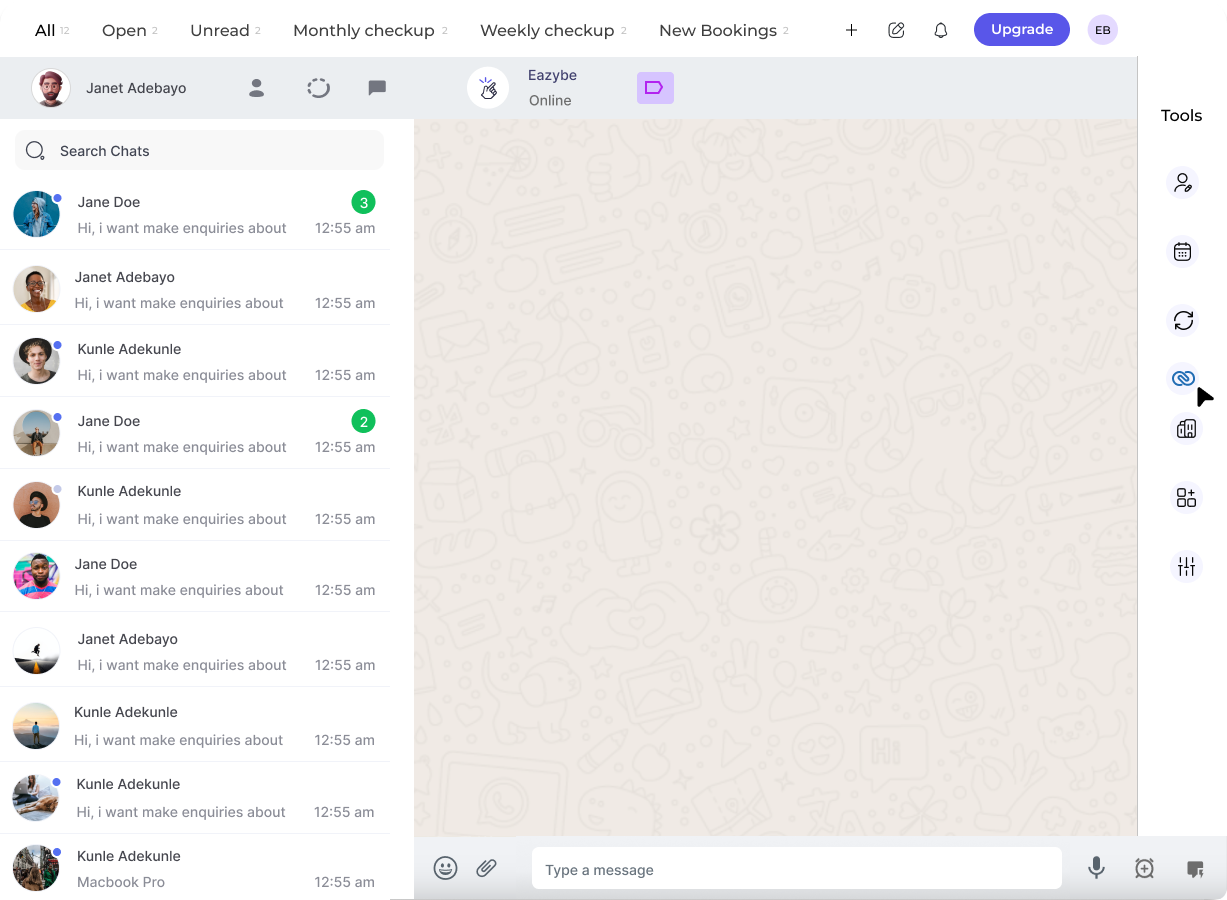
2
Access Zoho Icon
Click on the Zoho icon in the right sidebar of the Eazybe extension to open the Mini-CRM panel.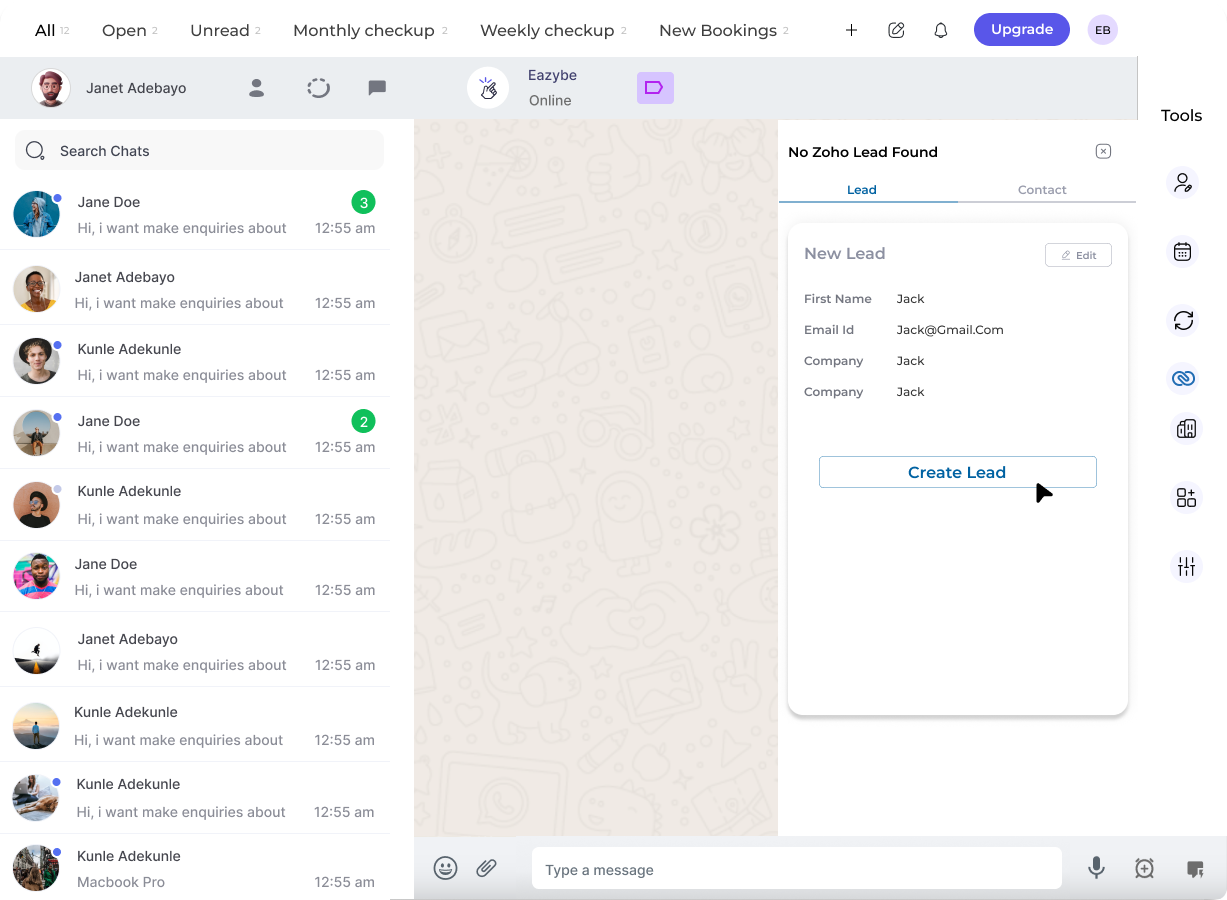
3
Complete Lead Details
Fill in the required and necessary details for the new lead: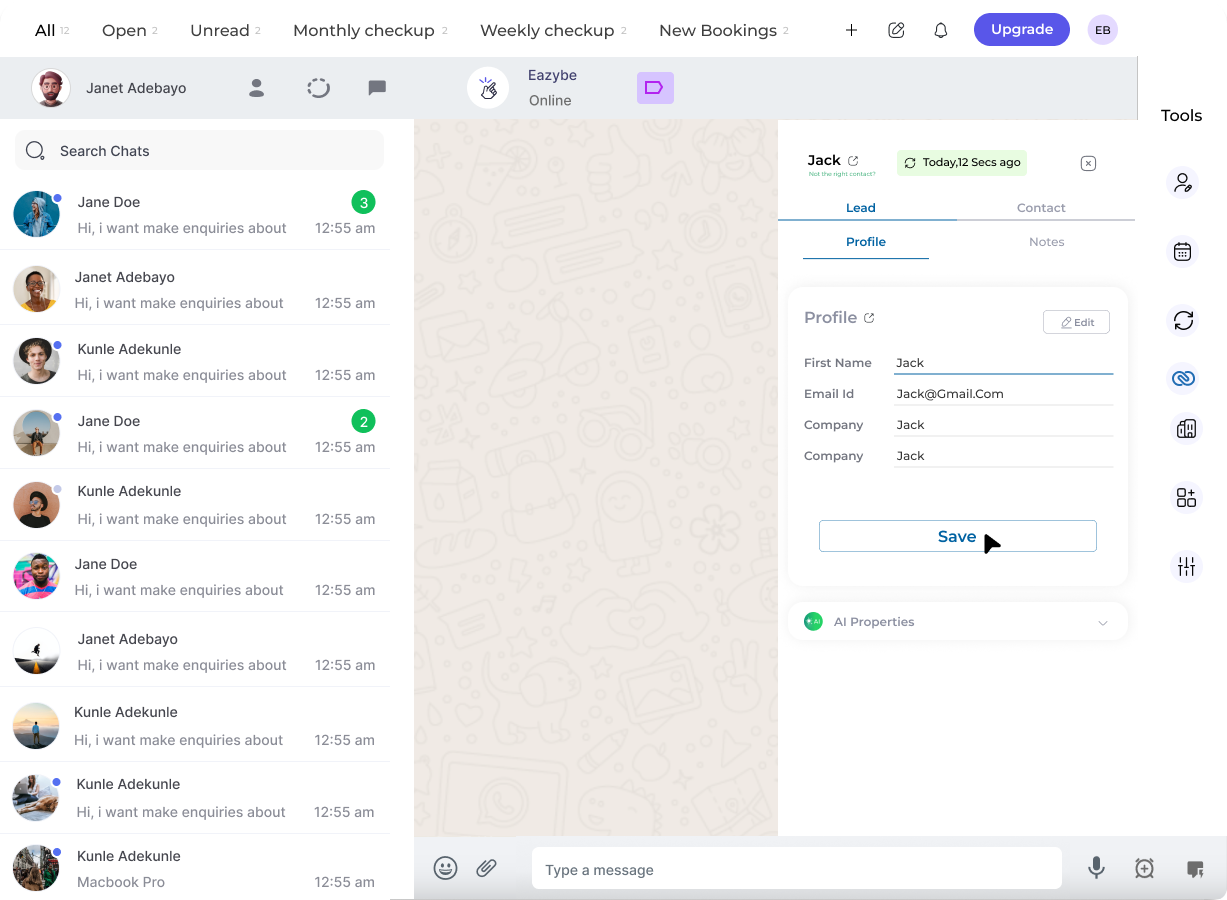
- Contact name
- Email address
- Phone number
- Company information
- Any additional custom fields
4
Confirmation
Upon successful completion, the lead is added to your Zoho CRM system. You can now manage this lead directly from the Mini-CRM view.
Related Features
Edit Lead Profile
Update and modify lead information
Lead Notes
Add notes to track lead interactions
Create Contact
Create Zoho contacts from WhatsApp
Need Help?
If you have any questions or need further assistance, feel free to reach out to support@eazybe.com