

Overview
The Profile Section displays basic contact details for a Zoho Lead. This feature allows you to view and modify lead properties without leaving your WhatsApp conversation.The lead must be created in Zoho first before you can access their profile through the Mini-CRM view.
Accessing the Lead Profile
1
Open WhatsApp Chat
Access the WhatsApp conversation for the contact whose lead profile you want to view.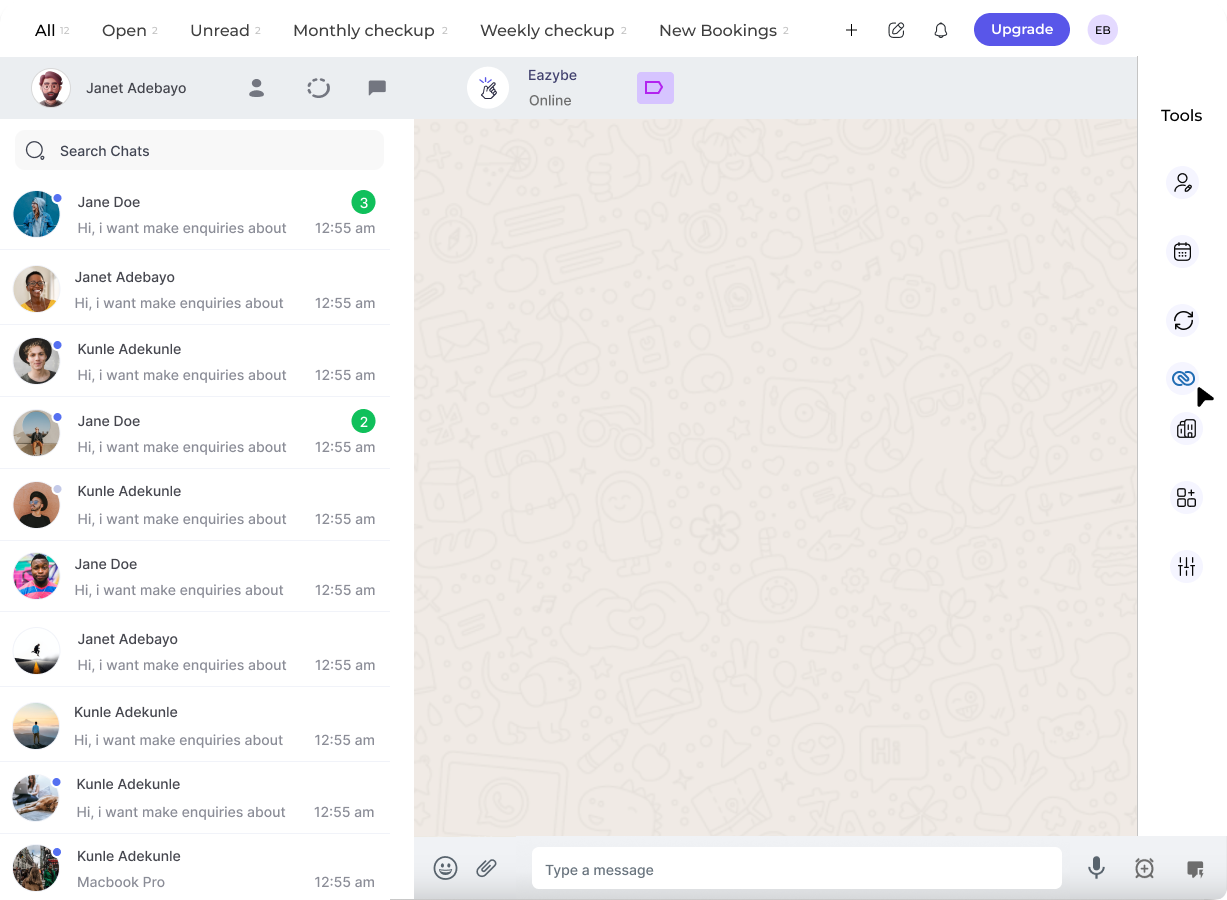
2
Click on the Zoho Icon
Click on the Zoho icon located in the right sidebar of the Eazybe extension to open the Mini-CRM panel.
3
Visit the Profile Section
The Profile section appears as the first header within the Zoho Mini-CRM View’s Lead Section. Here you can see all the basic contact details.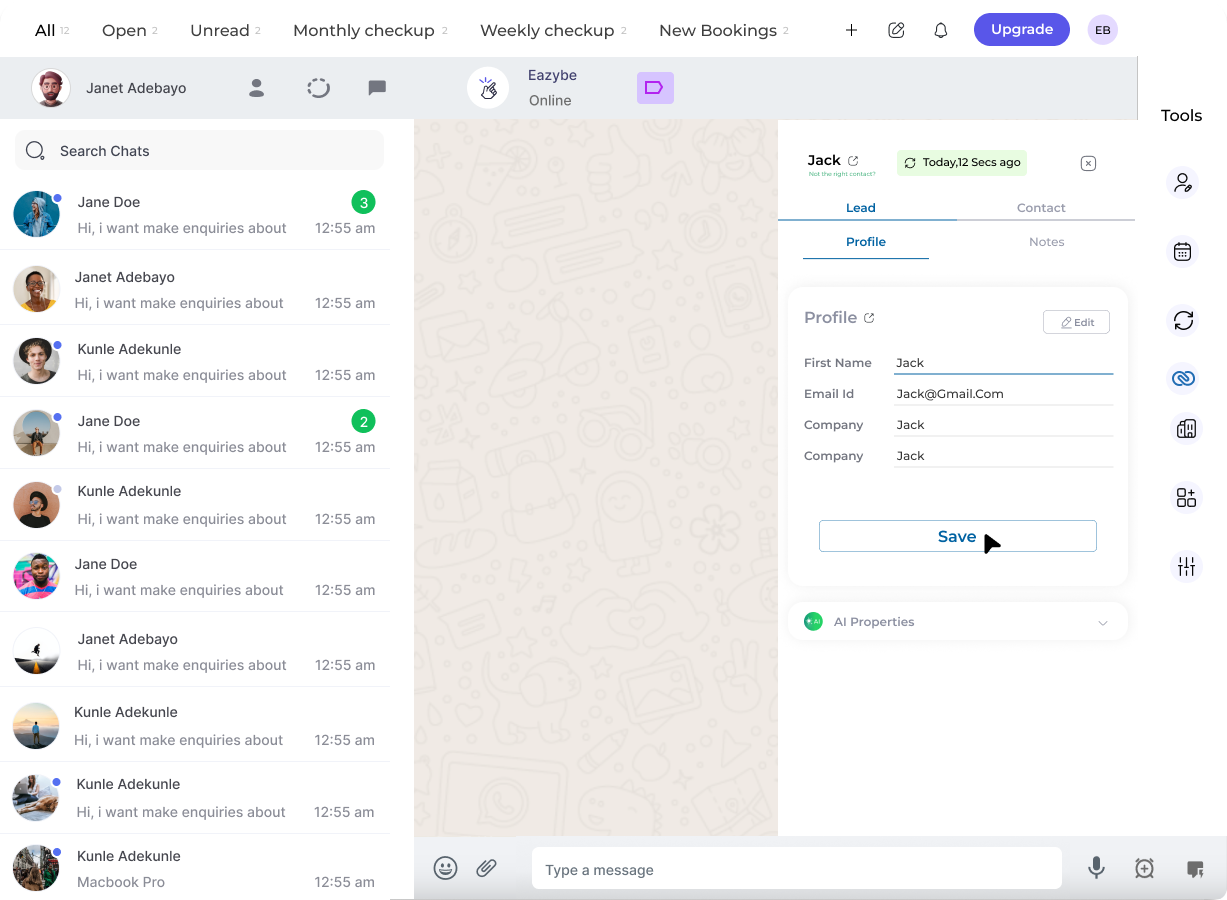
4
Edit User Properties
View and modify user properties for your Zoho Lead:
- Update contact information
- Modify lead details
- Add or change custom fields
Profile Information
The lead profile typically includes:Related Features
Create Lead
Create new leads from WhatsApp
Lead Notes
Add notes to track lead interactions
Need Help?
For questions or assistance, contact the team at support@eazybe.com