

Overview
This guide explains how to edit and modify lead information within the Eazybe WhatsApp Extension when connected to your Zoho CRM leads.How to Edit a Lead Profile
1
Open the WhatsApp Chat
Open the WhatsApp chat of the respective Zoho Lead whose profile you want to edit.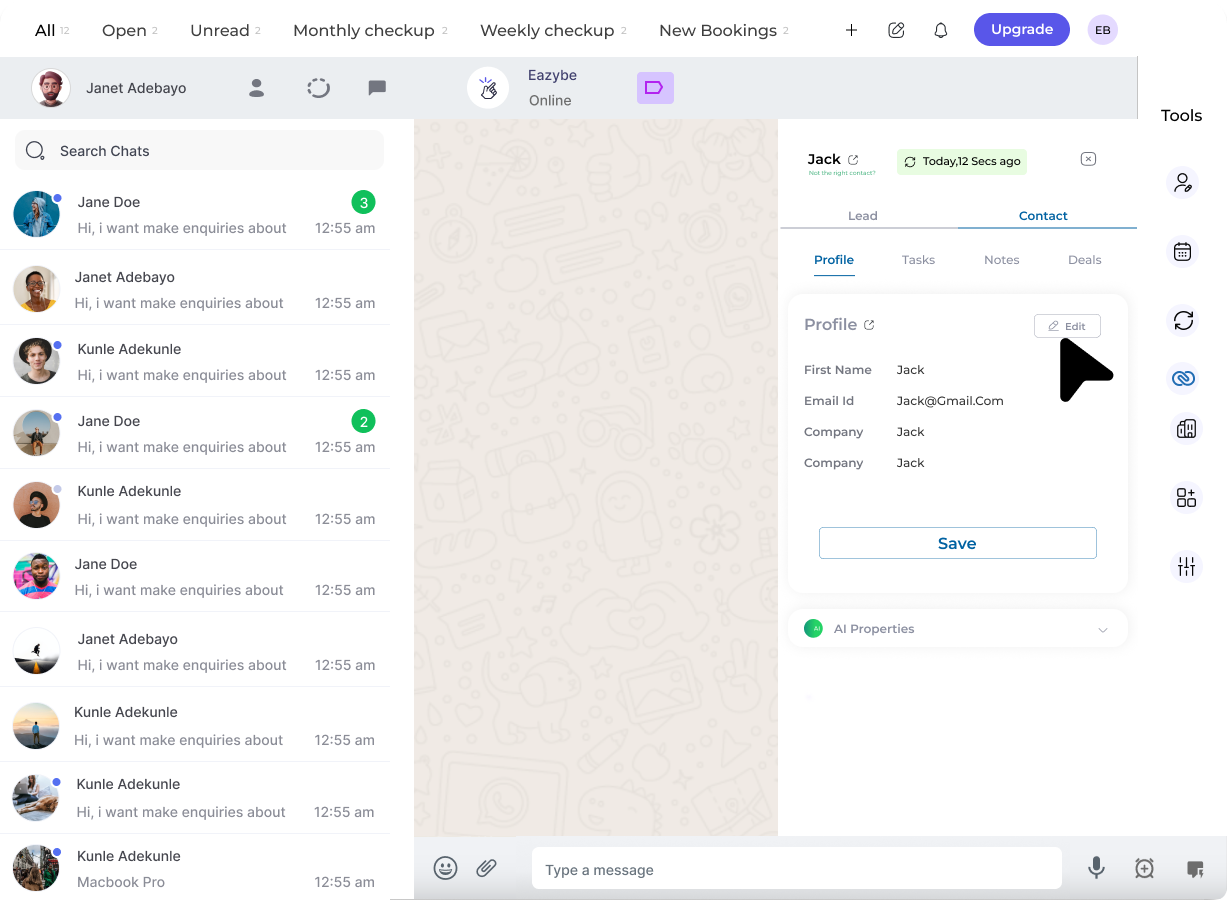
2
Click on the Edit Button
Click on the Edit button in the Contact Card of the Profile Section that appears in the Mini-CRM panel.
3
Edit Lead Details
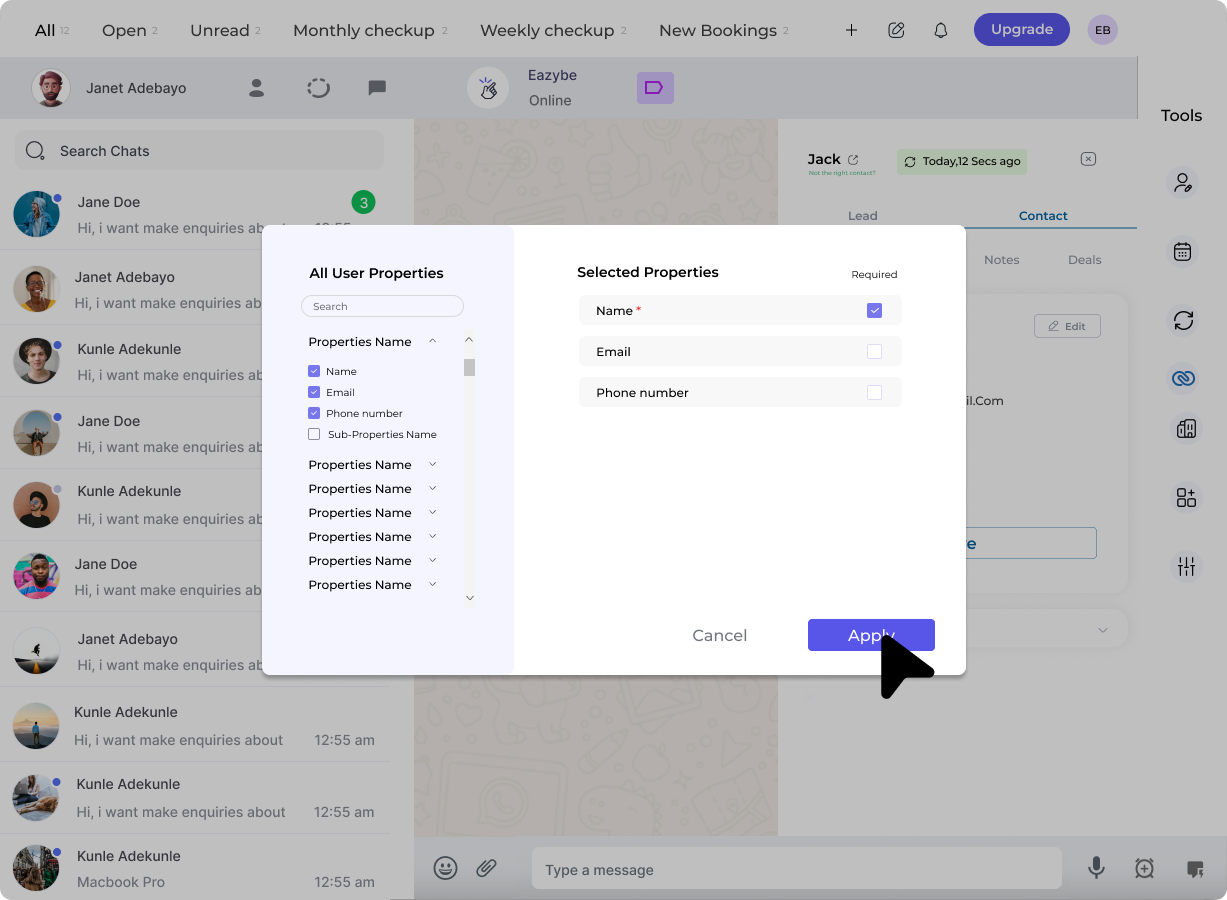
Edit or select user properties as required:
- Modify existing field values
- Update contact information
-
Specify whether each selected property is required or optional
4
Save the Changes
Click on Apply to update the Contact Card with the properties that you have selected.Edit the properties fields as needed and click on Save to finalize your changes.
Editable Fields
You can typically edit the following lead properties:Related Features
Lead Profile
View lead profile details
Lead Notes
Add notes to track interactions
Need Help?
If you have any questions or need further assistance, feel free to reach out to us at support@eazybe.com