Enable activity backup
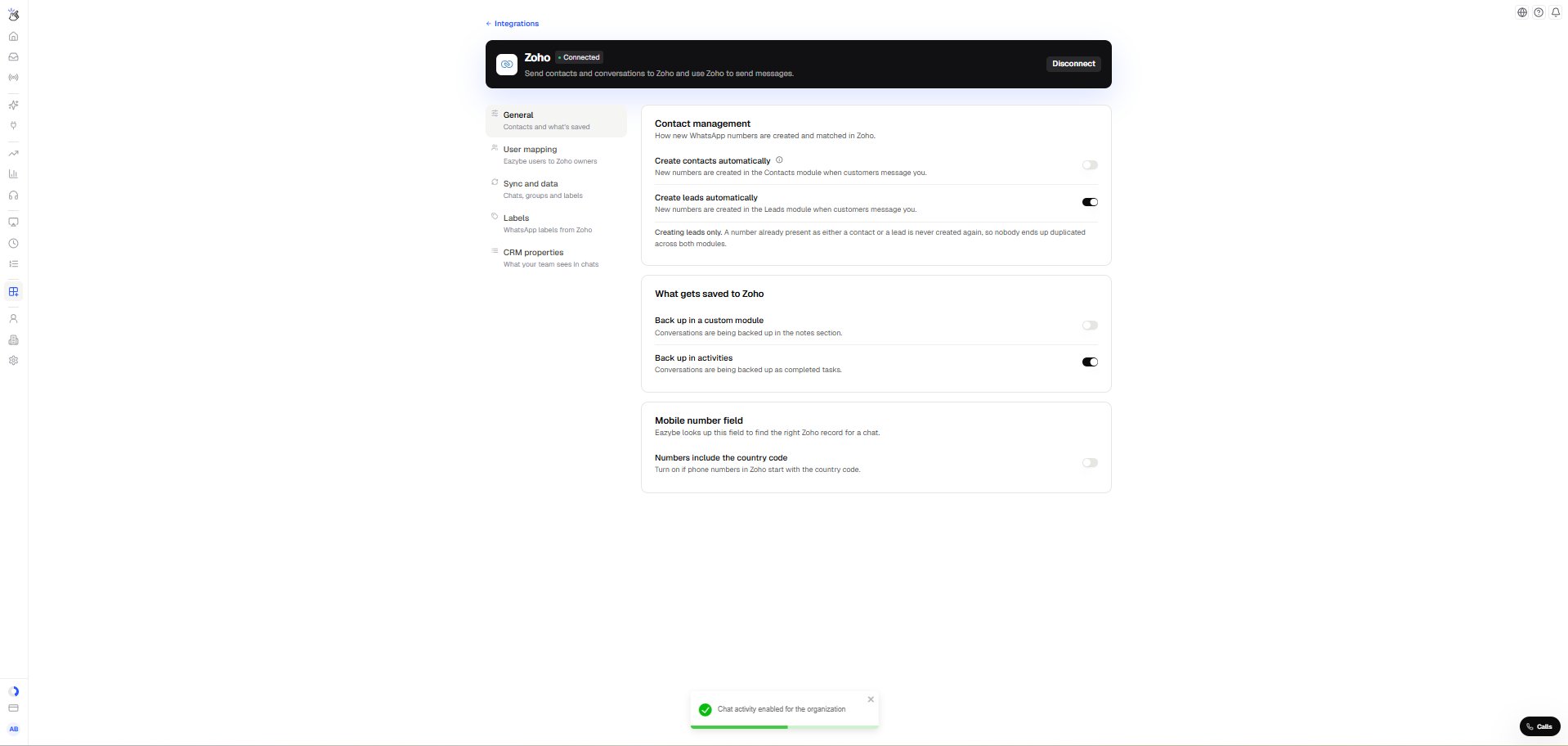
- In your Eazybe workspace, open Integrations, select your connected Zoho CRM account and open General.
- Under What gets saved to Zoho, turn on Back up in activities. The setting confirms that conversations are being backed up as completed tasks.
Find a saved conversation in Zoho
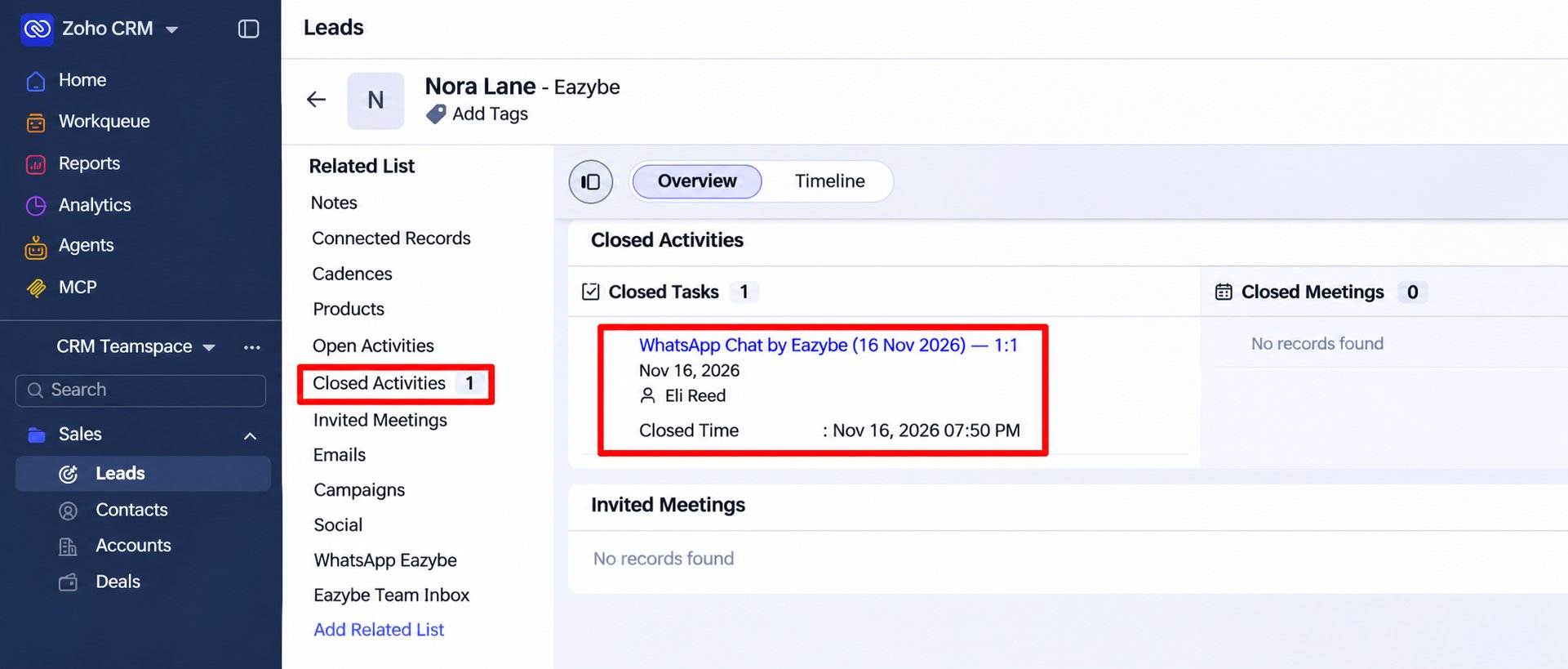
- Open the Leads or Contacts module and select the person whose chat you want to read.
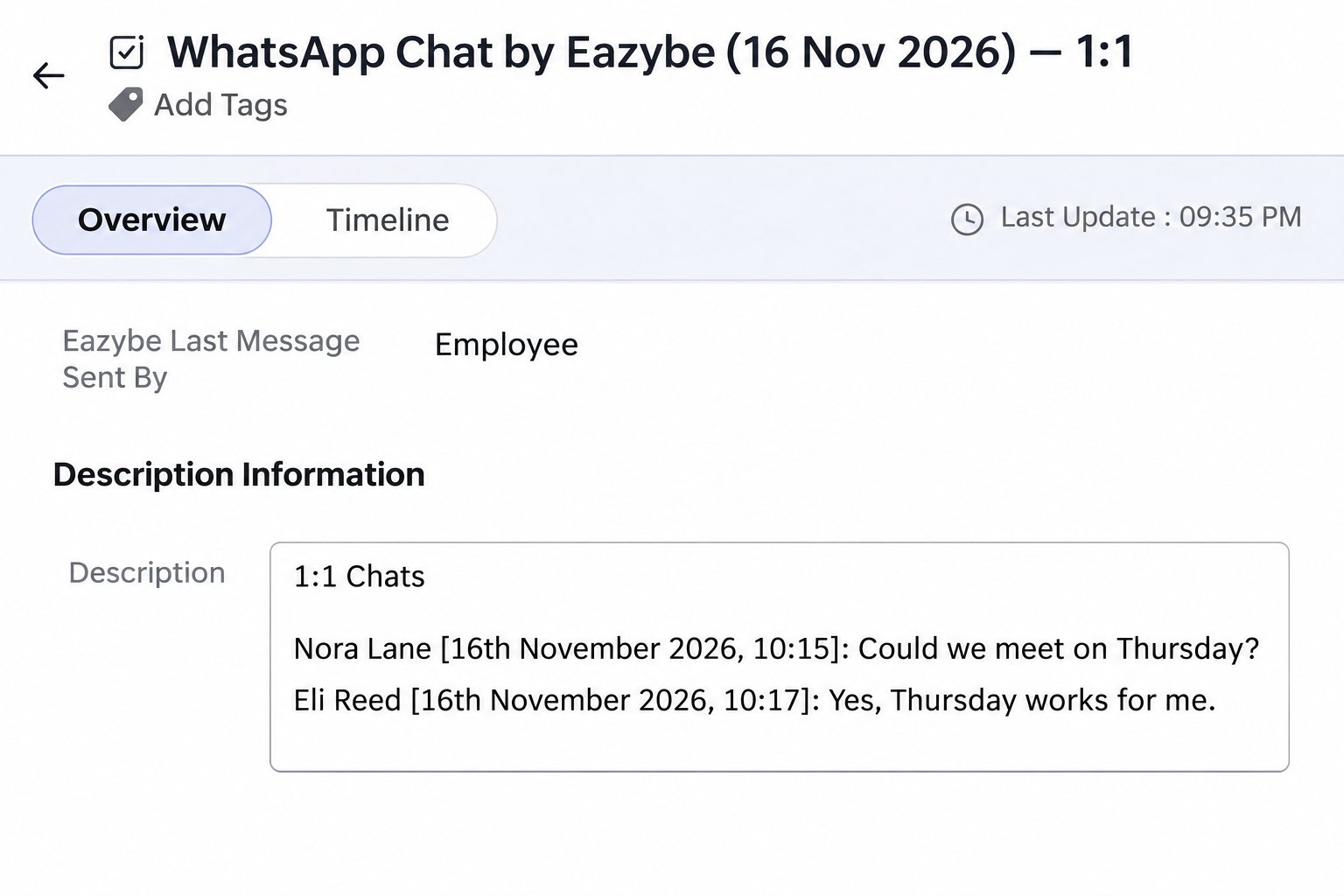
- In the Related List on the left, select Closed Activities. Under Closed Tasks, open WhatsApp Chat by Eazybe for the date you want.