

Disconnecting Zoho Integration
1
Open the Integration Panel
Click on the integration button in the right sidebar of the EazyBe extension panel.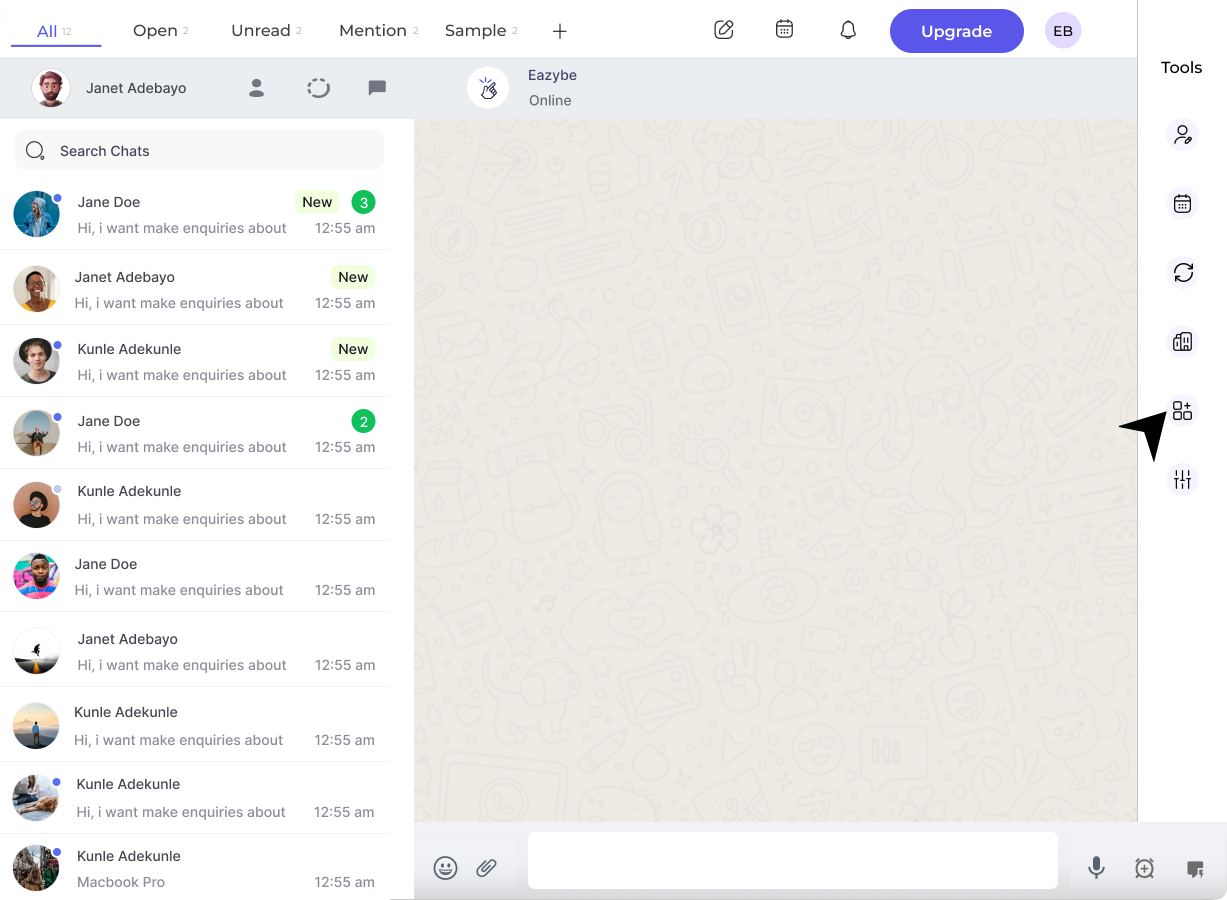
2
Click Disconnect
Click on the Disconnect button under the Zoho section.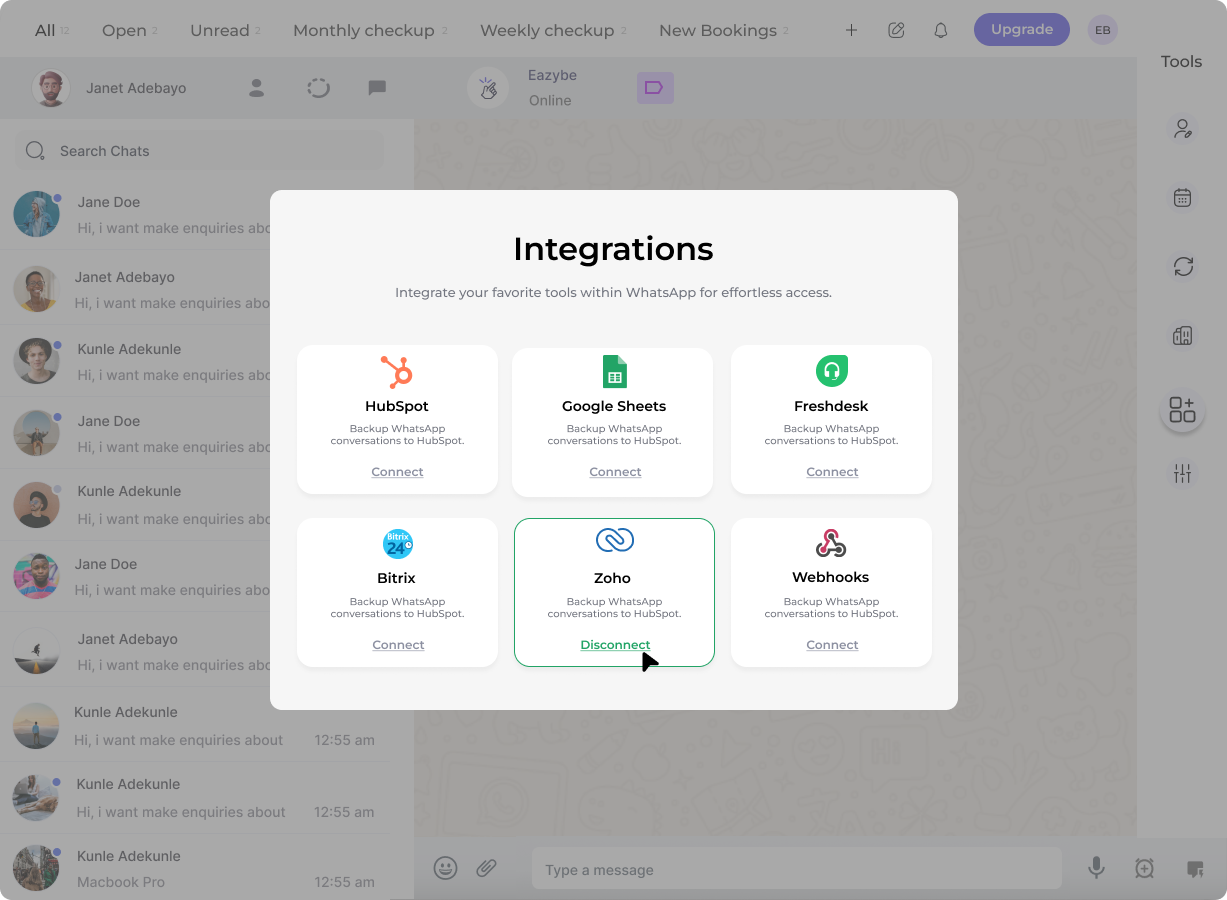
3
Confirm Disconnection
A prompt will appear asking you to confirm the disconnection. Click Confirm to complete the process.
You can reconnect the integration at any time by following the setup process again. All your settings will need to be reconfigured after reconnecting.