

Required Permissions
The permissions that you are required to provide are displayed during the authorization process: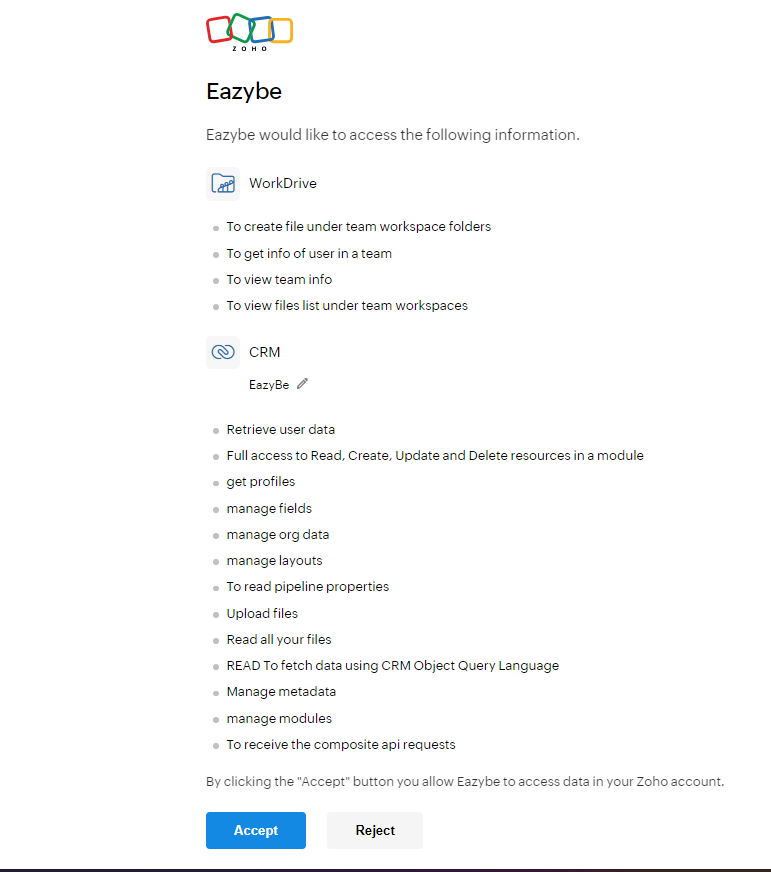
You must accept all requested permissions for the integration to function properly. Without these permissions, EazyBe cannot sync your contacts, messages, and other CRM data between WhatsApp and Zoho.
Why These Permissions Are Needed
Contact Access
Allows EazyBe to read and sync contact information between WhatsApp and Zoho CRM
Lead Access
Enables creating and updating leads directly from WhatsApp conversations
Message Sync
Permits backing up WhatsApp conversations to your Zoho CRM records
Custom Objects
Allows storing EazyBe-specific data in Zoho custom modules