

Editing Lead Profile Properties
1
Open the WhatsApp Chat
Open the WhatsApp chat of the respective Salesforce Lead you want to edit.
2
Click the Edit Button
Click the Edit button in the Contact Card of the Profile Section that appears in the Mini-CRM panel.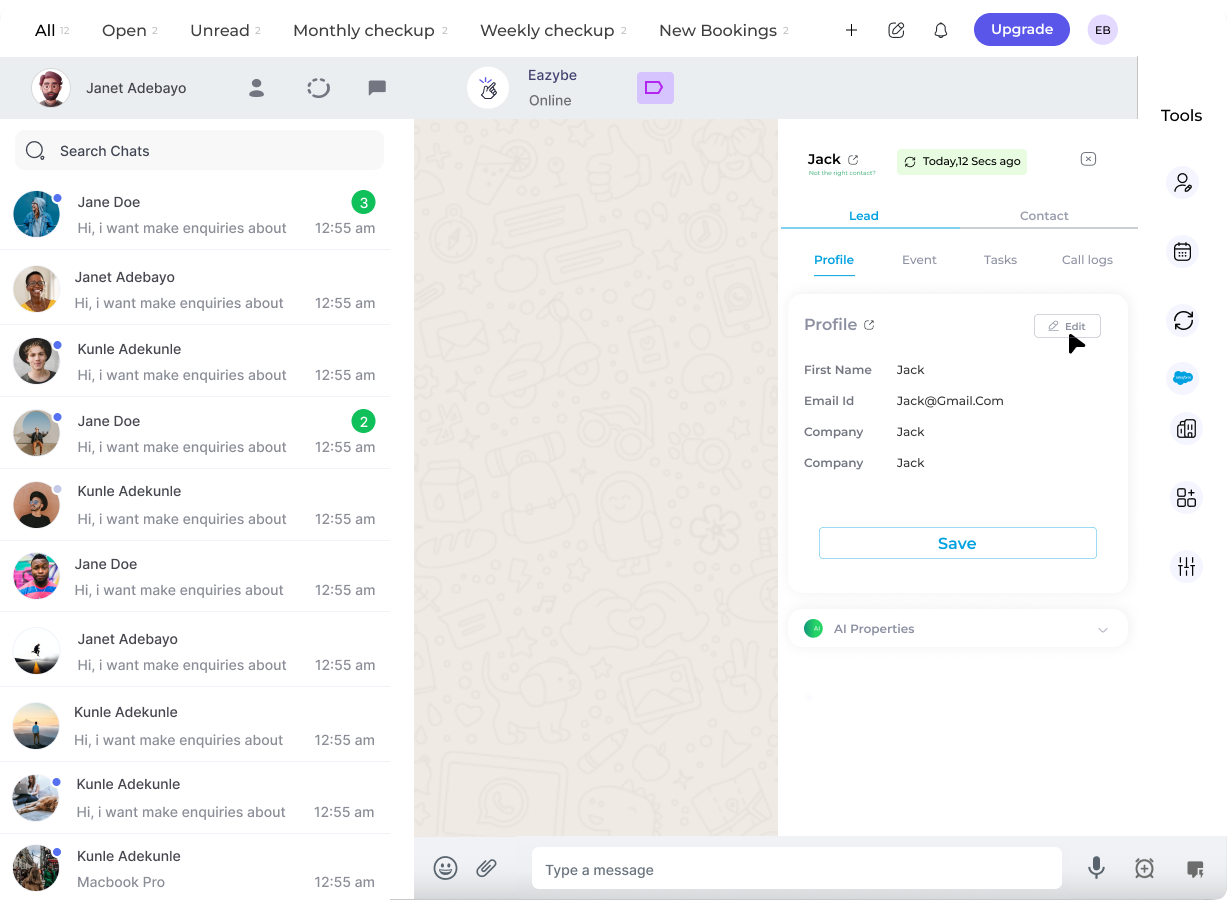
3
Edit Lead Details
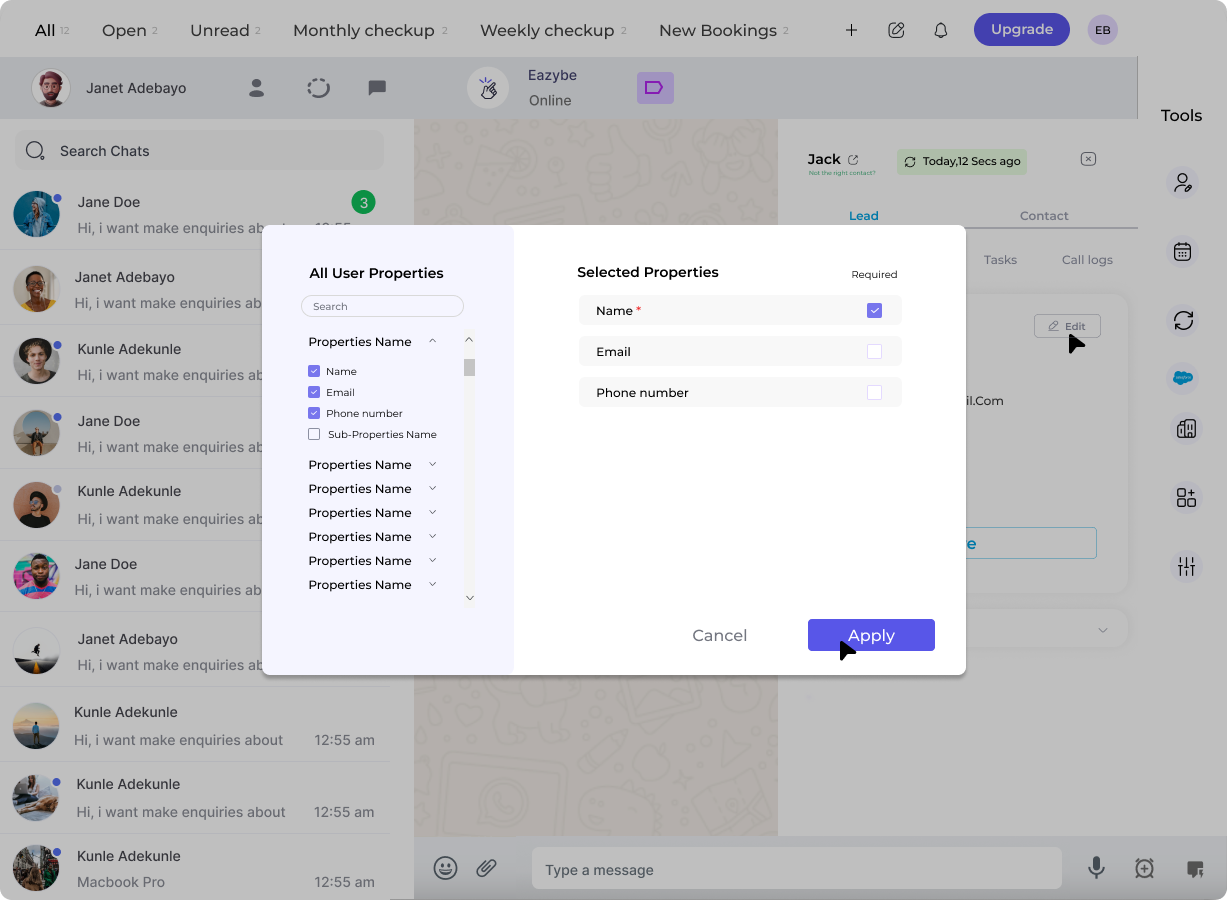
A dialog window opens allowing you to:
- Edit or select user properties as required
-
Specify whether each selected property is required or optional
4
Save the Changes
Click Apply to update the Contact card with the properties you have selected. Edit the property fields as needed and click Save to finalize your changes.
Changes are synced directly to Salesforce when you save. The updated information will be reflected in your Salesforce Lead record.