

Creating a New Lead
1
Open the WhatsApp Chat
Access the conversation with the contact you want to add as a lead in Salesforce.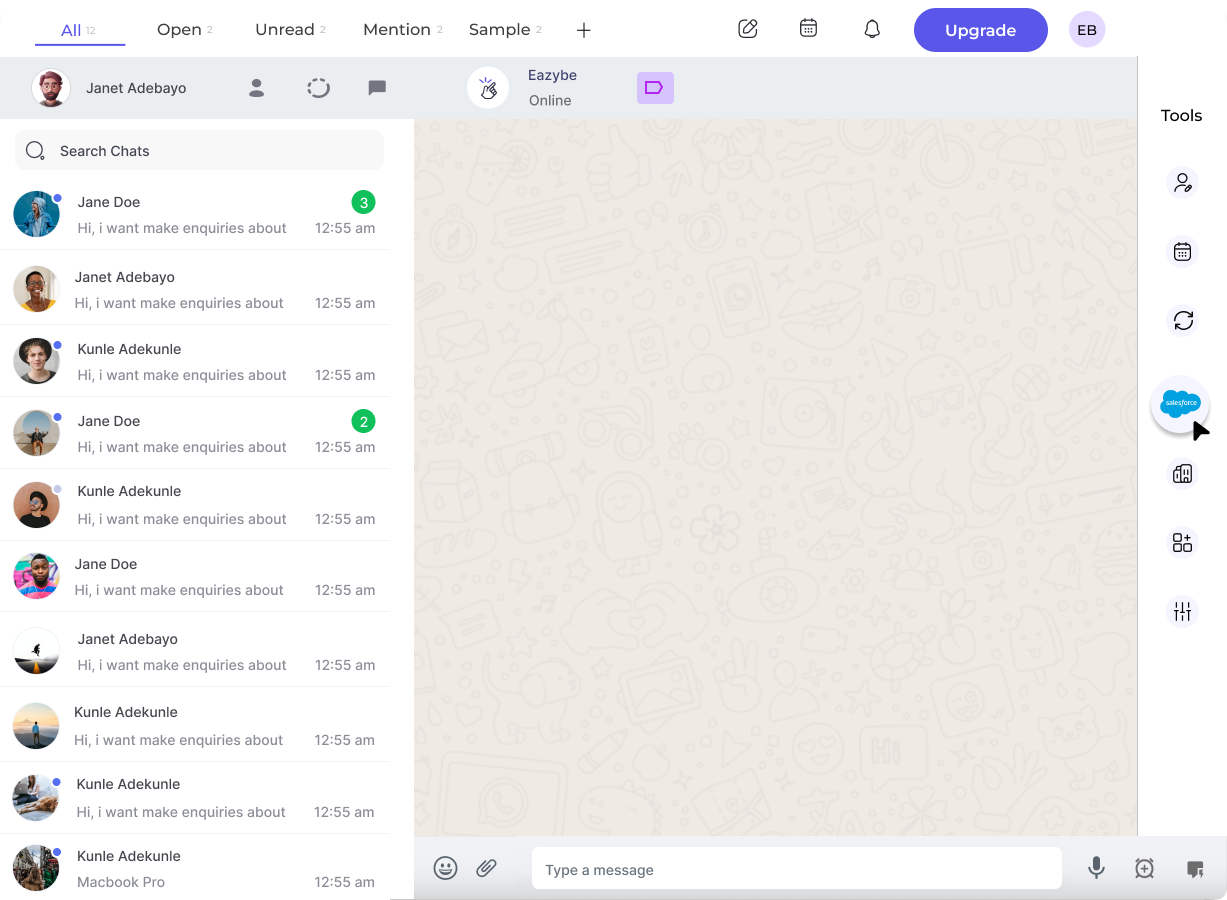
2
Access the Salesforce Integration
Tap the Salesforce icon in the EazyBe extension’s right sidebar to open the Mini-CRM panel.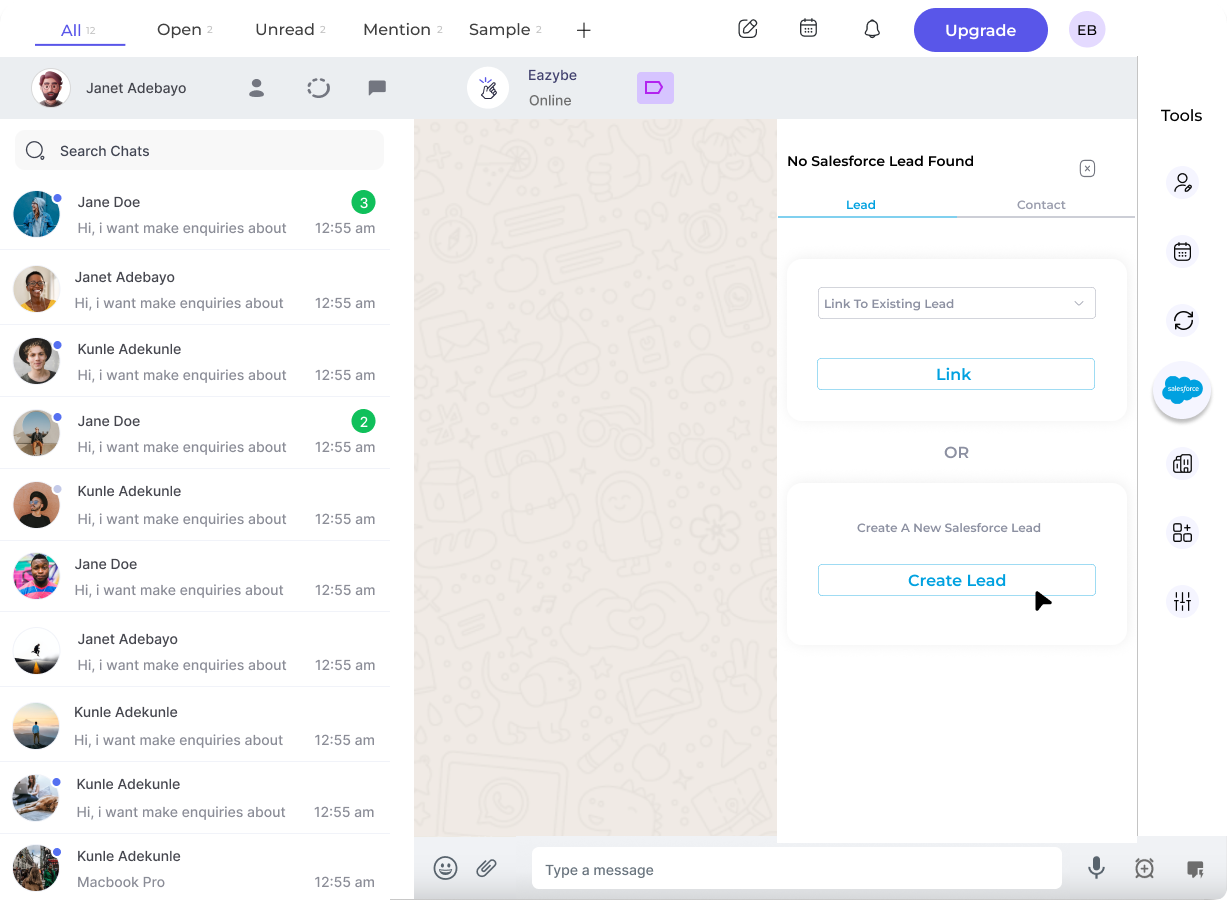
3
Check for Existing Lead
Search for the contact in Salesforce. If found, you can link to the existing record instead of creating a duplicate.
4
Create a New Lead
If the contact isn’t in Salesforce, select Create Lead to add them as a new lead.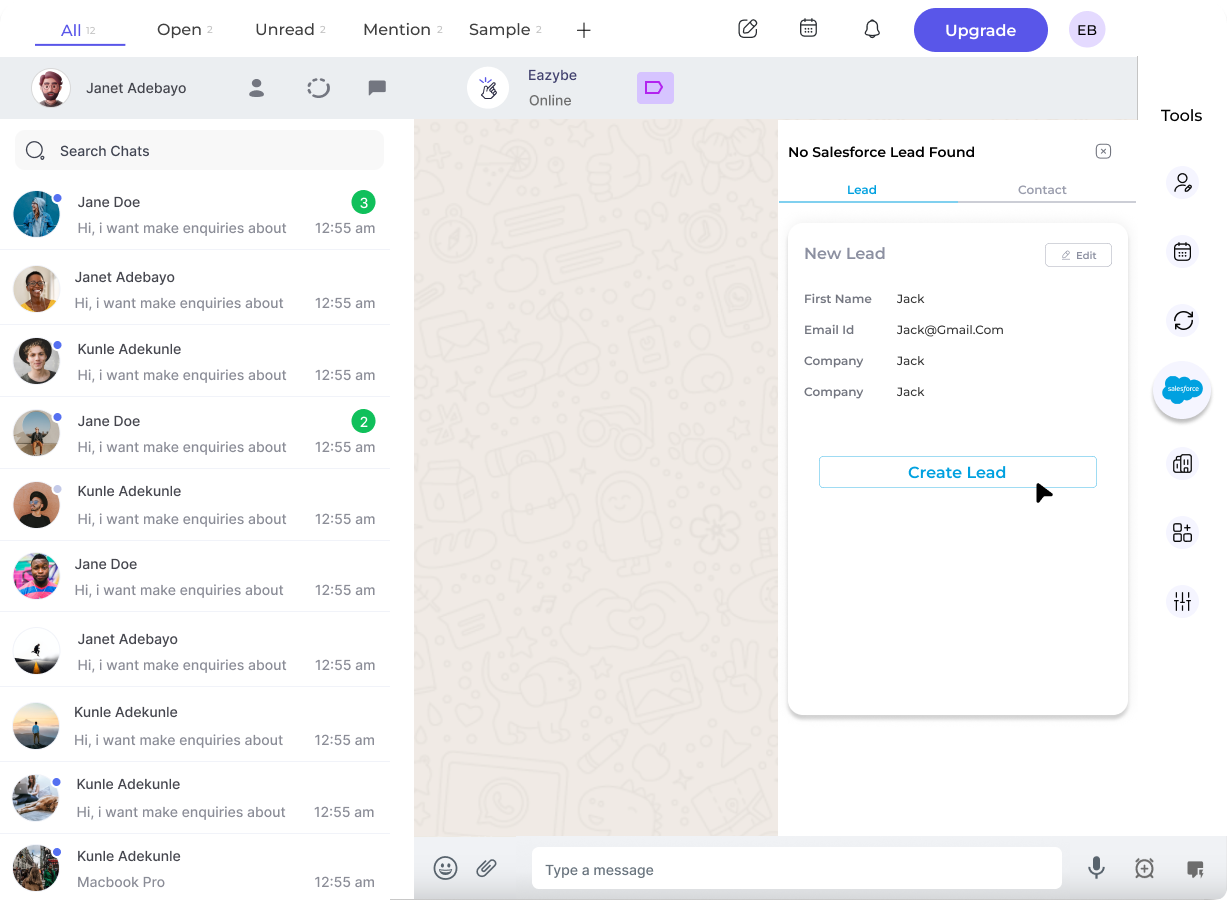
5
Enter Lead Information
Complete the required fields for the new lead. You can customize the form by clicking the Edit button to add additional properties.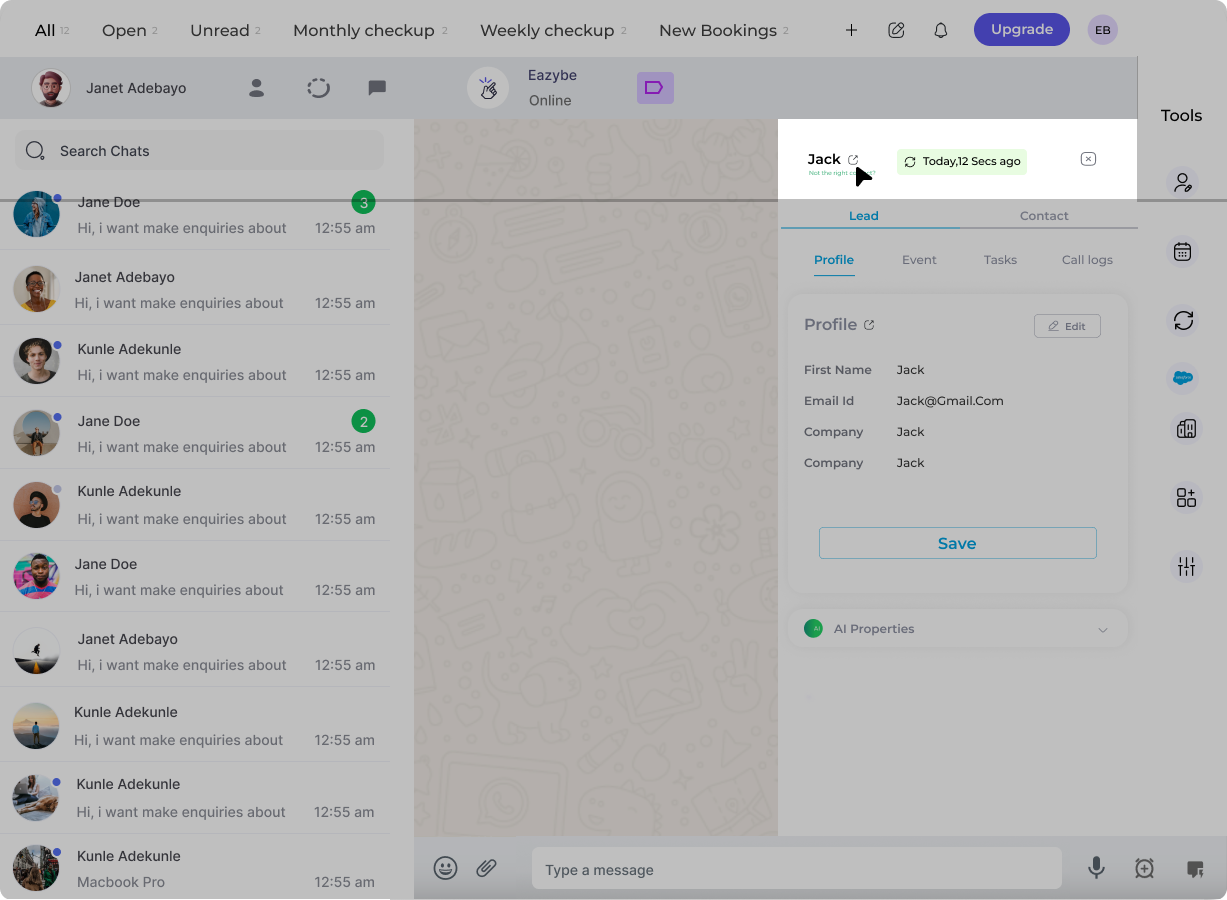
6
View Lead on Salesforce
After creation, click View Lead on Salesforce to open the record directly in your Salesforce account.