

Creating a Contact Event
1
Open the WhatsApp Chat
Navigate to the WhatsApp conversation thread containing your Salesforce Contact.
2
Open Salesforce Integration
Click the Salesforce icon in the EazyBe extension’s right sidebar to open the integration panel.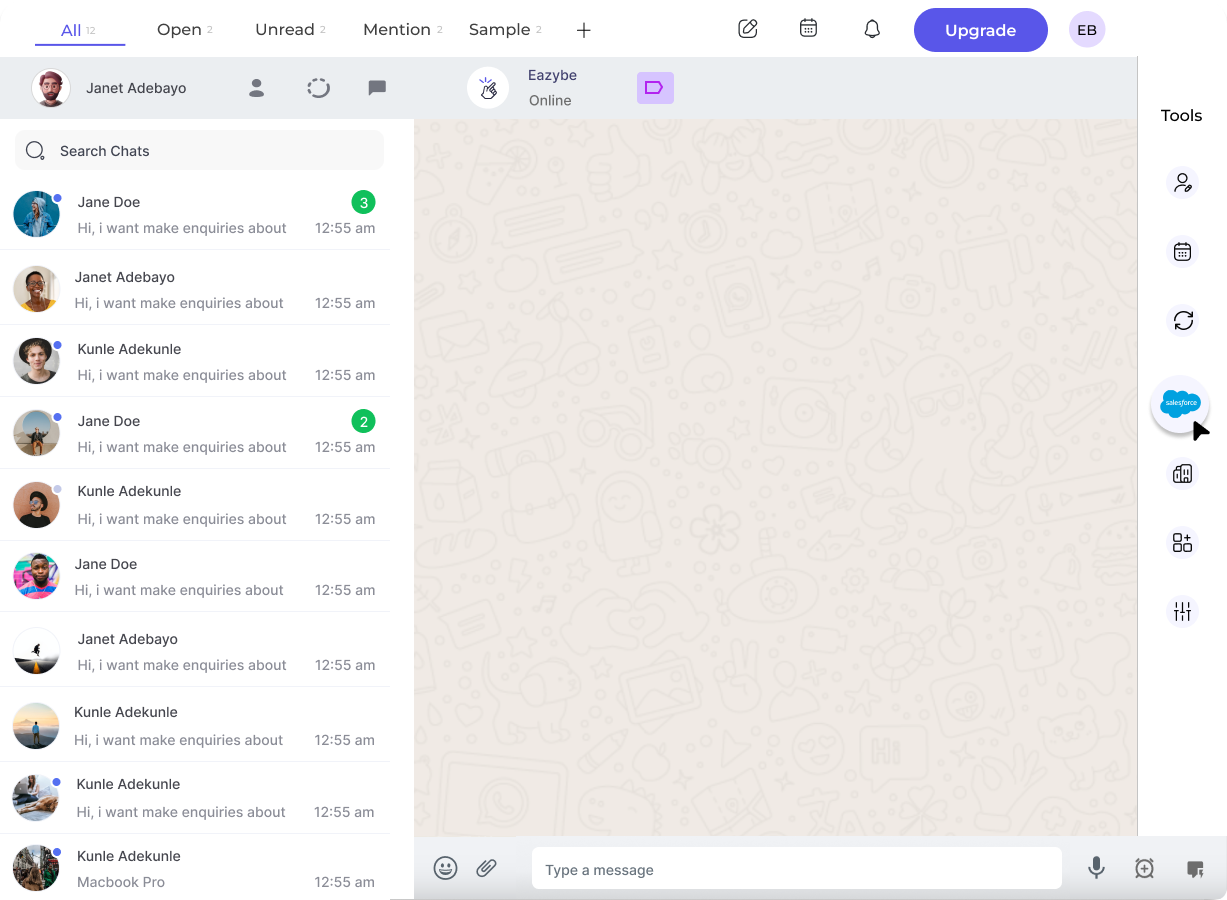
3
Access Events Section
Select the Events header, which is the second header under the Contact section.
4
Create New Event
Click the New Event button to open the event creation form.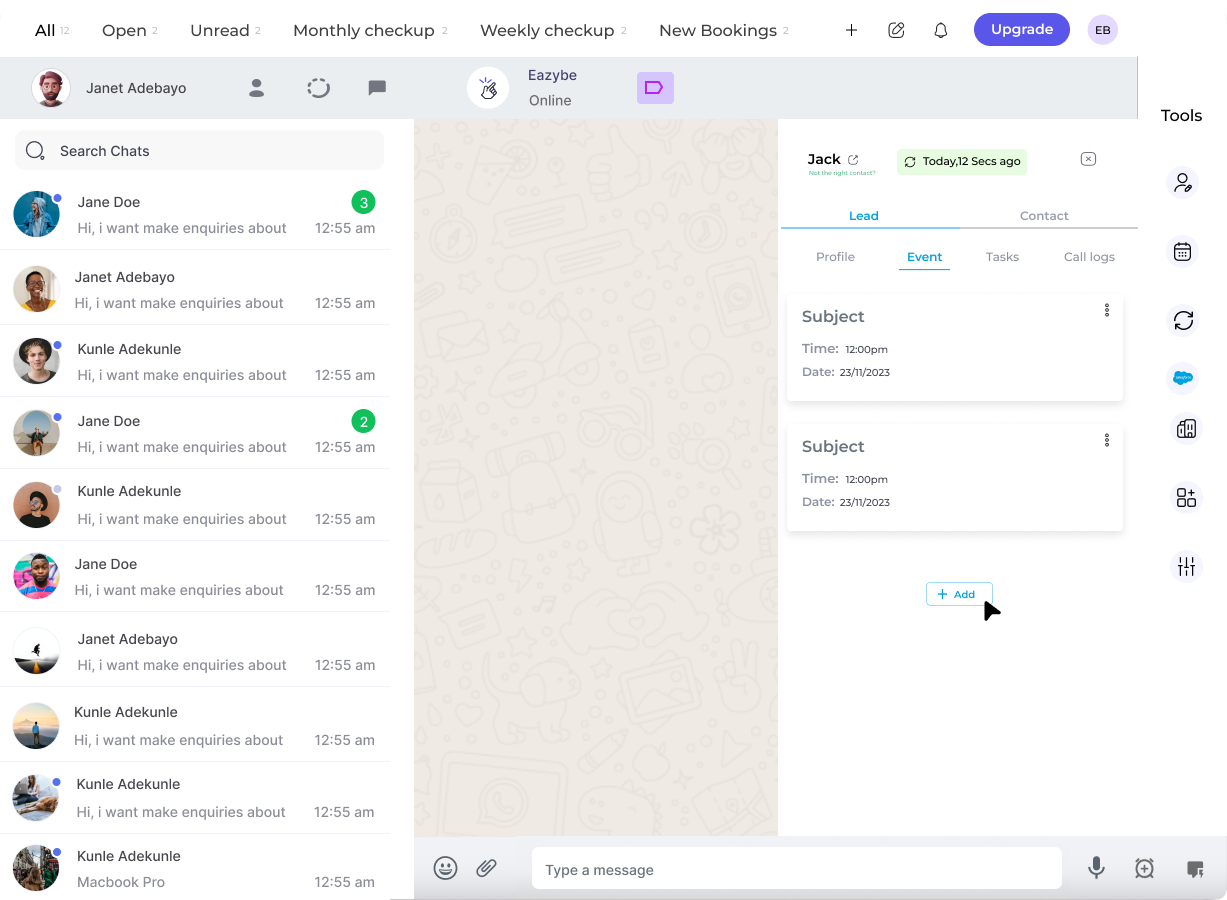
5
Enter Event Details
Complete the required fields for your event and click Save Event to create it.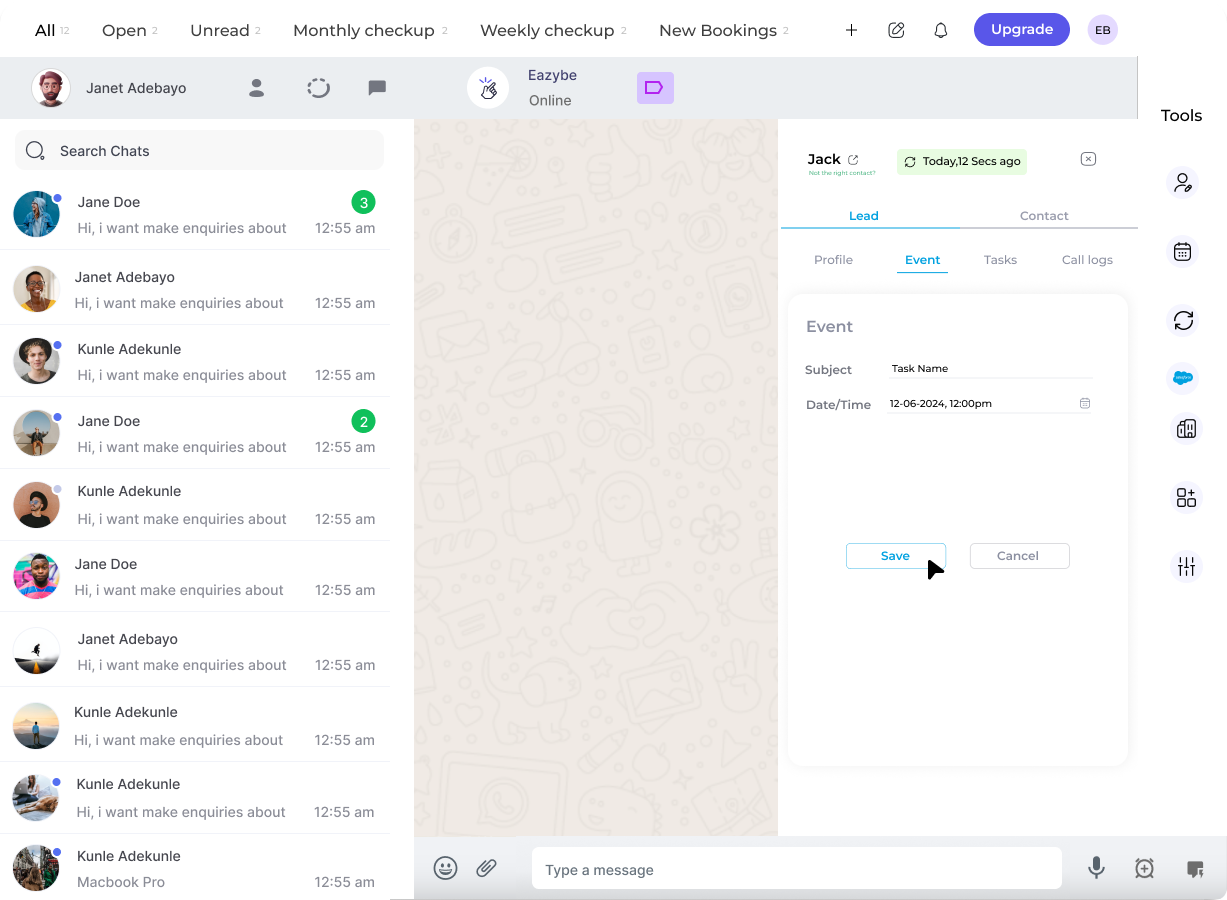
Managing Events
Once an event is created, you can:- View Event on Salesforce - Click the “View Event on Salesforce” button to see the event in your Salesforce account
- Edit or Delete Event - Use the three-dot menu to edit or delete existing events
Events are synced directly to Salesforce when you save. The event information will be reflected in your Salesforce Contact record.