

Creating a Lead Task
1
Open the WhatsApp Chat
Access the WhatsApp conversation associated with your Salesforce Lead contact.
2
Open Salesforce Integration
Locate and select the Salesforce icon positioned in the right sidebar of the browser extension.
3
Navigate to Tasks Section
Under the Lead Section, find the third header labeled Tasks and click to open it.
4
Create New Task
Click the New Task button to initiate task creation.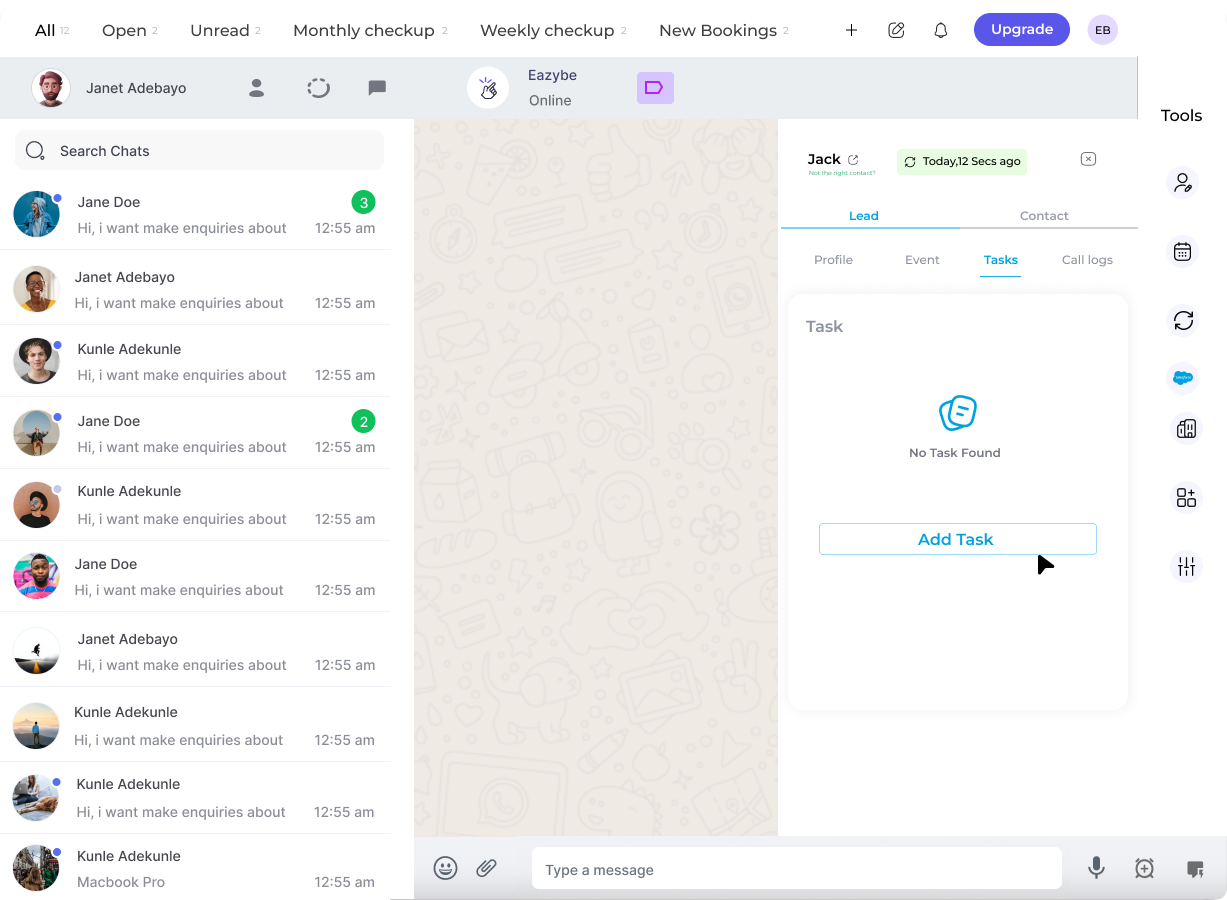
5
Save Task
Input the task details and select Save Task to store the entry.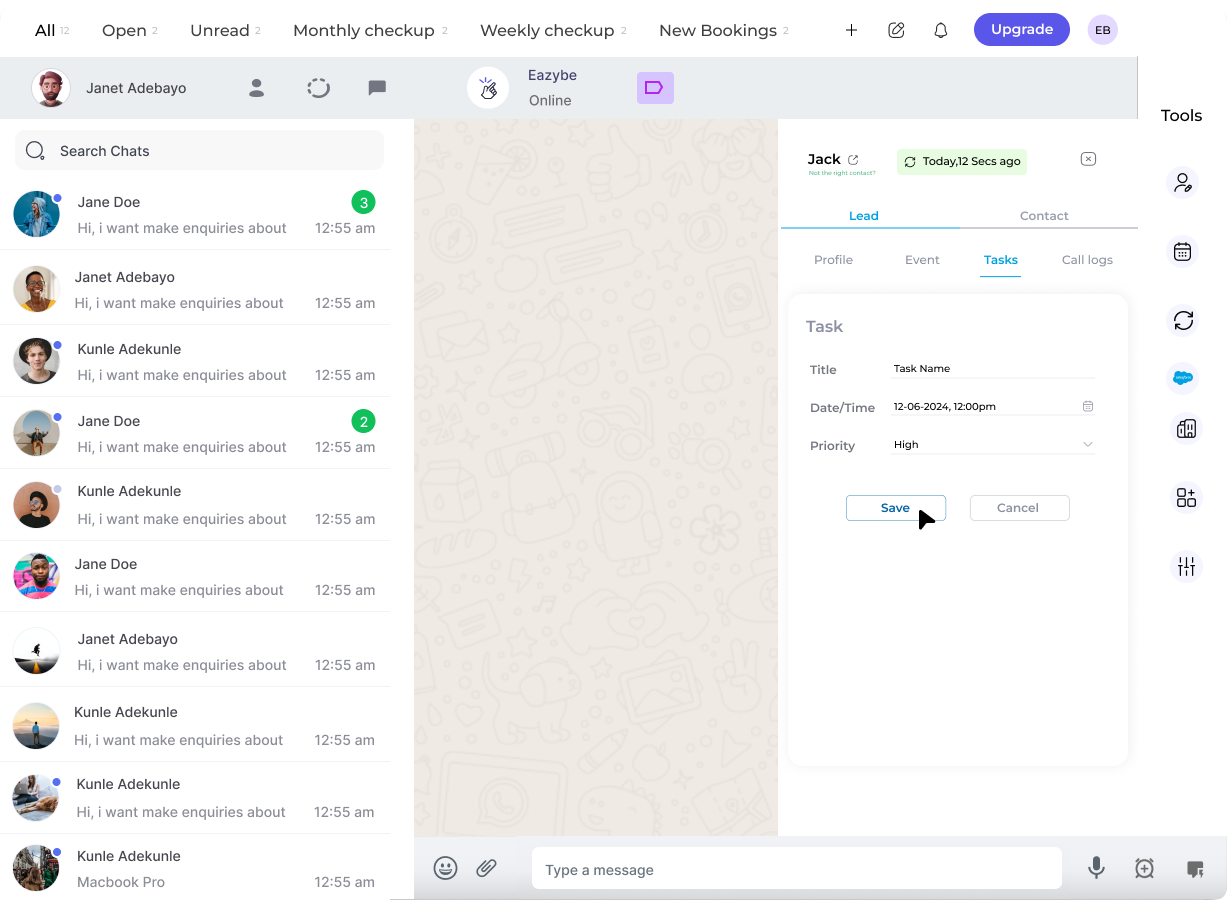
Managing Tasks
Once a task is created, you can view and manage it directly from the Tasks section.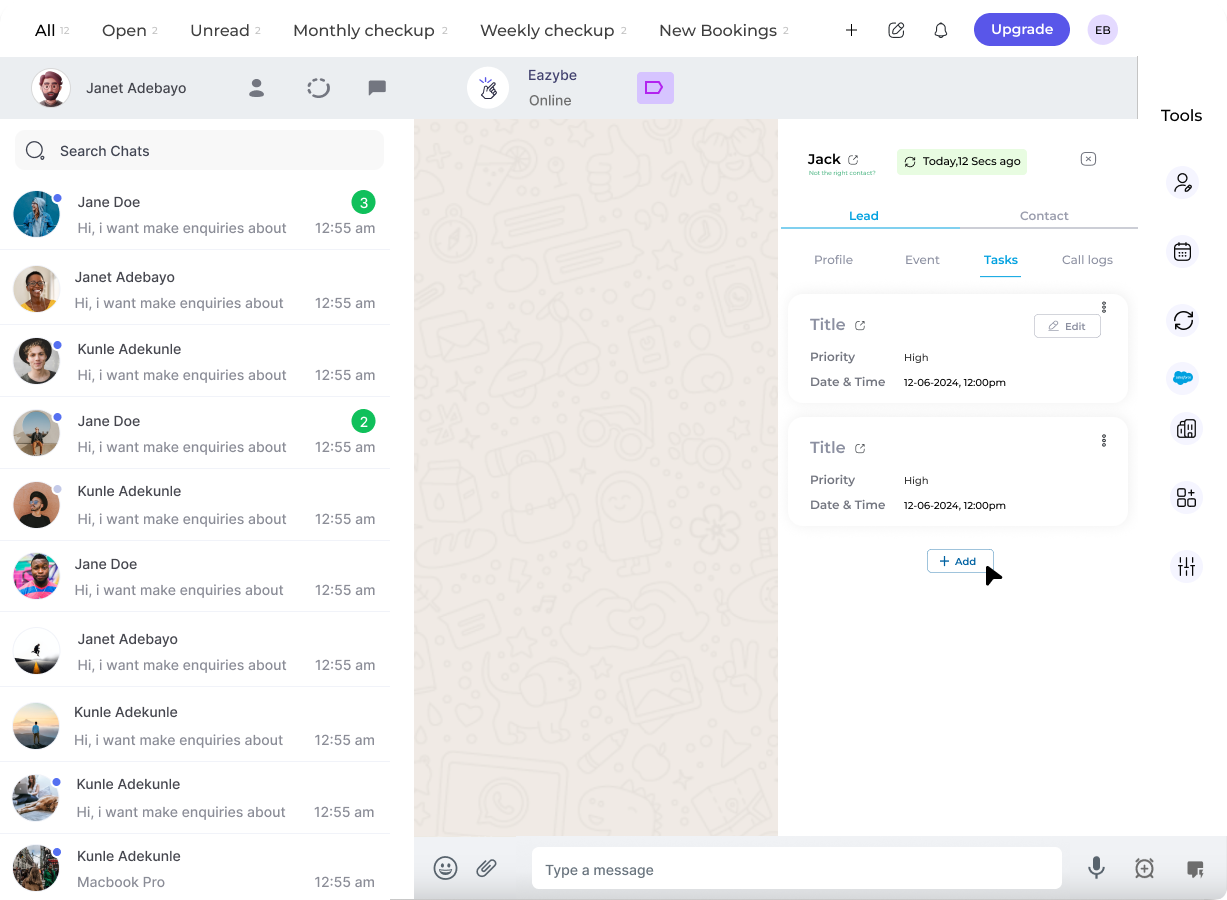
- Edit - Modify task details
- Delete - Remove the task
Tasks are synced directly to Salesforce when you save. The task information will be reflected in your Salesforce Lead record.