

Viewing and Editing Lead Profiles
1
Open the WhatsApp Chat
Launch the WhatsApp conversation with the Salesforce lead you want to view.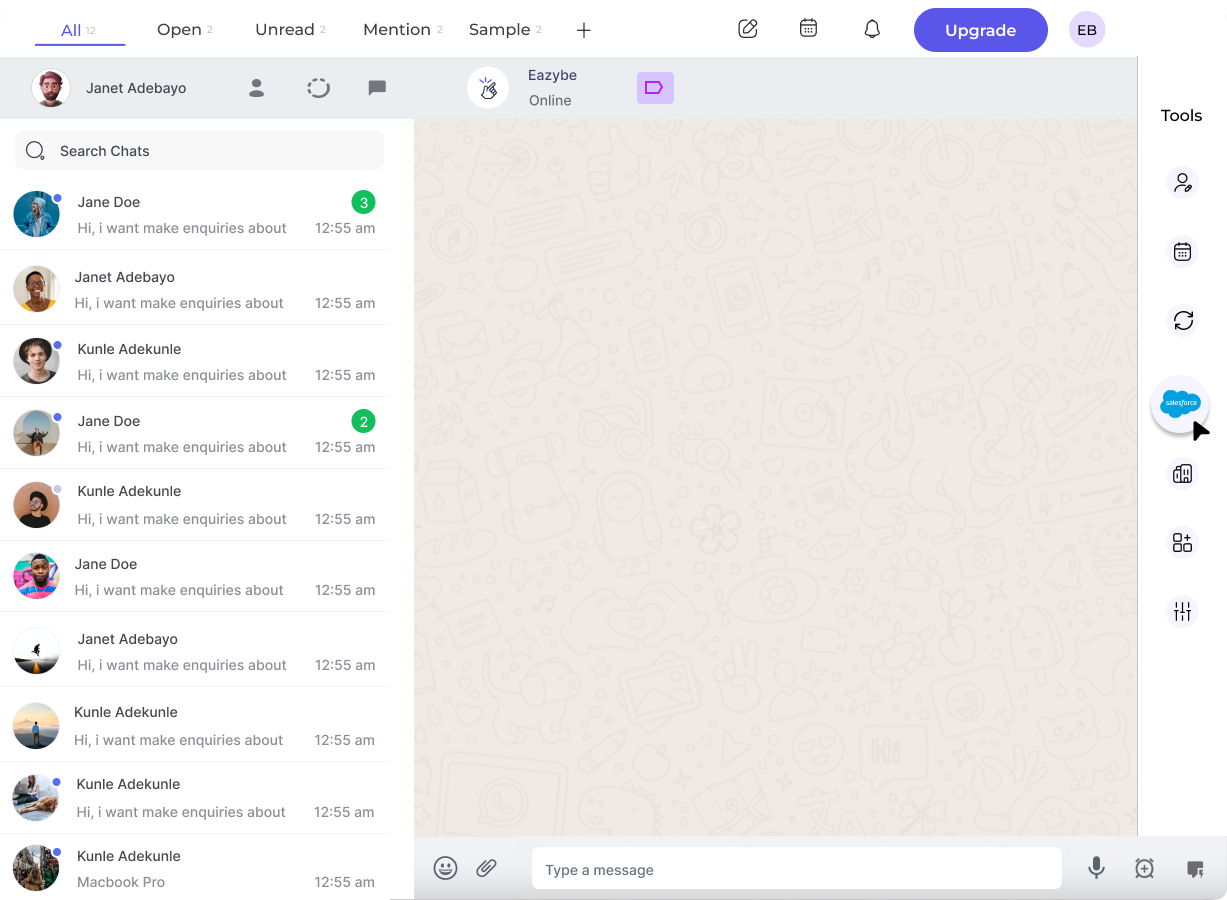
2
Access the Salesforce Integration
Click the Salesforce icon in the EazyBe extension’s right sidebar to open the Mini-CRM panel.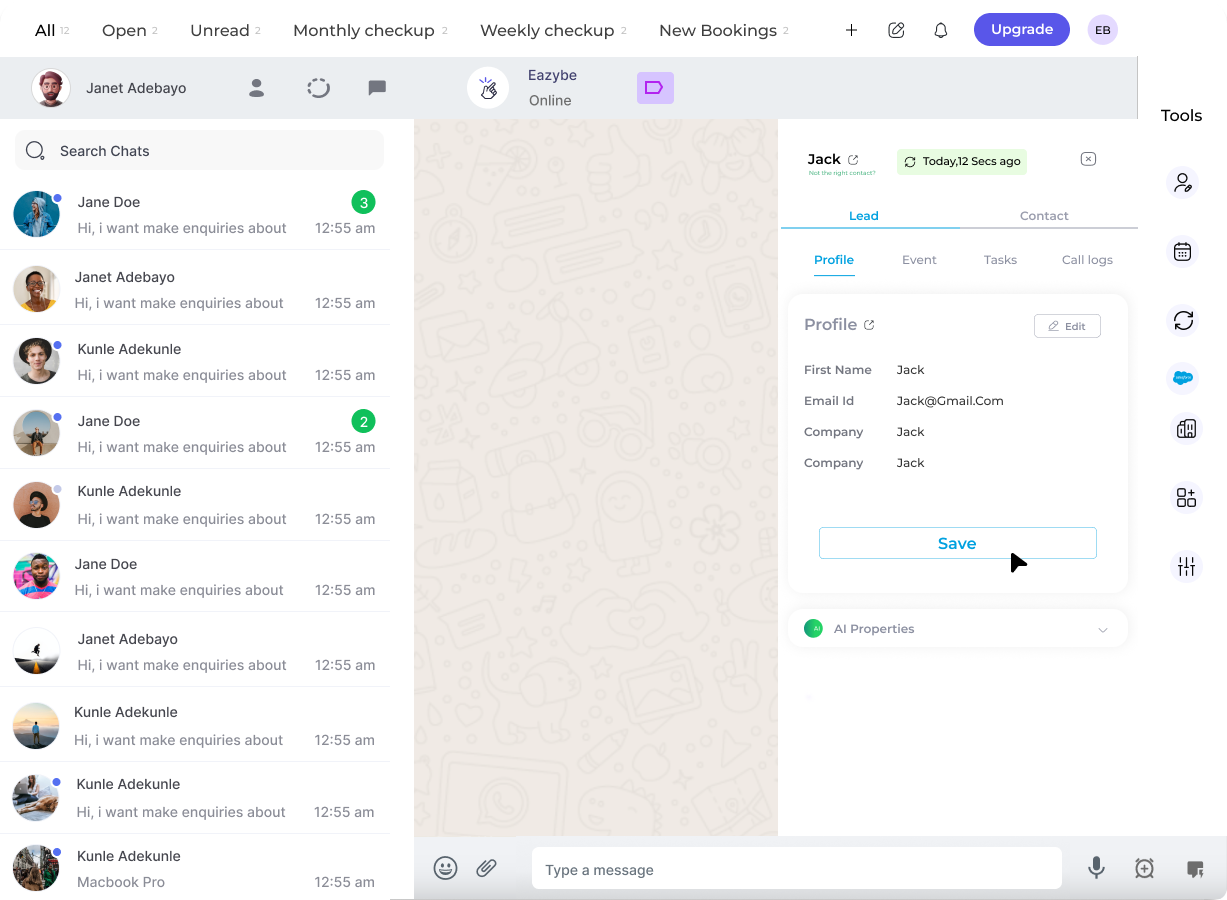
3
Access the Profile Section
The first header under the Lead section displays the Profile Section with the lead’s information.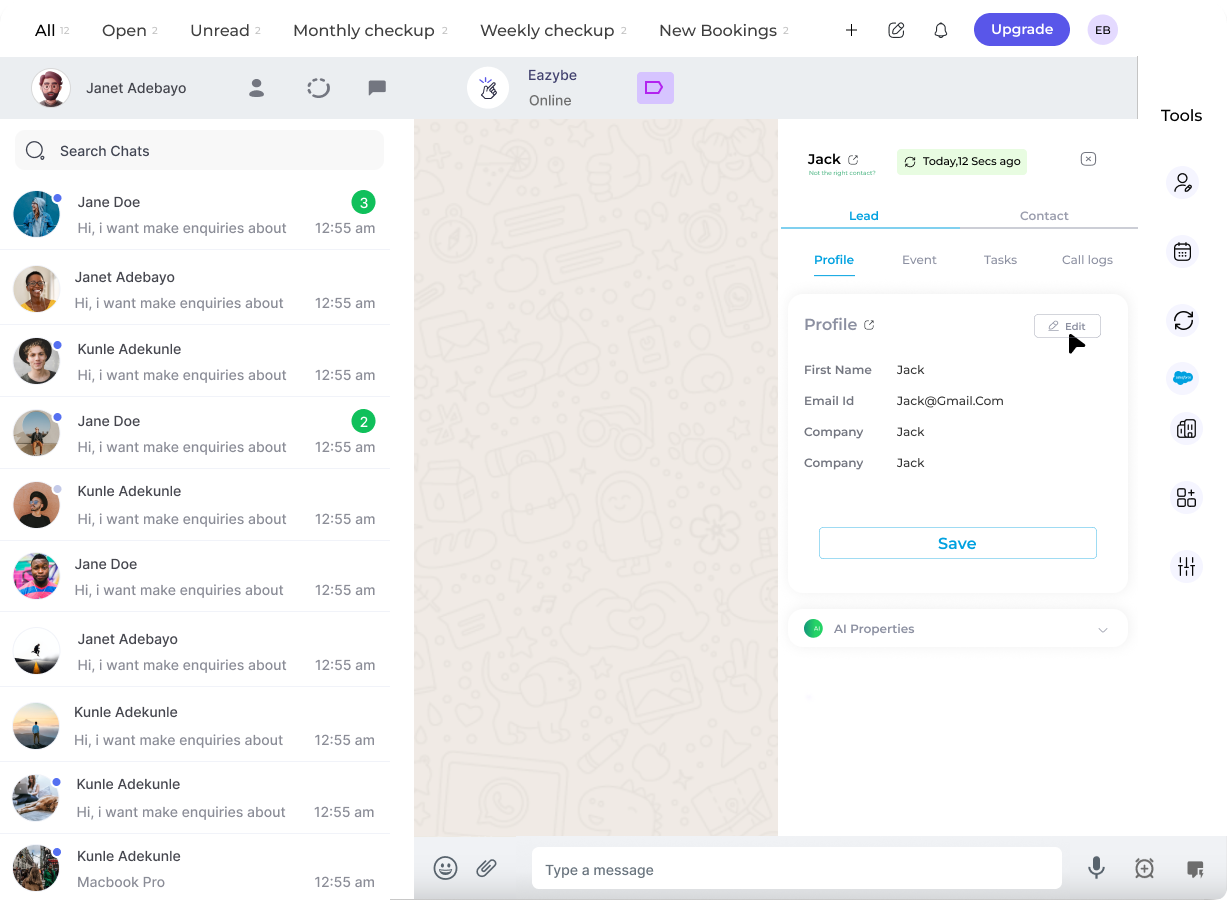
4
View and Edit User Properties
Review the user information displayed. To modify details, click the Edit button.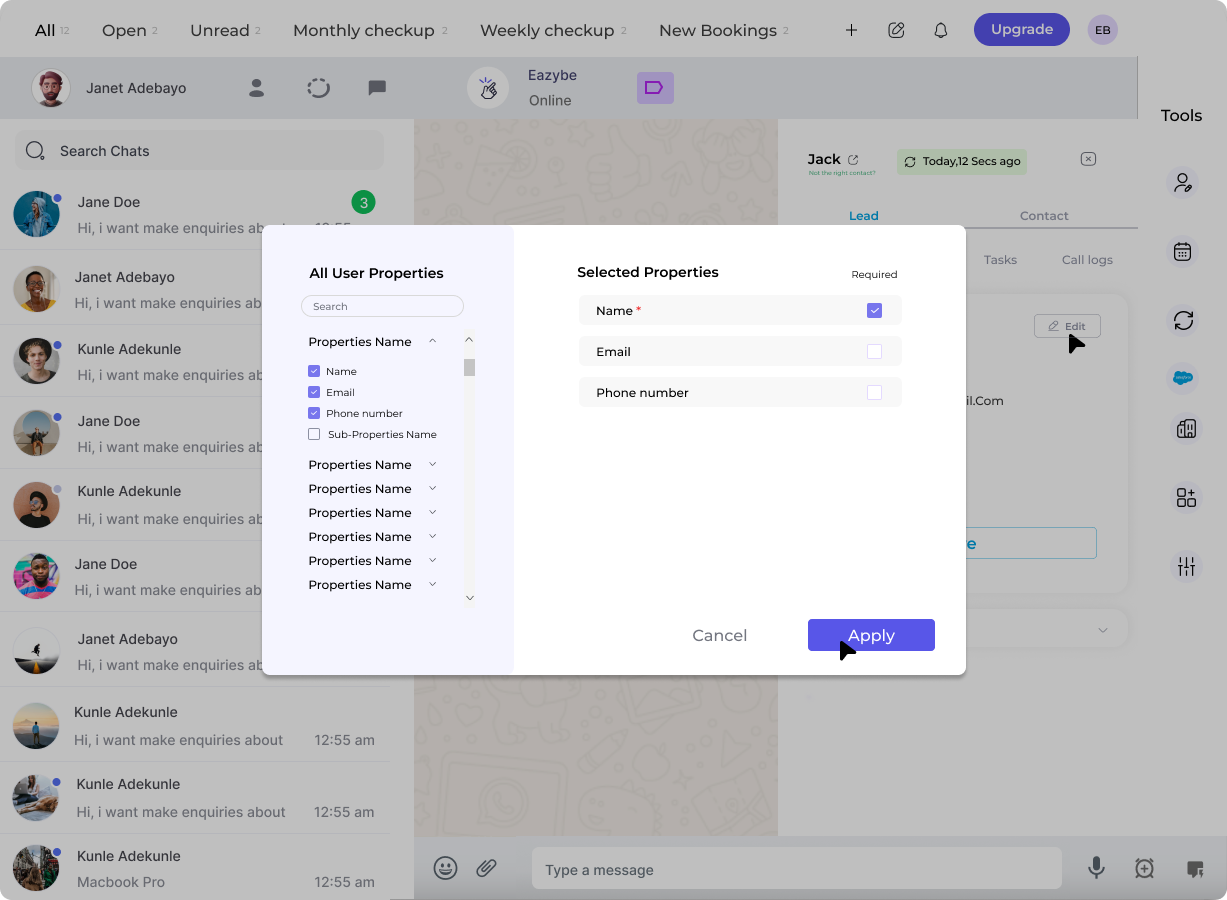
5
Save the Changes
After making your modifications, click Save at the bottom to apply the changes to Salesforce.
Changes made to the lead profile are synced directly to Salesforce in real-time.