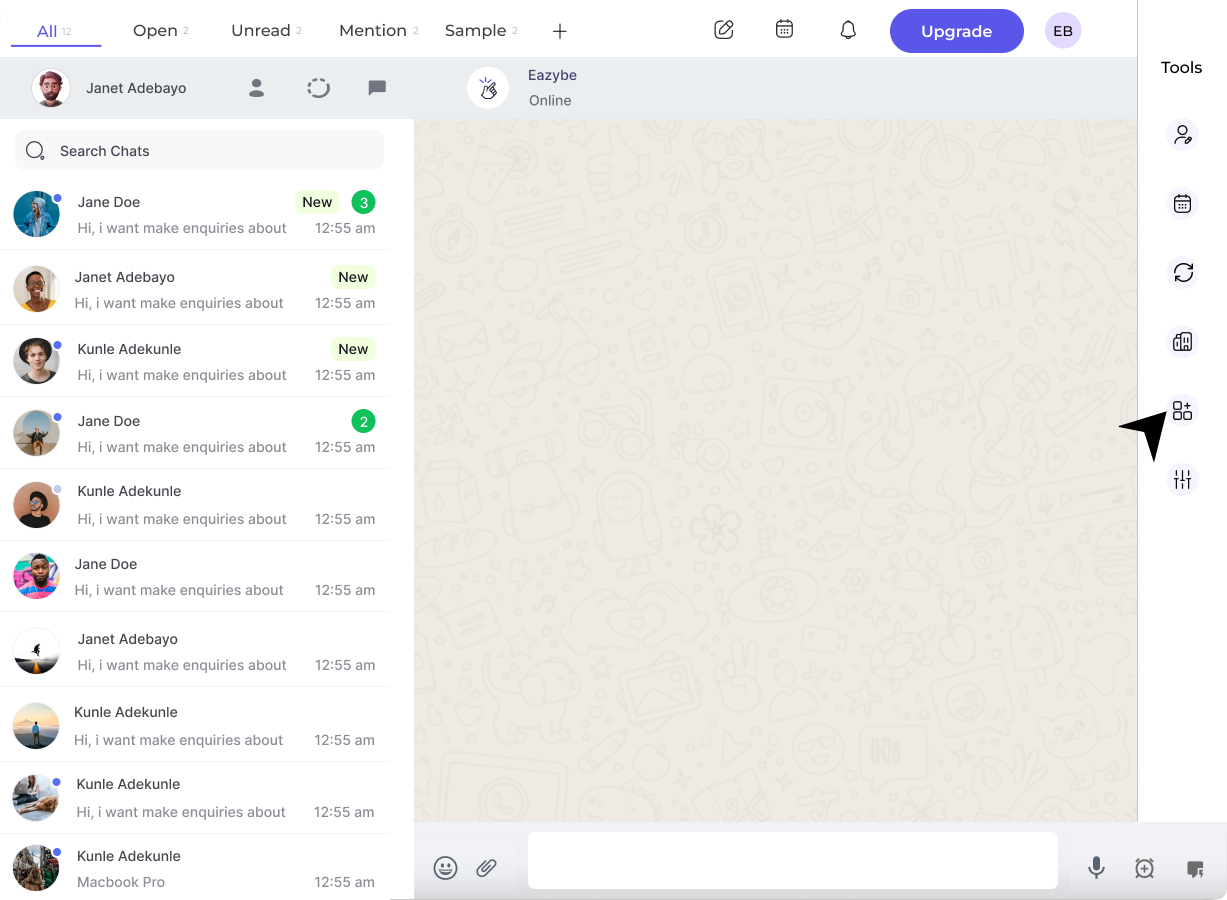
Click on the Integration button in the right sidebar.
2
Disconnect Salesforce
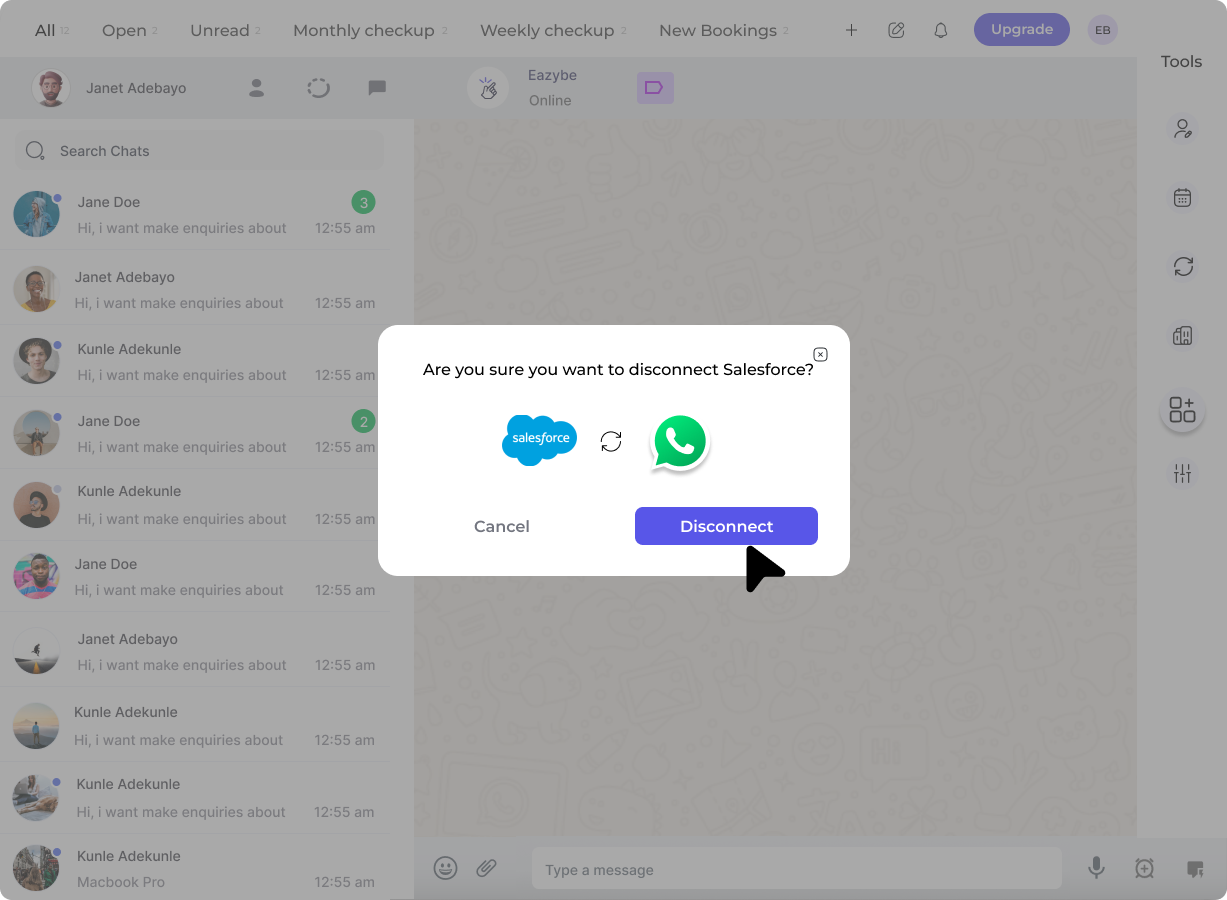
Click on the Disconnect button under the Salesforce section.
A prompt will appear asking you to confirm the disconnection. Click confirm to complete the process.
Disconnecting the integration will stop syncing your WhatsApp conversations with Salesforce. Make sure to backup any important data before disconnecting.