

Creating or Linking a Bitrix Lead
1
Open the WhatsApp Chat
Open the WhatsApp chat of the respective lead you want to create or link in Bitrix.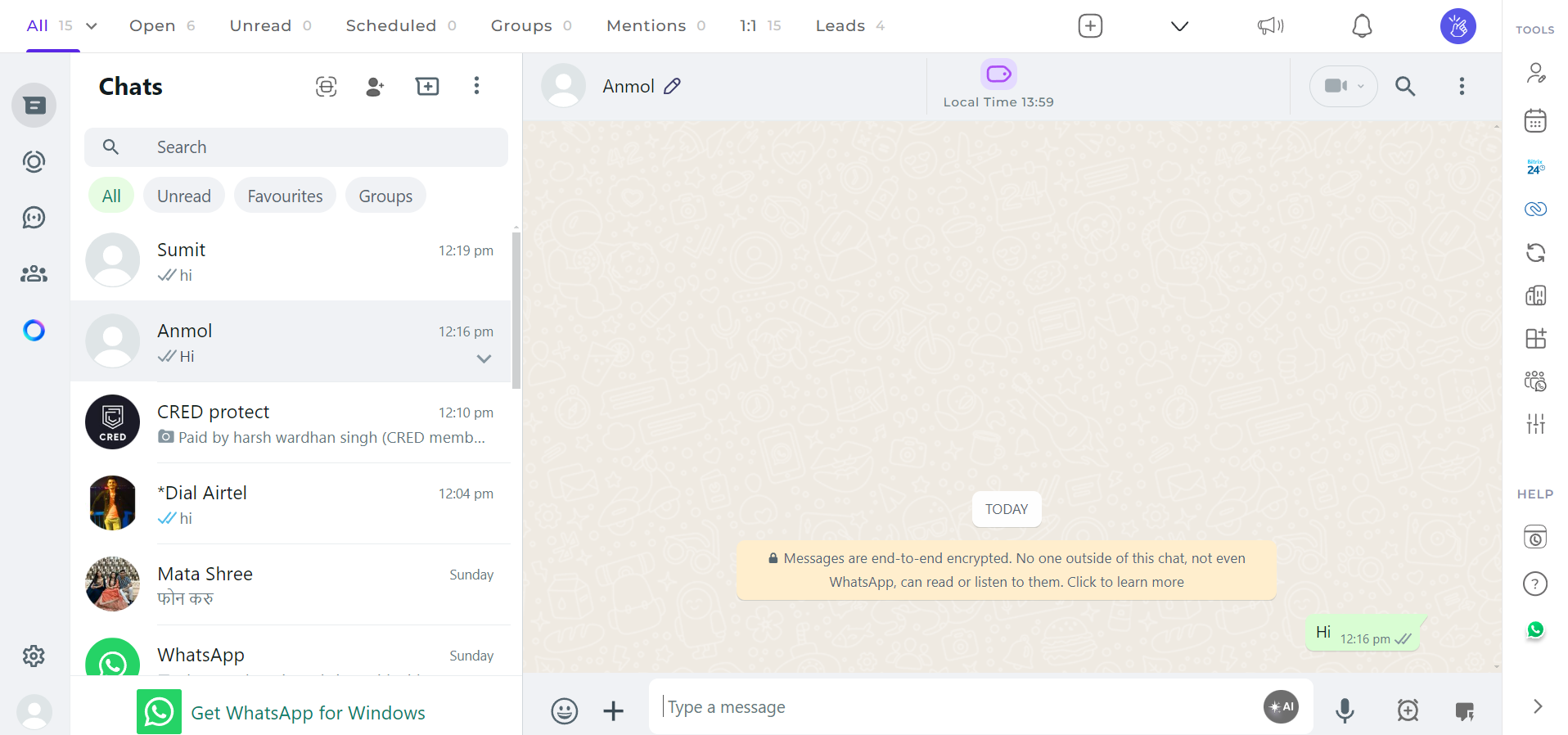
2
Click on the Bitrix Icon
Click on the Bitrix icon in the right sidebar of the extension.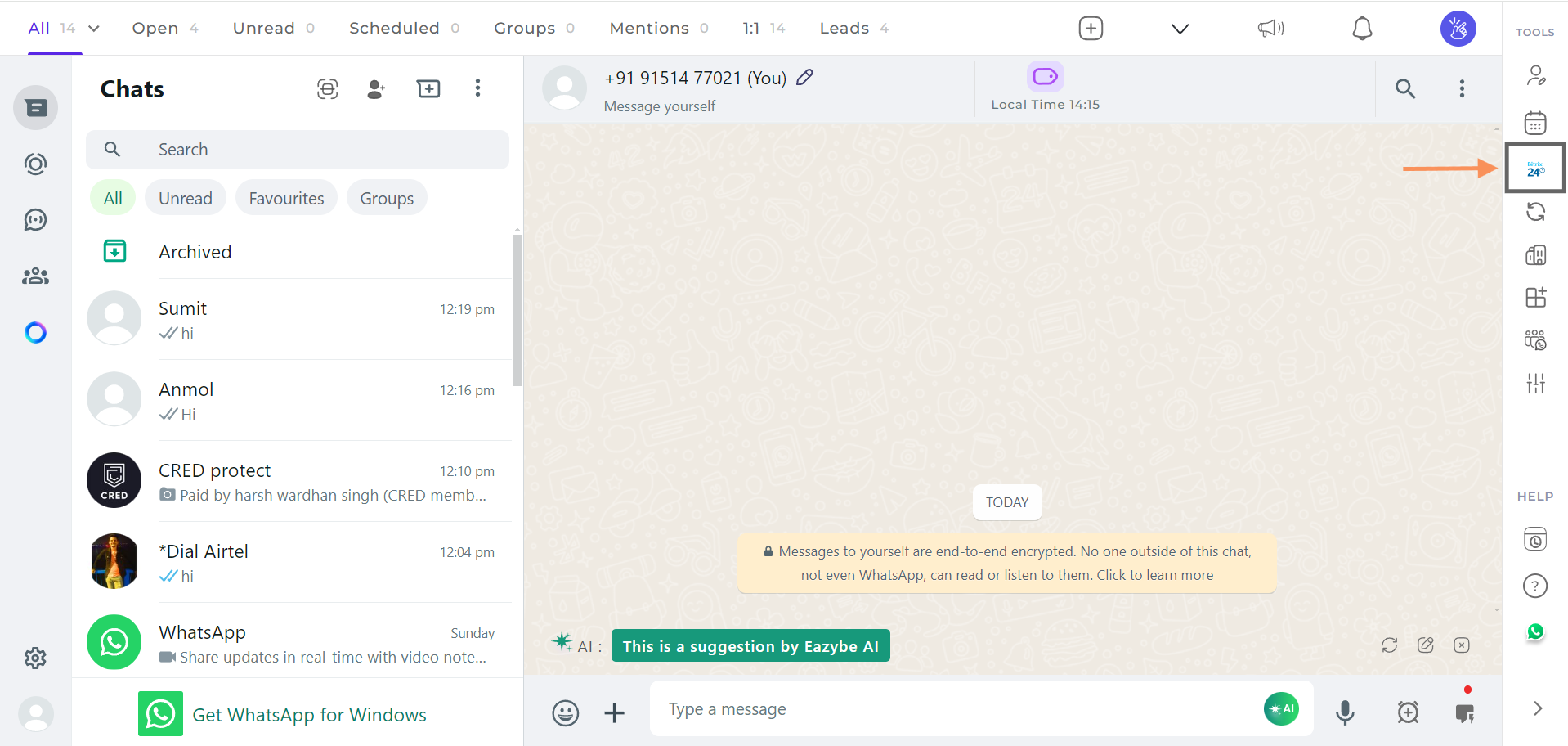
3
Link to an Existing Lead
If the lead already exists in Bitrix, click on the Link to Existing Lead option and select the lead from the dropdown.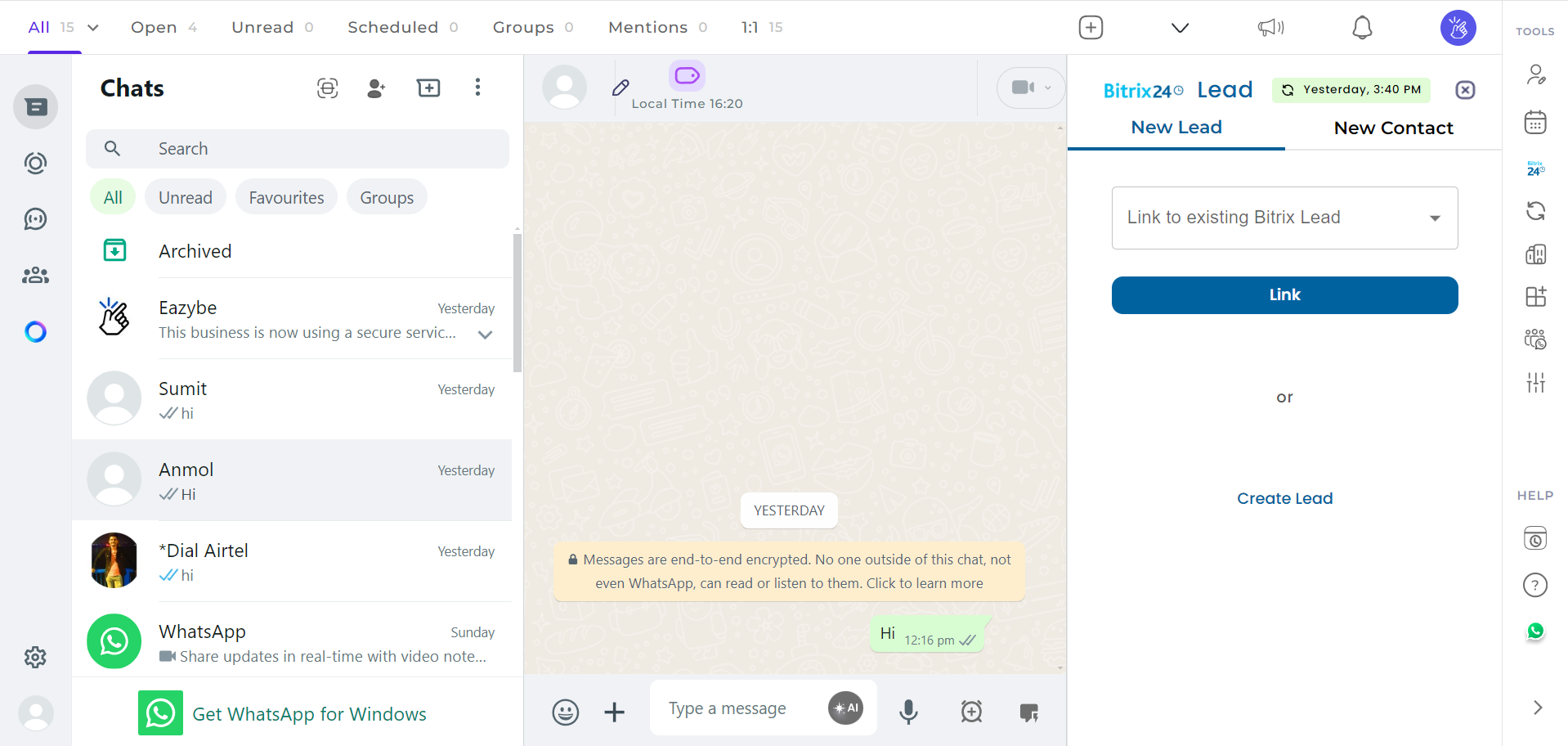
4
Create a New Lead
If the lead is new and hasn’t been created in Bitrix yet, click on the Create Lead button.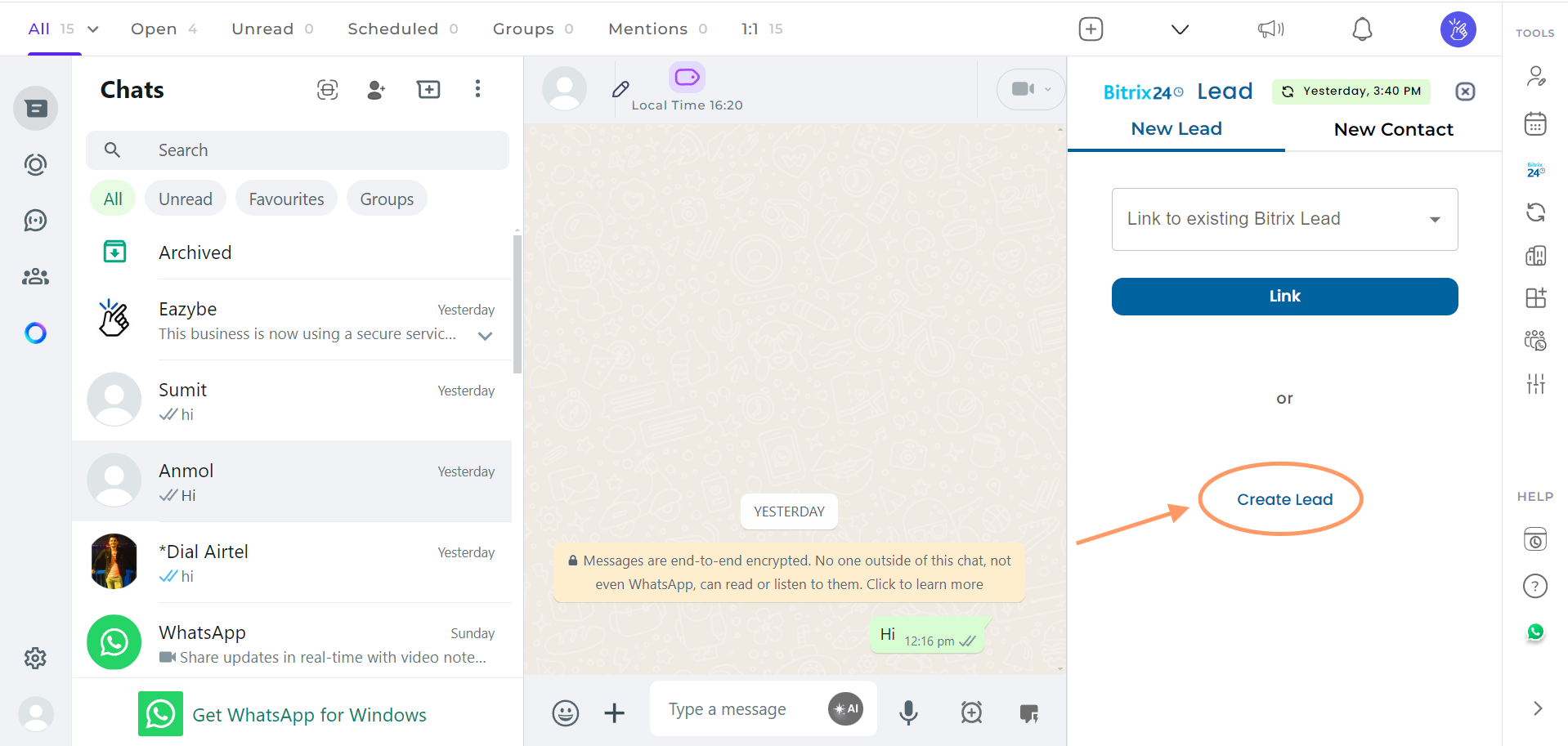
5
Fill in the Lead Details
Enter the required details in the fields provided.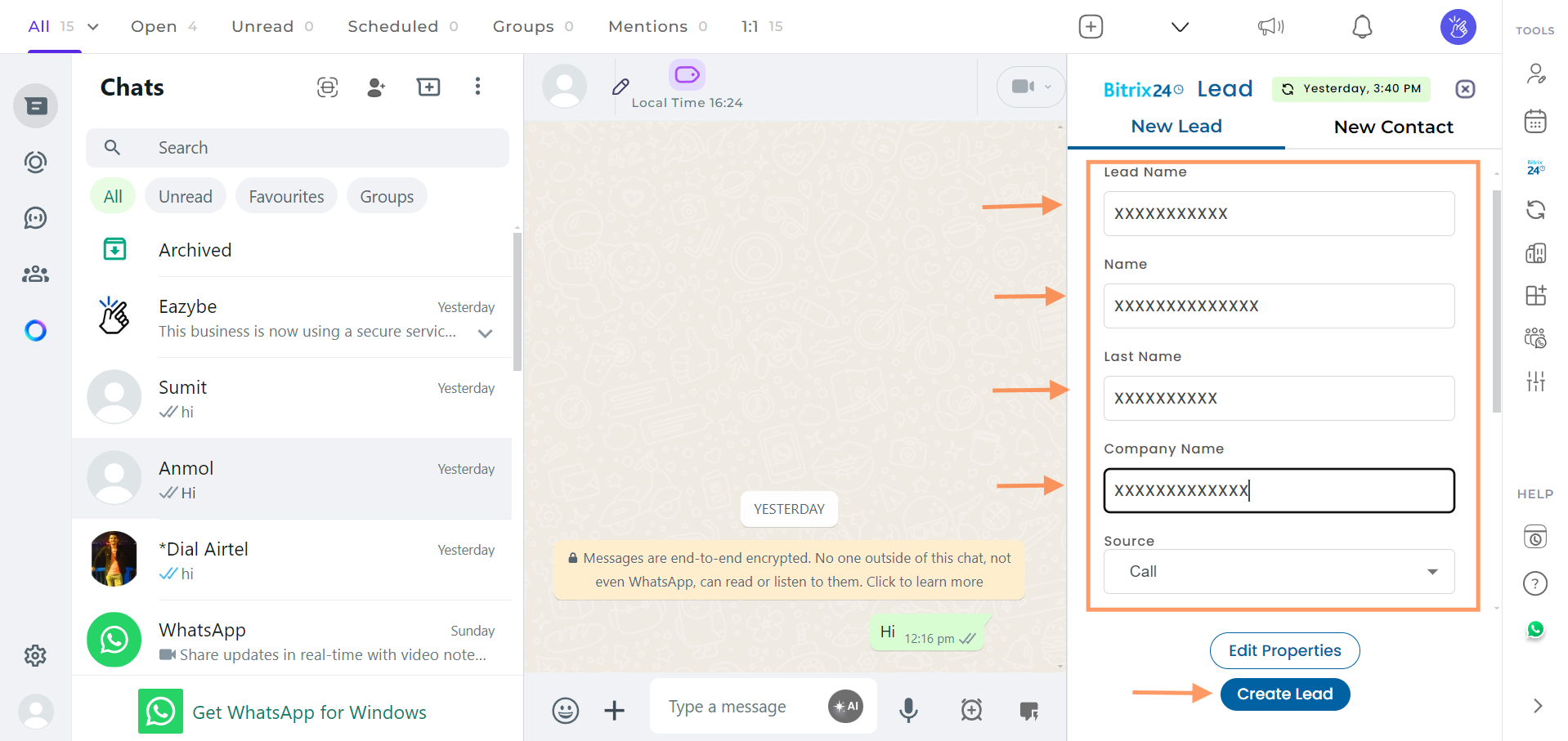
6
View Lead on Bitrix
Once the lead is created or linked, you can view it directly in Bitrix by clicking on the View on Bitrix button under the Profile section.
If you have any questions or need further assistance, feel free to reach out to us at hey@eazybe.com.