

Accessing the Contact Profile
1
Open the WhatsApp Chat
Open the WhatsApp chat of your Bitrix Contact whose profile you want to access.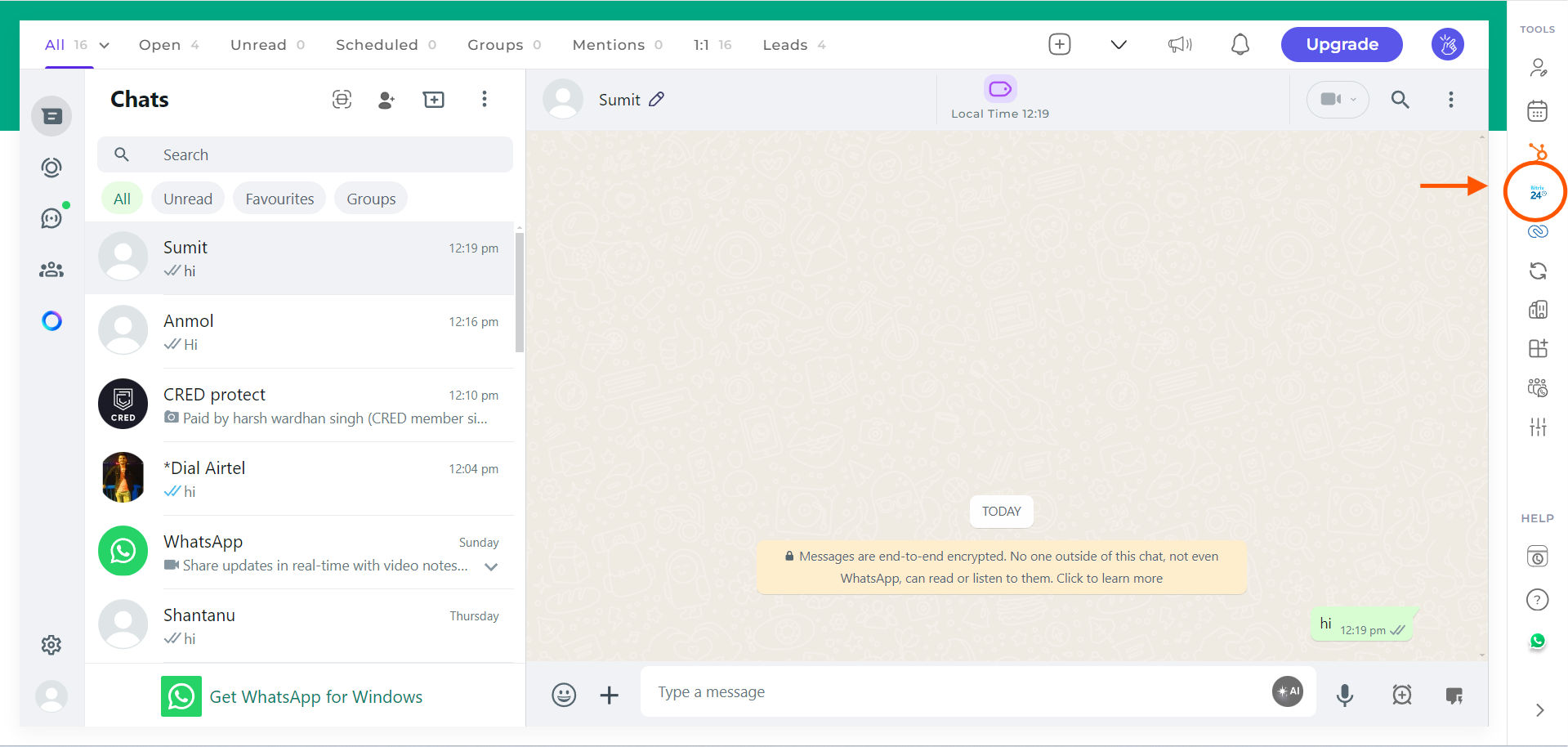
2
Click on the Bitrix Icon
Click on the Bitrix icon in the right sidebar of the extension.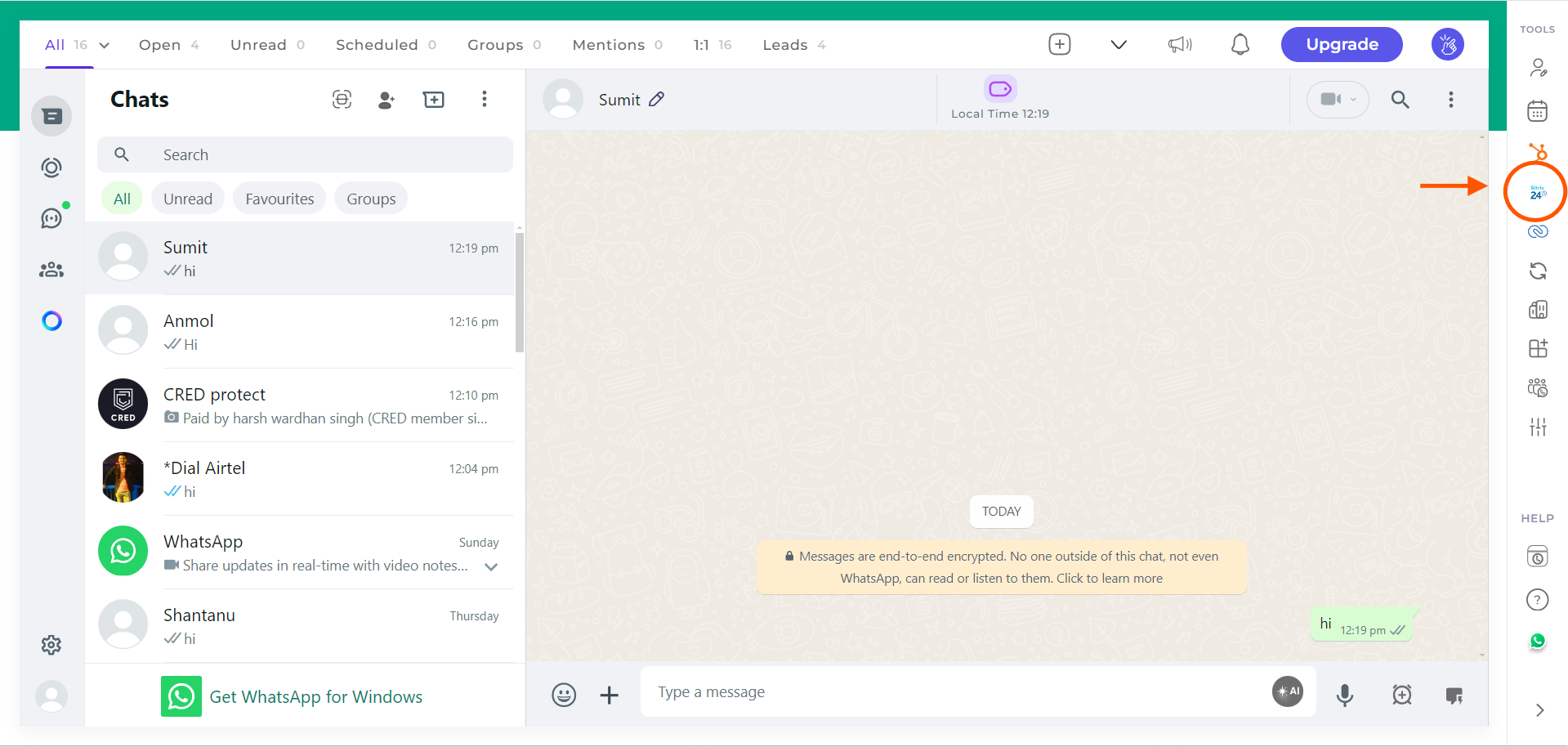
3
Access the Profile Section
The first header that appears under the Contact section will be the Profile section.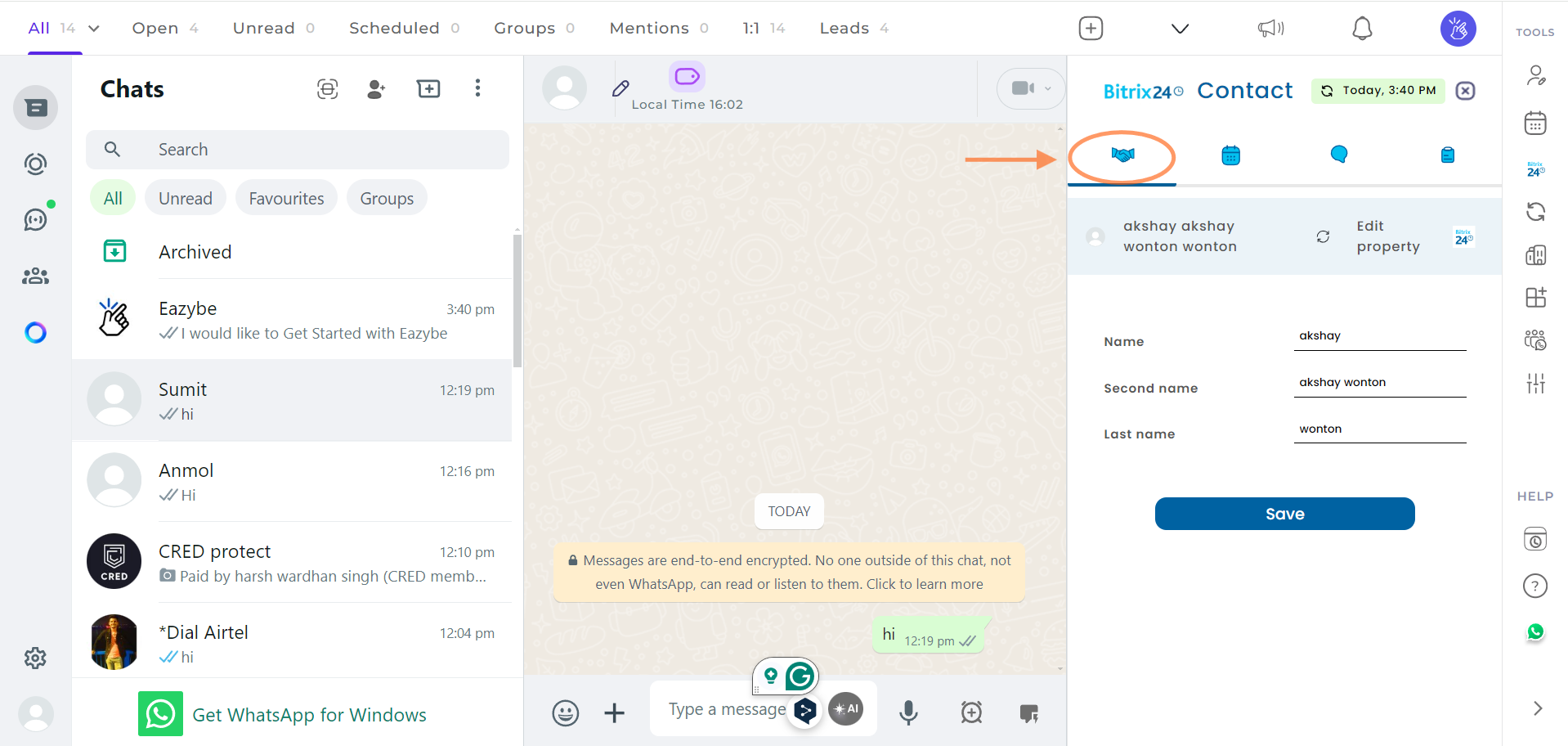
4
View and Edit User Properties
You can view and edit the user properties of the contact. After making changes, click on the Save button at the bottom to update the contact details.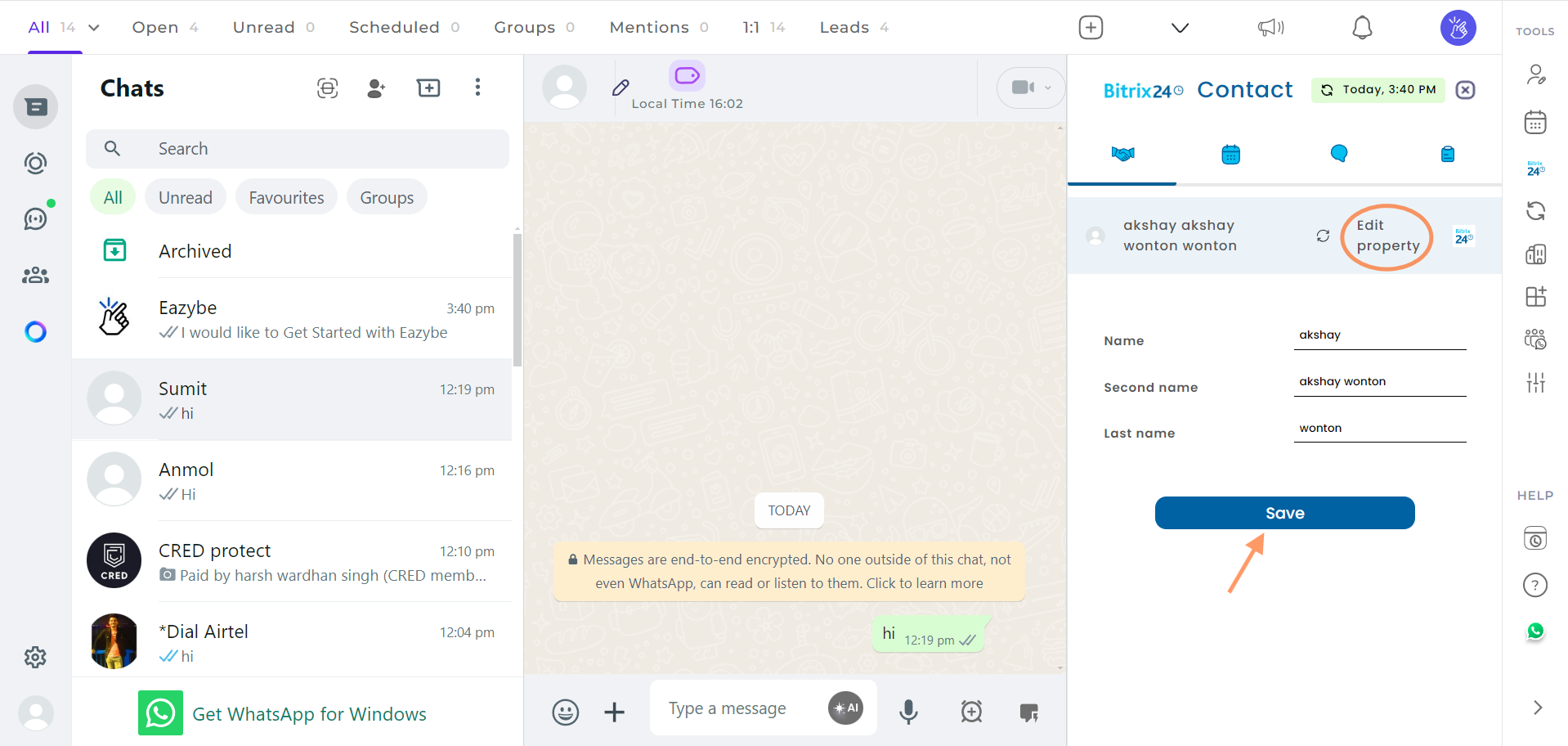
5
View Contact in Bitrix
You can also view the contact directly in Bitrix by clicking on the View on Bitrix button.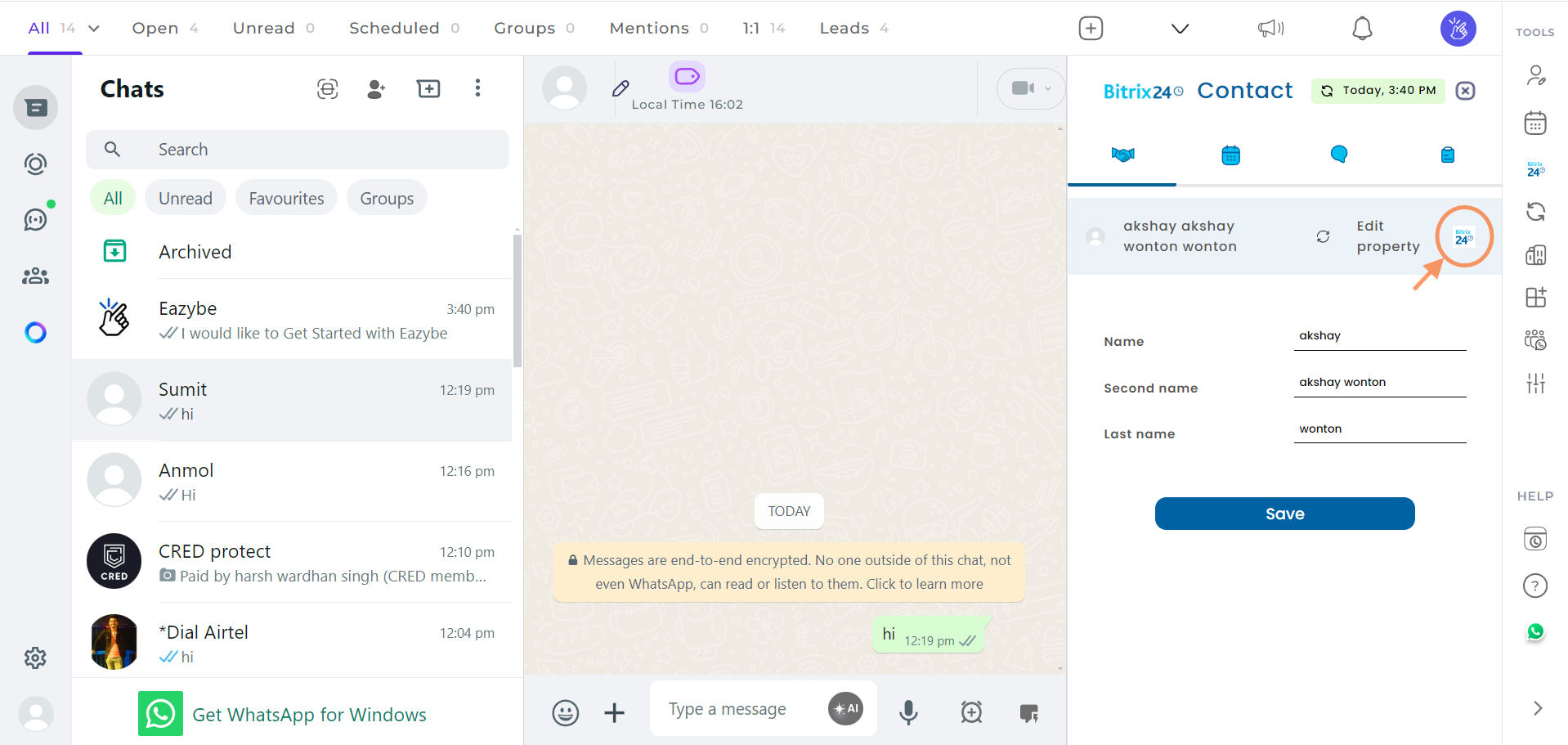
If you need further assistance, feel free to reach out to us at hey@eazybe.com.