

Adding a Lead Activity
1
Open the WhatsApp Chat
Open the WhatsApp chat of the Bitrix lead for whom you want to add an activity.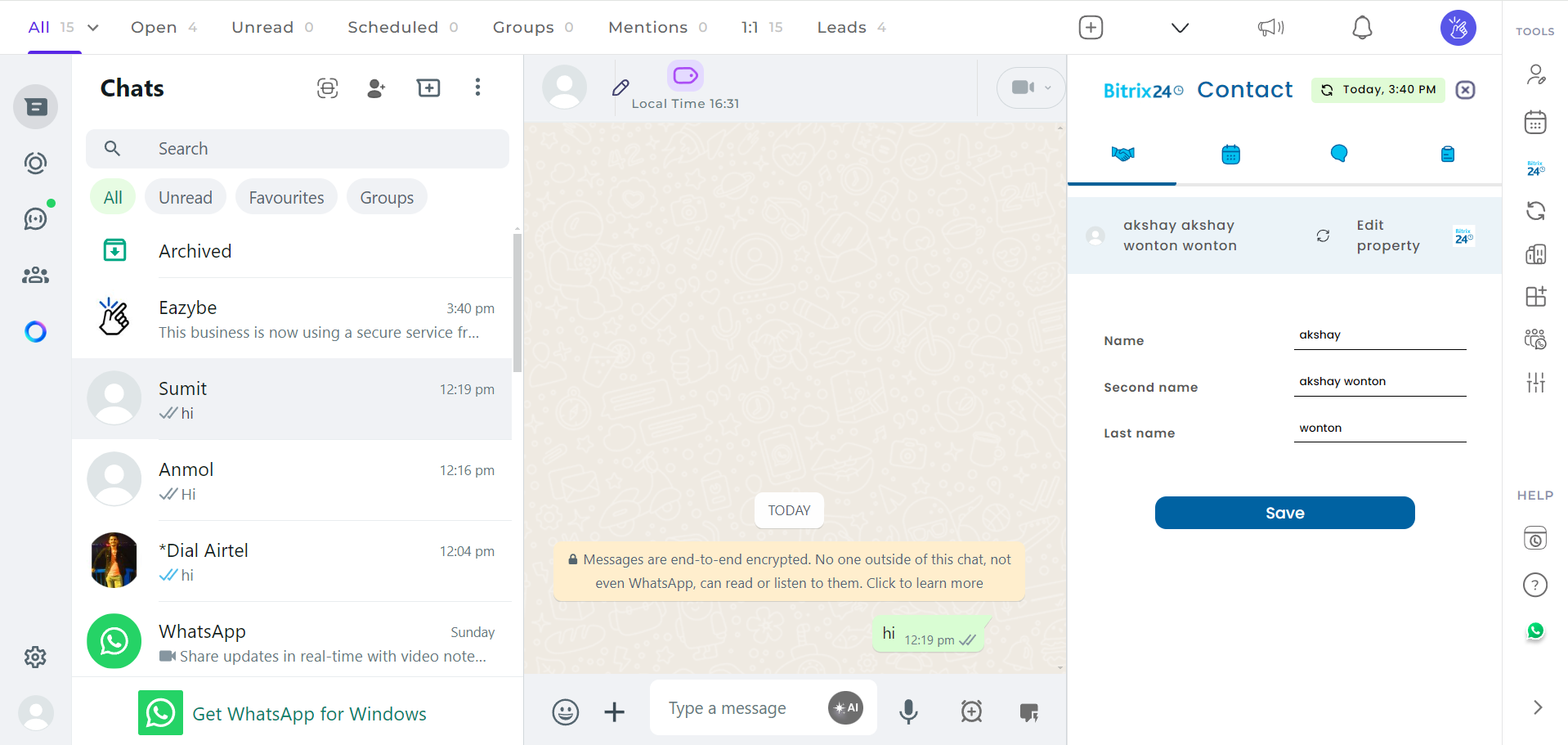
2
Click on the Bitrix Icon
Click on the Bitrix icon located in the right sidebar of the Eazybe extension.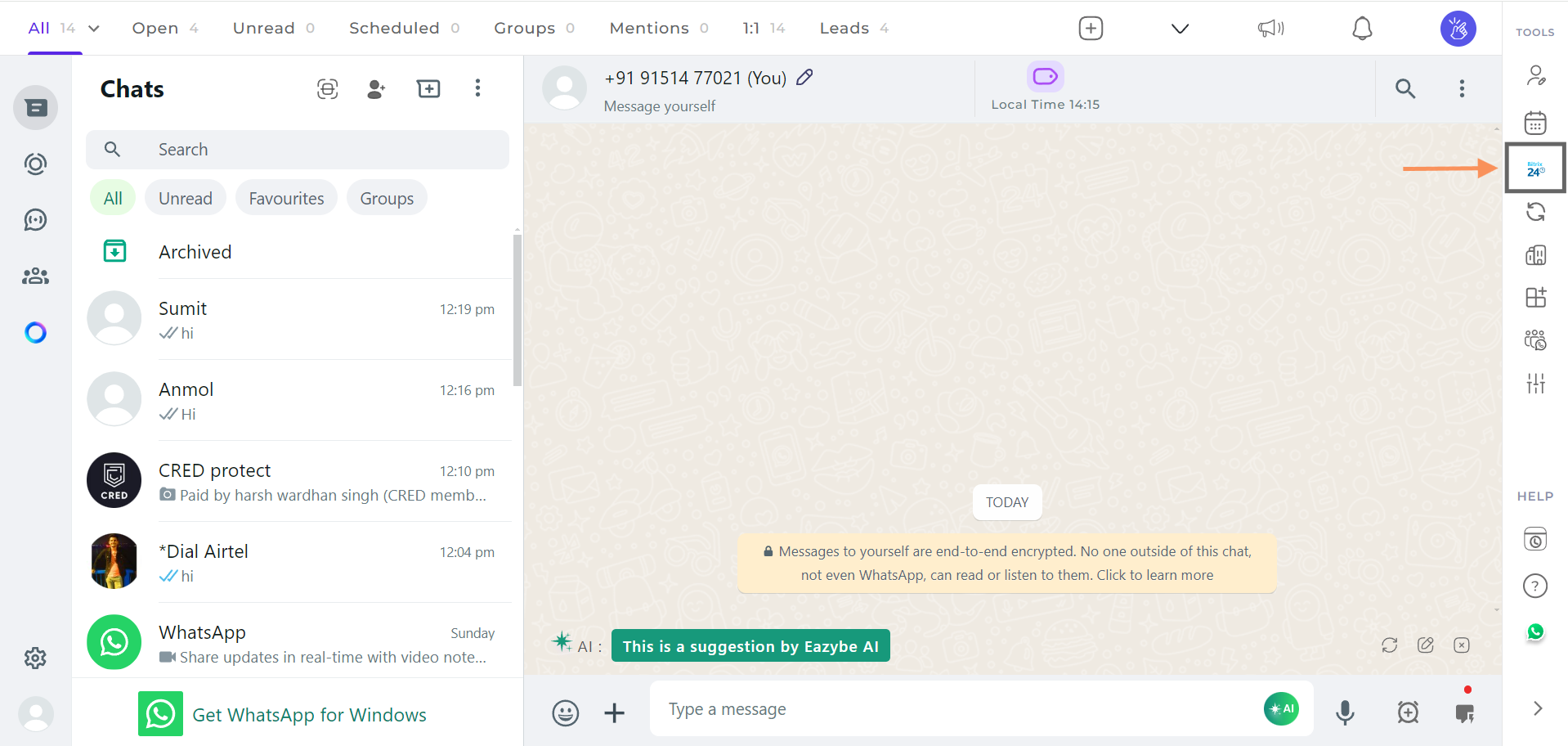
3
Access the Activity Section
The second header under the Bitrix integration will be the Activity section.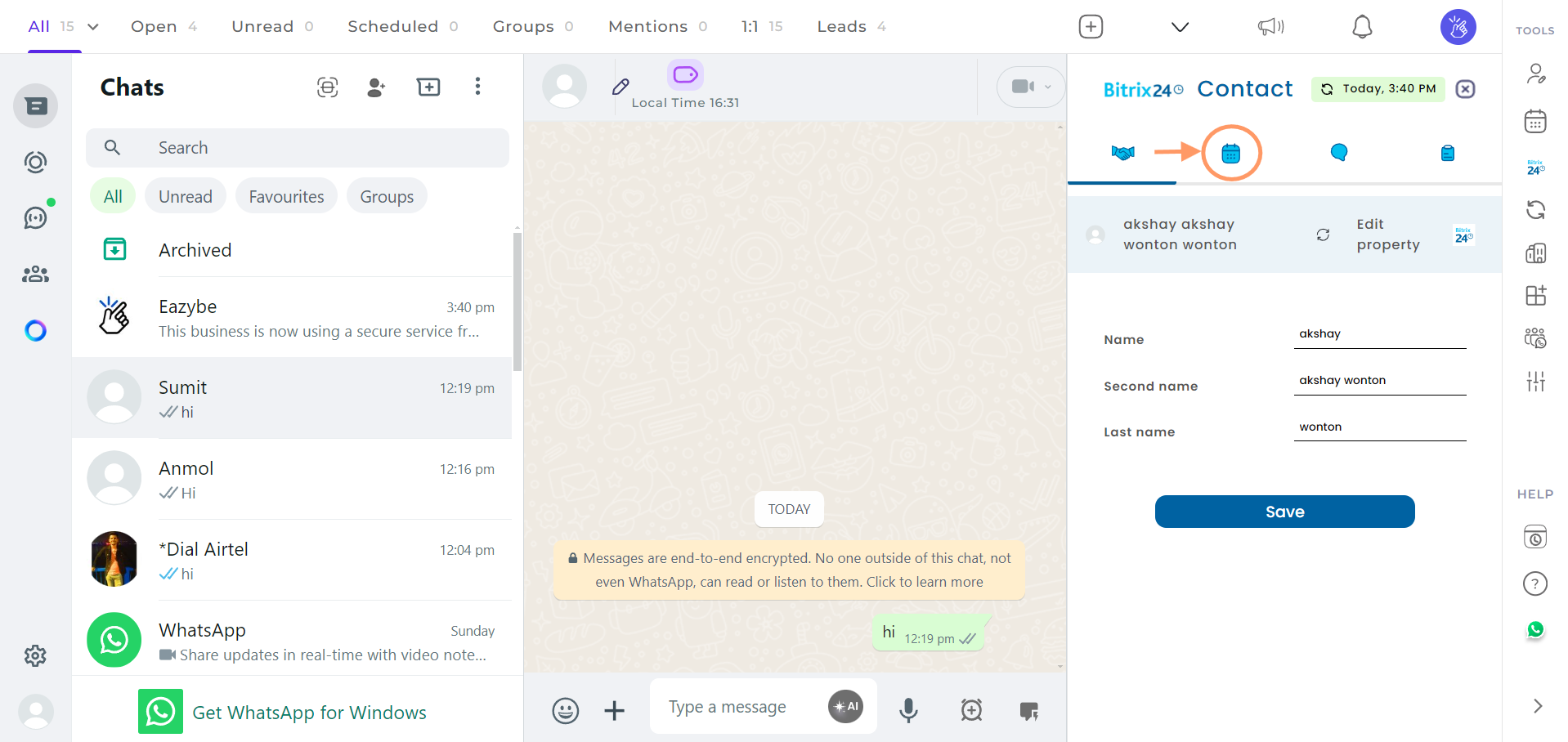
4
Add Activity
Click on the Add Activity button.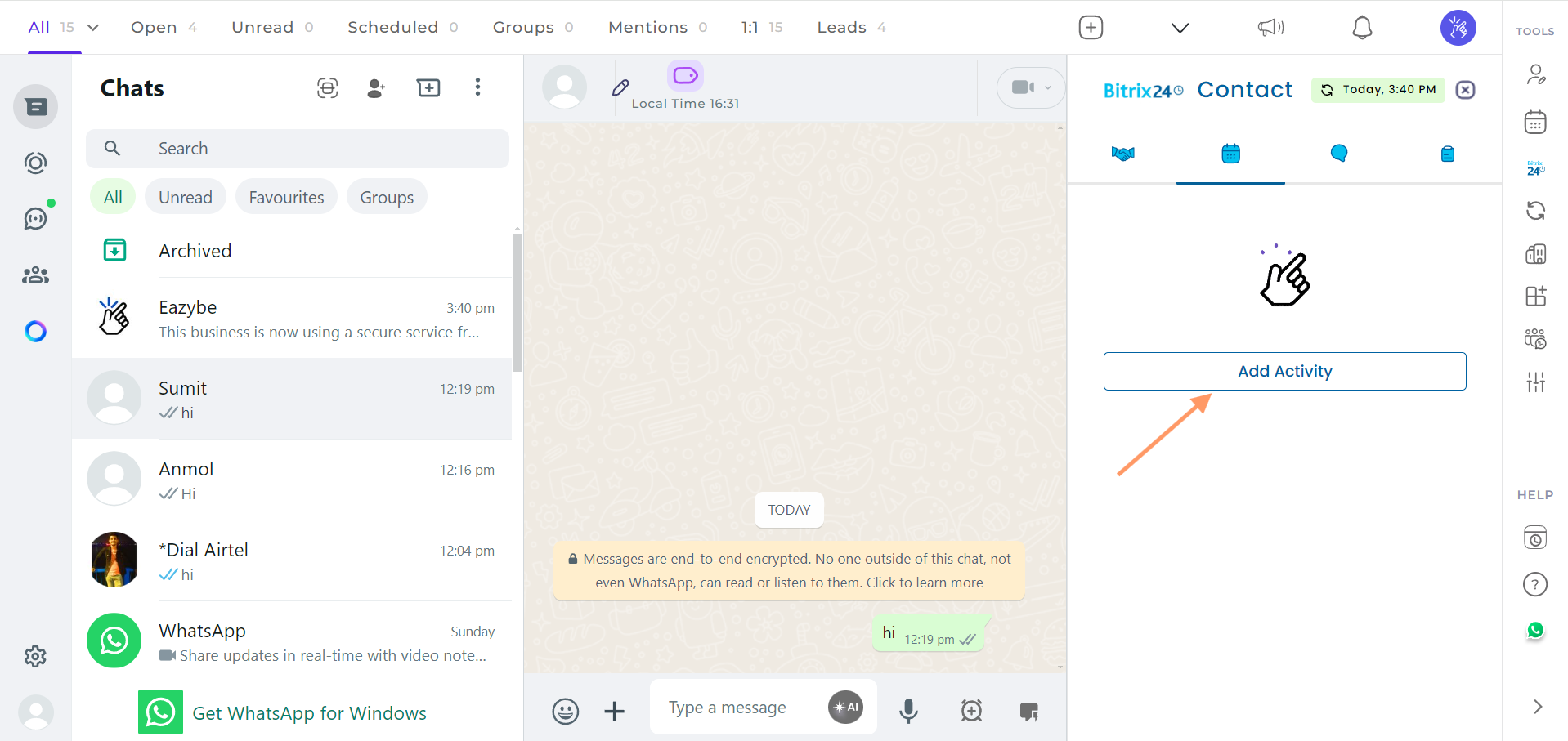
5
Fill in Required Fields
Fill in the necessary details in the provided fields. You can also add Notes in the activity section for additional context.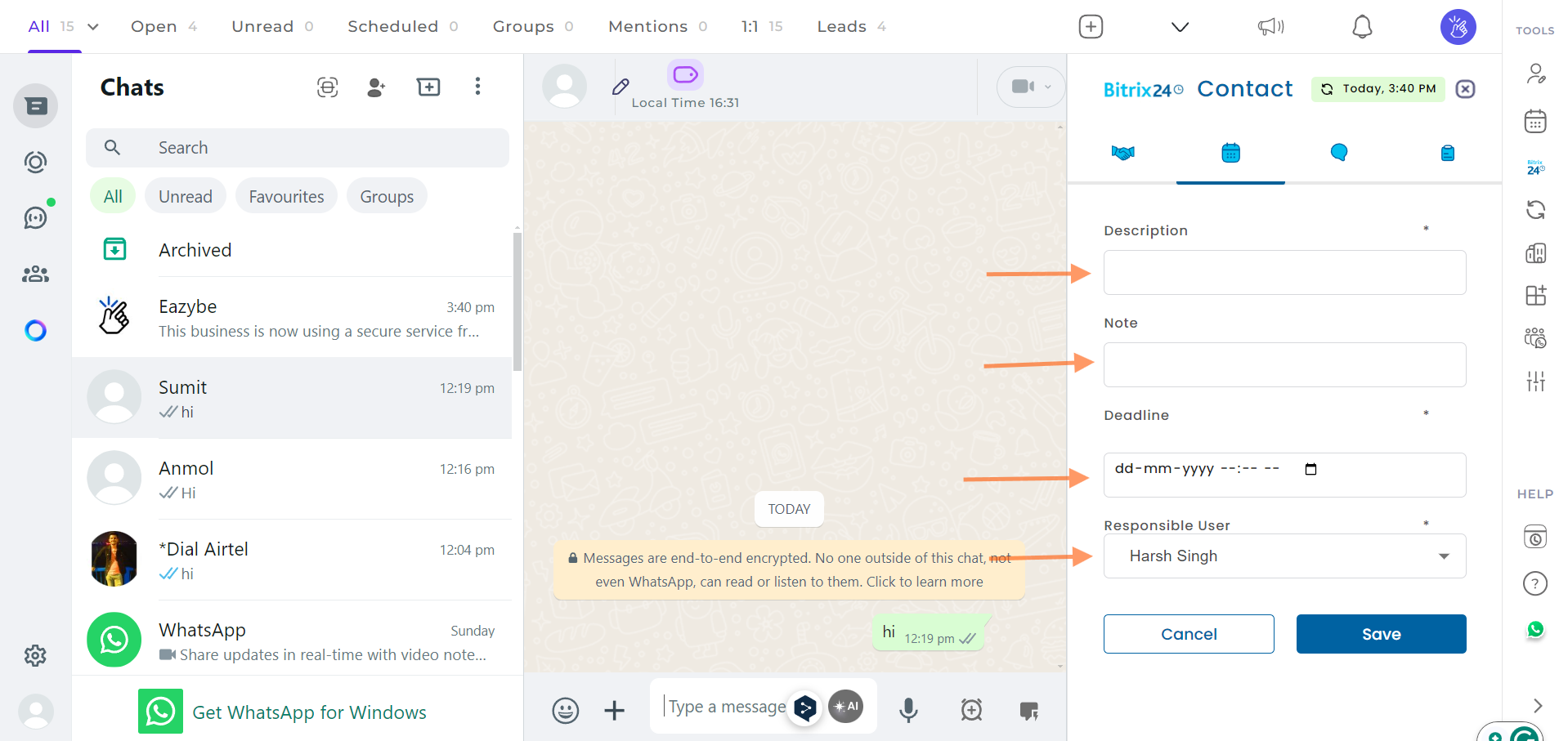
6
Save the Activity
Click on the Save button, and your activity will be created.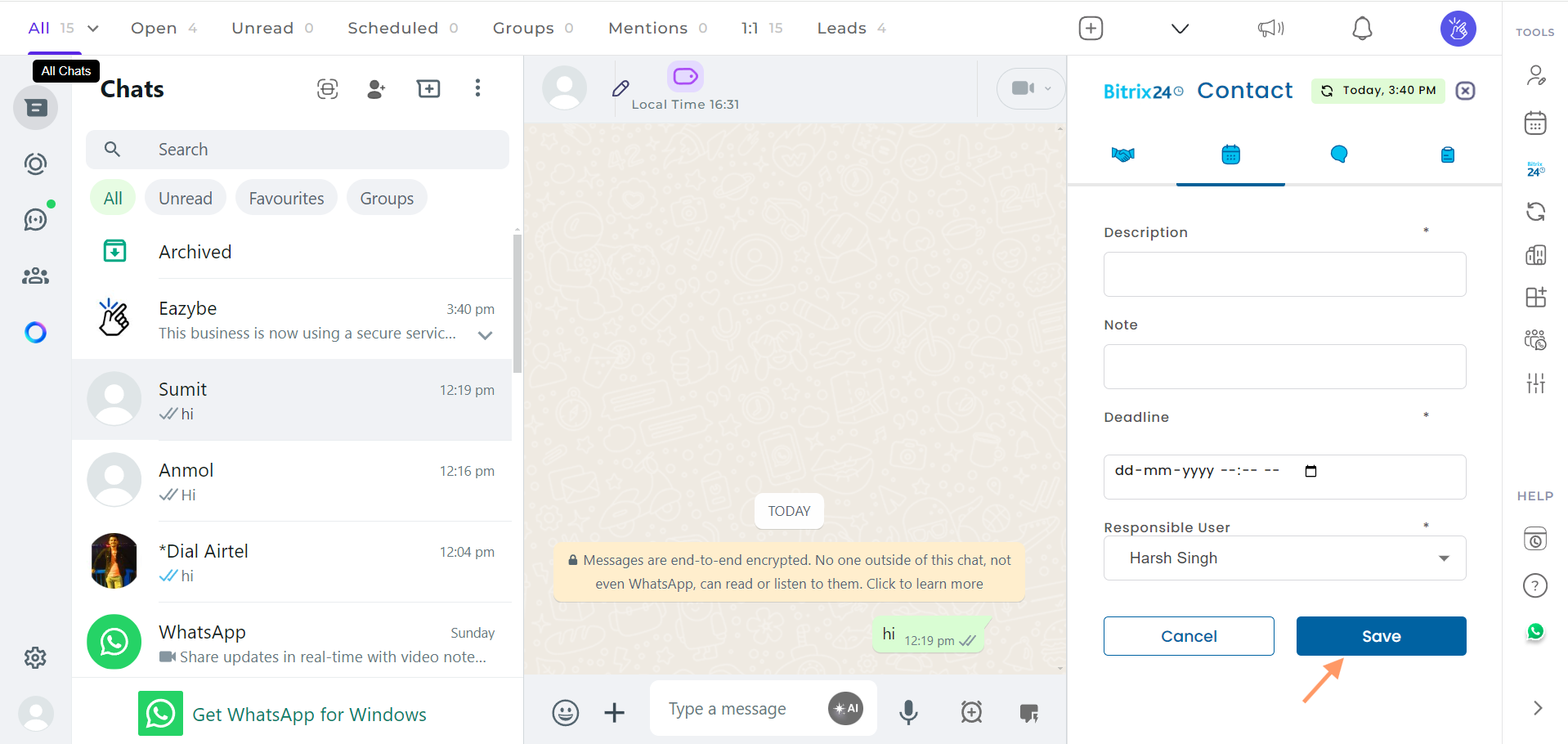
7
Manage Your Activity
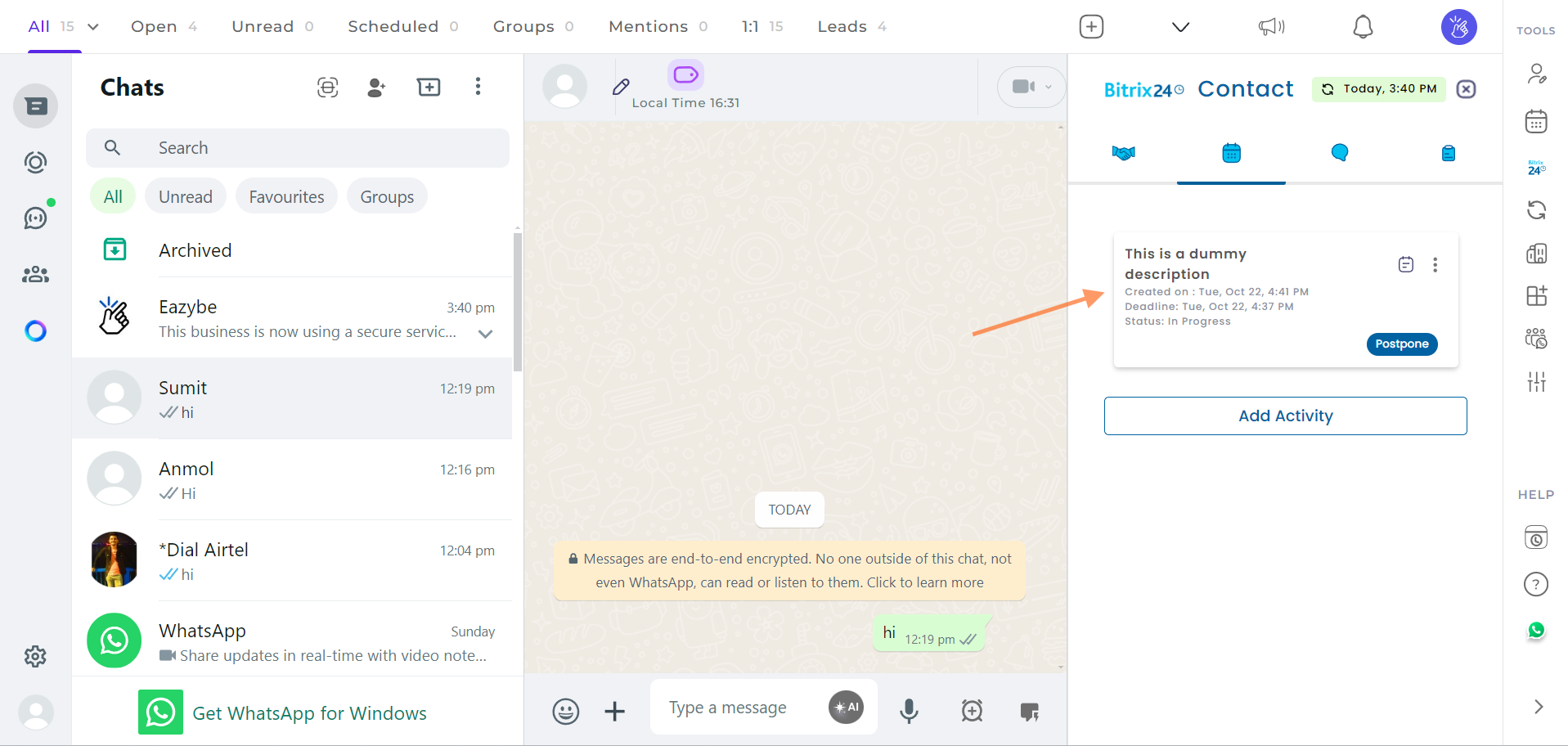
Once the activity is saved, it will be displayed in the UI. You will have options to:
- View Note - See any notes attached to the activity
- Postpone - Delay the activity by a certain amount of time
-
Edit or Delete - Modify or remove the activity by clicking on the three dots menu
If you have any questions or need further assistance, feel free to reach out to us at hey@eazybe.com.