

Verifying Successful Integration
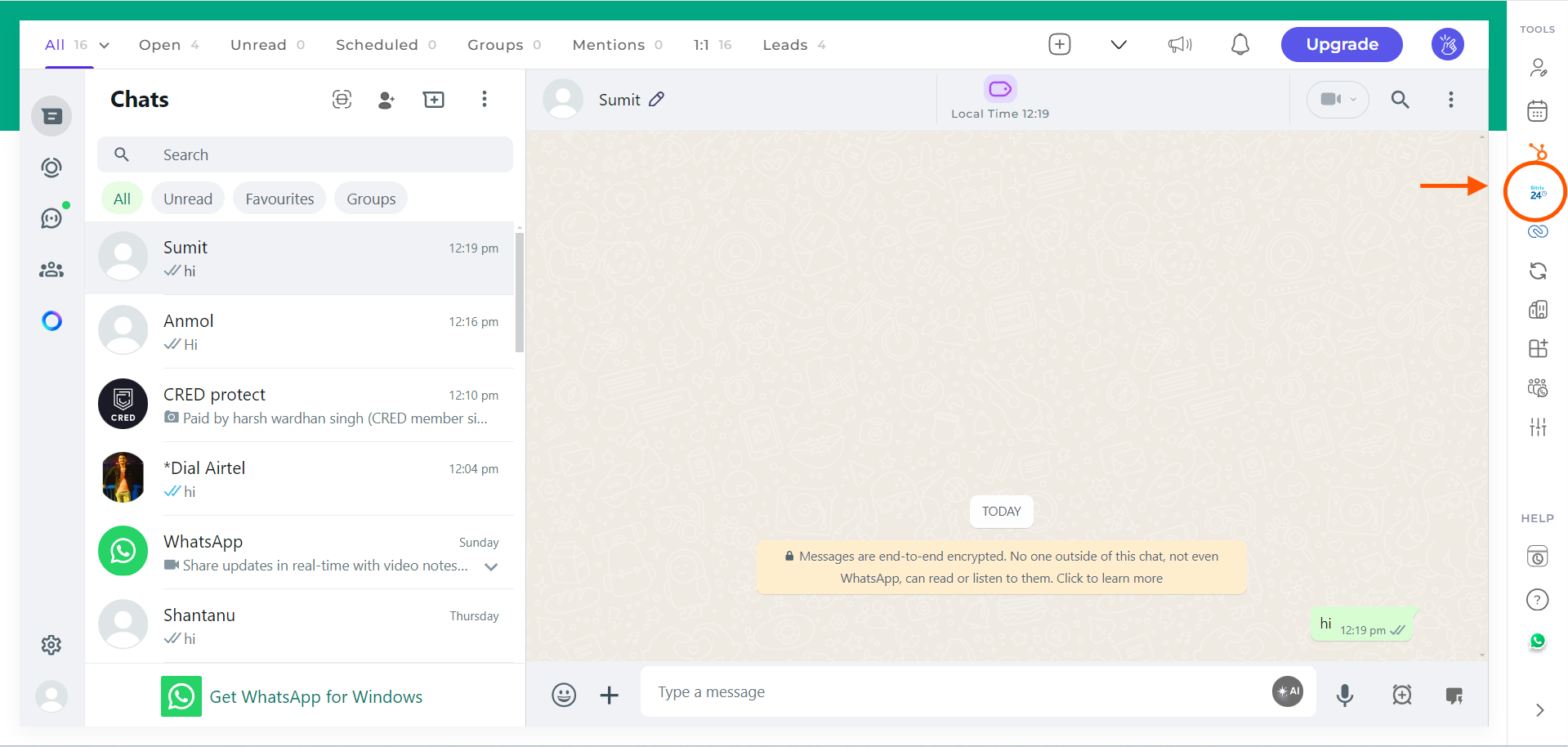
Once the integration of Bitrix with the EazyBe WhatsApp extension is completed, you will be automatically redirected back to WhatsApp.Look for the Bitrix icon in the right sidebar of the EazyBe extension. If you can see the icon, it indicates that the integration has been successfully completed.
Troubleshooting
If you don’t see the Bitrix icon after completing the integration:- Refresh the WhatsApp Web page - Sometimes a simple refresh resolves the issue
- Check your browser extensions - Ensure EazyBe is enabled and running
- Re-attempt the integration - Go through the connection process again
- Clear browser cache - Cached data may interfere with the integration
If you have any questions, reach out to us at hey@eazybe.com.