

Viewing Connected Team Members
Access the EazyBe Workspace to see your team’s Bitrix connection status.1
Log in to EazyBe Workspace
Go to workspace.eazybe.com and log in with your admin account credentials.
2
Navigate to Dashboard
Once logged in, navigate to the Dashboard section from the main menu.
3
Review Team Connections
The dashboard provides complete information on your team’s Bitrix usage. Look for the Bitrix icon in the table under the CRM integrated column.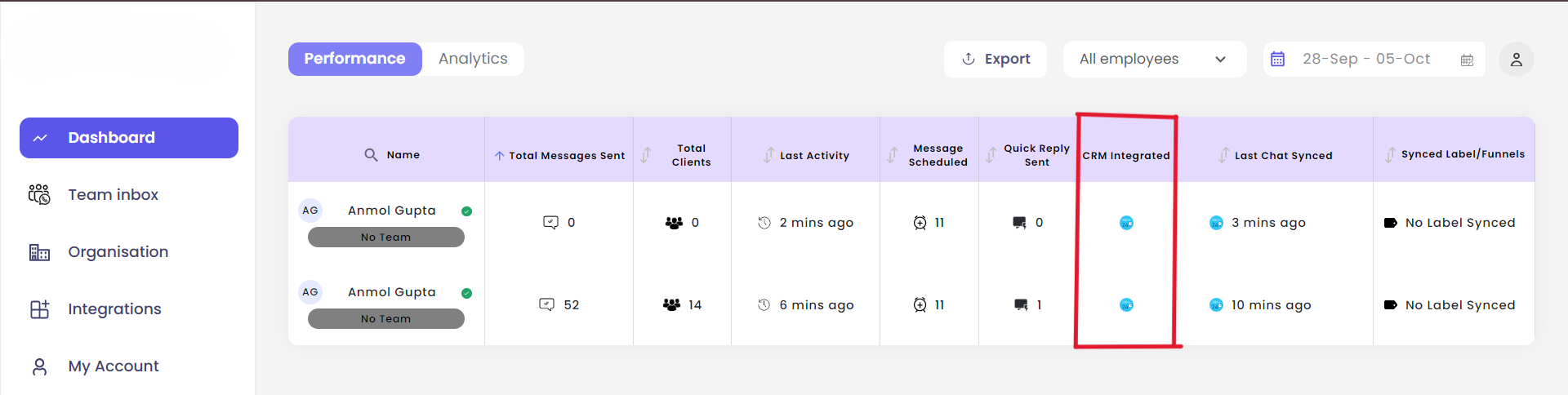
The Bitrix icon will only appear for team members who have successfully connected their Bitrix account to the EazyBe extension.
Understanding the Dashboard
The CRM integrated column shows:- Bitrix icon visible - Team member has connected Bitrix
- No icon - Team member has not yet connected a CRM
If you have any questions, reach out to us at hey@eazybe.com.