If you need to disconnect your Bitrix integration from EazyBe, follow these simple steps.
1

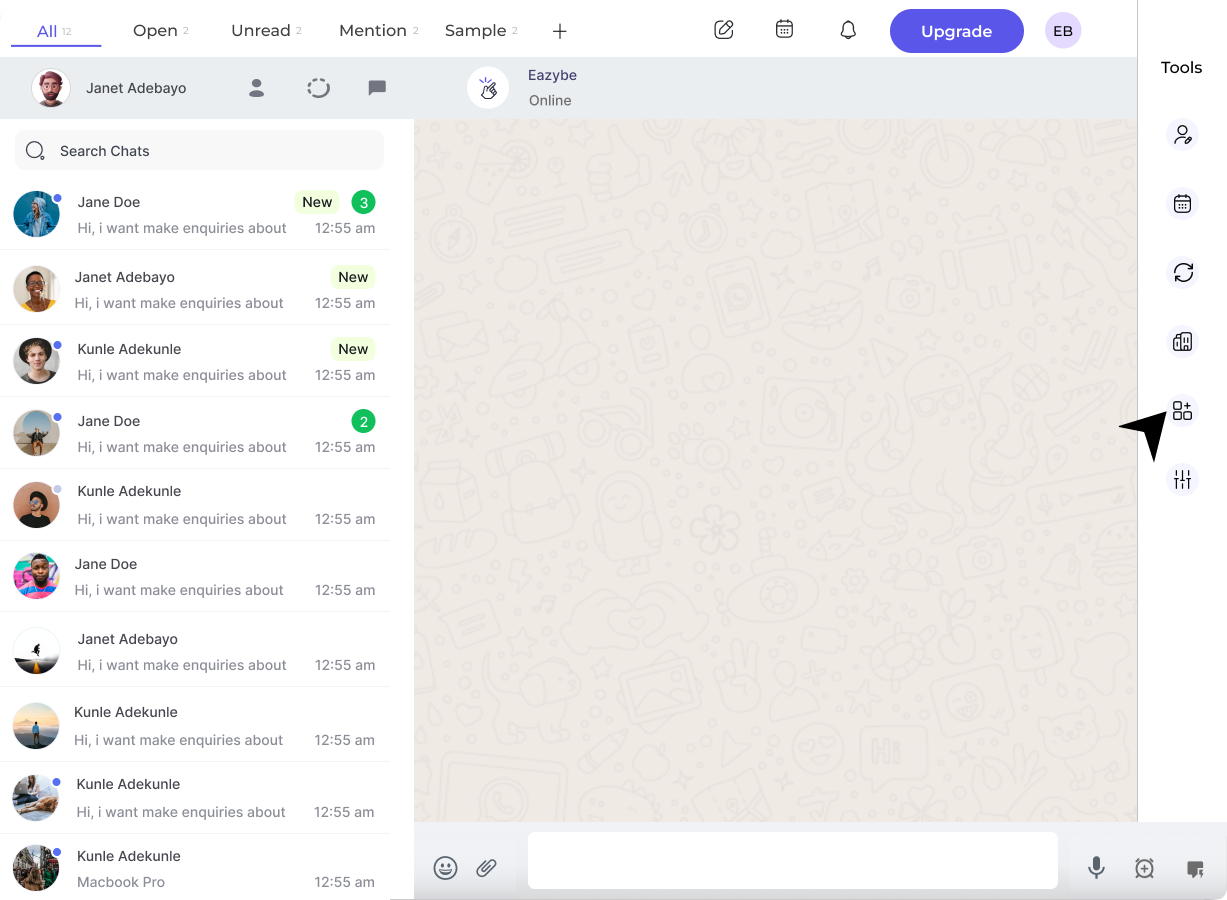
Open Integration Settings

Click on the integration button in the right sidebar of the EazyBe extension.Integration Button
2

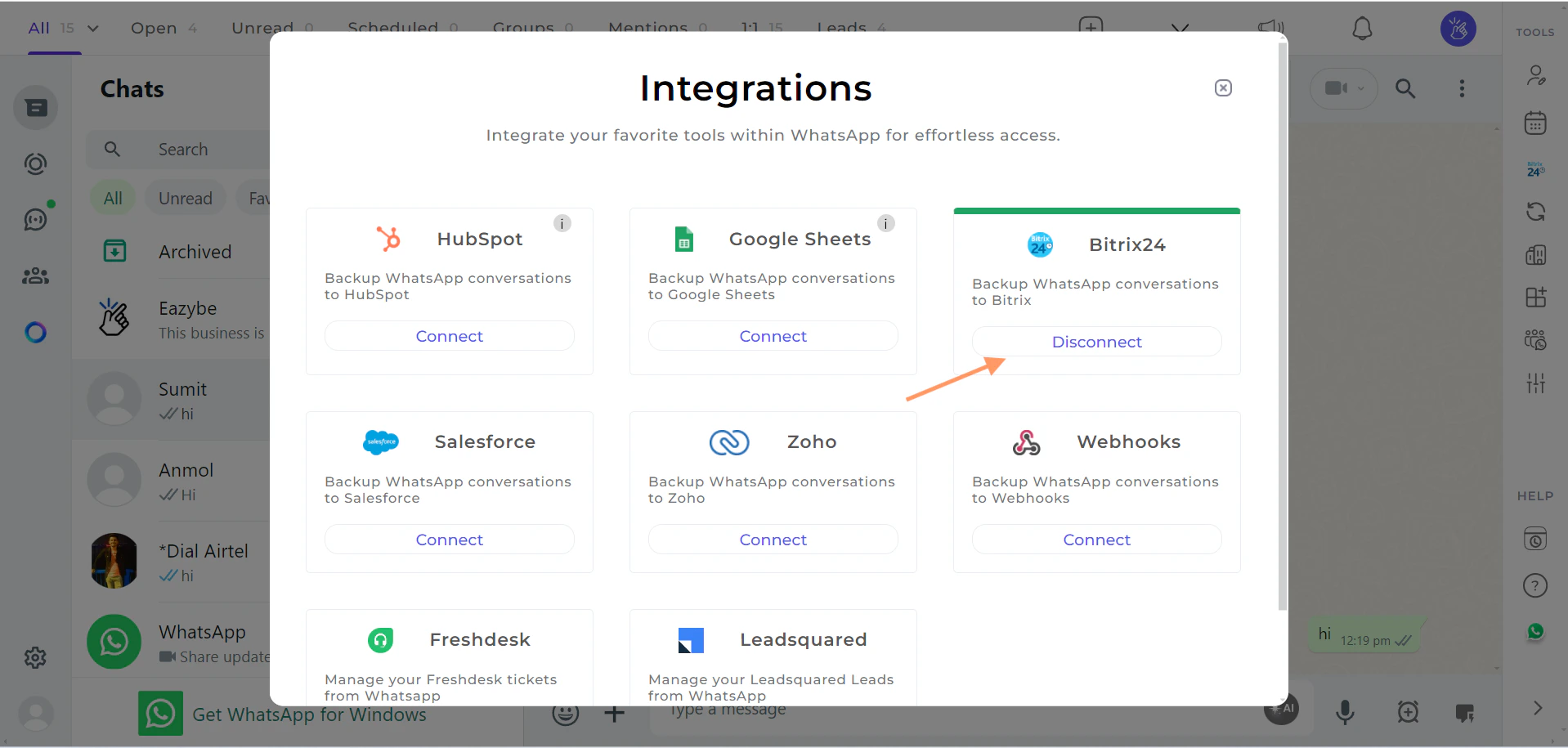
Disconnect Bitrix

Click on the Disconnect button under the Bitrix section.Disconnect ButtonA confirmation prompt will appear asking you to confirm the disconnection.
Disconnecting the integration will stop automatic syncing of WhatsApp conversations with Bitrix. You can always reconnect later if needed.

If you have any questions or need further assistance, feel free to reach out to us at [email protected]. We’re happy to help!