

Why Permissions Are Needed
The requested permissions enable smooth syncing and backup of your WhatsApp chats with the EazyBe WhatsApp Chrome Extension. Without these permissions, the integration cannot:- Access your Bitrix contacts
- Sync WhatsApp conversations
- Create and update CRM records
- Store chat history in your Bitrix account
Permission Request Screen
During the integration setup, you will see a permissions screen similar to this: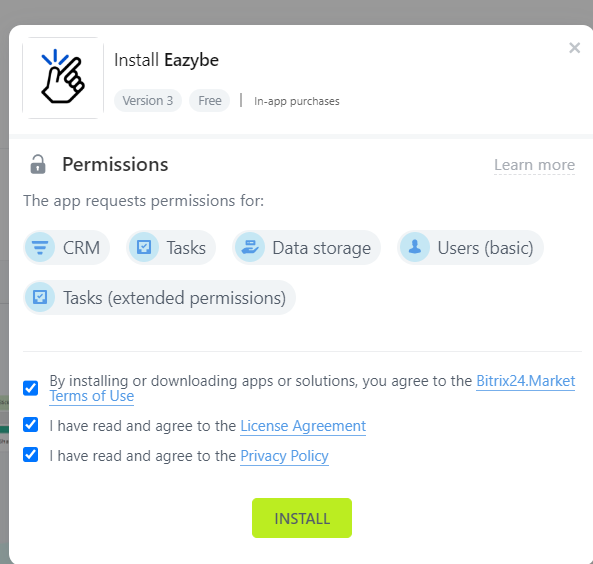
You must accept all requested permissions for the integration to work correctly. Declining any permission may result in limited or no functionality.
Permissions Checklist
When prompted, ensure you grant access for:- CRM Access - Read and write access to contacts and leads
- Activity Management - Ability to create and manage activities
- Timeline Access - Permission to add entries to contact timelines
- User Information - Basic access to identify the connected account
If you have any questions, reach out to us at hey@eazybe.com.