

View Opportunity on LeadSquared
1
Select the Opportunity
Click on the respective opportunity you want to view from the Mini-CRM panel.
2
Open in LeadSquared
Click the View Opportunity on LeadSquared button to access the LeadSquared Opportunities page directly.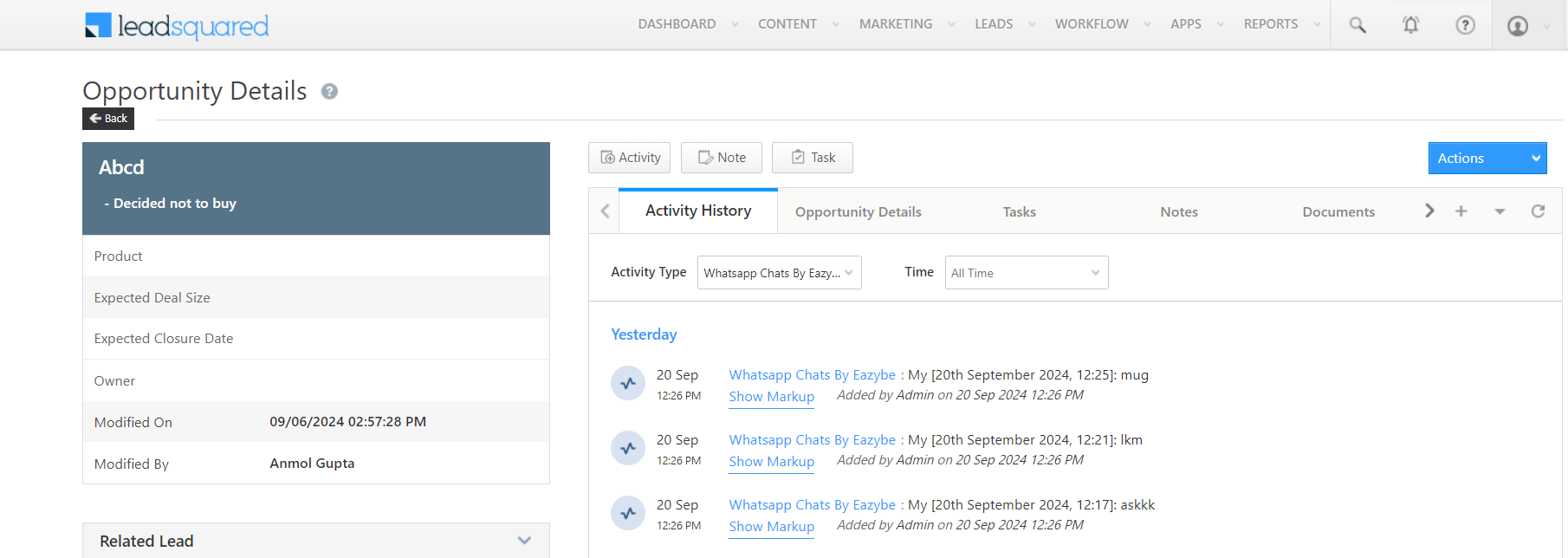
You can also view chat backup in the Opportunities section within LeadSquared.
Edit Opportunity
1
Select the Opportunity
Choose the opportunity you want to modify from the list.
2
Open Edit Mode
Click the Edit button to open the properties window.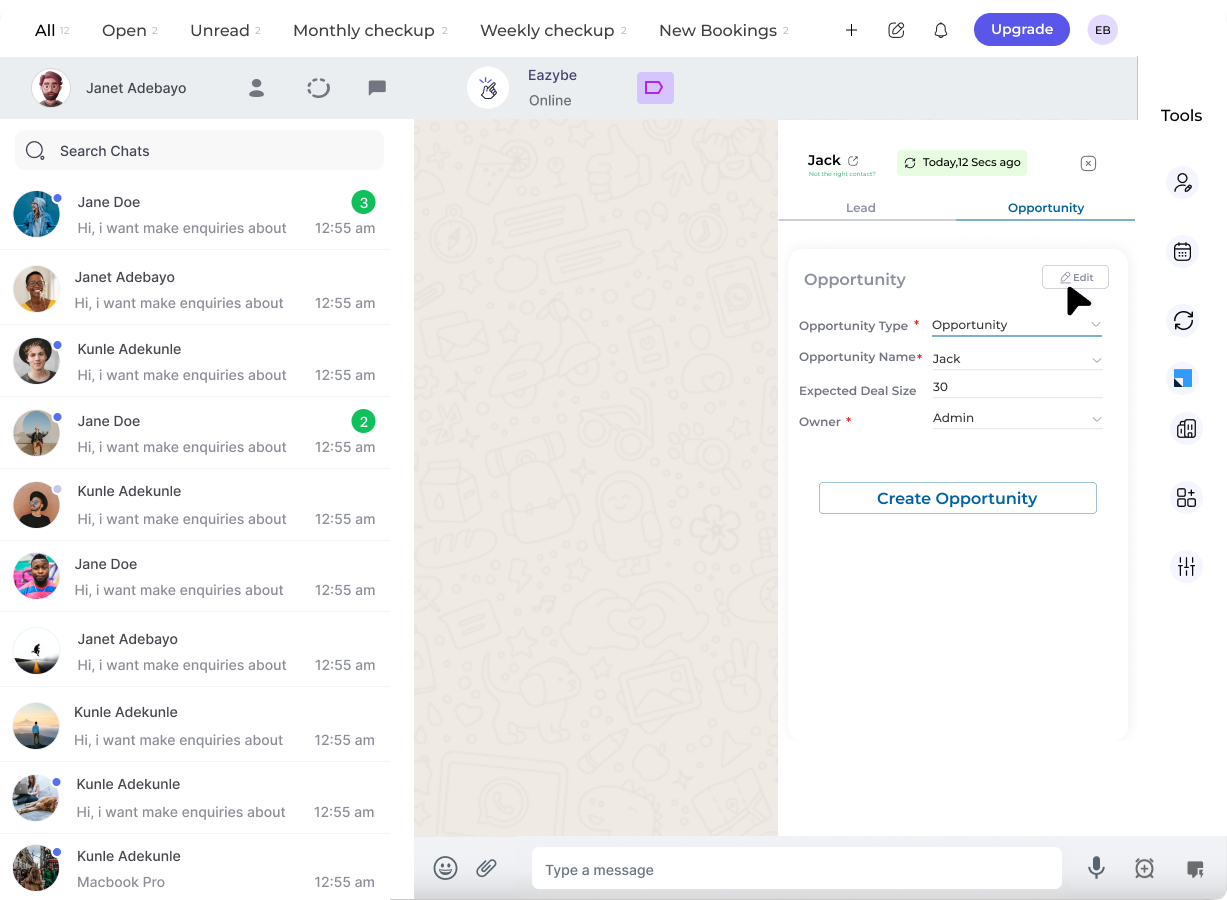
3
Modify Properties
Adjust the user properties as needed in the edit form.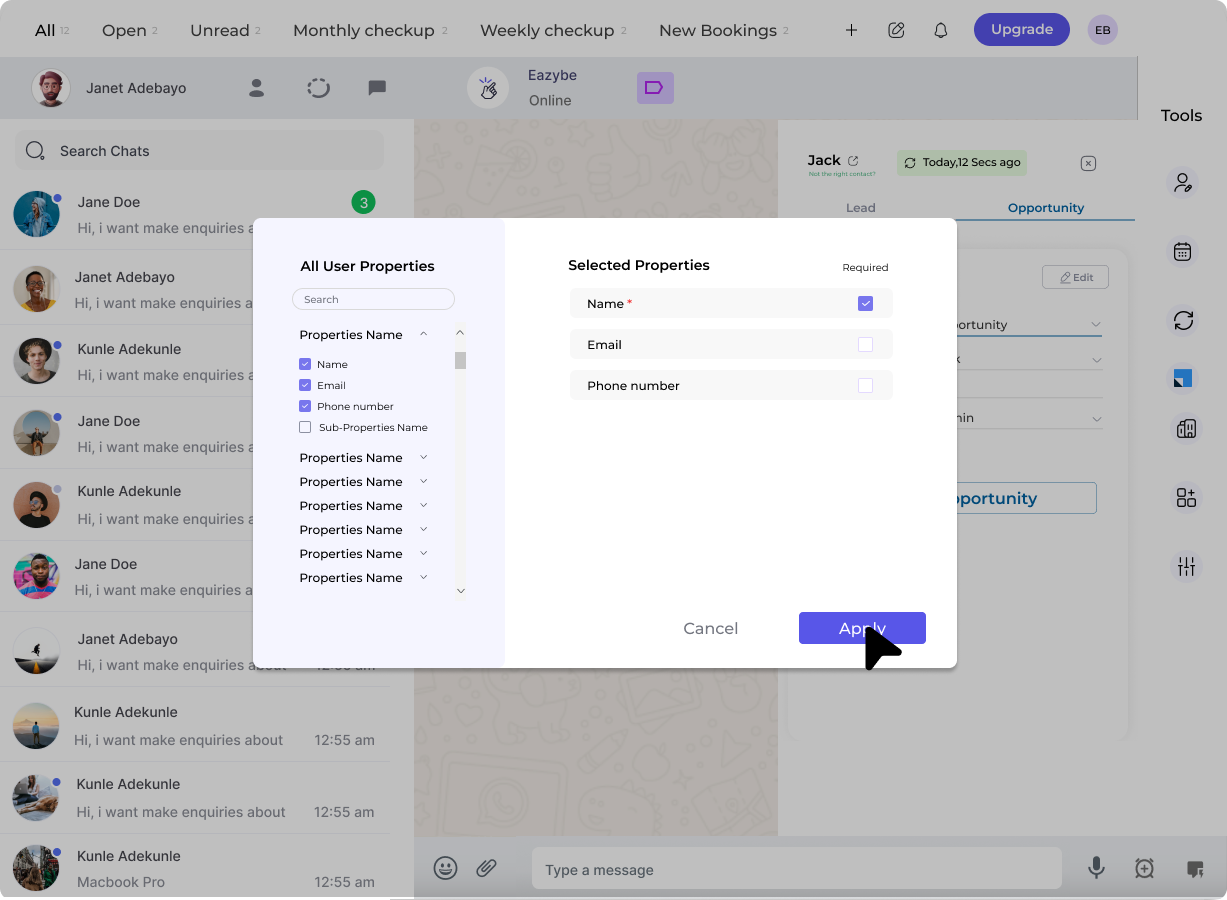
4
Save Changes
Click Apply to confirm your changes, then click Save to finalize the updates.
Delete Opportunity
1
Access Options Menu
Click the three dots beside the target opportunity.
2
Delete
Select the Delete button to remove the opportunity.
Create Opportunity Tasks
1
Open the Opportunity
Click on the target opportunity to open its details.
2
Navigate to Tasks Section
Go to the Tasks section within the opportunity.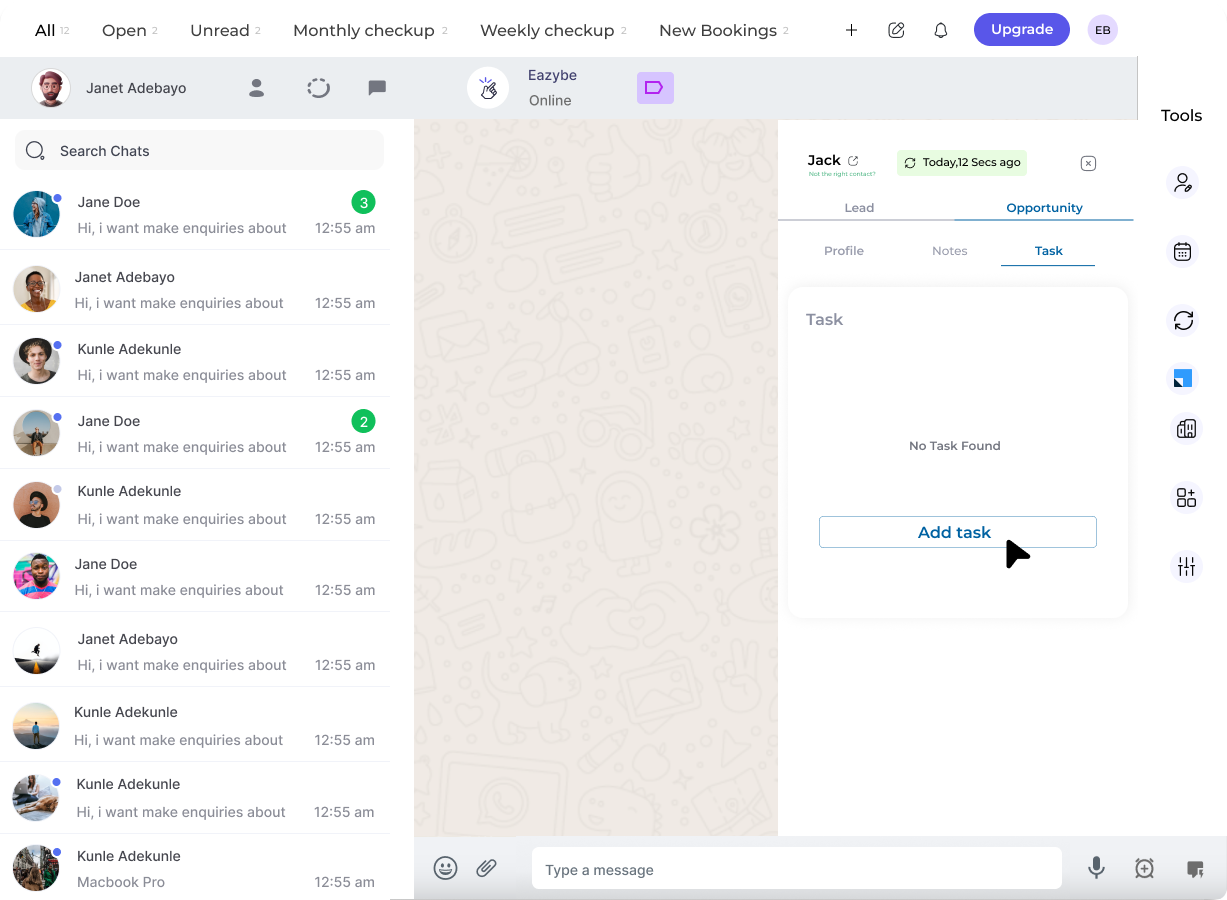
3
Add New Task
Click Add Task and fill in the required details.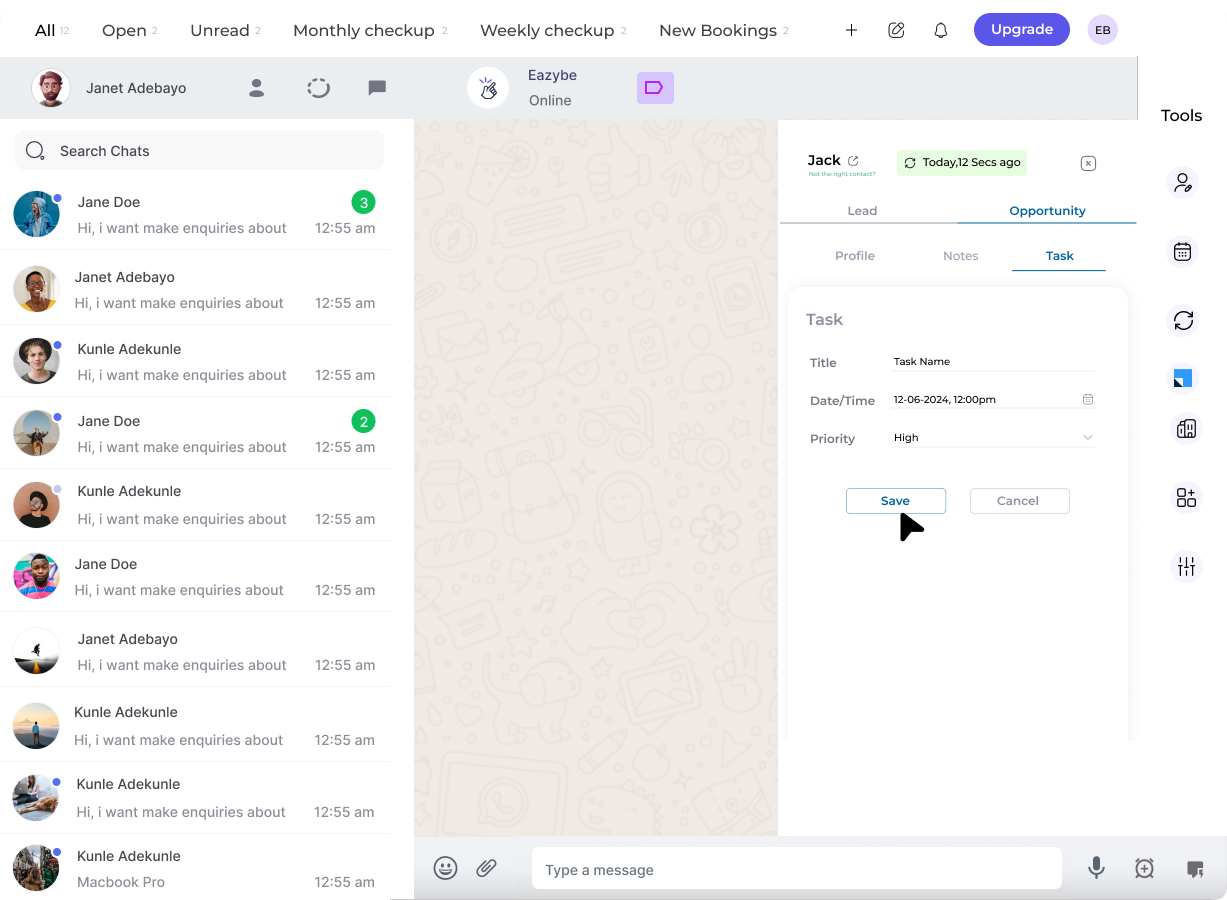
4
Save Task
Click Save to create the task.