

Create a New Lead in LeadSquared
1
Open the WhatsApp Conversation
Open the WhatsApp conversation with the contact you wish to create a lead for.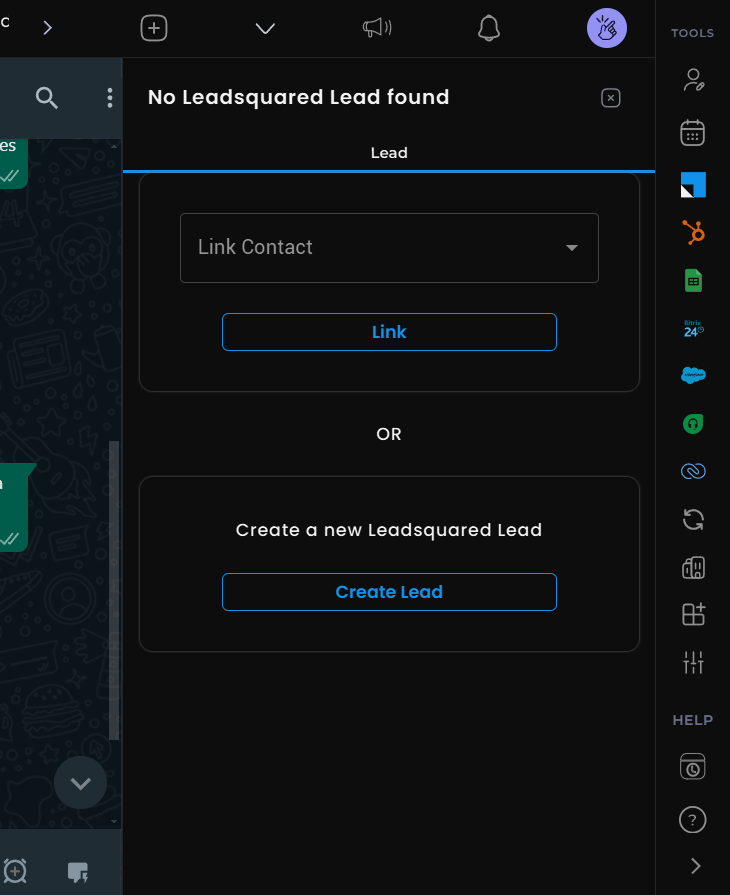
2
Access LeadSquared Mini-CRM
Click the LeadSquared icon in the right sidebar to access the Mini-CRM interface.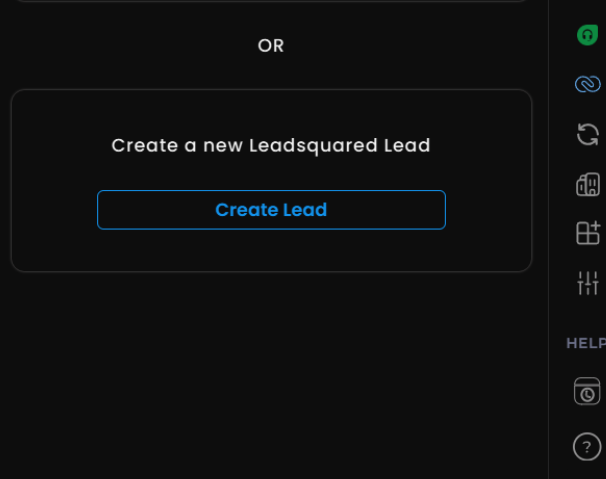
3
Link or Create Contact
- To link an existing lead: Select “Link Contact”, choose the lead from available options, and confirm
- For new contacts: Click “Create Contact”, then populate the required fields
4
View Lead in LeadSquared
Once created, use the “View Lead on LeadSquared” button to view the lead directly in LeadSquared.
Customize Lead Properties
1
Access the Lead's Contact Card
Open the WhatsApp chat of the LeadSquared lead you want to customize.
2
Open Edit Mode
Click the “Edit” button in the Contact Card to modify properties.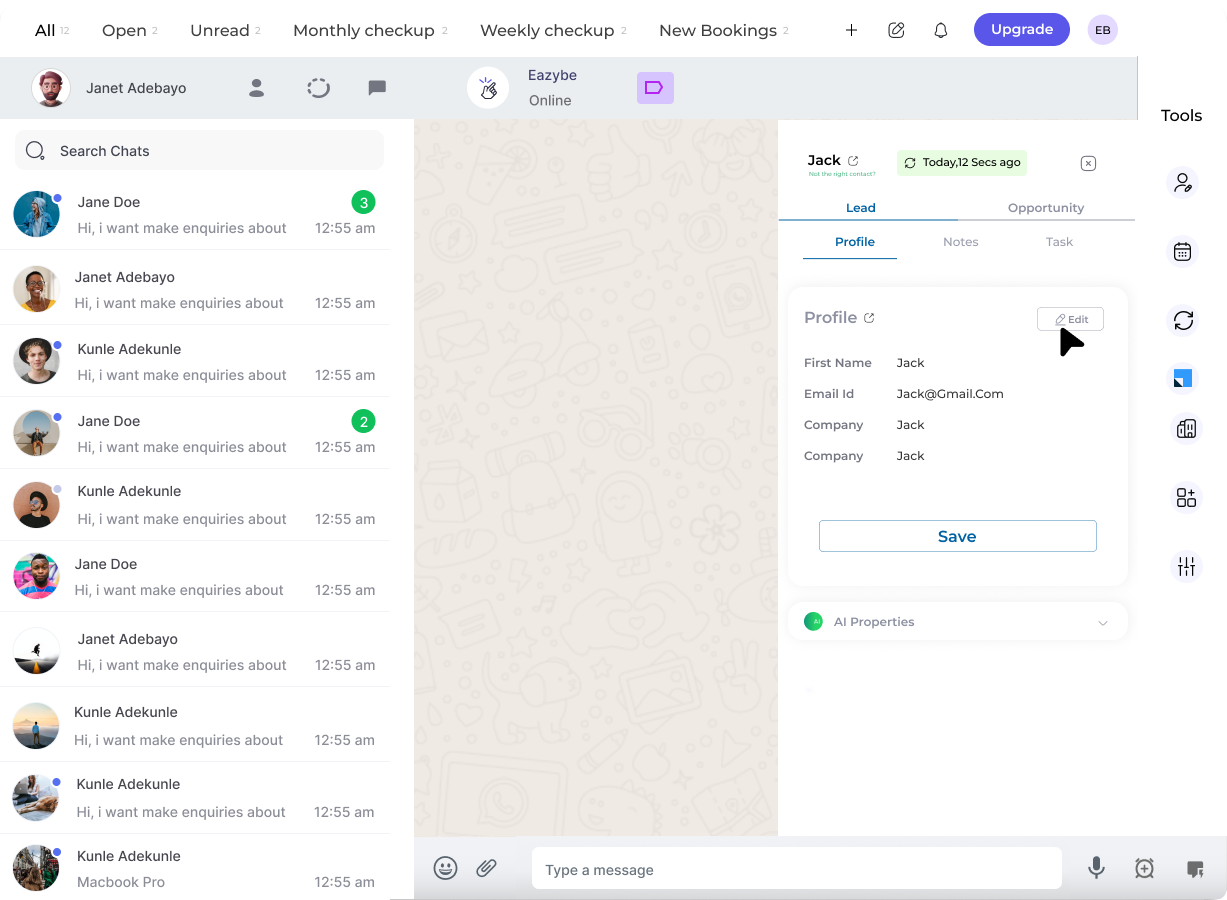
3
Modify Properties
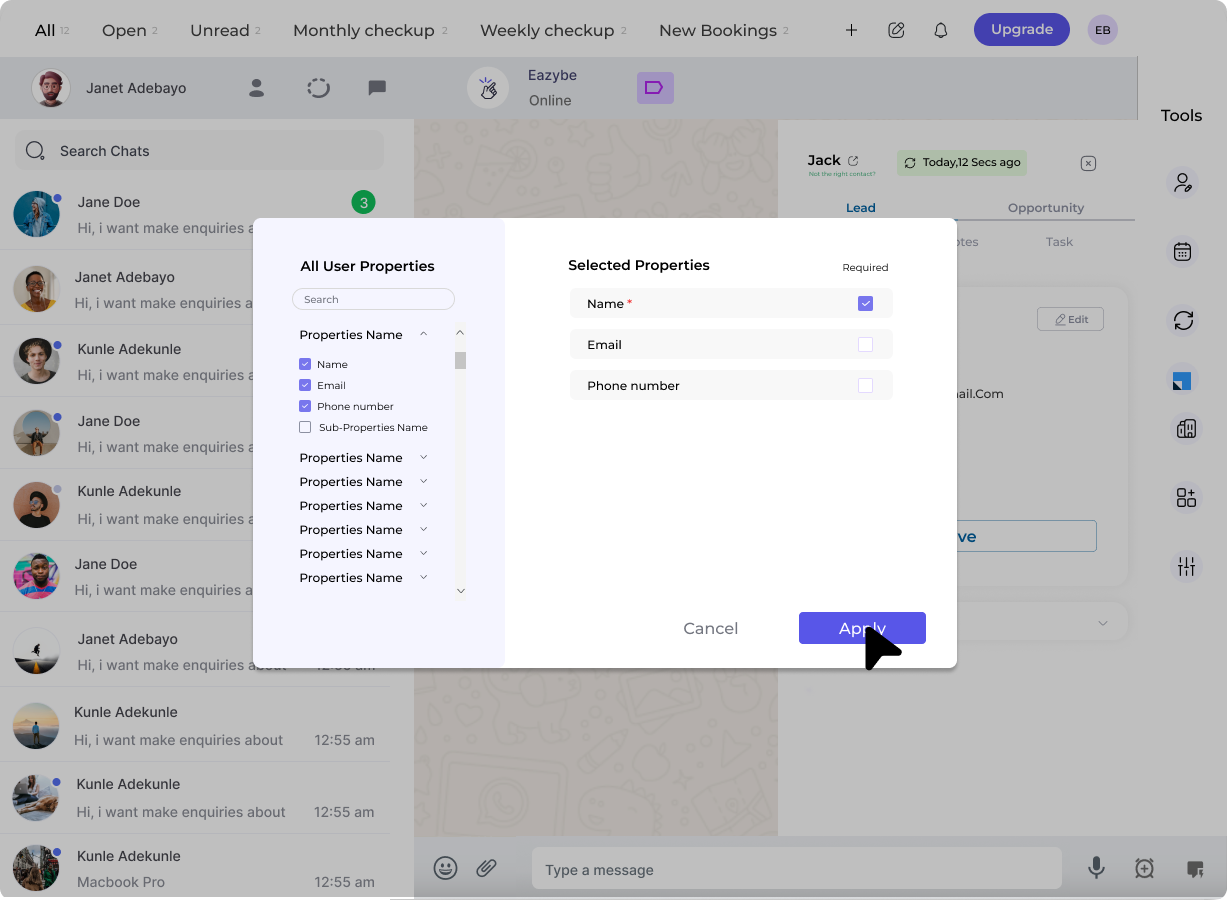
A dialog appears where you can:
- Edit property values
- Reorder properties
-
Designate fields as required or optional
4
Save Changes
Click “Apply” to confirm your changes, then “Save” to finalize.