

Viewing and Editing Lead Profile
1
Open the Lead's WhatsApp Chat
Access the WhatsApp conversation of the LeadSquared lead whose profile you want to view or edit.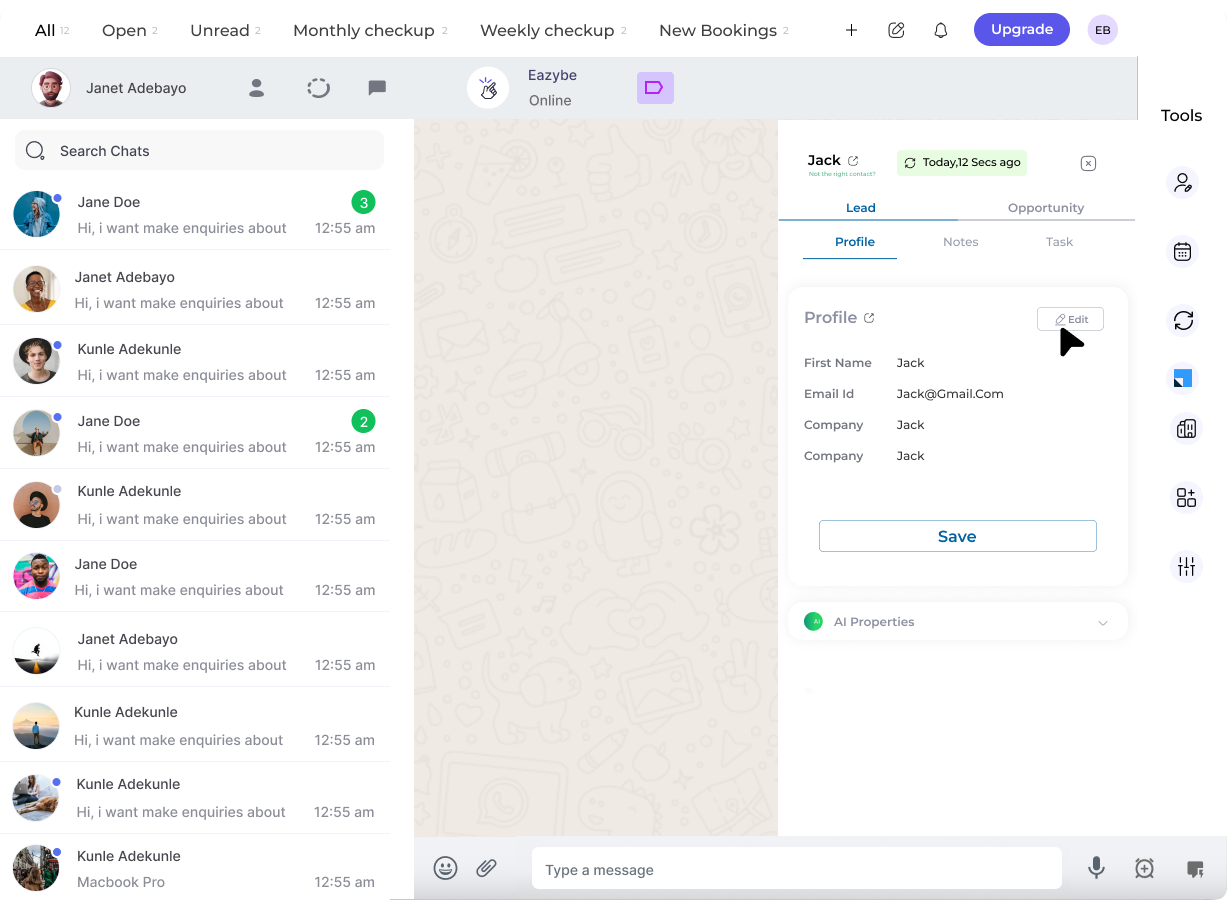
2
Access the Profile Section
Click the LeadSquared icon in the right sidebar to view the profile section under the Lead section.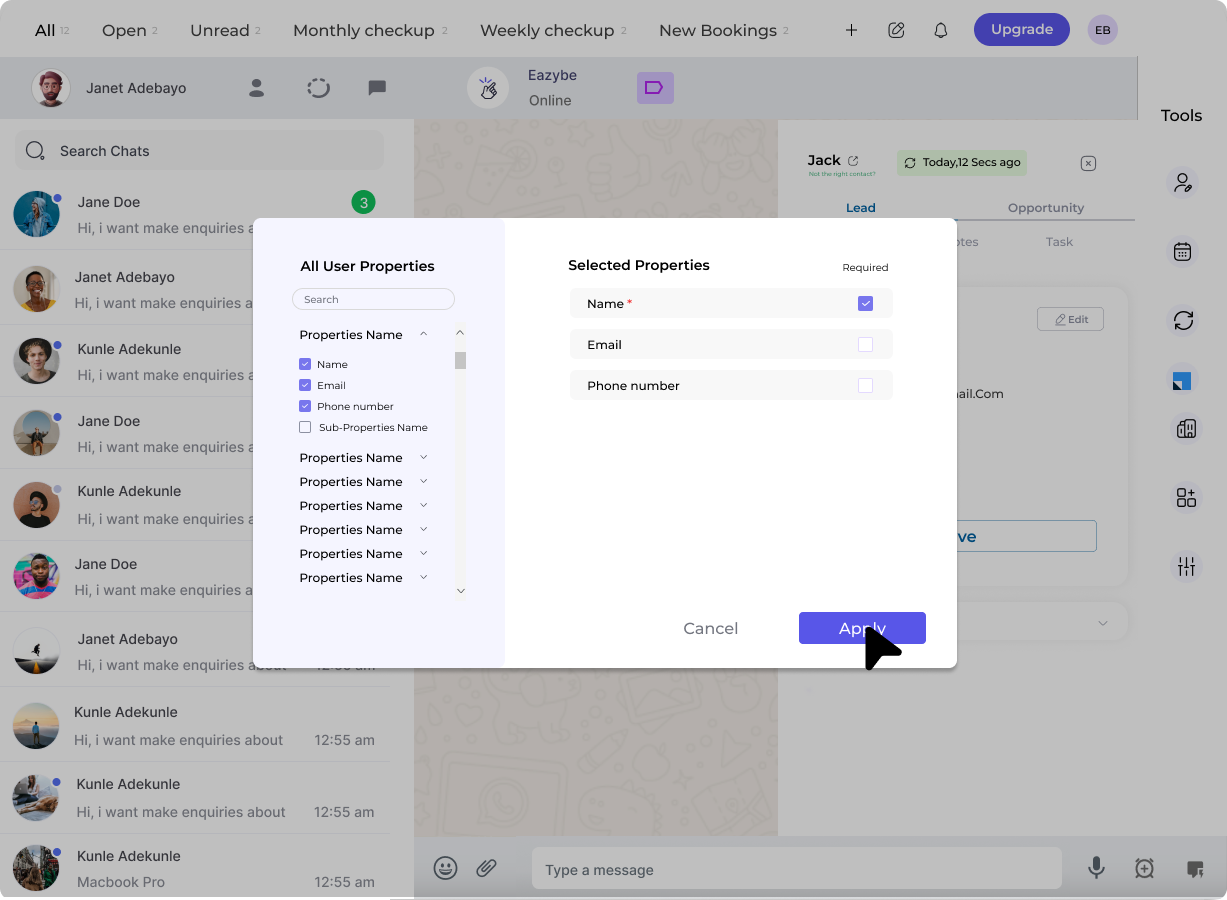
3
Edit Lead Properties
View and modify user properties as needed. Click “Apply” to confirm your changes.
For detailed instructions on editing lead properties, see the Create and Customize Lead guide.
4
Save Lead Details
Click “Save” to finalize all modifications to the lead profile.