

Creating and Managing Opportunities
1
Open the Lead's WhatsApp Chat
Access the WhatsApp conversation for the LeadSquared contact you want to create an opportunity for.
2
Access the Opportunity Section
Navigate to the Mini-CRM view in the right sidebar. The Opportunity section appears only if the lead already exists in LeadSquared.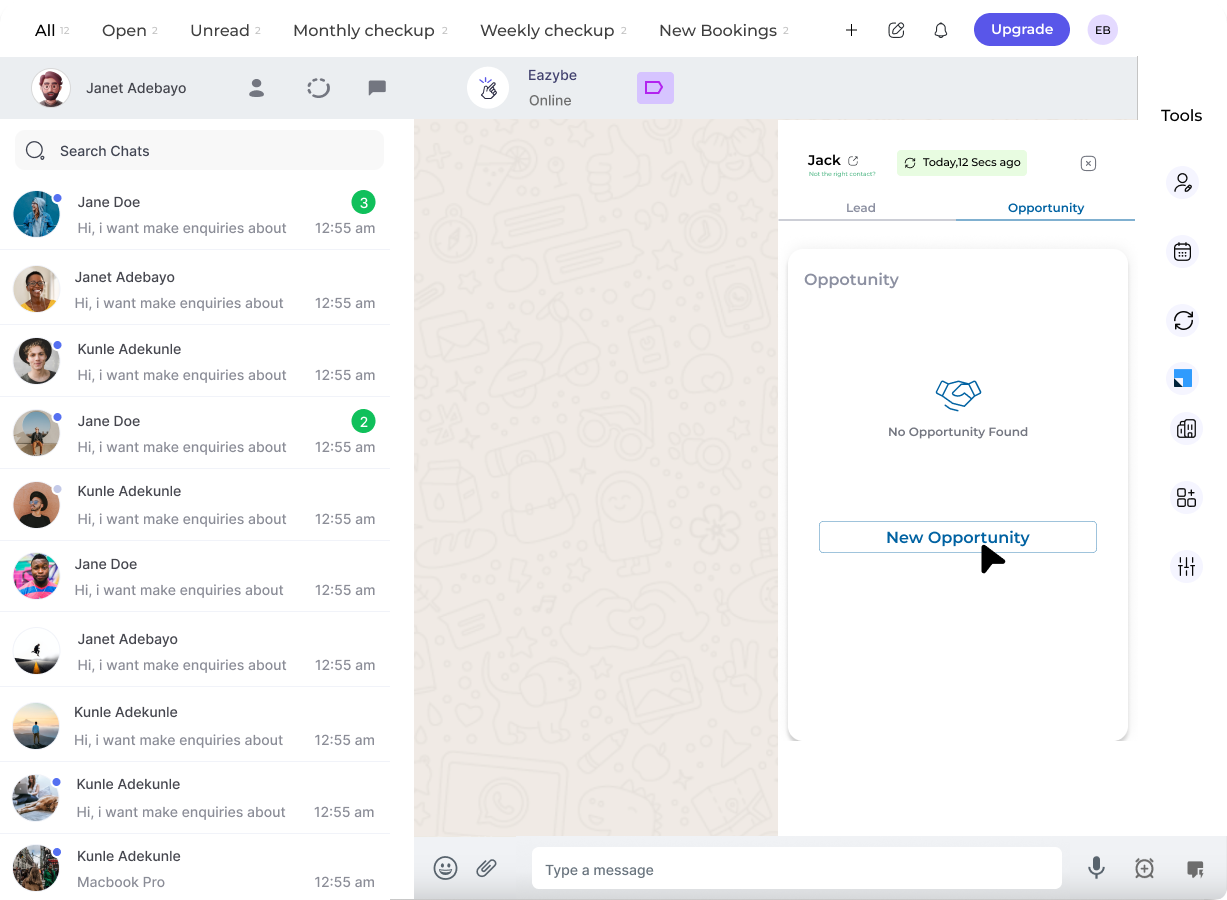
3
Create Opportunity
Click the Create Opportunity button to begin adding a new opportunity for this lead.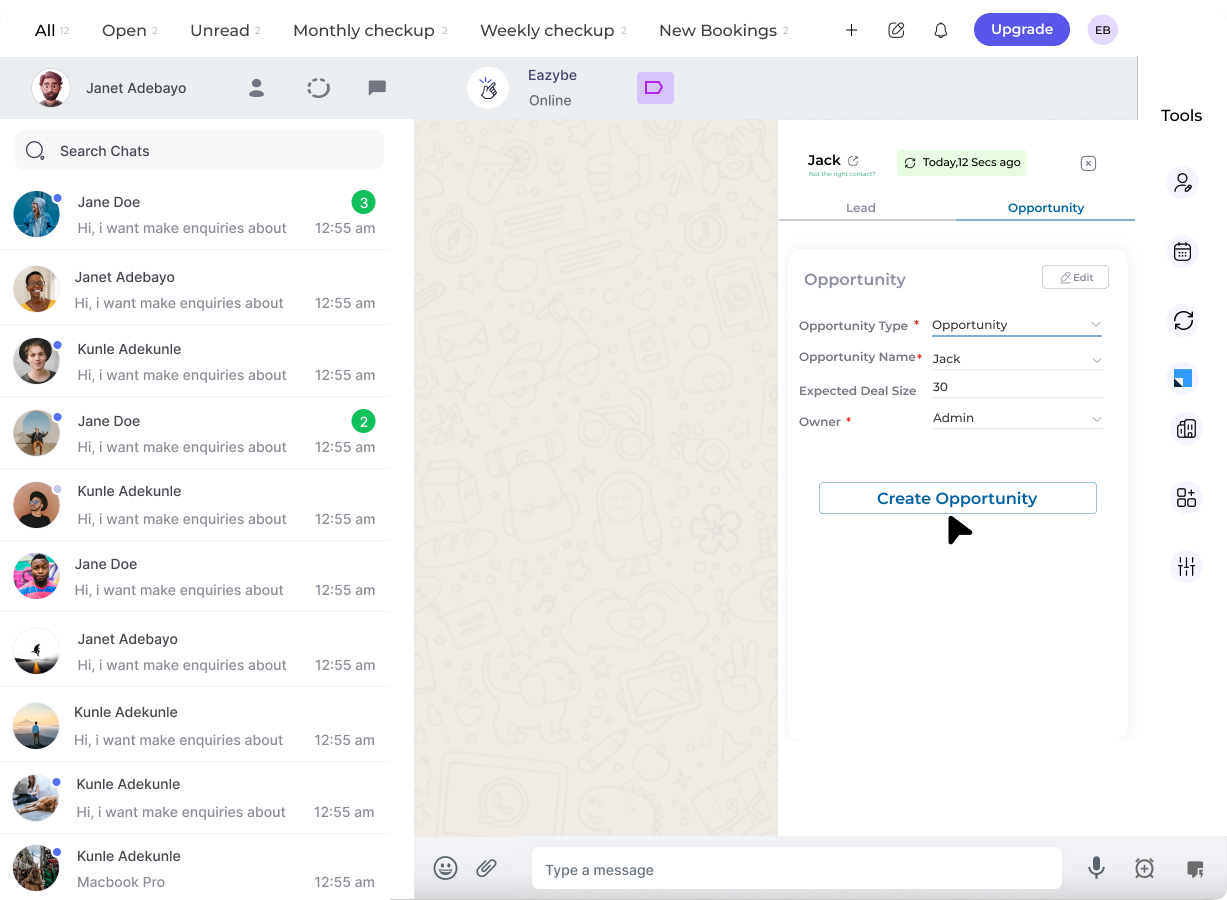
4
Edit Opportunity Details
Fill in the required opportunity information including deal value, stage, and other relevant details.
5
Save Opportunity Details
Click the Save button to finalize and create the opportunity.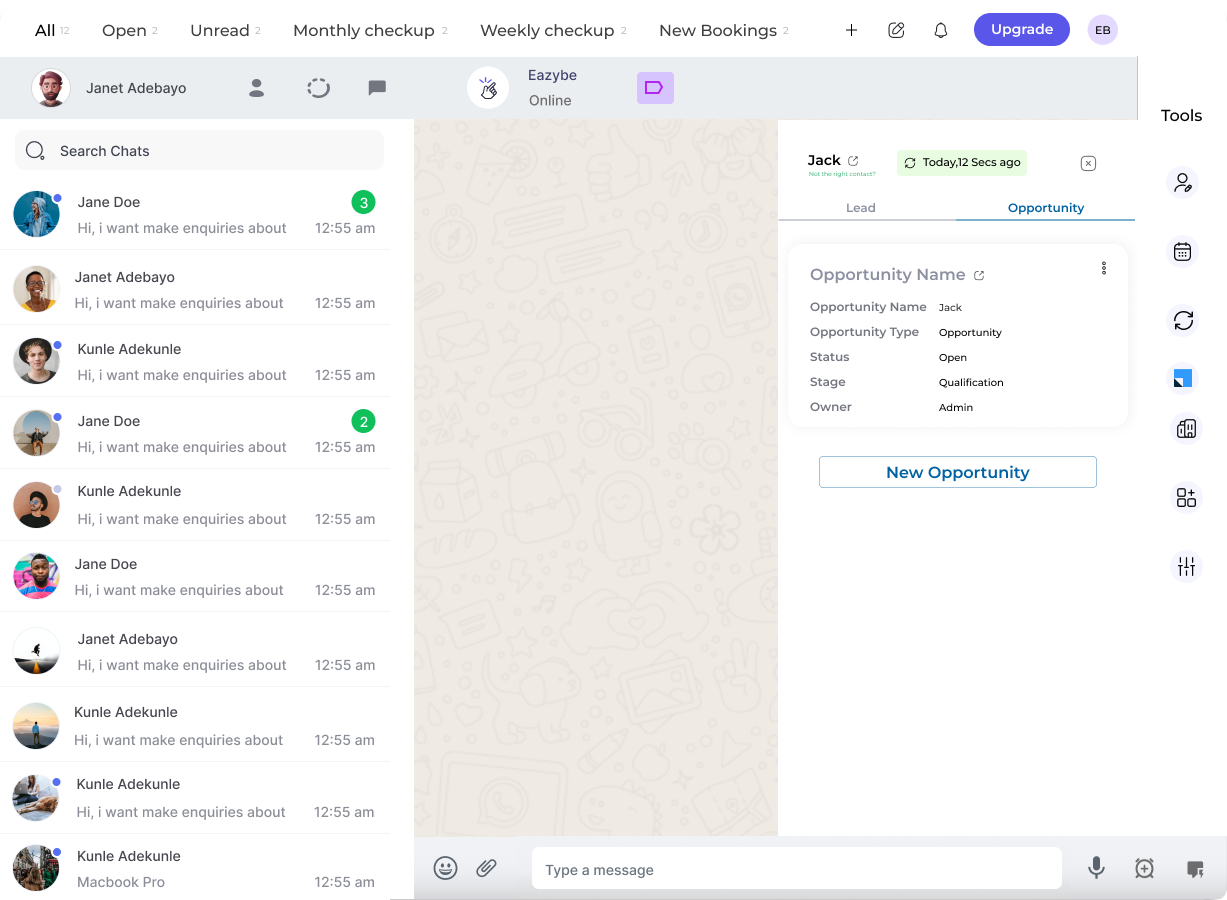
6
Add More Opportunities
Repeat the process to create additional opportunities for the same lead as needed.
Opportunities created in EazyBe are automatically synchronized with LeadSquared and linked to the specific lead.