

Backup Locations
WhatsApp chat backups with LeadSquared leads are accessible in two primary locations:1. Leads Page
Chat backups appear on the individual lead’s dedicated page within LeadSquared. Navigate to any lead’s profile to view their complete WhatsApp conversation history.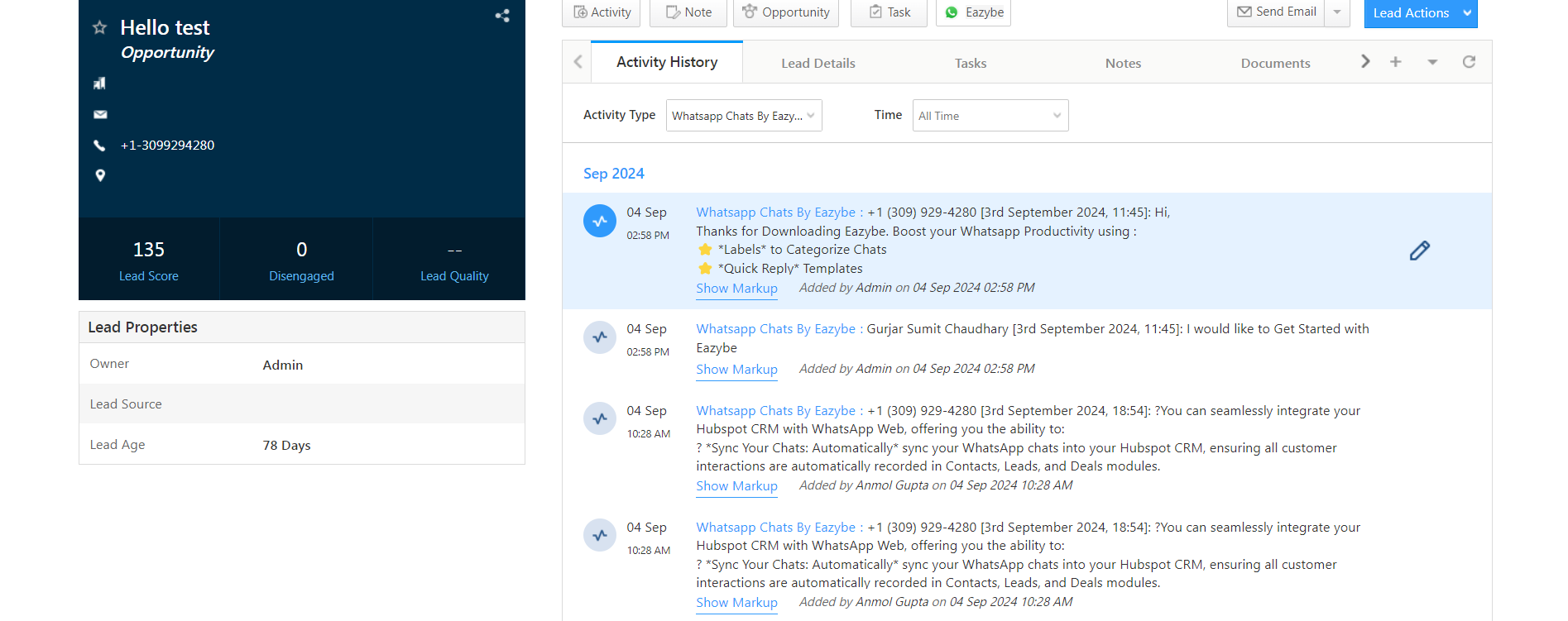
2. Lead Opportunities Page
Conversations are also backed up within the Opportunities section of each lead’s profile. This allows you to view chat history in the context of specific opportunities.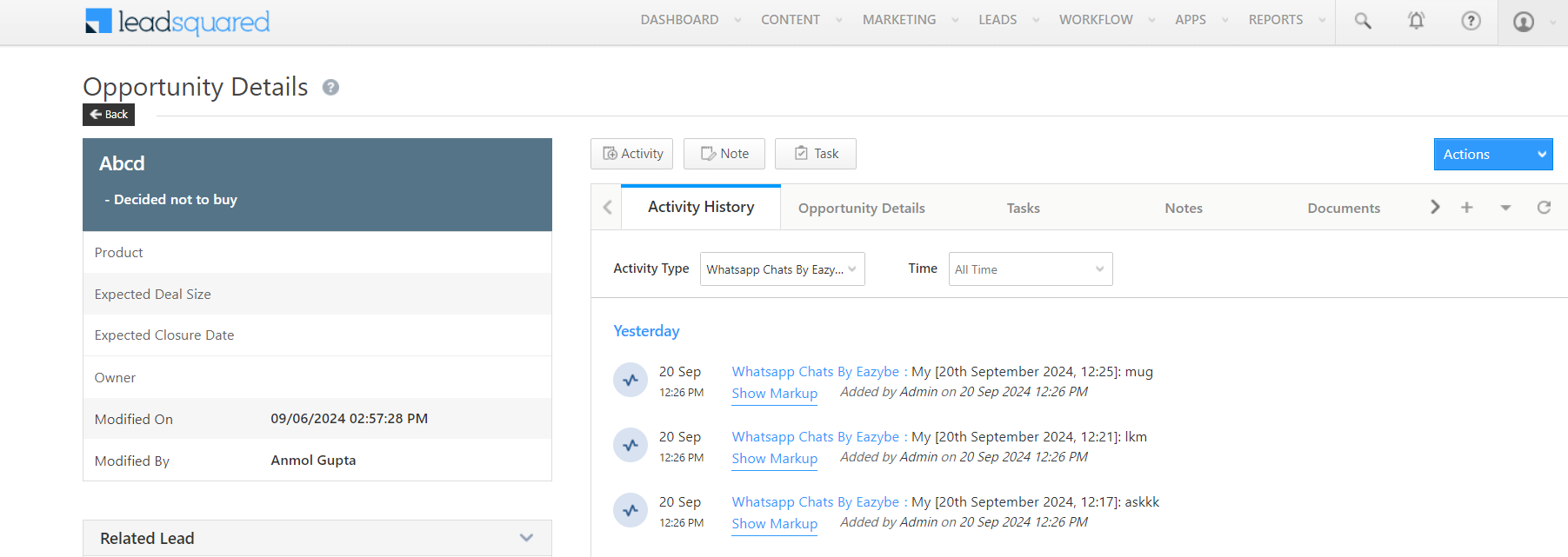
Both locations display the same WhatsApp conversation data, allowing you to access chat history from whichever view is most relevant to your workflow.