

View Connected Team Members
1
Log in to EazyBe Workspace
Access your admin account on the EazyBe Workspace.
2
Navigate to Dashboard
Go to the Dashboard section within the EazyBe Workspace.
3
View Integration Status
The dashboard provides complete information on your team’s LeadSquared usage. Look for the CRM Integrated column in the table - the LeadSquared icon will be visible for team members who have connected their accounts.
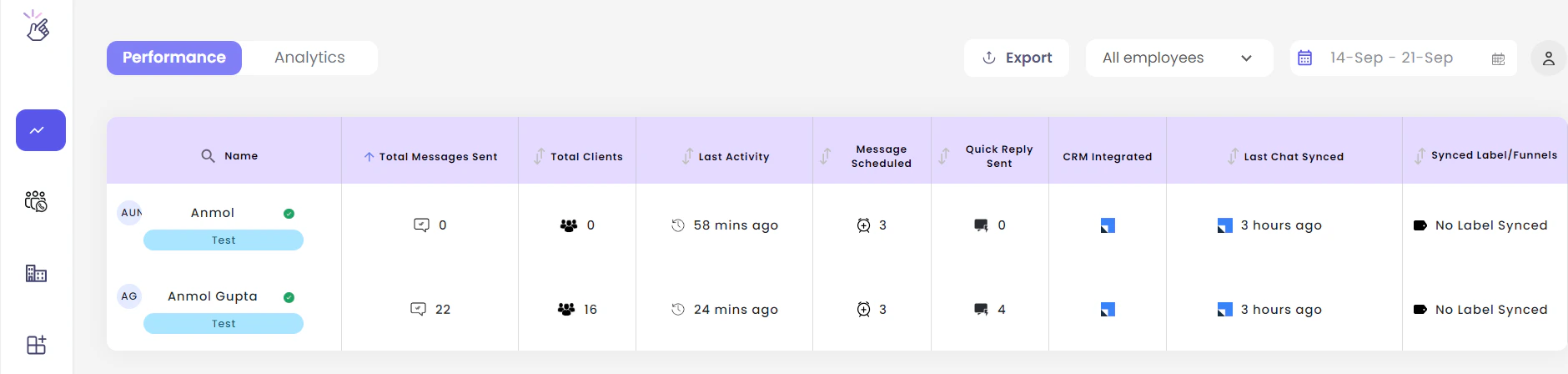
Only organization admins have access to view the team’s integration status. Regular team members cannot see other members’ connection status.